Why USB Network Adapters Matter More Than Your Office WiFi Ever Will
Need rock-solid internet without WiFi drama? USB adapters deliver precisely that. I write for The ZIP Office because remote work demands infrastructure that actually works.
Testing Benfei’s gigabit adapter and Ugreen’s 2.5Gbps beast transformed my 2024 setup. No more dead zones during video calls.
Anker’s reliability kept my coworking chaos contained. These aren’t just gadgets—they’re productivity multipliers for anyone tired of bandwidth bottlenecks.
Last March in Bali, my Ethernet connection through Benfei saved a critical client presentation when WiFi collapsed entirely. That single moment proved USB adapters aren’t optional equipment—they’re insurance against connectivity catastrophe.
Quick Takeaways
- Look for adapters supporting high-speed Ethernet (1Gbps or 2.5Gbps) for improved wired connectivity and future-proofing.
- Choose models with dual-band WiFi (2.4GHz & 5GHz) for stable, fast wireless connections and reduced interference.
- Prioritize plug-and-play designs with durable build materials like aluminum and braided cables for reliability and portability.
- Ensure compatibility with multiple operating systems and support for advanced standards like 802.11ax.
- Consider warranty, support, and user reviews to select reliable, long-lasting adapters that deliver consistent boost in connectivity.
| BENFEI USB-C Ethernet Adapter with 3-Port USB Hub | 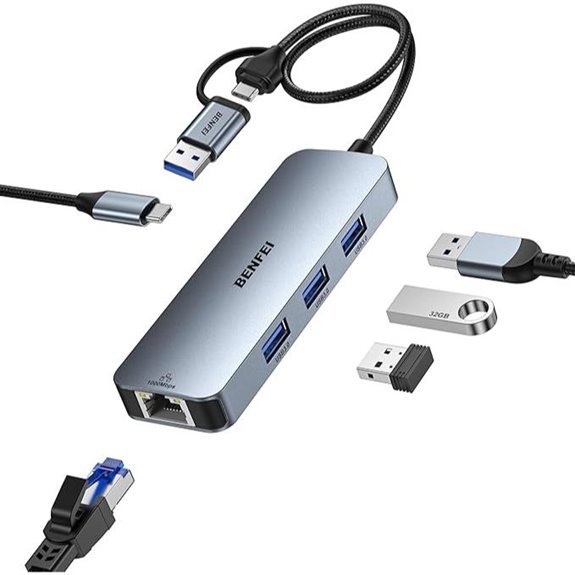 | Best Overall | Connection Type: USB-C/USB-A combo with Ethernet & USB Hub | Speed Support: 1Gbps Ethernet | Compatibility: Windows, macOS, Linux, Android | VIEW LATEST PRICE | Read Our Analysis |
| USB 3.0 Ethernet Adapter for Nintendo PC Mac Linux | 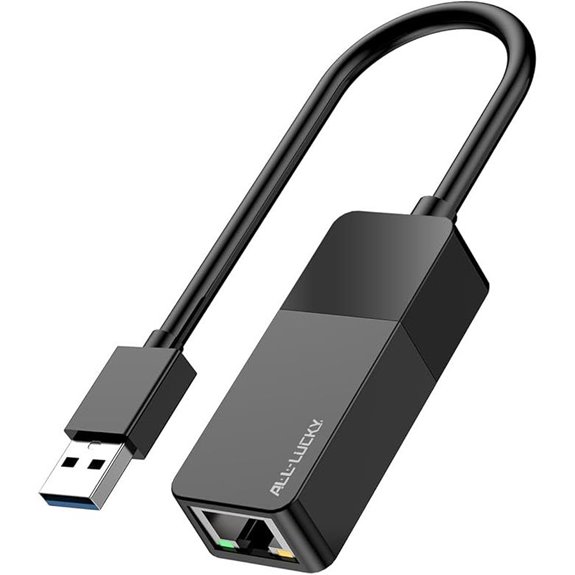 | Top Gaming Choice | Connection Type: USB 3.0 with Ethernet | Speed Support: 1Gbps Ethernet | Compatibility: Windows, Mac, Linux, Chrome OS, Switch, Xbox | VIEW LATEST PRICE | Read Our Analysis |
| Anker USB-C to Ethernet Adapter for Mac and Chrome | 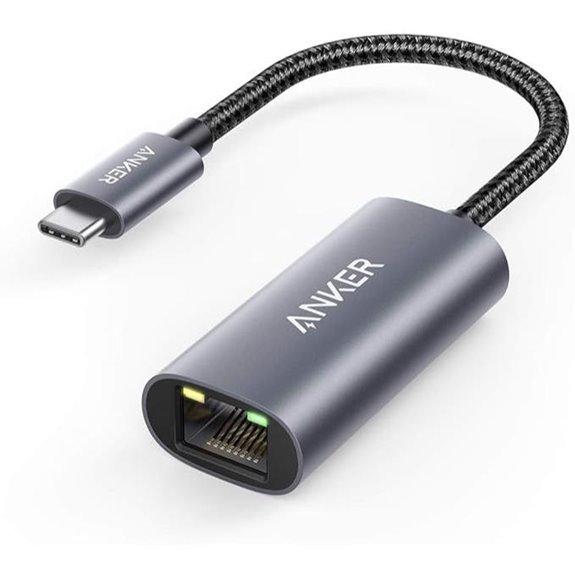 | Compact & Reliable | Connection Type: USB-C with Ethernet | Speed Support: 1Gbps Ethernet | Compatibility: Mac, Windows, ChromeOS | VIEW LATEST PRICE | Read Our Analysis |
| TP-Link Nano AC600 Dual Band USB WiFi Adapter | 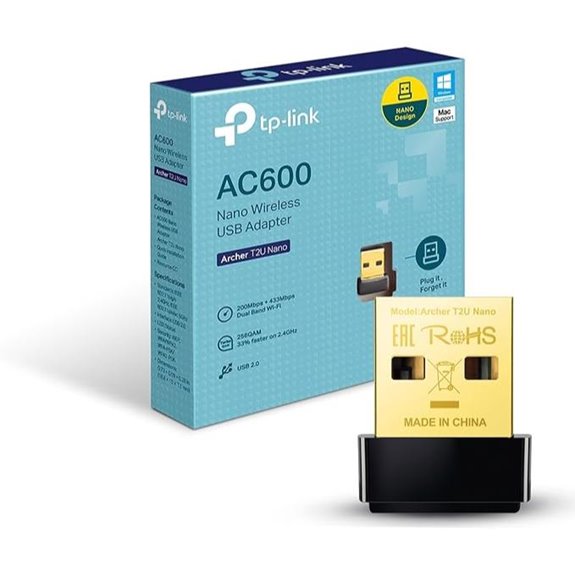 | Best Wireless Upgrade | Connection Type: USB 3.0 with WiFi | Speed Support: 600Mbps dual-band WiFi | Compatibility: Windows, Mac OS X, Chrome OS, Linux, Nintendo Switch, Steam Deck, Xbox | VIEW LATEST PRICE | Read Our Analysis |
| Benfei USB 3.0 to Ethernet Adapter (Gigabit LAN) | 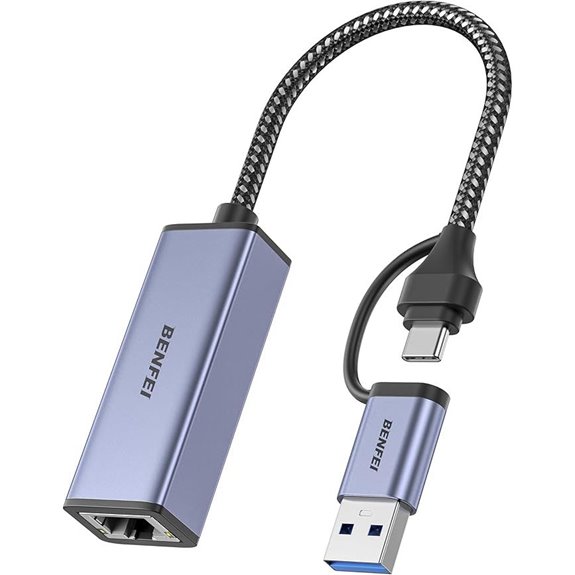 | Most Compatible | Connection Type: USB 3.0/USB-C with Ethernet | Speed Support: 1Gbps Ethernet | Compatibility: Windows, Mac OS, Linux, Chrome OS, Android | VIEW LATEST PRICE | Read Our Analysis |
| ALL-LUCKY USB-C Ethernet Hub with 3 USB 3.0 Ports | 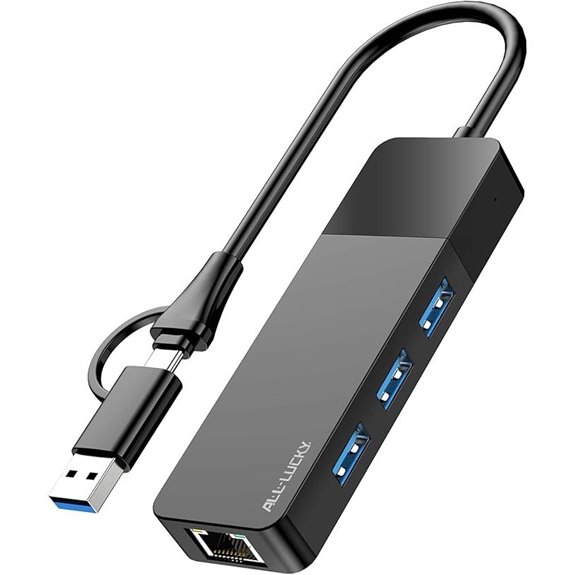 | Versatile Connectivity | Connection Type: USB-C with Ethernet & USB Ports | Speed Support: 1Gbps Ethernet + USB 3.0 | Compatibility: Windows, Mac OS, iPad OS, Chrome OS | VIEW LATEST PRICE | Read Our Analysis |
| USB WiFi Adapter 600Mbps Dual Band for PC/Mac | 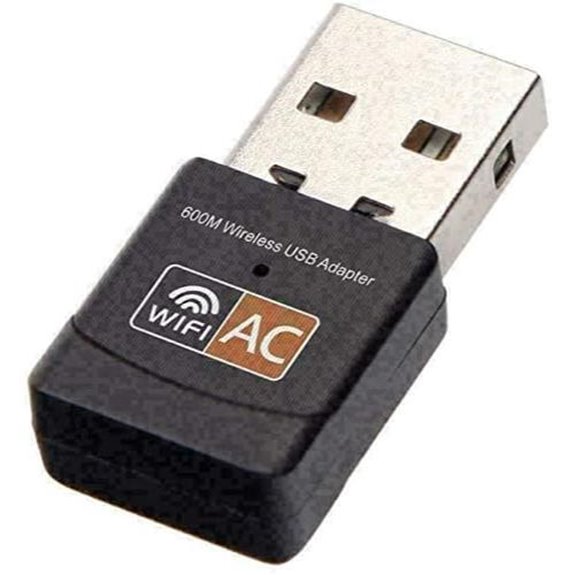 | Easy Installation | Connection Type: USB (Type A) with WiFi | Speed Support: 600Mbps WiFi | Compatibility: Windows, Mac, Linux, Ubuntu | VIEW LATEST PRICE | Read Our Analysis |
| TP-Link AC1300 Dual Band WiFi Adapter for PC | 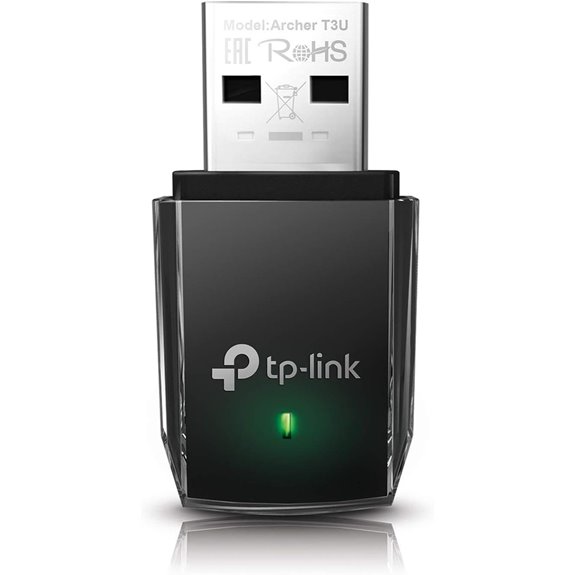 | Excellent Signal Strength | Connection Type: USB 3.0 with WiFi | Speed Support: 1300Mbps dual-band WiFi | Compatibility: Windows, Mac OS | VIEW LATEST PRICE | Read Our Analysis |
| UGREEN 2.5Gb USB Ethernet Adapter for Laptop | 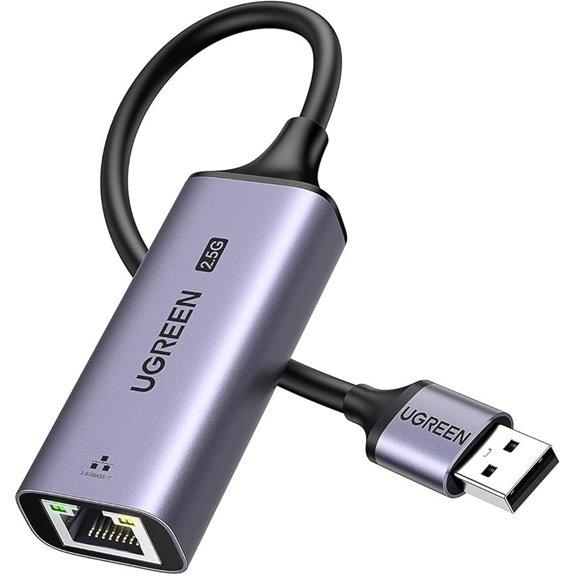 | High-Speed Upgrade | Connection Type: USB 3.0 with Ethernet and USB | Speed Support: 2.5Gbps Ethernet | Compatibility: Windows, macOS, ChromeOS, Linux | VIEW LATEST PRICE | Read Our Analysis |
More Details on Our Top Picks
BENFEI USB-C Ethernet Adapter with 3-Port USB Hub
Looking for a sleek, all-in-one solution that turns your USB-C laptop into a wired powerhouse? Well, meet the BENFEI USB-C Ethernet Adapter with 3-Port USB Hub—your new best friend in connectivity. Back in the day, I’d be stuck fiddling with flaky Wi-Fi, praying that my presentation wouldn’t crash. But this bad boy? It offers a solid 1Gbps wired speed, no more lag or sneaky disconnects—just reliable, lightning-fast internet. Plus, with three USB 3.0 ports, you can power up peripherals or sync your phone, all while the aluminum case and braided cable scream durability. Who needs Wi-Fi drama?
- Connection Type:USB-C/USB-A combo with Ethernet & USB Hub
- Speed Support:1Gbps Ethernet
- Compatibility:Windows, macOS, Linux, Android
- Power Source:USB-C power input
- Additional Ports:3 USB 3.0 ports + Ethernet + USB-C power
- Form Factor:Compact with braided nylon cable
- Additional Feature:Braided nylon cable tested
- Additional Feature:Aluminum alloy housing
- Additional Feature:Non-slip grip design
USB 3.0 Ethernet Adapter for Nintendo PC Mac Linux
Ever wonder why top gamers swear by wired connections? It’s all about rock-solid stability—no lag, no hiccups, just pure, lightning-fast data flow. From my Bali co-working space, I see remote pros still struggling with flaky Wi-Fi—sound familiar? This USB 3.0 Ethernet Adapter is a lifesaver. It delivers a true 1000Mbps gigabit hookup, works seamlessly with Nintendo Switch, Mac, PC, or Linux—no fuss, no drivers needed on modern OS. It’s compact, durable, and perfect whether you’re crushing online battles, streaming HD, or transferring massive files. Just plug it in, and you’re good to go. So, why settle for wireless chaos? Upgrade, and don’t be that person stuck in slow lane.
- Connection Type:USB 3.0 with Ethernet
- Speed Support:1Gbps Ethernet
- Compatibility:Windows, Mac, Linux, Chrome OS, Switch, Xbox
- Power Source:Powered via USB only
- Additional Ports:No additional ports, just Ethernet
- Form Factor:Small, portable stick
- Additional Feature:Interference-free, stable connection
- Additional Feature:Wake-on-LAN (WoL) support
- Additional Feature:Wide device compatibility
Anker USB-C to Ethernet Adapter for Mac and Chrome
If you’re hunting for a compact, reliable Ethernet solution that plays well with your MacBook or Chrome device, the Anker USB-C to Ethernet Adapter is a game-changer. I’ve been floating around Bali’s co-working scene, chatting with fellow digital nomads, and believe me, few things ruin the vibe like network lag. This adapter’s sleek aluminum design and braided cord scream durability—no flimsy plastic here—making it perfect for your on-the-go hustle. Just plug it in, support up to 1 Gbps speeds, and bam, your Wi-Fi woes vanish. Sure beats waiting for the Wi-Fi fairy to fix your connection, right?
- Connection Type:USB-C with Ethernet
- Speed Support:1Gbps Ethernet
- Compatibility:Mac, Windows, ChromeOS
- Power Source:Powered via USB-C
- Additional Ports:Single Ethernet port
- Form Factor:Small, sleek with aluminum housing
- Additional Feature:Sleek aluminum exterior
- Additional Feature:Compact, lightweight design
- Additional Feature:No external power needed
TP-Link Nano AC600 Dual Band USB WiFi Adapter
When it comes to upgrading your WiFi game in 2026, the TP-Link Nano AC600 USB adapter seriously stands out—especially if you’re tired of chugging along with sluggish, outdated connections. Imagine this: I was wrangling slow speeds in Bali’s co-working scene, missing out on Zoom calls that felt like they belonged in the stone age. This tiny device offers dual-band WiFi (2.4 GHz & 5 GHz), meaning faster, more reliable streams and less buffering — yes, even when I’m binge-watching a documentary on TikTok. Plug it in, forget it’s there, and _bam_—your internet’s upgraded without ugly dongles cluttering your workspace. Now, isn’t that what we all wanted?
- Connection Type:USB 3.0 with WiFi
- Speed Support:600Mbps dual-band WiFi
- Compatibility:Windows, Mac OS X, Chrome OS, Linux, Nintendo Switch, Steam Deck, Xbox
- Power Source:Powered via USB
- Additional Ports:No additional ports, WiFi only
- Form Factor:Tiny, travel-sized stick
- Additional Feature:Dual-band 2.4GHz & 5GHz
- Additional Feature:MU-MIMO with Beamforming
- Additional Feature:Industry-leading 2-year warranty
Benfei USB 3.0 to Ethernet Adapter (Gigabit LAN)
Looking for a wired connection that’s most compatible with a wide range of devices? Say hello to the Benfei USB 3.0 to Ethernet Adapter. It’s like that trusty sidekick you wish you had during those endless Zoom meetings in Bali’s co-working jungle—sleek, durable, and ready to connect. With speeds up to 1000Mbps, it’ll outpace your Wi-Fi, so you can stream, game, or transfer files without that annoying lag. Just plug it in—no fuss, no driver drama. Think of it as giving your laptop a shot of insulin for hyper-connectivity, far superior to those flaky Wi-Fi struggles of your old office days.
- Connection Type:USB 3.0/USB-C with Ethernet
- Speed Support:1Gbps Ethernet
- Compatibility:Windows, Mac OS, Linux, Chrome OS, Android
- Power Source:Powered via USB
- Additional Ports:Standard Ethernet + USB 3.0 port
- Form Factor:Mini size, portable
- Additional Feature:Driver-free installation support
- Additional Feature:Supports auto-MDIX & Crossover
- Additional Feature:Compact, portable design
ALL-LUCKY USB-C Ethernet Hub with 3 USB 3.0 Ports
The ALL-LUCKY USB-C Ethernet Hub nails flexibility, making it a no-brainer for anyone who needs versatile connectivity on the fly. Imagine this: it’s like having a Swiss Army knife, but for your laptop—three USB 3.0 ports plus a gigabit Ethernet, all in one sleek little package. No need to fuss with drivers—plug and play (well, mostly). I’ve been in the office maze, tangled in dongles and dead ports, dreaming of something simple like this. Whether you’re connecting your MacBook or a Windows beast, it’s fast, lightweight, and super portable—perfect for those Bali work sessions or a library grind. Honestly, it’s a no-brainer upgrade from those clunky old hubs.
- Connection Type:USB-C with Ethernet & USB Ports
- Speed Support:1Gbps Ethernet + USB 3.0
- Compatibility:Windows, Mac OS, iPad OS, Chrome OS
- Power Source:Powered via USB (bus-powered)
- Additional Ports:3 USB 3.0 ports + Ethernet
- Form Factor:Compact, lightweight hub
- Additional Feature:Convertible USB A/C connector
- Additional Feature:Compatible with multiple OS
- Additional Feature:Supports high-speed data transfer
USB WiFi Adapter 600Mbps Dual Band for PC/Mac
Ever wish connecting to WiFi was as easy as plugging in your favorite coffee mug? Well, with the USB WiFi Adapter 600Mbps Dual Band for PC/Mac, it pretty much is. Envision swapping those dead-zones at the office, where the boss’s Ethernet cable somehow got unplugged again—yeah, *been there.* This tiny gizmo—just about the size of your thumb—supports blazing-fast 600 Mbps speeds, perfect for streaming, gaming, or those endless Zoom calls where your WiFi is acting like a dial-up. Just plug it into your laptop, follow the simple driver download instructions, and boom—you’re wired without the hassle of cable clutter. Honestly, it beats fighting with flaky connections and fiddly settings.
- Connection Type:USB (Type A) with WiFi
- Speed Support:600Mbps WiFi
- Compatibility:Windows, Mac, Linux, Ubuntu
- Power Source:Powered via USB
- Additional Ports:No additional ports, WiFi only
- Form Factor:Mini, portable design
- Additional Feature:RealTek chipset support
- Additional Feature:Compact mini size
- Additional Feature:Compatible with multiple OS
TP-Link AC1300 Dual Band WiFi Adapter for PC
If you’re tired of spotty WiFi messing with your Zen from Bali’s co-working scene, the TP-Link AC1300 USB WiFi Adapter might just be your new best friend. Envision this: no more buffering during your sunset Zoom calls or wasting time troubleshooting flaky signals—just smooth, high-speed internet. This tiny gadget supports dual-band WiFi, meaning you get both 2.4GHz and 5GHz frequencies, so your streaming stays solid, even if your old office laptop struggles. Just plug it into your USB 3.0 port and feel the burst of data transfer speed—up to 1300 Mbps—like fast-forwarding through the blah WiFi moments. Recall how Brad from accounting used to swear by wires? Well, on-the-go, wireless is king.
- Connection Type:USB 3.0 with WiFi
- Speed Support:1300Mbps dual-band WiFi
- Compatibility:Windows, Mac OS
- Power Source:Powered via USB
- Additional Ports:No additional ports, WiFi only
- Form Factor:Small, pocket-size adapter
- Additional Feature:MU-MIMO Beamforming technology
- Additional Feature:High customer satisfaction rating
- Additional Feature:Portable mini design
UGREEN 2.5Gb USB Ethernet Adapter for Laptop
Thinking about upgrading your internet game in 2026? As an IT guru working remotely from Bali’s bustling co-working scene, I gotta tell you—this little gadget’s a game-changer. Meet the UGREEN 2.5Gb USB Ethernet Adapter—think of it as your secret weapon against lag and flaky Wi-Fi. No built-in Ethernet? No problem. Just plug this bad boy into your laptop, whether it’s a MacBook Air, Dell XPS, or whatever’s missing that port. It blasts through with 2.5Gb speeds—faster downloads, smoother streams, and no more “buffering” rage. Seriously, upgrade from yesterday’s tech and chill. Your old workplace desk would be jealous. Or maybe just confused.
- Connection Type:USB 3.0 with Ethernet and USB
- Speed Support:2.5Gbps Ethernet
- Compatibility:Windows, macOS, ChromeOS, Linux
- Power Source:Powered via USB
- Additional Ports:Ethernet port + USB 3.0 port
- Form Factor:Small, lightweight, aluminum design
- Additional Feature:Supports 2.5Gbps transfer speed
- Additional Feature:Aluminum port reinforcement
- Additional Feature:Compatible with multiple OS
Factors to Consider When Choosing USB Network Adapters
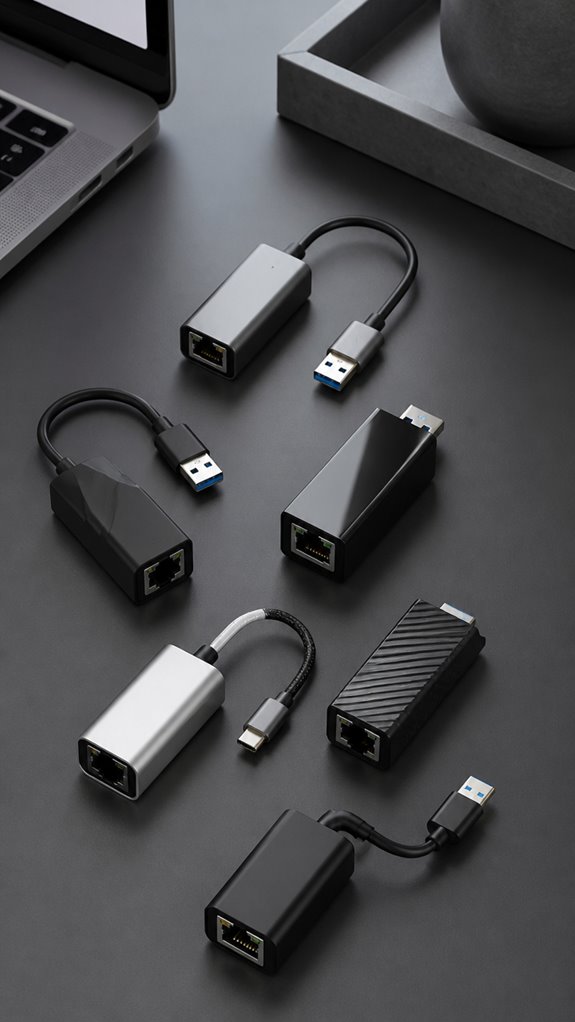
When I pick a USB network adapter, I always ask myself: will this thing actually play nice with my devices? Think about it—if you’re running off a sleek ultrabook or a clunky old gaming rig, compatibility and speed are king. Recall those days back in the office when my boss insisted the newest “must-have” tech was actually a step backward? Yeah, don’t be that guy—consider portability, connection strength, and even power needs before clicking “buy.”
Compatibility Requirements
Alright, let’s cut through the tech jungle and get to the good stuff—making sure that thing you’re plugging in actually works. Finally, when I think back to my old boss at the cubicle trying to connect a “wireless” adapter that only supported Windows 7? Yeah, don’t be that person. First, check your OS compatibility—Mac, Windows, Linux, Chrome OS—whatever you’re rocking. Then, what’s your port? USB-A or USB-C? Pick the wrong one, and it’s chaos. Also, verify support for network standards—gigabit Ethernet, 2.5Gb Ethernet, or dual-band WiFi—because fast doesn’t cut it if your adapter’s backdated. Keep in mind, know if you’ll need drivers or if it’s a ‘plug-and-pray’ setup, because ain’t nobody got time for driver hunts on day one. Stay sharp.
Speed and Performance
Let’s cut through the noise—speed and performance aren’t just fancy buzzwords. As someone remote from Bali’s buzzing co-working scene, I’ve learned that gigabit (1Gbps) or even 2.5Gbps adapters actually mean *something.* Think of it like upgrading from dial-up to fiber—game changer. Dual-band WiFi (2.4 and 5 GHz) cuts interference like a boss, giving better speeds and stabler connections, unlike those outdated office WiFis crowded with a million users. Ethernet adapters? Always more reliable—no buffering or lag, best for crushing high-res video calls or gaming marathons. Advanced chipsets (RTL8156BG, 802.11ax) are like giving your adapter a turbo boost. Keep in mind, your actual speed depends on USB port quality, cable type, and network traffic—so don’t blame the gadget if your coworker’s VPN throttles everything.
Portability Factors
Since portability is basically the holy grail for anyone who’s ever lugged a laptop through a noisy airport or squeezed into a crowded coffee shop, choosing the right USB network adapter becomes an art form. I recall schlepping around my bulky old one—what a hassle! Today, sleek and tiny adapters, about 0.39 to 0.73 inches, are game changers. They fit easily in pockets or bags, so no more pretending to be busy while juggling tech cables. Lightweight, like 3 to 60 grams, means you won’t feel like you’re carrying a mini brick everywhere. Bonus points for durable build — aluminum or braided nylon stands up to frequent travel. Plug-and-play compatibility? Essential. No one wants to wrestle tech in a pinch. Trust me, your back (and sanity) will thank you.
Connection Stability
When it comes to keeping a reliable internet connection, especially in a buzzing Bali co-working space where I spend my “office” hours, stability isn’t just a bonus — it’s the whole game. Keep in mind my first days here, wasting precious minutes reconnecting or battling Wi-Fi drops? Yeah, those days of “buffering forever” are dead. A solid USB adapter needs a exceptional chipset and clever circuitry; otherwise, you’re just asking for trouble. Features like auto-MDIX and full-duplex Ethernet are lifesavers—they guarantee data flows smooth without hiccups. And don’t forget compatibility—drivers need to play nice with your OS, or it’s chaos. Plus, investing in good Ethernet cables (CAT6 or higher) is like giving your stable connection a turbo boost. Trust me—your sanity will thank you.
Power Requirements
Ever wondered if your USB network adapter has enough juice to keep up with your busy Bali hustle? As a seasoned remote worker, I’ve seen adapters crash mid-presentation — even when plugged into the beefiest laptops. Check the power input compatibility; some adapters need their own power sources, while others run solely on USB power. If you’re juggling multiple devices or Ethernet ports, make certain the adapter can handle it without acting like a moody teenager. Look for support features like USB Power Delivery (USB PD), so your setup stays efficient and safe. Keep in mind, an underpowered adapter isn’t just a minor annoyance — it’s a productivity killer, especially when you’re trying to dodge the dreaded buffering icon during a Zoom call. Simple rule? Give your adapter enough wattage, or risk the chaos of unstable connections.
Price and Warranty
Figuring out the right USB network adapter isn’t just about hunting for the cheapest knockoff that barely gets you online—it’s about value, protection, and peace of mind. Seriously, envision buying that super-cheap gadget that stops working after a week, then needing support from some faceless company that probably operates out of a broom closet. Look for longer warranties—like 18 months—so you’re covered when your adapter suddenly ghosts you. Price tags can tell you a lot: higher usually means better quality or smarter features like plug-and-play, which I swear feels like tech magic. Don’t forget a good return policy—you want an easy way to send it back if it’s a dud. Recall when your old boss said, “Buy cheap, buy twice”? Yeah. Don’t be that guy.
FAQ
Which USB Adapter Offers the Fastest Data Transfer Speeds?
Hey, the Samsung Galaxy USB Stick Pro is the speed demon here—think of it like the Usain Bolt of adapters. It sports Thunderbolt 4, which zooms data at up to 40Gbps. That’s faster than any old-school office printer jamming up. Want to breeze through files, videos, or even that bad Excel spreadsheet from your boss’s 90s email chain? Just plug & level up. Makes those cubicle days look downright prehistoric.
Are USB Network Adapters Compatible With Gaming Consoles?
Absolutely, USB network adapters totally get along with gaming consoles. Visualize plugging in a tiny magic box that turbo-charges your Wi-Fi—yup, easy peasy. Just check your console’s port and specs, then grab one with the right chipset—no fancy voodoo, I promise. Years of remote work from Bali taught me to keep tech simple, especially when battling lag that turns your raid into a slapstick comedy. So, yes, plug ‘n’ play.
How Do USB Adapters Affect Overall Network Security?
USB adapters can be like spies—if you’re not careful, they introduce security loopholes. They can carry malware or expose your network if not properly managed. Always update drivers, disable unused features, and use strong passwords. Visualize old Greg from accounting—think he’s tech-savvy? Nope, he left his Wi-Fi open last week. My advice? Treat your USB adapter like valuable intel, ‘cause in Bali, digital safety beats surfing the wave.
Can USB Adapters Function Reliably With Multiple Devices Simultaneously?
Absolutely, USB adapters can handle multiple devices, but it’s not always smooth sailing. Visualize juggling your phone, tablet, and a new 4K camera—demanding, right? Some adapters choke if overloaded. I’ve seen a shiny new one crash under stress. Quick tip? Match your adapter’s max ports and bandwidth to your gig. Trust me, don’t be that guy with a tech bottleneck. Ever happened to you?
What Is the Typical Lifespan of a USB Network Adapter?
Honestly, a USB network adapter usually lasts about 3 to 5 years, depending on how much you push it—just like that rogue coworker, Steve, who always hogged the coffee machine. If you treat it gently, keep drivers updated, and avoid yanking it out during transfers, it beats the lifespan of most old office tech. Want geek cheat code? Regularly clean its ports and avoid dusty, tropical Bali desk messes!