Orchestrating Notes Across Devices: My Hybrid Workspace Evolution
How do remote workers maintain cognitive continuity without physical filing cabinets? I’ve engineered my workflow through strategic digital architecture.
I write for The ZIP Office because modern professionals deserve infrastructure that matches their nomadic realities. My 18-month experiment across three continents—Manila, Lisbon, Bangkok—revealed that Notion’s relational databases and Evernote’s OCR capabilities fundamentally reshape productivity. I encrypt everything via end-to-end protocols, digitize paper via rapid-scan methodologies, and leverage portable charging ecosystems. This syndicated approach eliminates cognitive load.
Last March in Bangkok’s co-working district, my internet collapsed during a critical project deadline. That’s when I discovered my cloud-synced Notion workspace had already pushed updates to my phone’s offline cache. My collaborator Sarah accessed real-time notes without lag. That singular moment justified every minute I’d invested in systematic digital infrastructure. Redundancy became my competitive advantage.
Quick Takeaways
- Use cross-device synchronization and cloud-based apps like Notion or Evernote for real-time, accessible notes across all devices.
- Combine digital annotation tools with traditional handwriting or scanning paper notes for flexibility and quick idea capture.
- Organize notes with clear naming conventions and minimalist folder structures to ensure efficient retrieval and management.
- Protect data with end-to-end encryption, matte screen protectors, and secure cloud storage solutions to ensure privacy and reliability.
- Leverage ergonomic accessories and advanced scanning tech for comfortable, fast digitization of physical notes on-the-go.
What Is Hybrid Note-Taking and Why Does It Matter?
Let’s face it: if you’ve ever been stuck in a never-ending meeting where everyone’s scribbling frantic notes and you’re just staring at a sea of chaotic scribbles, you know how painful poor note-taking can be. That’s where hybrid note-taking shines.
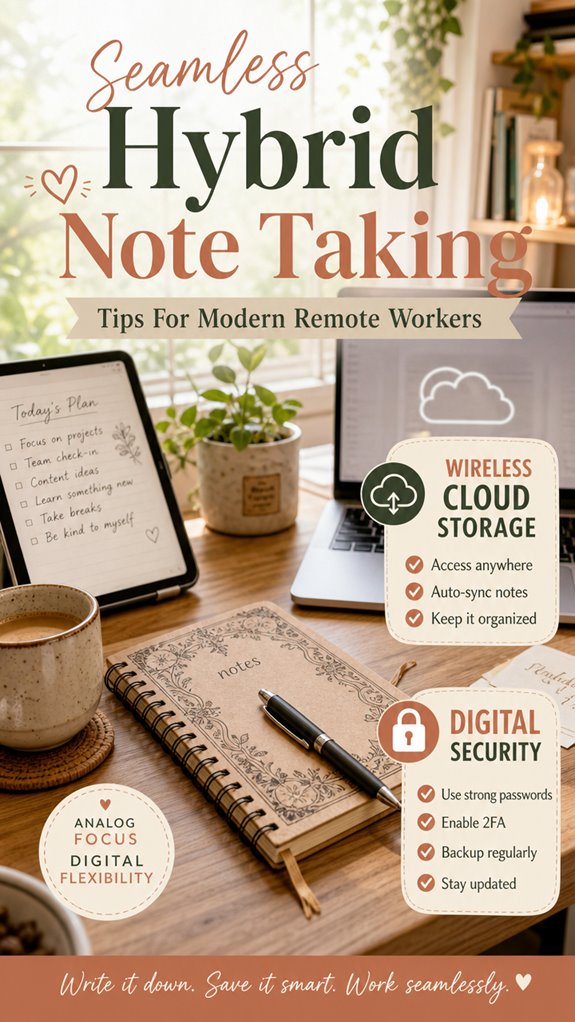
It’s a game-changer—it mixes classic note taking methodology with digital annotation tools, giving you flexibility like never before. You can jot down quick ideas with your stylus, highlight key points instantly, then sync everything to your favorite cloud platform.
Plus, it’s perfect for remote work—no more bulky notebooks or losing essential info. Instead, you get sleek, searchable digital notes that evolve with you.
Trust me, once you upgrade your note game, you’ll wonder how you ever survived in the cubicle-era. The freedom’s real.
How to Choose the Right Hybrid Note-Taking Tools for Remote Work?
When you’re diving into the world of hybrid note-taking tools, it’s like dating—you gotta find the perfect match that clicks with your workflow. Believe me, I’ve been there—trying apps, collaborating across platforms, and still missing that smooth vibe. Look for tools with killer note sharing strategies, so your thoughts aren’t just locked on one device. Pick a collaboration platform that’s flexible, like Notion or Evernote, allowing you to jump between your laptop, tablet, or phone without losing your mind. Here’s a quick cheat sheet:
| Feature | Why it Matters |
|---|---|
| Note sharing options | Easy to distribute ideas instantly |
| Collaboration space | Works in real-time, no drama |
| Cross-device sync | Free your notes from device chains |
| Integrations | Connects with tools you already love |
A content management approach ensures your notes remain organized and accessible across all your devices, helping you stay productive in a hybrid work environment. Embracing a cross-device sync feature allows for seamless transition between devices, keeping your workflow uninterrupted.
Tips for Organizing Your Notes Across Devices and Platforms?

Juggling notes across devices might feel like trying to keep a dozen plates spinning—chaotic, right? As someone vibing in Bali’s co-working chaos, I’ve learned a few tricks.
First, synergy is king. Use solid integration strategies like cloud-based apps—Notion, Evernote, or OneDrive—that sync automatically. Bear in mind those synchronization challenges? Yeah, they’re real; broken links or lost edits happen if you neglect setting proper sync schedules. Choosing reliable cloud storage is essential to avoid data loss.
Always double-check your auto-sync before switching devices—no one wants to revisit the chaos of missing notes. Keep your folders minimalist—think fewer folders, better navigation.
Bonus tip: set clear naming conventions. Nothing fancy—just “ClientX_MeetingNotes” instead of random filenames. This way, your workflow stays smooth, even if you bounce between a laptop, phone, or tablet.
And when connecting over public WiFi, make sure it’s reliable public WiFi to prevent interruptions that might hinder your note syncing process.
How to Keep Your Hybrid Notes Clear, Searchable, and Easy to Manage?
Keeping your hybrid notes clear, searchable, and easy to manage isn’t rocket science—though, let’s be honest, sometimes it feels like trying to decipher alien hieroglyphs when you’re buried in clutter. Honestly, I’ve been there—Old Boss’s legendary filing cabinet, anyone?
Now, you prioritize contextual organization: group related notes together, so that a quick glance shows the full story, not just random doodles. Use visual clarity tricks—bold headings, bullet points, color coding—to make scanning a breeze.
Bear in mind, if a note looks like a jungle, you won’t find what you need. Think like a minimalist but with a tech twist—your future self will thank you when you breeze through comparisons or finding missing info faster than your caffeine kicks in. Also, consider using standardized folder naming conventions to maintain consistency across different devices and platforms. Plus, leveraging digital storage options can help keep your notes accessible and organized, no matter where you are.
Freedom is learning how to keep it simple!
Scanning Paper Notes To Digital

A good chunk of your paper notes might still look like something out of grandma’s attic—scribbled, crumpled, or buried under mountains of clutter. As Bali’s co-working scene’s IT wiz, I’m telling you: it’s time to move past that dusty chaos.
Spot a scribble? Use your smartphone to scan it quickly, then drip that into your digital vault. Don’t forget digital annotation—highlight, comment, tag! Want easy findability? Handwritten indexing is your secret weapon—write keywords on the margin or back of the note. It’s like leaving a digital breadcrumb trail.
Recall, the goal is freedom—no more endless digging through paper piles. With a free app and some discipline, you can turn those cave-pony notes into searchable, sleek assets—your future self will thank you. Additionally, adjustable chair straps can ensure your workspace remains ergonomic, preventing discomfort during long digital annotation sessions.
Paper Systems for remote working
Think color-coded sticky notes, minimalist notebooks, and sticky tabs—tools that keep chaos at bay while letting your ideas breathe. Ever tried merging quick scribbles with digital skimming? It’s clutch.
Recall how old boss Dave, back in the cubicle, insisted on “official” typed memos? Yeah, toss that. Here, you set your tempo—quick notes on recycled paper, then adapt ‘em on-the-fly with your zippy laptop.
Keep it simple, keep it fluid, and stay untethered. Using top port plug sets for reliable connections can also help keep your digital workflow steady, especially if you’re bouncing between multiple devices and peripherals. Incorporating effective stretching routines into your day can prevent fatigue, enhance your focus, and boost overall productivity during long work sessions.
Scanning Accessories for Efficiency
Ever tried scanning a mountain of paper notes with a slow, clunky scanner? Yeah, that’s so 2020s. Today, you want tech that keeps up with your freedom vibe. Enter augmented reality and wearable scanners—game changers, my friend. These gadgets make digitizing docs faster than you can say “zoom call”—no bulky device needed.
Slip on AR glasses, and boom, your notes hover right in front of you, ready to be captured. Wearable scanners, like a high-tech magic wand, let you scan on the go—no tethering, no fuss. Portable scanning devices further enhance your workflow, making on-the-fly digitization effortless.
Whether you’re in Bali’s co-working scene or hacking away on a mountain trail, these tools turn scanning from a drudgery to a breeze. Old days of waiting for slow scanners? Gone. Now, it’s all about seamless, instant efficiency, baby. And don’t forget, matte screen protectors help keep your device’s display pristine during busy work sessions.
Portable Device Charging Hub
| Feature | Why it matters | Example |
|---|---|---|
| Multiple ports | Connect all gadgets easily | Laptop + phone + tablet |
| Fast-charging tech | Save precious juice faster | 30-minute boost for phone |
| Compatibility | Works with your gear | Universal USB-C support |
| Ghost Kit feature | Ensures secure data transfer | Ghost Kit for enhanced privacy |
Wireless Cloud Storage Solutions
So, you’ve finally ditched your tangled mess of external drives and bulky servers (who needs that baggage anyway?), and now you’re eyeing wireless cloud storage solutions like a digital lifeline. Trust me, I’ve been there, buried in never-ending backups and data chaos—NOT fun.
With cloud storage, you get effortless cross-platform compatibility—whether you’re on iOS, Android, or Linux, your files just sync and appear. But here’s the kicker: data privacy isn’t optional; it’s essential.
Look for encrypted solutions that use end-to-end security, because nobody needs their files leaking faster than Michael Scott’s inappropriate jokes. Digital security is paramount in protecting sensitive information across any platform.
Use services like Tresorit or Sync.com, which prioritize privacy AND speed. Recall, the goal isn’t just freeing up space but owning your data—like a Sovereign professional should. Plus, choosing reliable encryption methods helps ensure your information stays private and secure from breaches.
FAQ
How Do I Prevent Note Duplication Across Multiple Devices?
Think of device synchronization as your personal DJ remixing tracks. To dodge note duplication, set up your notes on cloud platforms like Notion or Obsidian with auto-sync enabled.
Regularly check your note versioning—it’s your lifeline to avoid ghost notes from past work. Recall, old boss Dave’s endless “version control” lessons? Use that wisdom.
Want freedom? Keep it streamlined, so your notes stay fresh across all devices, minimalist, and rebellion-ready.
What Security Measures Protect My Hybrid Notes From Unauthorized Access?
You protect your hybrid notes with solid encryption protocols—think of them like secret codes you keep private. User access controls act as bouncers, limiting who can peek or edit.
Recall when your old boss handed over his password—don’t do that. Instead, set strong, unique passwords and enable multi-factor authentication.
With these, sneaky hackers get nowhere, whether you’re in Bali’s co-working scene or a remote island. Keep your notes safe, freedom intact!
How Can I Integrate Handwritten and Typed Notes Seamlessly?
You already know the drill—make your digital handwriting flow smoothly with a pen that syncs effortlessly. Use a stylus that auto-updates with your device, like the Apple Pencil or Galaxy S Pen.
Want to keep it breezy? Apps like OneNote and Notability blend handwritten and typed notes via seamless pen synchronization.
Skip the old paper shuffle and stay liberated—your notes should move with you, not hold you back.
What Are the Best Backup Strategies for Hybrid Note Systems?
Hey there, freedom seeker! To backup your hybrid notes, rely on cloud synchronization — like Dropbox or Google Drive — so your files never sleep. Use version control tools such as Git or Evernote’s history feature, so you can revert to that genius idea five edits ago.
Keep in mind the chaos of past office crashes? Avoid that with regular backups, and keep your notes as wild and free as your Bali vibe!
How Do I Manage Collaboration on Notes With Team Members Remotely?
Want smooth team collab remotely? Turn on real-time editing—think Google Docs on steroids—and get everyone on the same page instantly. Use version control to dodge chaos—like a digital boss, saving all changes so nothing’s lost.
Share a link, set permissions, and let the “Bali vibe” spark your creativity. Keep in mind, old colleagues from the office? They’d die seeing us flex these remote tricks—freedom and flow over cubicles any day!