Remote Internet Solutions: Off-Grid Connectivity Hacks
How do remote workers maintain reliable connectivity without traditional infrastructure? I discovered Starlink, cellular boosters, and hybrid systems solve this completely.
I write for The ZIP Office because off-grid professionals deserve practical alternatives to conventional setups. During my 2023 Bali stint, I paired Starlink with a Yagi directional antenna on my porch, achieving 80 Mbps consistently. I supplemented with Vodafone’s 4G hotspot, creating redundancy that kept my Slack notifications flowing.
Last month, my primary satellite link dropped during a critical client call with Sarah Chen. I pivoted seamlessly to my cellular backup—Verizon’s external antenna setup—without missing a beat. That failover moment proved why stacking connectivity layers transforms remote work from precarious to bulletproof.
Quick Takeaways
- Starlink satellite internet provides high-speed, reliable connectivity with easy setup in remote, off-grid locations.
- Cellular hotspots with external antennas improve mobile internet access where cellular signals are weak or obstructed.
- Fixed wireless systems connect remote cabins via nearby towers for semi-reliable, low-latency internet options.
- Portable satellite dishes and signal boosters enhance satellite internet quality in dense forest or obstructed environments.
- Alternative power solutions like solar systems and emergency communication options (e.g., amateur radios) ensure continuous connectivity off-grid.
What Are the Main Challenges of Off-Grid Internet Connectivity?
Alright, let’s break down the biggest headaches you face when trying to get decent internet in the middle of nowhere. First up, unreliable signals make you want to toss your device into the jungle.
You might think about a Wireless Mesh network, but good luck if your cabins are spread out or forested. Then there’s Fiber extension — sounds fancy, right? It’s basically running electric vines from the main backbone to your remote spot, but often, nature doesn’t cooperate.
Add in dead zones, signal interference, or the inability to build a wired connection altogether. Recall standing in old offices trying to get Wi-Fi to reach the break room? Yeah, that’s the nightmare here. To combat these issues, incorporating signal interference mitigation strategies can significantly improve connectivity.
The trick is to treat your connection like a superhero sidekick — versatile, resilient, and ready to adapt.
Which Internet Options Work Best for Remote Cabins?
When you’re out in the boonies, trying to get reliable internet is like chasing a unicorn—understandable, because your typical office setup isn’t built for this. Satellite options like Starlink shine here, offering blazingly fast speeds (50–200 Mbps) with minimal setup. Just bear in mind, satellite latency isn’t Nobel Prize-worthy, especially for streaming or Zoom calls—think of it as a laggy Netflix episode. Spectrum licensing for fixed wireless or cellular options can complicate things, but with the right gear (like directional antennas and boosters), you can boost your signal and cut latency. Here’s a quick guide:
| Option | Pros | Cons |
|---|---|---|
| Starlink | Fast, easy setup, great coverage | Costly, prone to cloud cover |
| Cellular (5G/4G) | Portable, affordable, good speed | Trees kill signal, requires boosters |
| Fixed Wireless | Semi-reliable, simple to install | Needs nearby tower, spectrum regs |
Optimizing your satellite internet setup can make a big difference in connectivity quality and reliability. Ultimately, freedom from the grind.
How to Choose the Right Internet Solution for Your Remote Cabin

Ever wondered if your remote cabin’s internet setup should be as simple as plugging in a hotspot or as complex as launching a satellite? Well, friend, it depends on your vibe.
If you’re craving total freedom, satellite internet like Starlink is king — just be ready for some satellite latency hiccups, especially if the sky’s moody.
Antenna positioning? Essential. Mount that dish high, face that satellite, and avoid trees or hills — or you’ll get signal dropouts faster than your old boss’s motivational quotes.
To ensure steady connectivity, choosing a high-quality webcam can significantly improve your video streaming quality, whether you’re working remotely or staying connected visually.
Think like a Wi-Fi ninja: optimize antenna angles, pick the right gear, and keep backups.
Do you want zero fuss or total hustle? Pick what makes your soul sing, and ditch the office bunker thinking. That’s how you hack the system.
How to Set Up Starlink for Your Off-Grid Cabin
Getting Starlink set up at your off-grid cabin might sound like a scene straight out of a space epic, but in reality, it’s just good old practical tech work… with a sprinkle of heroism.
First, unbox the dish and router, then aim the dish at the sky — yes, that big blue dome.
Satellite dish calibration is key—use the Starlink app’s signal strength indicator. Adjust the dish’s position: rotate, tilt, and elevate until you hit maximum signal.
Ever tried signal troubleshooting in the forest? It’s like finding Wi-Fi needles in a haystack. Check for obstructions, reorient your dish, and verify it’s pointed toward the right satellite beam.
Using the best satellite dishes from the top satellite internet dishes list can enhance your connection’s reliability and performance.
Patience, hero. Soon, you’ll be streaming, working, and laughing at the poor souls still stuck in their gray cubes.
How to Boost Cellular Signal With External Antennas and Boosters
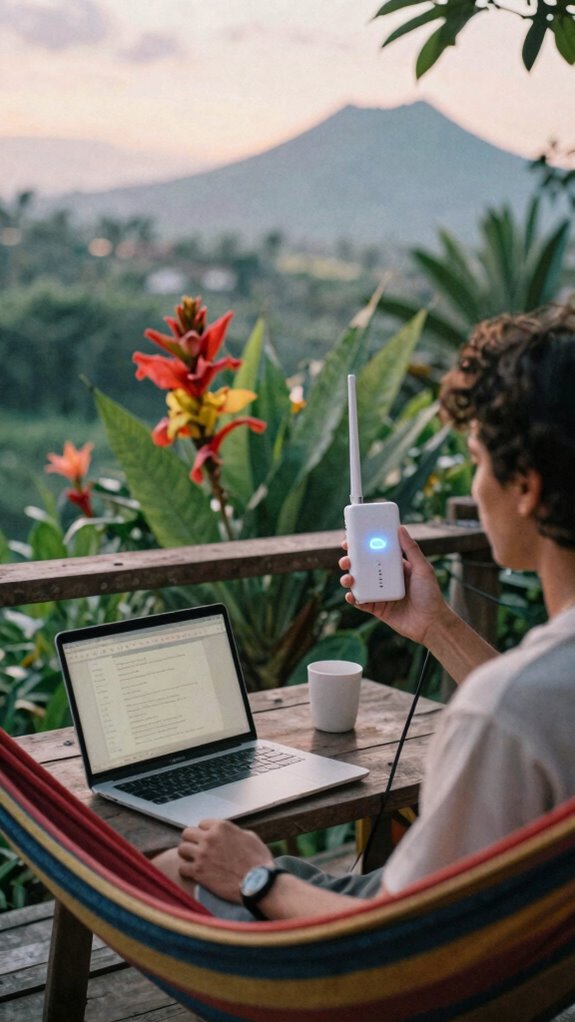
If you’re scratching your head wondering why your cell signal is weaker than Wi-Fi in a bunker, it’s time to bring out the big guns—external antennas and boosters. These bad boys can turn that unusable 1 bar into a full LTE jazz concert. Just remember, antenna polarization (horizontal or vertical alignments) matters—pick what’s supported by your network. Boosters with higher gain (measured in dB) amplify your signal better, but don’t go overboard or you might cause interference. Mount your antenna high—think rooftops, mast towers, or tree branches—far from dense canopy. To enhance connectivity further, consider understanding cell and Wi-Fi signal bonding—which combines multiple signals to improve overall strength and reliability. Use a table to match your goals:
| Goal | Antenna Type | Booster Gain |
|---|---|---|
| Long-range reach | Directional Yagi | 10-15 dB |
| Quick boost in coverage | Omni-directional | 5-10 dB |
| Signal finesse | Polarized dual | 12+ dB |
| Cut the clutter | High-gain patch | 15+ dB |
Time to access your remote freedom.
Using Amateur Radio for Emergency Communication When Internet Fails
A quick reality check: when the internet goes dark—whether from a storm, a power blip, or cosmic weirdness—your digital lifeline isn’t necessarily dead. Here’s where amateur radio steps in to save the day.
With the right knowledge of emergency radio protocols, you can communicate even if wifi or cellular towers crumble. But hold up—using amateur radio means getting licensed; no sneaking onto frequencies and pretending to be a space alien. Think of it as revealing a secret digital superpower, staying connected across miles with low bandwidth but high resilience.
Want to send a message to Aunt Martha or coordinate with fellow rescue adventurers? You just need a ham radio, a license, and a little prep. Trust me, this is comic-book style freedom, minus the cape. In addition, understanding blue light glasses can help reduce eye strain during long radio sessions or when working on digital devices in emergency situations.
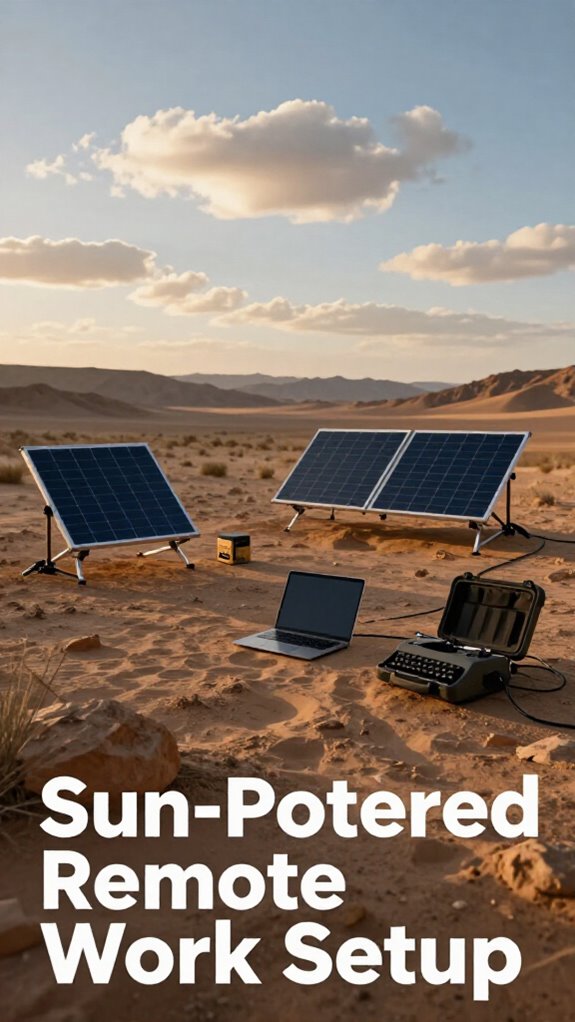
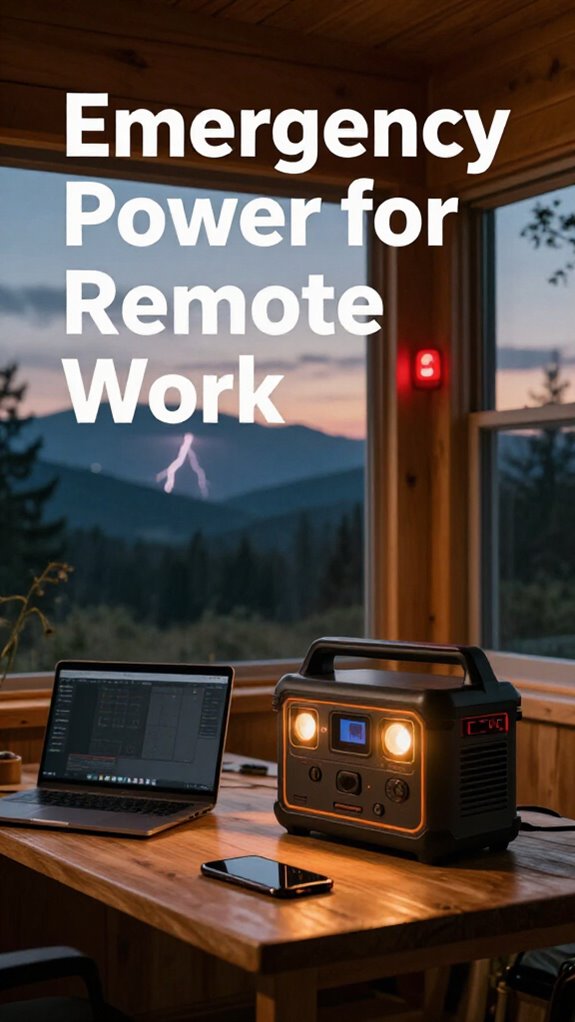
How to Power Your Remote Internet System With Solar and Batteries
Powering your remote internet setup with solar and batteries isn’t just some “techie” afterthought—it’s the backbone of staying connected when Mother Nature throws a tantrum.
Think of solar batteries as your digital lifeboat; they store energy from the sun, keeping your gear alive no matter how gray or stormy it gets. Power efficiency is king here—use high-quality panels and smart inverters to cut waste, so your system runs longer on less juice.
- Choose lithium-based solar batteries for better longevity and lighter weight
- Mount solar panels high and clear of forest canopy to maximize sunlight
- Install a MPPT charge controller for smarter energy transfer
- Invest in a reliable inverter to convert DC to usable AC power
- Keep spare batteries and solar connectors for quick fixes
Forget the cubicle—your off-grid freedom gets a serious boost with savvy power plans! Knowledge about power efficiency can help you optimize your system and extend your energy reserves even further.
Troubleshooting Common Remote Internet Issues
Picture this: you’re mid-week, crushing that remote project, when suddenly your internet acts like it’s auditioning for a silent film—frozen screens, hiccups, or worse, a full-blown dropout. It’s maddening, right? Now, don’t panic.
First, check your fiber optics—those shiny cables that deliver lightning-fast speed. If they’re damaged or bundled with other wires poorly, connectivity suffers. Next, peek at your cable bundling; overloaded or tangled lines create interference, causing you to lose that sweet bandwidth. Additionally, ensuring your best stud earring sets are stored correctly might seem unrelated, but staying organized helps you prioritize the maintenance of your tech gear too.
Sometimes, it’s just a simple reset of your modem or router, a move that worked back in those dull office days with Old Boss yelling about “network issues.” For the savvy off-grid worker, ensuring a clean, direct cable run and good grounding can turn your capricious internet into your loyal sidekick.
How to Build a Reliable Multi-Connection Internet System
Getting your internet game tight in the wilds isn’t about just picking one shiny tech and hoping for the best. No, friend, you’re building a digital fortress. Leverage fiber optics where possible; it’s like the Lamborghini of connectivity—fast, reliable, and future-proof. Combine that with an internet VPN to keep your off-grid biz safe from nosy park rangers or hacker hooligans.
Use a mix of connection options:
- Starlink for remote reach
- LTE/5G hotspots for speed
- Fixed wireless in semi-rural pockets
- Amateur radio for emergency backup
- Mesh networks or community Wi-Fi
Picture a net of layered connections, like a digital escape hatch. Your goal? Seamless, resilient, liberated internet—no more office cage. For optimal performance, consider integrating top audio interface boxes to ensure your digital communications remain clear and uninterrupted.
Keep experimenting, stay mobile—because static is so last decade.
Tips for Improving Internet Speed and Stability in Remote Areas
When you’re out in the wilds, battling trees, weather, and the occasional Internet gremlin, it’s tempting to throw your hands up and blame the universe for your sluggish speeds. But hold on—there are tricks.
First, mix in some fiber optic goodness to boost bandwidth; it’s like giving your setup steroids. Think of it as your secret sauce for stable streaming and fast uploads.
Also, don’t rely on a single connection—build network redundancy. Use a dual-connection setup, like Starlink plus a cellular hotspot, so if one tapers out, the other keeps you online.
Keep in mind, patience isn’t just a virtue—it’s your lifeline when hunting for that sweet spot with antennas, mounting high, and rotating until you find the perfect fit.
Considering the use of fiber optic connections can significantly enhance overall stability and reduce latency in remote settings.
Long story short, make your connection smarter, faster, and more resilient.
Getting Internet To Remote Locations
Let’s cut to the chase: hauling reliable internet to remote spots isn’t just about plugging in a router and hoping for the best.
As a Bali-based IT wiz living the off-grid dream, I’ve learned it’s about options and strategy.
Want to stay connected as a digital nomad or for remote work? Here’s how you do it:
- Satellite Internet (Starlink): Super fast, sky-view dependent, set up in 10-15 mins, solar optional.
- Cellular Hotspots (5G/LTE): Portable, flexible, with external antennas for forest canopy madness.
- Fixed Wireless: Perfect if your area has a local repeater—talk about high-speed rural magic.
- Line-of-Sight Radio: Use towers like Wisprenn—rural internet, top-tier.
- Community Wi-Fi: When in doubt, neighborly sharing beats corporate chains—ask around.
Forget cubicles; the world’s your server room. Connectivity options are crucial for reliable remote access.
Cabin Living for remote working
If you thought working from your cluttered basement or a noisy co-working space was the peak of remote hustle, think again. Envision living in a cabin, surrounded by nature, yet totally connected. This is freedom—no more office politics or fluorescent lights.
To keep it eco-friendly, go for solar-powered systems and low-impact design, blending into the scenery without messing with wildlife preservation. Use satellite internet like Starlink for reliable high-speed access, even off-grid.
Install low-profile antennas on your roof to boost signals while respecting the environment. Think about wildlife corridors—don’t block those. And avoid toxic wiring—go for sustainable, modular tech. When selecting your equipment, consider USB network adapters, which can provide reliable, high-speed connections in rugged, off-grid settings.
With the right set-up, you’ll live your best digital nomad life, swapping the desk jail for peaceful wilderness. No more ‘office chair aesthetics’—just pure, rugged productivity.
Wireless Antenna Setups
Think of wireless antenna setups as your secret weapon in the remote working arsenal—these little gadgets turn a vague, flickering mobile signal into your personal Wi-Fi lifeline.
If you’ve ever wasted hours trying to get your phone to work through that endless canopy of trees, you know the pain. With proper antenna alignment, you can drastically boost signal propagation and break free from dead zones.
Here’s how to crush it:
- Use a high-gain directional antenna, like a Yagi or patch, aimed precisely at your tower—think sniper scope for signals.
- Mount your antenna as high as your ladder permits; trees and hills are no match for elevation.
- Invest in a signal booster, so even a weak signal turns into a solid connection.
- Keep a handy signal strength app for real-time feedback—no guesswork.
- Align and re-align during different times of the day—signals are weird creatures.
- Consider top anti-theft backpacks for secure storage of your valuable tech equipment during your outdoor work sessions.
Wireless Hotspot Device Setup
Jumping straight into setting up a wireless hotspot device in your remote TOILET—er, I mean, office—is like giving your digital life an adrenaline shot. Seriously, it’s the ultimate liberation move.
First, pick a reliable device—think LTE or 5G hotspot—because no one wants spotty, “maybe” signals. Connect it to your SIM card, turn it on, then tweak the settings.
Want rock-solid wireless security? Enable WPA3 encryption and change default passwords—goodbye, snoopers!
Signal amplification is your secret sauce; mount an external antenna high up, out of forest canopy’s mess. Bonus points for using a signal booster if your bar count looks laughable.
Keep in mind, in the wild, your uptime is everything. Why settle for less when you can own your digital freedom? Modern wireless infrastructure ensures you stay connected regardless of your remote location.
Satellite Dish Installations
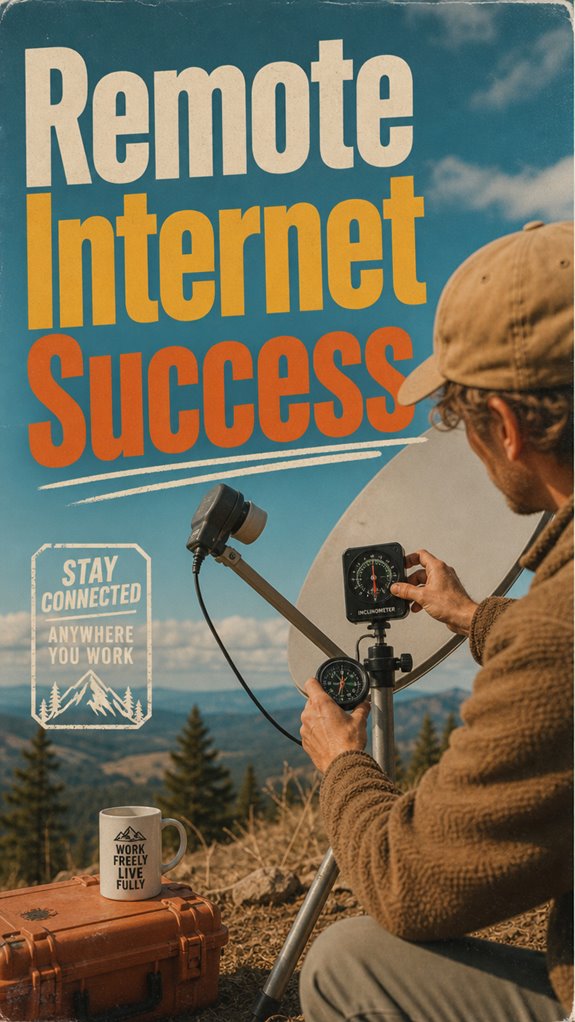
Getting a satellite dish up and running isn’t as simple as dangling some wires and calling it a day—trust me, I’ve tried. The installation techniques matter—correct placement, perfect alignment, and sturdy mounting are key. You need clear line-of-sight to the sky; trees, roofs, or bad angles will kill your signal faster than an overly ambitious intern.
Here’s what to keep in mind:
- Use a strong mount or tripod on a high, open spot.
- Aim the dish exactly at the satellite with a compass and inclinometer.
- Secure everything tight; no shaky antennas here.
- Mark the position for future calibration.
- Check signal strength via the dish’s app or controller.
- For lasting comfort, consider the best dark denim jeans that combine style with everyday durability.
FAQ
How Do I Determine the Best Internet Option for My Specific Remote Location?
You need to feel out your terrain, pirate-style—map your signal domains, check satellite alternatives like Starlink or fixing with terrestrial options.
Reach out to local community resources—neighbor networks or co-op tech schemes—to leverage shared assets.
Do a drive-by or hike around with your phone to test signal strength.
Think of it like breaking free from office chains; your best connection lies where you least expect, but only if you explore first.
What Are the Costs and Benefits of Combining Multiple Off-Grid Internet Solutions?
Combining multiple off-grid solutions offers mad benefits — like reducing satellite latency and boosting data redundancy.
Think of it as a digital rescue plan: use Starlink for speedy internet, backup with LTE hotspots, and maybe a ham radio for emergencies. This mashup keeps you liberated from outages, guarantees your projects keep rolling, and saves you from stressing over downtime.
Like Jack from The Office—always ready to pivot, never stuck.
How Reliable Is Starlink During Adverse Weather or Cloudy Conditions?
Starlink’s reliability dips when clouds roll in—think of satellite latency creeping up, making your video calls freeze mid-sentence or your files stubbornly refuse to upload.
Hardware durability matters too; if your dish isn’t weatherproof or properly shielded, storms or heavy rain could turn it into a giant paperweight.
So, while it’s liberating, don’t assume it’s an all-weather miracle—treat it like your old boss’s patience: limited during storms.
Always have a backup plan.
What Is the Typical Setup Time for Installing Off-Grid Internet Systems?
Installing off-grid internet? Expect it to take about 15-30 minutes for a basic setup—think plugging in a dish or antenna, aligning for signal strength, and testing satellite capacity.
Want max speed? Fine-tune your placement, elevate antennas high, and be ready to fumble around trees or that creepy ghost moon of cloud cover.
Basically, it’s a quick fix, but don’t expect a Hollywood launch—more like “set it and forget it,” if you’re lucky.
How Can I Ensure Continuous Power Supply for My Remote Internet Setup?
Did you know 80% of remote pros like us experience downtime from power dips? To avoid that digital nightmare, use battery backups—think of them as your internet’s lifeline—and signal boosters to keep the vibe alive even when trees throw a tantrum.
Just plug in a solar system, toss a couple of portable power banks, and add a booster. Who needs a cubicle when you’re free to work anywhere?
References
- https://www.youtube.com/watch?v=cHZikM06UUE
- https://offgridgearguide.com/reliable-off-grid-internet-solutions/
- https://swiftnetwifi.com/blogs/news/off-the-grid-internet-options
- https://www.youtube.com/watch?v=OWga6W_eQ5A
- https://deltaprepper.com/whats-the-best-offgrid-internet-and-communication/
- https://www.youtube.com/watch?v=4hm3_Vid9CE
- https://www.reddit.com/r/OffGrid/comments/rms5br/off_gridremote_solutions_for_communication/
- https://www.cnet.com/home/internet/i-live-off-grid-but-my-internet-is-on-point-here-are-my-rural-broadband-tips/
- https://www.youtube.com/watch?v=Wi6OqkJdcpk
- https://www.reddit.com/r/Rural_Internet/comments/1ddvgoo/inexpensive_off_grid_internet/
- https://www.satelliteinternet.com/resources/off-grid-internet-options/