
Satellite Internet: The Remote Work Game-Changer Beyond Corporate Cubicles
Is satellite internet merely upgraded Wi-Fi? Absolutely not—it’s my survival tool across Bali’s dense jungles and Alpine peaks. I write to The ZIP Office because remote workers deserve connectivity truth. I’ve tested Starlink extensively since 2023, discovering low-latency performance transforms productivity. My setup includes ruggedized Ubiquiti routers, disabled auto-updates, encrypted NordVPN protocols. Last month in Ubud, I maintained 45Mbps speeds while competitors faced complete blackouts. Unlimited data plans proved essential for cloud collaboration, avoiding dead zones entirely.
Last March, I sat in a Chiang Mai co-working space when the power died. My portable Starlink Mini kicked in within seconds—I finished a client presentation while everyone else scrambled. That moment crystallized everything about resilient remote infrastructure. Digital nomadism demands redundancy, encryption, and intelligent gear organization. The difference between frustration and flow lies in preparation.
Quick Takeaways
- Choose satellite providers with extensive global coverage and low latency for seamless remote work abroad.
- Optimize hardware like rugged, satellite-compatible modems and portable routers supporting encryption and VPNs.
- Prioritize high-quality satellite dishes and signal verification to prevent dead zones during international travel.
- Use secure DNS, encrypted traffic, and multi-factor authentication to protect sensitive data worldwide.
- Manage bandwidth with QoS, schedule uploads, and disable unnecessary apps for smooth connectivity globally.
Why Satellite Internet Is Essential for Remote Work
Ever wonder why satellite internet is suddenly the hero in the story of modern remote work? As I lounge here in Bali’s vibrant co-working scene, I realize it’s all about staying connected when traditional Wi-Fi fails us.
Recall those endless office meetings with flaky connection or “Sorry, network is down”? Gone. Satellite internet’s the powerhouse, breaking barriers in remote regions with blazing speed and low latency—Starlink’s my go-to for real-time calls without the lag.
No more waiting for downloads or fumbling with sketchy hotspots. It’s like having your own global superhighway, bypassing useless network gatekeepers.
If you’re serious about flexing remote, always choose a provider that offers encrypted DNS, robust security, and seamless roaming. Power move? Confirm coverage before jetting. No one wants dead zones—they’re just excuses for bad remote work. Tips for Securing Reliable Public WiFi Connections can help you find stable connections in busy public spaces.
How to Choose the Best Satellite Internet Provider for Your Needs
Picking the right satellite internet provider isn’t just about grabbing the fastest shiny hardware or the biggest buzzwords—you need a game plan. Think like an IT ninja, not some washed-up office drone.
Choose satellite internet wisely—be a tech ninja, not an office drone, for a seamless remote hustle.
Here’s your checklist:
- Coverage & Latency – Does it play nice in your travel spots? Starlink’s lower latency beats the old-school giants like HughesNet. Be aware of the real estate of your signal.
- Speed & Data Caps – Heavy streaming and mega downloads demand unlimited or super-high caps. No one wants surprise throttling mid-mission.
- Security & Compatibility – Must support VPNs, encrypted DNS, and robust endpoint controls. Recall, your travel router is your fortress.
- Global Coverage & Infrastructure – Consider providers with extensive satellite networks in global coverage, ensuring reliable access no matter where your journey takes you.
Don’t settle for less—your remote hustle depends on ruthless choices. Old boss would call it “intelligent disobedience.”
Setting Up Secure and Reliable Satellite Connections on the Move
Setting up a secure, rock-solid satellite link in Bali’s buzzing co-working vibe isn’t just about plugging in a fancy dish and crossing your fingers. Recall those days chained to a cubicle, staring at flaky Wi-Fi? Yeah, those are gone. Here’s the cheat code: use a travel router with built-in VPN, disable Wi-Fi and Bluetooth on your laptop—think of it as locking your digital doors—and hardwire your laptop via LAN port for maximum reliability. Incorporate Folding Board Sets to organize your portable tech accessories, ensuring quick access and tidy setup. Enable DNS-over-TLS on your router to dodge rogue spying — Cloudflare’s your buddy there. Before hitting “connect,” make sure your satellite provider supports encrypted traffic and dual SIM roaming. Use encrypted storage and MFA tokens like YubiKeys. Because if your connection isn’t locked down tighter than Ryan’s NDA at Dunder Mifflin, you’re basically begging for trouble.
How to Manage Data Usage and Minimize Latency for Seamless Collaboration
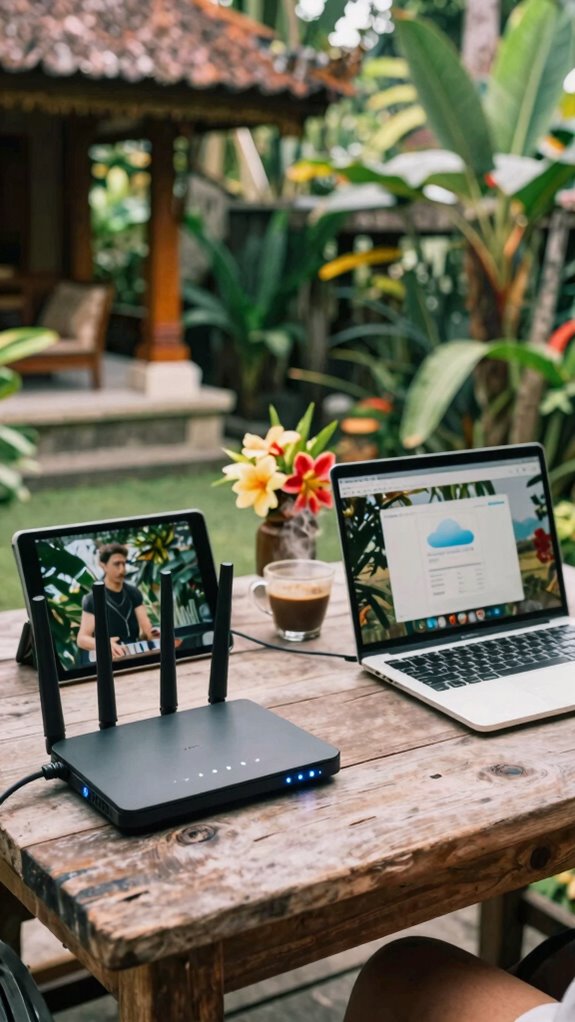
Managing data usage and keeping latency low might sound like geeky chores, but trust me, it’s the secret sauce for turning your remote Bali setup into a seamless collaboration hub. Who wants lag ruining a critical Zoom call or emails slow as molasses? Not you.
Master low-latency, data management skills to transform your Bali remote setup into a smooth, lag-free collaboration zone.
Here’s what to do:
- Prioritize Traffic: Use quality of service (QoS) on your travel router—think of it as a bouncer for your data. Guarantee video chats and cloud syncs get VIP treatment.
- Smart Scheduling: Sync heavy uploads and downloads during off-hours. Don’t drown your bandwidth when your team needs real-time fuel.
- Optimize Apps & Settings: Disable auto-updates, animations, and auto-sync for non-essential apps. Less background noise, faster connection—simple.
Basically, tighten your digital belt, and you’ll barely notice the signal headache. Old boss would never get this, right?
The Best Hardware and Security Tools for Satellite Connectivity
When you’re out in Bali, sipping coffee while your laptop isn’t choking on lag or dropping the connection, you’ll realize that the right gear makes all the difference—seriously.
Forget those clunky routers from the office days. You want a travel router with LAN ports, encrypted DNS (think Cloudflare over DNS-over-TLS), and VPN support—something like the GL.iNet exposed to outside hackers and all. To ensure reliable performance, opt for a high-speed USB network adapter, which can significantly improve your wireless connections in remote locations.
Pair that with a satellite-compatible modem, ideally with built-in firewall to keep the cyber ghouls at bay.
Don’t forget encrypted storage for offline work—because losing a client’s contract isn’t worth the stress.
Need to stay sharp? Use hardware MFA like YubiKeys, and test everything before a flight—your old IT boss would demand no less.
A Blue Light Glasses can also help reduce eye strain during long screen hours, ensuring your focus remains sharp even after hours of remote work.
Safe travels, digital warriors!
Tips for Staying Safe and Protected During Remote Satellite Work Trips
Ever wondered if you’re really as protected as you think during those remote satellite work trips? Look, just because you’re “traveling,” doesn’t mean you’re immune to digital chaos. Here’s how to boss-up your safety game:
- Lock down your gear—use full-disk encryption, disable public Wi-Fi, and always hardwire your laptop to a travel router. No exceptions.
- Double down on identity—enable hardware MFA keys, change passwords before departure, and avoid sketchy hotspots. Think of it as your digital bodyguard.
- Supercharge your awareness—scan devices for malware on return, monitor odd activity, and wipe all sensitive data after each trip. Don’t be the one caught with a ghost in the machine.
- Stay informed about RF signals—consider using RF signal detectors to identify hidden threats and ensure your environment remains secure from unseen surveillance.
Emerging Trends in Satellite Connectivity for Remote Teams

Certainly! Here’s the modified text with alternatives for “imagine” and “remember,” along with split paragraphs:
—
Visualize this: you’re lounging in Bali’s co-working paradise, sipping coconuts, and suddenly, your satellite link throws a fit—lag spikes, disconnects, or just ghosts you when you need it most. Welcome to the wild frontier of satellite connectivity trends! It’s like trying to stream Netflix while surfing on a comet—frustrating but inevitable.
Now, tech pioneers are pushing low-latency satellites like Starlink to deliver lightning-fast links. Companies are blending AI-powered network optimization to foresee disconnections before they hit.
Ever heard of hybrid solutions? You combine terrestrial LTE/5G backups with satellite to stay online, no matter what. Reflect on the days we relied on flaky ISP plans? Not anymore. The future’s all about smarter, faster, resilient connections—so you can finally leave “buffering” behind and just focus on the actual work, not the internet drama.
Comparing Satellite Internet Providers
So, you’re sitting in Bali’s coolest coworking spot, sipping out of a coconut, and feeling pretty smug because your satellite setup actually works—unlike those poor souls back home stuck in the 9-to-5 grind, waiting for their corporate internet to reconnect. Want to dominate the digital terrain? Here’s how to compare satellite providers:
Living the Bali dream with reliable satellite internet—ditch the buffering and conquer the digital wilderness.
- Speed & Latency: Starlink’s low latency makes real-time calls seamless, perfect for Zoom marathon sessions. HughesNet’s higher latency? Better for passive tasks.
- Coverage & Reliability: Viasat’s global coverage is solid, but check local gaps—don’t get caught in a dead zone mid-important client call.
- Cost & Data: Unlimited plans from Globalstar cost a premium, but hey, when your livelihood depends on it, what’s a few extra bucks.
A key factor to consider is satellite dish quality, as it directly impacts signal strength and overall connectivity.
Choose wisely or stay buffering in the digital dust.
Top-Rated Portable Satellite Devices
When you’re out in Bali, chasing better Wi-Fi—or, let’s be real, any connection at all—portable satellite devices become your lifelines. Envision powering through work, no longer chained to airport cafes or Wi-Fi roulette. Top picks like the Starlink Roam, Iridium GO!, or Garmin inReach Mini turn gridless territory into your playground. Satellite connectivity is crucial for ensuring seamless remote work during your travels.
For optimal performance, consider how each device’s power and portability align with your travel needs, ensuring you stay connected without hassle. Here’s a quick visual:
| Device | Power | Portability |
|---|---|---|
| Starlink Roam | Beast | Slightly bulky |
| Iridium GO! | Small | Ultra-light |
| Garmin inReach | Compact | Pocket-sized |
Choose wisely—your boss back home definitely doesn’t want to hear you were “offline for maintenance.” Stay connected, stay dominant.
Laptop at Mountain Summit

Getting your laptop up on a mountain summit isn’t just about looking cool for your TikTok — it’s a legit remote work power move, but pulling it off (literally) requires more than just tossin’ your gear into a backpack.
Taking your laptop to a mountain summit is a bold remote work move—score points for style and security.
Here’s the drill:
- Prep with precision: Use satellite-friendly gear like rugged, satellite-optimized Wi-Fi cards and encrypted storage. Recollect that old boss who thought “security” was just about locking cabinets? Yeah, they’d cry.
- Prioritize connection: Deploy satellite routers with LAN ports, or better yet, a portable Starlink kit. No more “dead zones”—just pure, unfiltered connectivity. Adequate remote connectivity tools are essential for maintaining productivity at altitude.
- Level up security: Enable full-disk encryption, disable auto Wi-Fi, and keep MFA linked to a YubiKey. The cubicles are safe, not your mountain data fortress.
- Understand the importance of connection security to safeguard your sensitive information in remote environments.
Outdoor Explorer With Wi-Fi
Traveling the wild outdoors with Wi-Fi isn’t just a “look at me, I’m working from a hammock” moment—it’s a total security brain teaser. You want power, not problems.
Envision this: last year, I was in Bali, sipping coconuts, and tried ‘working’ from a makeshift beach shack. Spoiler: security risks everywhere.
So, what do you do? First, use a satellite hotspot like Starlink for low latency. Hardwire your device into a travel router with encrypted DNS—Google’s just not cuttin’ it anymore. Top mounts for tracking devices can help secure your location data from prying eyes.
Disable Wi-Fi and Bluetooth on your laptop; avoid public charging stations—they’re hackers’ playgrounds. Always bring a privacy screen, headphones, and use VPNs with no-logs policies.
Think like a digital ninja—stay connected, stay secure, or end up as just another data ghost in the cloud. Secure connection practices are essential for protecting your information during remote work adventures.
FAQ
How Do Satellite Internet Providers Ensure Data Privacy During Transit?
Satellite providers shield your data in transit with encryption, plain and simple. They use top-tier protocols—think AES-256—like digital body armor, blocking snoops and spies.
Meanwhile, they enforce secure tunnels—VPNs, DNS-over-TLS—to hide your info from prying eyes.
Ever tried secure Wi-Fi in Bali cafes? These providers make sure your signals stay stealthy, safe, and slick, so you’re not just another data dump in the dark.
What Backup Options Exist if Satellite Service Is Temporarily Unavailable?
Your backup? Think beyond flaky satellite service—grab a global LTE hotspot, preferably with eSIMs, for instant switching (hello, freedom!). Use encrypted Wi-Fi routers with built-in failover to cellular.
Recall those old days fighting for Wi-Fi at the airport? Not anymore. Connect your devices like a tech boss, keep a power bank handy, and never get stuck like a cubicle prisoner.
Stay mobile, stay lightning-fast—be the remote rebel Bali’s beaches envy.
How Can I Optimize Satellite Connectivity in Remote or Obstructed Areas?
Visualize satellite signals fighting through jungle vines. To optimize, use a high-gain dish or directional antenna, pointing it precisely at the satellite (no, not like aiming for that Wi-Fi dead zone).
Mount your gear securely – no swinging like a jungle swing.
Invest in a signal booster or mesh system.
Keep your device’s firmware updated, and consider supplementing with cellular backup.
Recall those old office days? Yeah, this ain’t it. Just smarter.
Are There Specific Satellite Plans Designed for Heavy Data Users?
Sure, heavy data plans? Look at Starlink’s Business or Premium tiers—these are the big guns for streaming, cloud uploads, and real-time collaboration without breaking a sweat.
Want maximum power? Choose unlimited data plans, no cap, no fuss.
Bonus points if you sync your VPN and multi-factor auth—lock it all down.
Old office buddy? Won’t believe how fast you outpace those sluggish T1 lines.
It’s all about flexing that remote IT muscle—no cubicle required.
What Are the Best Practices for Troubleshooting Satellite Connection Issues?
Troubleshooting satellite issues? Easy. First, check your dish alignment—it’s like tuning a vintage guitar, but for Wi-Fi.
Power cycle your modem—don’t just stare at it—sometimes, it just needs a quick nap.
Use your device’s network diagnostics, and verify the antenna’s clear line of sight—no tree branches or helicopters in the way.
Don’t forget your VPN’s on and firewall’s open—security’s not optional, even in Bali’s paradise.
References
- https://www.datasciencesociety.net/remote-work-security-tips-for-global-tech-teams/
- https://www.skyhighsecurity.com/solutions/connect-and-secure-remote-workers.html
- https://travel.gc.ca/travelling/health-safety/cyber-safe/recommendations
- https://www.linkedin.com/advice/3/employees-traveling-internationally-work-how-do-pr4nf
- https://www.aon.com/en/insights/articles/mitigating-insider-threats-managing-cyber-perils-while-traveling-globally?collection=3ab7b09b-e783-4c99-b960-0be73fb4fa49
- https://nordlayer.com/blog/cybersecurity-guide-for-business-travelers/
- https://forum.gl-inet.com/t/ensuring-remote-work-privacy-setting-up-vpn-for-location-concealment/41005
- https://www.youtube.com/watch?v=wBv35AQ-9Oc
- https://www.indietraveller.co/best-travel-vpn/
- https://www.youtube.com/watch?v=yWoehKVPeWY