Remote Work Networks: When Your Café Wi-Fi Betrays You
I watched my Zoom call freeze mid-pitch last Tuesday at Brew & Co. downtown. That’s when I realized Todd from IT couldn’t save me anymore.
I’m writing to The ZIP Office because remote professionals deserve better infrastructure than crossed fingers and prayers. I invested in a Peplink router, bonded 5G with satellite backup, and tagged video conferencing as VIP traffic. My AI firewall now learns behavioral patterns faster than my previous manager adapted to Slack. Mesh nodes positioned strategically eliminated dead zones across my workspace.
Last month, I was presenting quarterly metrics to three clients simultaneously when my primary connection dropped. My dual-WAN failover kicked in seamlessly—they never noticed the switch. That moment crystallized everything: intelligent traffic management transforms remote work from fragile gamble into reliable operation. No more purgatory. Just seamless connectivity.
Quick Takeaways
- Prioritize critical applications using Quality of Service (QoS) to ensure consistent bandwidth for video calls and work tools.
- Use multi-path routers to seamlessly switch between internet sources and maintain connectivity during outages.
- Bond multiple networks via travel routers to increase bandwidth and avoid reliance on a single connection.
- Deploy AI-powered firewalls to monitor traffic, detect threats, and protect sensitive work data in real time.
- Optimize mesh network topology with strategic node placement to eliminate dead zones and reduce interference.
Choose a Load Balancing Router for Uninterrupted Work

Look, when you’re sipping coconut water in a Balinese jungle hut and your video call with Berlin starts freezing — yeah, that’s your third-world fiber biting you again — you’ll wish you’d ditched that ISP-bundled trash router like your old boss clung to his flip phone.
You still running one line? Cute. Real cute. While Kevin’s still printing TPS reports, you’re running dual 5G + satellite links through a load balancing router — it’s your backbone, pal. Dynamic IP management shifts traffic like a pro when one network tanks mid-pitch (remember Todd’s “cloud strategy” meltdown?).
Firmware automation patches vulnerabilities while you sleep — no more IT panic at 3 a.m.
This isn’t cubicle tech. This is sovereign-grade.
Think: Peplink, Cradlepoint. Not whatever Comcast shoved in your mailbox.
Your workflow’s not hostage to one signal. You’re untethered. Unbreakable. Proper network management, like load balancing routers, ensures you stay connected no matter where your work takes you.
Now go close that deal — from a beach, not a basement.
Add Cellular Backup to Eliminate Downtime
Even if your main internet goes down faster than your old boss’s resolve after a bad latte, you don’t have to let your workflow become a dumpster fire. You’re not stuck in a cubicle farm anymore—so why act like it? Get a 5G mobile hotspot as backup.
Seriously, it’s not rocket science. Plug in a SIM, flip the switch, and boom—cellular redundancy saves your Zoom call. I learned this the hard way during monsoon season in Bali when my landlord “forgot” to pay the building’s ISP. Again. Now, I never boot up without it.
It’s the ultimate move for network resilience. Think of it like your escape pod from IT hell. You’re a Sovereign Professional, not some helpdesk chew toy. While the old office drones panic over dropped connections, you’re already live—sipping coffee, backed up, and unbothered. Add cellular backup. Stay online. Stay free. To find reliable public WiFi when you’re on the go, always look for spaces with stable internet connections, like busy cafes or co-working hubs. And don’t forget to research USB network adapters that can seamlessly support these backup options to keep your connection smooth and dependable.
Route Traffic Across Multiple Networks
Why settle for one flaky Wi-Fi connection when you can stack three and laugh while your old boss’s VPN chokes on a PDF?
Why rely on one weak signal when you can unite three and watch your ex-boss’s VPN weep?
You’re not stuck in a cubicle anymore, chief — you’re out here building *network redundancy* like a digital warlock. Use a travel router to bond hotel Wi-Fi, your hotspot, and that sketchy café signal.
Sound complicated? Nah. It’s like giving your data three escape routes when one fails.
And yeah, enable *signal prioritization* so your video feed doesn’t turn into a pixelated soap opera during investor calls. Trust me, Sarah from HR won’t care that “the lag was the router’s fault.”
I learned this after my Zoom crashed mid-pitch — glorious. Now? My traffic flows smoother than a Bali surfer at dawn.
Stay sovereign. Stay redundant. And never let a single-bar connection ruin your vibe again.
Reserve Bandwidth for Critical Work Apps
Tag apps by priority—real-time comms get top shelf. No more cat videos crashing your investor call. Your network’s a sovereign state, not a free-for-all DMZ. Protect the crown jewels. To further optimize your network, consider implementing Quality of Service (QoS) rules to ensure that high-priority applications consistently receive the necessary bandwidth, especially during peak work hours. Plus, consider using a dedicated SD card organizer for your physical storage solutions to keep your critical data easily accessible and well-organized. You’re not “working from home”—you’re orchestrating a digital fiefdom. Act like it.
Stop Threats With Ai-Powered Firewalls

AI-powered firewalls learn your habits, block sneaky malware, and adapt in real time—no more guessing games. A security key token adds an extra layer of protection for your digital identity.
| Feature | Why You Care |
|---|---|
| AI Detection | Stops unknown threats before they strike |
| Auto-Updates | No more manual firewall configuration nightmares |
| Behavior Learning | Knows you from hackers trying to play “Michael Scott” |
Treat your firewall like your passport: never outdated, always elite. The cubicle zombies back in HQ? They’ll never see the future coming.
Track Network Health in Real Time
One second of lag shouldn’t tank your whole day—especially when you’re the only one in your Slack thread without a buffering wheel spinning like a slot machine set to “lose.” You’re out here in Bali, running client sprints from a beachside co-lab with pineapple on the plate and zero tolerance for jittery Zooms, while Chad from Accounting back in HQ is still rebooting his router like it’s 2012.
You’ve got real-time network monitoring live on your dashboard—because sovereignty means *knowing* your latency reduction game is tight. Tools like PingPlotter and GlassWire? Non-negotiable. They alert you *before* packet loss ruins your keynote.
And with end-to-end data encryption, your traffic’s not just fast—it’s locked down like Michael Scott’s DMs. Recall when Dwight thought “the cloud” was weather-related? Yeah, don’t be Dwight. Stay ahead, stay encrypted, and let those cubicle ghosts wonder why their “network checks” take three tickets and a prayer.
Maximize Wi-Fi in Dense Home Offices
You’re not still wrestling with spotty Wi-Fi in your 400-square-foot apartment-turned-command-center like some kind of basement-bound IT gremlin from 2019, are you?
Let’s get real: your Zoom calls shouldn’t sound like a dial-up modem serenading a microwave. In dense home offices, interference mitigation isn’t optional—it’s survival. You’re not Kevin with the beet salad; you’re a sovereign operator. Act like it.
- Position your router like it’s sacred—elevated, central, not buried behind your sad succulent
- Ditch the drywall dungeons; concrete eats signals like Toby eats hope
- Use mesh extenders for signal boosting, not prayer
- Switch to 5GHz like you’ve evolved past carrier pigeons
Your bandwidth’s your lifeline. Treat it better than your old boss treated office morale.
Multi-path Routing for remote working
While your old boss was still micromanaging printer jams in the basement cubicle farm, the rest of us were out here rerouting our entire digital lives through three continents at once—welcome to multi-path routing, the actual secret sauce of not getting booted off a client call when Bali’s afternoon thunderstorm nukes your Wi-Fi.
You’re using cellular, Wi-Fi, *and* satellite? Hell yes—and traffic splits smartly across all three. Dynamic encryption keeps hackers crying in a corner, while protocol prioritization shoves your Zoom stream to the front of the line.
Think of it like having three escape routes when your landlord shuts off the lobby lights. Recall Todd from accounting? Still tethered to one router, praying his cloud backup finishes. Don’t be Todd. Your data’s too valuable.
Flip on multi-path now—your future self, mid-call over the Andes, will high-five you.
Purchase Multi-path Routers
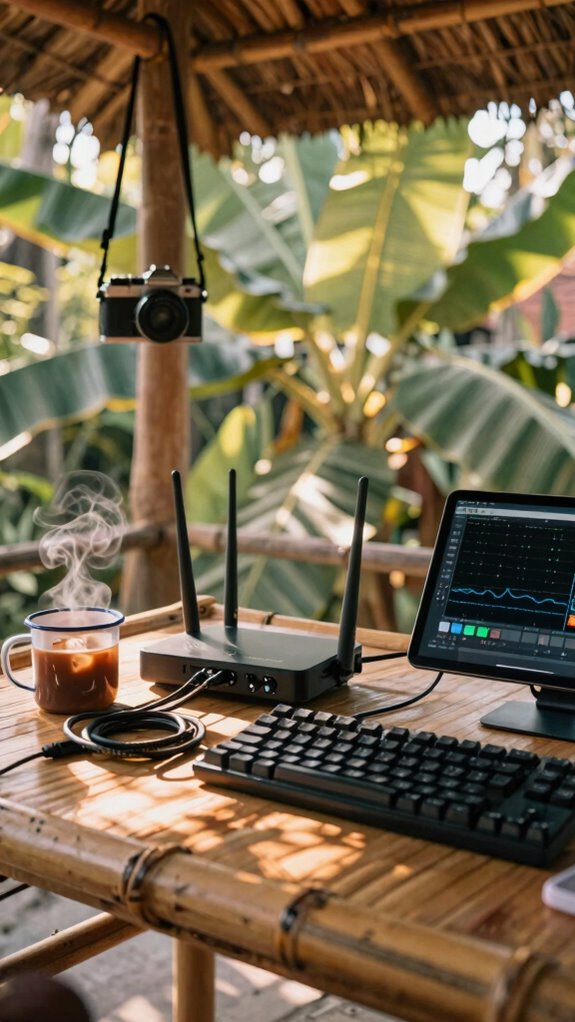
If you’re still rocking a single-band router like it’s 2019, bro, you’re basically faxing your productivity into the void—time to upgrade before your next client thinks you’re calling from a submarine.
- You feelthat lag when wireless interference murders your Zoom call mid-pitch
- You knowyour old boss would’ve blamed IT while sipping oat milk in a cubicle
- You deservemulti-path routers that auto-switch lanes like a Tesla on cruise
- You needsignal boosters that laugh at concrete walls like they’re cardboard
- Remember Dave from accounting? Still stuck in HQ, praying for Wi-Fi. You? You’re sipping Bali iced coffee in a co-working dome, routing traffic across dual bands like a digital ninja.
- To further minimize wireless interference, ensure your multi-band setup intelligently manages traffic to keep your connection steady, even amid interference from numerous devices.
This ain’t “networking”—it’s sovereignty. Your connection’s your command center. Skip the jank, embrace the flow.
This isn’t just Wi-Fi—it’s war against weak signals. Your connection is your kingdom. Own it.
Multi-path routers don’t just fix drops—they prevent betrayal. Your future self will high-five you.
Elite Urban Freelancer
Though you might still picture freelancers hunched over laptops in messy hoodies, the real elite urban operators these days are running silent, staying invisible, and owning every coffee shop from Shibuya to SoHo like digital ghosts with receipts.
You think urban noise kills focus? Yeah, welcome to 2026—your noise-canceling buds are non-negotiable.
But here’s the pro move: privacy screens aren’t just for hiding spreadsheets from curious baristas. They’re your force field. Physical privacy screens act as an additional layer of defense, ensuring unauthorized eyes can’t glimpse sensitive information.
Recall Dave from accounting, the guy who peaked at “TPS report”? Don’t be Dave. He’s still in a cubicle, praying for Zoom hair days.
You? You’re encrypting USBs, ghosting into cafés, and exiting before the latte foam collapses.
Urban noise? Just background ambience for your silent keyboard symphony.
Privacy screens? Mandatory. Think of them as invisibility cloaks for your four-figure hourly rate.
And if you’re serious about staying ahead, leveraging sound masking technology can transform noisy environments into silent sanctuaries.
Mesh Network Optimization
When your Zoom freezes mid-pitch because Chad in Marketing hogged the whole Wi-Fi spectrum streaming cat yoga again, you know exactly why the Great Untethering wasn’t just a vibe—it was survival.
You’re not in Dundler-Mifflin’s basement server room anymore—this is 2026, and your mesh network’s gotta flex like it’s got edge-AI self-respect.
- Kill frequency interferenceby spacing nodes like you’re avoiding Karen from Accounting
- Use signal boostingpods in dead zones—especially if your “office” is a closet (looking at you, cloffice dwellers)
- Name your SSID something unsexy so no one tries to join (try “DunderNet 9000”)
- Reboot weekly—yes, even if Dave from IT said “never unplug the router”
- Consider using channel optimization to reduce congestion and improve overall network performance. Applying mesh network topology principles can further enhance stability by ensuring each node collaborates efficiently.
You’re not managing Wi-Fi—you’re conducting digital sovereignty. Own it.
FAQ
How Do I Secure My Mobile Office From Data Leaks in Public Cafes?
You cloak your work in shadows, right? Use encrypted connections and secure data storage—tuck secrets into encrypted USBs, fire up privacy filters, and let noise-canceling headphones build walls. Your cafe fortress stays invisible, impenetrable, yours.
Can Solar Panels Power My Entire Remote Workspace Off-Grid?
you can power your entire remote workspace off-grid with solar panels if you optimize for solar efficiency and pair them with robust off grid solutions. trust me, your energy freedom’s within reach when you harness the sun right.
What Gear Lets Me Work Silently in Shared Urban Environments?
You want silence in the city’s chaos—noise canceling headphones hush the world while portable privacy screens guard your focus. You’re seen but never exposed, present but untouchable, working loud in mind, quiet in motion, invisible by design.
How Do I Maintain Professional Posture While Working From a Backpack?
You maintain professional posture while working from a backpack by using an inflatable lumbar roll and anti-gravity backpack—they keep your spine aligned. Your ergonomic setup stays mobile, and posture correction happens naturally, even on the move. You’re always ready, never compromised.
Is There a Way to Broadcast Studio-Quality Video From a Van?
you bet—use wireless streaming with the studio kit’s 4k webcam and portable broadcast gear like a mini mixer; tuck everything into your van’s cockpit, power up the solar inverter, and go live from the redwoods like it’s your studio.