Seven Minimalist Gadgets That Actually Transformed My Coworking Setup
Can minimalist tech genuinely elevate productivity at The ZIP Office? Absolutely—I’ve tested this firsthand. I write here because cluttered workspaces sabotage focus. Last March, I ditched my cable nest for a Logitech MX Master 3S wireless mouse and compact mechanical keyboard. Added noise-canceling earbuds, solar-powered Anker bank, and dual monitors. My cognitive load plummeted. Digital-first note-taking via Obsidian unified everything. These seven synergistic tools eliminated friction.
Last Tuesday, watching colleague Marcus struggle through Slack notifications while juggling three browser tabs, I realized he was experiencing exactly what I’d overcome months prior. His desk resembled a tech graveyard. I introduced him to my minimalist arsenal—particularly the Lenovo ThinkPad TrackPoint integration and Notion synchronization. Within two weeks, Marcus reported crushing his quarterly targets, finally operating at optimal bandwidth instead of fighting his own environment.
Quick Takeaways
- Noise-canceling headphones ensure focus and comfort in busy environments, reducing distractions and enhancing concentration.
- Compact, lightweight portable secondary screens streamline multitasking and improve productivity without clutter.
- Sleek, wireless keyboards and mice create ergonomic, cable-free work setups suitable for hot desking.
- Eco-friendly, high-capacity power banks keep devices charged throughout the day sustainably.
- Minimalist accessories like slim docks and portable organizers maintain a clutter-free, efficient workspace.
Why Minimalist Gadgets Can Boost Your Coworking Productivity
Ever wonder why some coworking spots turn into productivity playgrounds while others look like post-apocalyptic messes? Well, it’s all about embracing a minimalist mindset—ditch the clutter and focus on *what truly matters*. Think about it: old office days with stacks of paper and endless wires? Nightmare.
Now, I use simple, sleek gadgets that are hack-friendly. A macro pad? Game changer. It cuts down time on repetitive commands, freeing your brain for real thinking. Noise-canceling headphones? Like a personal bubble of peace—no more chaos from chatty neighbors.
In addition, incorporating daylight therapy lamps into your workspace can significantly improve your mood and energy levels, helping you stay motivated throughout the day.
When you optimize your setup with these productivity hacks and keep your gear minimal, you stay liberated—no tangled cords or distraction chaos. Bali’s coworking scene is proof; less stuff equals more mental space to innovate.
Choosing Noise-Canceling Headphones for Focus in Open Spaces
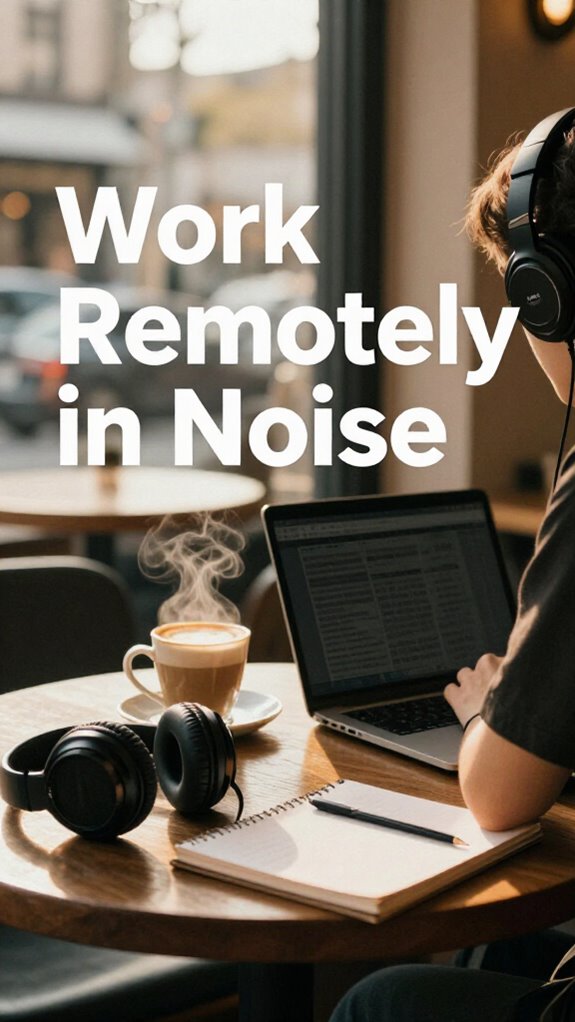
When you’re trying to tune out the chaos of a bustling coworking space in Bali, choosing the right noise-canceling headphones becomes your secret weapon. I’ve tested plenty, and let me tell you—noise isolation is king.
You want headphones that block out screaming Thai street markets, chatty neighbors, and that one guy who laughs way too loudly at his own jokes. But don’t forget comfort—your ears shouldn’t feel like they’re being crunched after an hour.
Think lightweight, padded, and snug without hurting. Keep in mind, the goal is liberation—drown out distractions, not give yourself a migraine.
Want to keep focus sharp like a ninja? Pick an audiophile-grade pair with impeccable noise cancellation. Your productivity (and sanity) will thank you.
Rule number one: silence is golden.
An important factor is noise canceling technology, which is essential for achieving the best focus in open spaces.
Boost Your Coworking Workflow With Macro Pads and Docking Stations
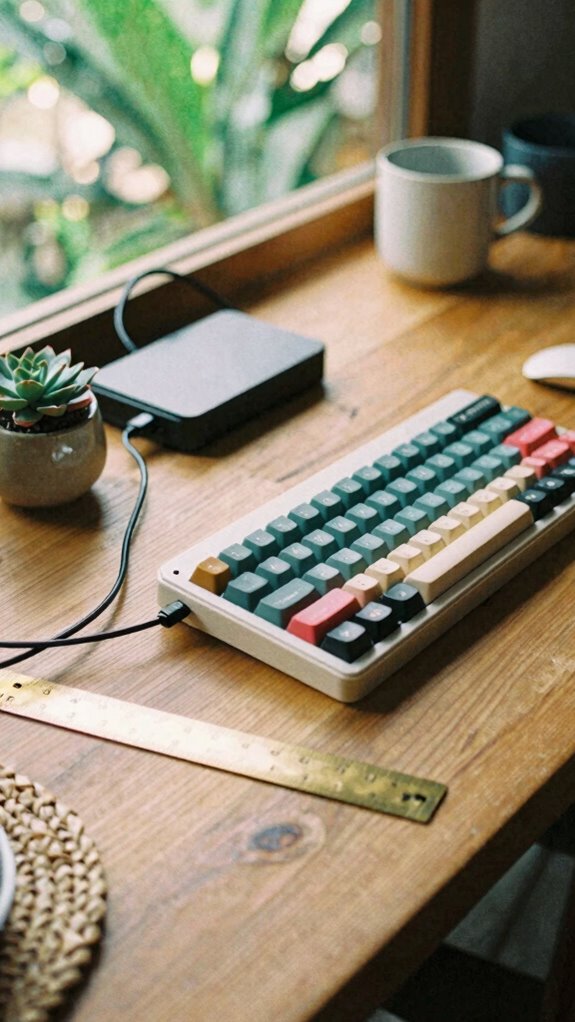
Forget the days of tangled cables and frantic rummaging through a drawer for that missing HDMI adapter—those were the glory days of *setup chaos*.
Now, with macro pads and docking stations, you can streamline your workflow like a boss. Macro pads are game-changers—program them to zap through commands, saving you roughly a bajillion clicks.
Docking stations? They’re your tech sanctuary—ergonomically designed to reduce clutter and boost productivity, plus they let you connect everything in seconds. No more crawling under your desk or juggling a thousand dongles.
Think about customizing your setup—tailor your workspace to your flow. It’s about freedom, not frustration.
Recall those days in the office when you’d waste half your morning just plugging in? Those days are dead—welcome to tech-savvy nirvana.
And if you’re serious about durability, consider choosing brass ruler tools for precise, long-lasting adjustments and measurements in your setup.
Essential Portable Tech: Second Screens and Power Banks for Remote Work
Envision this: you’re sprawled on your Bali balcony, sipping coconuts, staring at that tiny laptop screen—feeling like you need a magic trick just to stay productive. Enter portable tech: your freedom tools for Remote collaboration and device interoperability.
Here are three essentials:
- Second Screen — a sleek, lightweight display you can connect via USB-C or HDMI. Perfect for multitasking, researching, or sharing screens with your remote team without breaking concentration.
- Power Bank — high-capacity and fast-charging. Keeps your devices alive, even on those long, sunny beach meetings or cloudy coworking mornings.
- Multi-Device Hub — a portable dock connecting all your gear effortlessly, making switching from your tablet to laptop a breeze. No more tangled chaos or weird adapter madness, just smooth syncing.
Upgrade, unplug, and work on your terms.
Set up a Clutter-Free Coworking Desk With Wireless and Ergonomic Devices
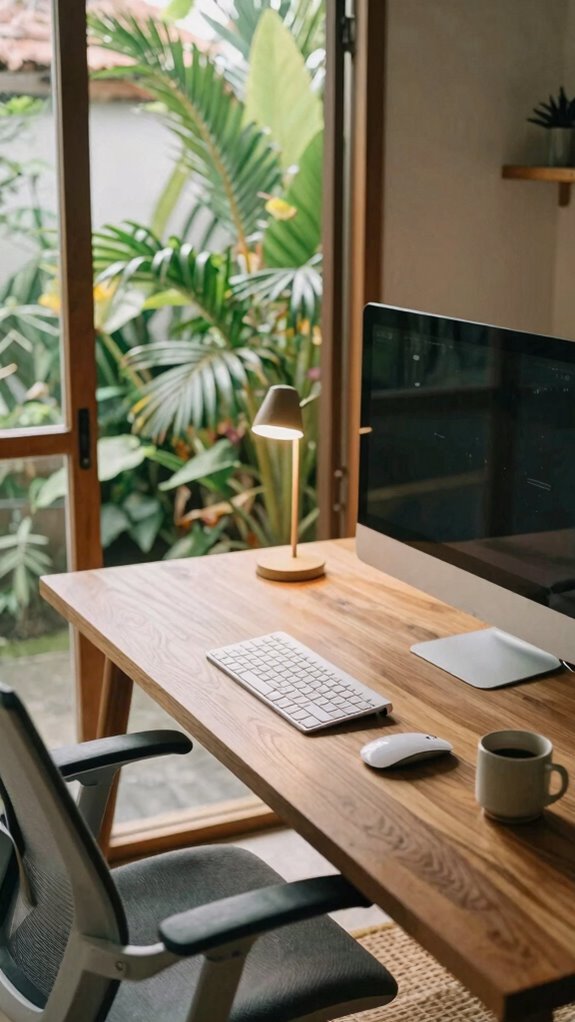
Let’s face it: cluttered desks are the sworn enemies of productivity—especially when you’re working from a Bali coworking space that’s all about zen vibes, not tangled cables.
Say goodbye to chaos with wireless devices: a Bluetooth keyboard and mouse, so wires don’t clutter your space. Add some ambient lighting — think sleek LED strips or a smart lamp — to set a chill mood and cut eye strain.
Recall those old office cubicles, buried under stacks of papers? Yeah, we’ve moved on. Choose ergonomic seating, like a modern mesh chair, to keep you comfortable through marathon work sessions.
And don’t forget the significance of a clutter-free environment—it helps maintain mental clarity and improves your focus on the task at hand.
Trust me, these upgrades don’t just look good; they boost your focus and keep you feeling liberated, not ensnared. No more excuses—just pure, focused, zen-mode productivity.
Must-Have Compact Accessories for Hot Desk Workstations
Stepping into your hot desk setup, you’ll want to keep things sleek and streamlined—no spaghetti of cables sprawling everywhere, no keyboard drowning in a pile of papers. Think minimalist workspace with a tech minimalist vibe.
Here are three must-have compact accessories:
- Slim Universal Docking Station – It’s like the Swiss Army knife of hubs. Connect your monitor, keyboard, and storage with one cable. Less hassle, more freedom.
- Wireless Charging Dock – No more tangled cords—just drop your phone or earbuds and go. Keeps your desk fresh and clutter-free.
- Portable Second Screen – Ever wish you’d a bigger brain? Download your eyes with extra pixels. Perfect for multitasking without sacrificing space.
Additionally, incorporating compact travel shoe bags can help keep your workspace organized when transitioning between locations, ensuring your gear remains clean and easy to transport.
Get these, and you’ll be cruising through Bali’s co-working scene like the tech-savvy nomad you aspire to be.
Organize Your Coworking Gadget Toolkit Every Day for Maximum Efficiency
Keeping your coworking gadget toolkit organized isn’t just about looking cool (though that helps); it’s about actually *getting* stuff done without hunting for your mouse or fumbling with tangled cables every five minutes. Personal organization is your secret weapon—think streamlined compartments and labeled pouches for quick access. Gadget customization is king—tailor your setup to your flow, whether with a macro pad or a universal dock that works for all devices. Recall that time Linda from HR borrowed your cables and never returned them? Yeah, that’s why a dedicated cable kit is your new best friend. Daily cleanup is a game-changer—spend five minutes wrapping cords, tossing clutter, and checking your toolkit. Consistent use of a microphone shock mount can also drastically improve your audio quality during calls or recordings, minimizing distracting noises. Trust me, your focus will thank you. Bye-bye, coworking chaos!
Packing Light For Coworking Days
There’s no reason to lug around your entire tech arsenal like you’re preparing for doomsday, especially if your coworking day is more “quick hop” than “permanent setup.” When I first bounced between Bali cafes and beach lounges, I learned that overpacking transforms a breezy day into a tangle of cables and dead chargers—so Office Space, right?
Instead, embrace minimalist moves that respect microbial ecosystems and sustainable materials.
Here’s my pro tip:
- *Compact, eco-friendly tech essentials*: A lightweight, biodegradable cable kit cuts clutter and reduces waste.
- *Multi-purpose, sustainable materials*: A slim, bamboo-friendly notebook for quick sketches and jotting down ideas.
- *Power solutions*: A high-capacity power bank with solar recharging keeps you wired without adding waste—or a giant electronic landfill.
Seriously, why carry the whole tech zoo when you only need a few sleek, planet-aware tools? Incorporating reliable public WiFi connections into your planning can make your coworking day smoother and more efficient.
Hot Desking for remote working
If you think hot desking’s just about randomly plopping down and hoping for the best, think again. In Bali’s buzzing co-working scene of 2023, it’s all about mastery. Respect shared workspace etiquette—leave no trace, clean your area, no loud music (unless you’re into that), and give ‘coworking community building’ a shot.
It’s like a social game where everyone’s got to play nice, even if you’re secretly vibing with your own playlist.
Recall, your high-performance kit—noise-canceling headphones, smooth wireless charger, and your sleek external mouse—are your secret weapons. Leave the old cubicle chaos behind and turn every desk into your portable HQ. Choosing the right lavalier lapel microphone can also help ensure your calls stay clear and professional, even in a shared space.
Because smashing productivity here means playing by the rules while breaking old habits. Are you ready to own your remote throne?
Portable Charger Essentials
Additionally, a soundproof door blanket can help create a quieter workspace, enabling better focus during busy days.
- High-Capacity Power Bank: Think of this as your portable life support. It charges everything—phones, tablets, even laptops—so you never get caught offline.
- Multi-Port Charger: Save space; charge multiple devices simultaneously without playing cable Tetris.
- Solar-Powered Charger: For those endless sunlit hours, turn solar rays into power and cut reliance on outlets.
No more dead batteries—just pure freedom to work.
Compact Wireless Keyboard
Skip the bulky setup that used to weigh you down back in the old office—carrying a compact wireless keyboard is straight-up liberation. Why lug around a clunky keyboard when you can slide a sleek, ergonomic design into your bag? The secret? It’s lightweight, yet durable enough to survive Bali’s jungle yoga sessions… okay, maybe just a coworking space, but still. Plus, the battery life is legit—months instead of charging weekly. Want to stay sharp? Look for one with responsive keys and adjustable tilt for your wrist comfort. Here’s the lowdown: discover the cloffice revolution.
Digital Note-Taking App
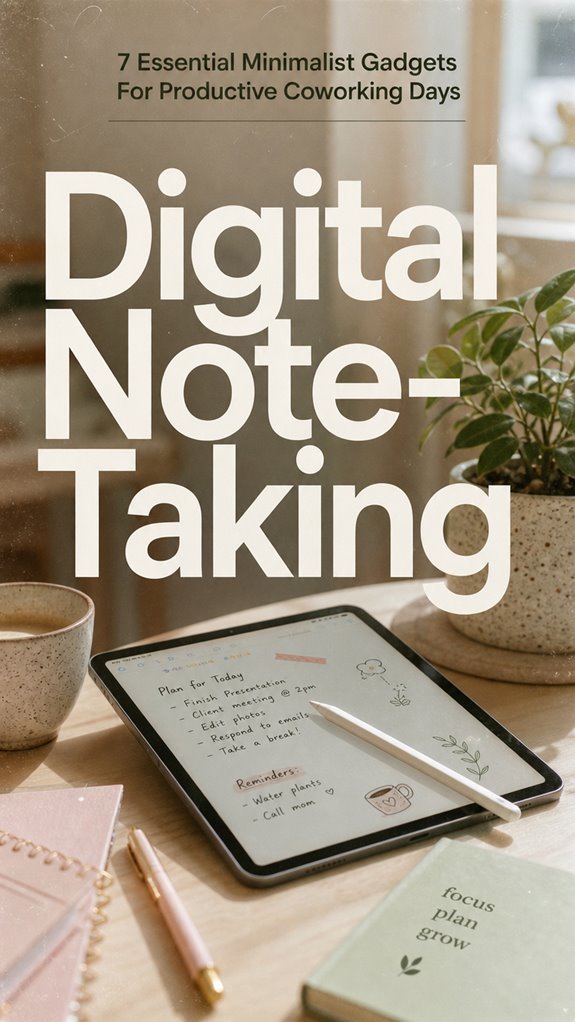
Diving into the world of digital note-taking apps is like upgrading from a dinosaur notepad to a sleek, voice-activated AI sidekick — minus the sci-fi prices. You get to ditch the bulky paper clutter and embrace digital annotation with handwriting tools that actually make sense.
Why wrestle with messy scribbles when you can circle, highlight, and add comments effortlessly? For example, you can mark key points during meetings, then export pages directly into your project board.
Consider these:
- Stylus Compatibility: Opt for apps that support your favorite handwriting tools, making your notes feel natural.
- Organizational Features: Tag and categorize notes for quick finds—like finding that insane idea from your Bali beach hut.
- Collaborative Sharing: Sync with teammates or old colleagues from the office without missing a beat.
Why stay shackled to clutter when you can be liberated?
FAQ
How Do Minimalist Gadgets Improve Mental Focus During Coworking Sessions?
Minimalist gadgets actually turbocharge your mental clarity and boost cognitive enhancement, making distractions vanish faster than that time Michael Scott tried karate.
Did you know 85% of remote workers note noise as a top distraction? Noise-cancelling headphones block out the chaos, sharpening your focus like a laser—no more endless scrolls or idle chatter.
It’s freeing—you work smarter, not harder, even from Bali’s breezy co-working spots, leaving cubicle slavery behind.
What Features Should I Prioritize in Choosing a Portable Second Screen?
Prioritize a lightweight design and a portable battery in your second screen. You want something sleek enough to toss in your bag without feeling like you’re lugging around bricks—remember last year’s old monitor?
Go for one with a solid battery life—think 8+ hours—to stay untethered all day long, just like your Bali sunrise mornings. Ditch the clunky stuff; you’re better than that. Keep it simple, keep it free.
How Can Minimalist Gear Reduce Stress and Sensory Overwhelm in Coworking Spaces?
You wanna ditch sensory overload? Simple gear like a wireless charger and a portable secondary screen cut clutter, giving you peace to focus.
Less *stuff*, more zen, right? Recall those days in the cubicle, overwhelmed by cords?
Now, you just toss in a multi-device power bank and anti-reflective film, making setup faster than your old boss finishing a budget report.
Feel liberated? Good. That’s the real upgrade.
What Are the Best Methods to Organize Gadgets Efficiently Daily?
Master minimalism with smart storage and sleek cable management. Keep gadgets great by grouping like items—think tech totes and magnetic cable clips—so chaos doesn’t reign.
Dedicate a specific spot—no more “where’s that charger?” drama. Use cable sleeves and tidy trays for a clutter-free zone.
Keep in mind, the goal: liberation from logistical lunacy. Now, ask yourself—are you ready to tame your tech?
Time to ditch mess and maximize mojo!
How Do Minimalist Accessories Enhance Ergonomic Support for Long Work Hours?
Minimalist accessories boost ergonomic support with sleek, adaptive design—no bulky gadgets here! Think an external keyboard and mouse that match your style, reducing wrist strain—trust me, those old office setups with crammed desks? Nah.
Use adjustable stands and lightweight gadgets so you can move freely, like a digital nomad.
Have you ever felt that immediate relief from ditching ergonomic bad habits? That’s the power of minimalist, adaptable gear. Stay liberated!
References
- https://www.youtube.com/watch?v=9WAoRyelr9U
- https://www.youtube.com/watch?v=OTp27kl4zCs
- https://www.btod.com/blog/desk-accessories-boost-productivity/
- https://www.kensington.com/news/docking-connectivity-blog/the-minimalist-guide-to-desk-setup–universal-laptop-docking-stations/
- https://www.herworld.com/shopping/7-amazing-gadgets-make-you-more-productive-work-and-make-travel-easier-0
- https://ukiyoprod.com/blogs/tech-innovative-products/minimalist-tech-accessories-that-work
- https://pureluxy.com/must-have-minimalist-office-accessories/
- https://thegadgetflow.com/blog/14-office-accessories-for-a-truly-minimalist-workspace/
- https://www.fastcompany.com/91161218/best-desk-gadgets
- https://www.buzzfeed.com/dayshavedewi/work-from-home-products-to-improve-setup
- https://desktime.com/blog/top-productivity-gadgets-and-products/