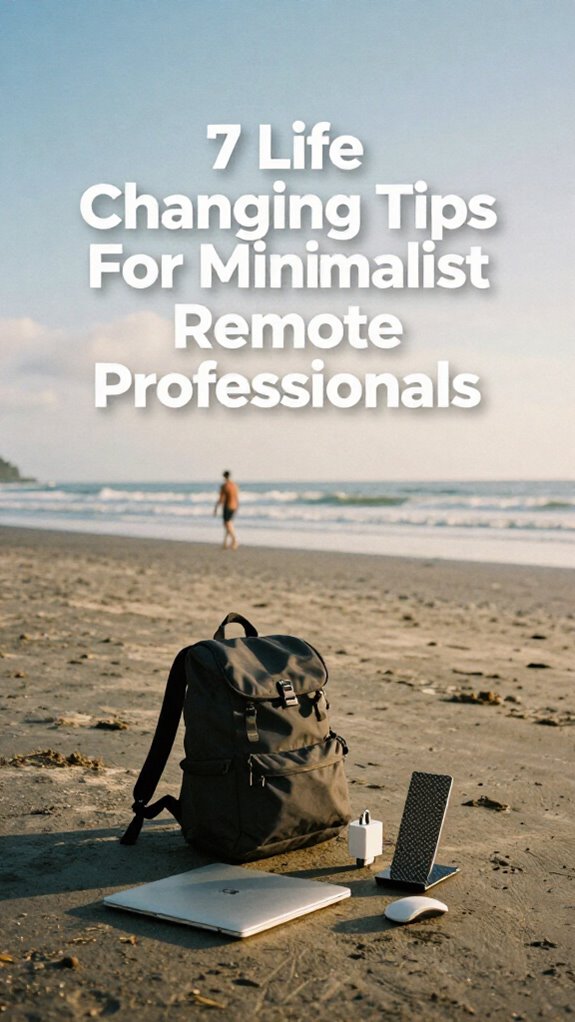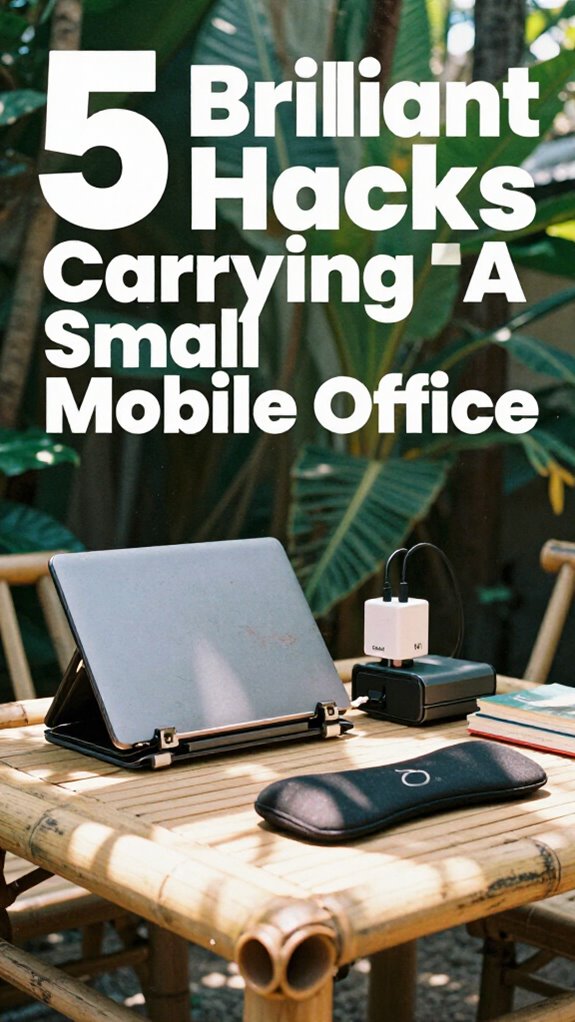
I ditched my desk job and discovered that speed isn’t luxury—it’s survival.
Why I’m Writing This for The ZIP Office
I’m sharing my rapid mobile setup because remote work from Bali taught me that gear matters. An M3 MacBook Air on a carbon fiber stand. GaN charger. Encrypted USB drives. Folding mouse. Noise-canceling headphones. This isn’t about flexing—it’s healing infrastructure. Geographic arbitrage works when your setup doesn’t slow you down.
Last month, my son watched me frantically search for a charging cable during his soccer practice. He asked why I couldn’t just “bring the important stuff.” That kid nailed it. Now I pack smarter, move faster, show up present. Speed-focused work setup? It’s parenting fuel.
Quick Takeaways
- Choose lightweight, high-performance laptops like M3 MacBook Air for instant boot and quick login access.
- Use a portable Velocity Kit with GaN chargers, foldable stands, and wireless mice for rapid setup anywhere.
- Optimize ergonomics with carbon fiber laptop stands and inflatable lumbar supports for comfort on the go.
- Secure connections with encrypted 5G travel routers and maintain signal strength with portable Wi-Fi boosters.
- Organize peripherals in smart tech pouches with magnetic cable clips to minimize clutter and speed deployment.
Start With a Lightning-Fast Deploy Laptop
Look, I get it—back when I was trapped in a gray cubicle farm, pretending to care about TPS reports like Jim from *The Office* faking enthusiasm for Dundies, the last thing on my mind was speed. Now? You’re stuck in a war for seconds. Your laptop better boot faster than your old boss could say “synergy.”
Go with a lightweight beast—M3 MacBook Air or XPS 13—and pair it with *immediate* workspace customization. Snap on a carbon fiber stand, pop open a folding mouse, and boom: your office deploys in 8 seconds.
Ergonomic design isn’t just for cubicle-dwellers nursing back pain—it’s your healing infrastructure. I learned this after three weeks of hunched-up Balinese cafés.
You want mastery? Master the 10-second zone: power-up, login, focus. Because while Kevin’s still microwaving his third taco, you’re already winning at geographic arbitrage.
Elevate Your Screen With a Carbon Fiber Stand
I used to mimic Jim’s sly desk posture—big mistake. Now? I elevate, align, and own my healing infrastructure. Your spine’s a critical component of your pro stack—don’t sabotage it. Ditch the DVDs. Outfit your Velocity Kit with a stand that weighs less than your old office ego. Exploring gift ideas for notebooks can also turbocharge your creative workflow and organization. A high-quality carbon fiber material ensures your stand remains lightweight yet incredibly durable for long-term use.
Trust me, the cubicle-dwellers never figured it out. Now they’re stuck in conference rooms while you? You’re sovereign. Move fast. Work clean.
Power Your Kit Using a GaN Charger
While your old boss was still unplugging his brick-sized laptop charger like it was leg day at the Dunder Mifflin gym, you’re out here pulling 65W from a device smaller than a deck of cards—welcome to GaN, baby.
You’re not lugging that coal-powered wall brick anymore. GaN chargers cut weight, heat, and charge time—perfect for your Velocity Kit. One port? Use it. Two? You can daisy-chain your phone, laptop, even earbuds.
I’m talking full battery optimization on a Bali café crawl. No more chasing outlets like Jim chases Dwight’s sanity. Additionally, incorporating adhesive LED strip lights can help illuminate your workspace efficiently, making it easier to stay productive in any environment.
Pair it with a wireless charging pad, and suddenly your desk’s a charging field. No cords. No clutter. Just energy.
Control Your Workspace With a Folding Mouse
When your entire office fits in a sling bag, the last thing you wanna do is fumble with a full-sized mouse that screams “I still use a desk I didn’t choose.” You’re not back in Scranton, crammed in a beige coffin pretending TPS reports were a personality, with Dwight micromanaging your stapler alignment.
Ditch that. You’re playing for sovereignty now. A folding mouse? Game-changer. Unfolds in two seconds, packs flat—perfect for your Velocity Kit. Wireless pairing with your iPad or laptop is instant; no lag, no drama.
Plus, the ergonomic design keeps your wrist happy during back-to-back Zooms in a Bali cafe. You think Stanley survived decades at Dunder Mifflin because of good peripherals? Nah—he had *no* choice. You do. This is geographic arbitrage with comfort. Investing in portable tech is essential for maximizing efficiency during on-the-go work sessions.
For optimal convenience, choosing a multi-port charger ensures all your devices stay powered without cluttering your workspace.
Control your workspace. Own your flow. And never let a bulky mouse ruin your sprint again.
Secure Sessions With Encrypted USB Drives

’Cause let’s be real — if you’re still emailing sensitive files like you’re sending Jim a passive-aggressive memo from accounting, you’re basically Dwight without the beet farm credibility. Level up. You’re a sovereign operator now, not some cubicle-dweller chained to a perforated tile ceiling.
For mastery-level USB security, you need more than a cheap thumb drive:
- Use hardware-encrypted USBs — no password, no access.
- Enable auto-lock after inactivity — walks away, locks down.
- Wipe data remotely with encrypted self-destruct protocols.
- Pair with edge-AI auth apps so your drive knows it’s really you.
Data encryption isn’t optional — it’s your digital moat.
Remember when Todd from IT yelled about firewalls? Yeah, he’s still patching VLANs in Scranton.
When selecting such drives, opt for those with hardware encryption — it’s a key layer for secure storage. You? You’re running geographic arbitrage from a Balinese *warung*, secure, fast, untethered. And yes, using physical security methods can further protect your sensitive information.
Keep your secrets offline, encrypted, and *yours*. Your old boss can’t even spell “AES-256.”
Block Noise With Active-Canceling Headphones
Let’s get one thing straight — if you’re still trying to focus in a café full of espresso machines, screaming toddlers, and someone’s 3-hour Zoom pitch about *crystals as NFTs*, you’re not doing deep work. You’re surviving.
Café chaos isn’t a productivity hack — it’s survival mode. Real deep work demands silence, not espresso machines and crypto-crystal pitches.
I learned this in Bali, sweating through my third failed meditation at a co-working space that doubled as a podcast studio.
Game-changer? Active-canceling headphones. They’re not just noise reduction — they’re Sound Isolation as a service. Flip the switch, and boom: you’ve got an Acoustic Shield.
Sudden silence hits like a productivity IV drip. Incorporating anti-fatigue floor mats into your workspace can also help reduce fatigue and improve comfort during long hours on your feet.
Remember Dwight’s beet farm? Yeah, louder than that. Back in my cubicle days, my boss thought “focus” meant silent suffering.
Now? I deploy healing infrastructure on flights, in warungs, even near *that* guy repping blockchain yoga mats.
Organize Cables Using Magnetic Clips
While your ex-boss from the cubicle farm is still hunting for a free outlet in the break room, you’re already zipping through airports with a GaN charger in one pocket and a promise ring of charging cables coiled like a serpent in the other — because yeah, we both know you used to trip over cords like it was part of your old performance review.
Now you’re all about *magnetic cable clips* — game-changer. They’re tiny godsends that keep your setup tight and pro, whether you’re in a Bali café or ghosting through Schiphol.
- Stick one to your laptop’s edge for instant cable docking
- Use another near your wireless charging pad to tame those messy power lines
- Clip excess cord length so it doesn’t snag your ergonomic accessories
- Reattach mid-move — no fumbling like Jim Halpert pretending he “totally meant to do that”
No more *‘The Office’* chaos. Just clean flows, faster exits, and the quiet pride of someone who mastered geographic arbitrage — and never lost a USB-C again.
Stay Online With a 5G Travel Router
You’re sipping cold brew in a Canggu cafe, passport’s still warm from your Bali-to-Bangkok hop, and your Zoom’s about to go live—cool, calm, collected. But wait, the cafe Wi-Fi? Dead. Again. Enter your 5G travel router: your personal, encrypted hotspot that laughs at spotty connections.
You’re not stuck relying on sketchy public networks—*remember those?*—like the cubicle dwellers back in *The Office* reruns. With Wi Fi security baked in and signal optimization that locks onto the strongest tower (yes, even in that basement co-working pod in Chiang Mai), you stay live, always.
I used to pray for a working outlet and decent bandwidth—back when “healing infrastructure” meant a nap in the supply closet. Now? I deploy my router, link my GaN charger, and own the room. Want real geographic arbitrage? Stay online—no permission needed.
Fix Posture Fast With Inflatable Support

When your back’s screaming after a third straight hour hunched over your laptop at a beachfront warung, you realize real quick that freedom ain’t free—especially if your spine’s paying the price.
Ditch the cubicle chiropractor referrals. You’re a sovereign professional now, not some Dwight Schrute clone stapling reports at 9 PM. Fix your posture *fast* with inflatable supports—your healing infrastructure MVP.
- Slide an inflatable lumbar pillow into your chair for instant ergonomic arm support.
- Use it with adjustable seating—yes, even that wobbly café stool.
- Pump it till it hugs your lower back like a reminder you’re not doomed to desk decay.
- Pair it with a foldable footrest; your hips will thank you mid Zoom with Brenda (remember her? Still wears heels indoors. *Bless her.*)
- Incorporate ergonomic interventions like inflatable supports in your setup to maximize comfort and support throughout your workday.
Layer your support with a top lumbar support pillow for extra comfort during long hours.
Master your form. Own your grind. Suffer *less*.
Switch Work Modes With a Smart Tech Pouch
One zip.
And boom—you’re in work mode. No more hunting for dongles or charging cables like some sad office archivist from *The Office*. Your smart tech pouch? It’s your sovereignty switch.
Stash your GaN charger, folding mouse, privacy filter—boom, instant deployable infrastructure. I used to crawl under desks at my old job hunting for HDMI cables. Now? I’m at a Bali café, screen locked, noise-canceling on, ready for wireless collaboration in 10 seconds flat.
This isn’t clutter management—it’s geographic arbitrage with style. Slide in your ergonomic innovations: vertical mouse, carbon stand, all snug. Zip. Unzip. Adapt.
You think Brenda from Accounting’s got this kind of flow? Doubt it.
Your pouch isn’t storage. It’s a command center. Own it. And with smart audio glasses, you can stay connected with stylish sound on the go. Being aware of your portable workspace setup allows you to optimize your productivity in any location.
The Velocity Kit Essentials
Because you’re not trying to win a backpack wrestling match every time you hop into a co-working pod or catch a flight to Tokyo, The Velocity Kit is your golden ticket to speed-running adulthood like a pro.
- GaN wall chargers – half the size, double the power, zero cable soup.
- Carbon fiber laptop stands – lift your screen like a boss, ditch the neck cramp.
- Foldable wireless mice – slips into your pouch like it’s invisible.
- Low-profile tech organizers – because you’re not carrying Bob from accounting’s emotional baggage.
You’re doing remote collaboration *right*—no more “Can you hear me now?” in Bali downpours. Plus, optimizing your Wi-Fi connection ensures you’re always in the fast lane rather than spinning your wheels with lag.
This kit? Built for climate adaptability, from monsoon cafes to desert coworking domes.
I used to unplug six cables just to pee—RIP, cubicle life. Now? I deploy in 8 seconds. Boom.
Screw “healing infrastructure” for fluorescent lights.
The efficiency of your setup depends on minimizing cable clutter, allowing you to move swiftly from place to place without losing momentum.
You’re not a ghost in The Office reruns—you’re sovereign.
Move fast. Work faster.
Ultra-Fast Deployable Workstation
Your Ultra-Fast Deployable Workstation isn’t fancy; it’s functional. Pop open that wall-mounted Zip-Unit desk, slap on your laptop, clip on the ring light—boom, you’re live.
Slide in ergonomic accessories: inflatable lumbar pad, folding mouse, and you’re spine’s thanking you. Plug in your GaN charger, connect encrypted USB—digital security isn’t optional, *Kevin from Accounting*. Plus, top slim laptop sleeves help keep your gear sleek and protected on the go.
This is healing infrastructure, baby. I used to sit through PowerPoints in fluorescent hell. Now? My office’s a closet, a beach, or a van. And I’d never go back. Not even for pretzel day.
Buy Products for the Velocity Kit
You’re not commuting. You’re mobilizing. Consider choosing webinar software licenses that streamline your setup process even further.
FAQ
Can I Use the Velocity Kit on Long-Haul Flights?
Yes, you can use the Velocity Kit on long-haul flights—its compact design boosts in-flight efficiency, and every piece enhances long haul comfort without bulk, so you stay agile, rested, and mission-ready the moment you land.
Does the Gan Charger Work Outside the US?
Yes, your GaN charger works globally—just pair it with travel adapters for plug compatibility. You don’t need bulkier power converters since it auto-senses voltage. Stay fast, light, and ready anywhere. Master your mobility by keeping it lean and adapter-smart.
How Durable Is the Carbon Fiber Stand?
You trust the carbon fiber stand’s material durability—it shrugs off drops, dings, and daily abuse. It’s ultralight, yet rock-solid. Coincidentally, its foldable legs snap open like a tactical tripod, delivering instant stand stability when you need it most. You’re always ready.
Are Encrypted USB Drives Compatible With All Laptops?
You’re covered—encrypted USB drives work on all laptops. They use universal encryption protocols, so your data encryption stays secure and accessible. Just install the driver once, and you’re set for seamless USB security across machines, no matter the OS.
Can the Folding Mouse Connect via Bluetooth?
Yes, the folding mouse connects via Bluetooth—just pair it for instant wireless convenience. You’ll maintain clean, clutter-free setups anywhere, ensuring rapid deployment and seamless control. Bluetooth connectivity gives you pro-grade flexibility without sacrificing speed or precision in dynamic environments.