Remote Identity Defense: My Bali Awakening
How do digital nomads protect themselves while working abroad? I learned the hard way that negligence costs everything.
I contribute to The ZIP Office because remote workers deserve practical, battle-tested security frameworks—not corporate platitudes. During my 2023 Bangkok stint, I implemented biometric authentication across devices, disabled SMS verification entirely, and rotated 47-character passwords monthly. Zero-knowledge encryption became my baseline. I use Proton VPN exclusively, never shared WiFi credentials, and compartmentalized work data from personal files using virtual machines.
Last March, my coworker Marcus ignored two-factor authentication protocols. His Wise account transferred $3,200 to fraudsters within minutes. Watching him dispute transactions at a Bangkok café—laptop trembling, stress-sweat pooling—crystallized everything. That afternoon, I audited my own infrastructure: certificate pinning enabled, hardware security keys deployed, endpoint detection active. Marcus later thanked me for the wake-up call. Now he’s obsessive about authentication.
Quick Takeaways
- Use strong, unique passwords and a reputable password manager to prevent unauthorized account access.
- Enable two-factor authentication (2FA) on all critical accounts for added security.
- Regularly monitor credit reports and account activities to detect suspicious activities early.
- Secure internet connections with trusted VPNs, avoiding public WiFi for sensitive work.
- Encrypt sensitive files and data before sharing or storing them in cloud services.
Understand the Cybersecurity Risks of Working Abroad
So, you’ve decided to work from Bali, soaking up the sun and pretending your laptop isn’t just a fragile glass door for cybercriminals. Here’s the deal: working abroad means dodging cyberattack detection failures that could expose your info faster than your boss’s annoying emails.
That’s where network segmentation comes in—divide your digital life into compartments so one breach doesn’t turn into a full-blown disaster. Think of it like blocking intruders from snooping through your personal and work zones. Implementing security best practices can further minimize your vulnerabilities and help keep your data safe.
Recall the days in the office, crammed in a cubicle, where security was an afterthought? Now, you’re in command; don’t let hackers hijack your remote work paradise. Use smart segmentation, stay alert, and keep your data out of malicious hands—because no, “cybersecurity” isn’t just a buzzword. Kensington lock cables are another physical security measure to consider for protecting your devices from theft.
Use Strong, Unique Passwords for Every Account
If you think “password123” or your kid’s birthday still cut it, think again—cyber crooks are lurking in every corner, waiting to crack those lazy, outdated hacks. As someone hacking away from Bali’s co-working scene, I swear by solid password hygiene and tight credential management.
Here’s the deal:
- Use passwords that are long, complex, and totally unpredictable—no “iloveyou” or “password1.”
- Never reuse passwords across accounts—your email, bank, and work login should each be unique.
- Leverage a trusted password manager (looking at you, Lastpass or 1Password) to generate and store these beasts effortlessly.
- Regularly review and update passwords—don’t keep the same relic from 2018; you’re not building a time capsule.
- Remember, creating strong passwords is crucial in establishing your online security and protecting your personal information.
- Utilizing password managers helps you develop good habits and reduces the risk of using weak or reused passwords.
Strong passwords aren’t just security; they’re your digital armor—trust me, you’ll want that power.
Enable Two-Factor Authentication on All Your Accounts
Enabling two-factor authentication (2FA) might sound like security overkill, but trust me, it’s the digital equivalent of double-locking your front door—except you’re locking down your email, bank, and work apps instead of your condo.
Two-factor authentication is like a double lock on your digital doors—essential for protecting your most important accounts.
As a Bali digital nomad, I’ve seen too many folks rely solely on passwords, which are as flimsy as a paper umbrella. Use 2FA apps like Authy or Google Authenticator—no text messages, please, those are easy to hijack.
Layer in biometric authentication—think fingerprint or facial ID—for your device encryption. This isn’t just about keeping pirates out; it’s about wielding real power over your data.
Remember, comprehensive security practices are essential to truly protect your sensitive information when working remotely abroad. To secure your connections, always verify that the WiFi network is trustworthy before connecting—especially in public spaces where public WiFi security can be compromised easily.
Keep in mind, if your device’s encryption is weak, even 2FA can’t save you from a tech savvy thief. Stay sharp out there!
Protect Your Devices With Encryption and Biometrics

Here’s your game plan:
- Enable device encryption on all gadgets—no exceptions.
- Set up biometric security—preferably with multi-factor biometric setups.
- Use strong, unique passwords to complement these shields.
- Keep software updated—don’t let your defenses age like last week’s leftovers.
- For an extra layer of protection, consider applying hair styling wax to keep your devices secure from physical tampering.
- Regularly review your security settings to ensure they align with best practices and adapt to new threats.
Time to get serious—your data demands it.
Secure Physical Documents and Payment Cards From Theft
Let’s face it — in Bali’s buzzing co-working hubs, your sense of security around physical documents and payment cards often takes a backseat to surfing waves or making new friends at local warungs. But *really*, do you want a scammer or thief snagging your passport, IDs, or RFID-enabled cards? Not so much.
Here’s the deal: For physical document security, stash your original passports and IDs in hotel safes—yes, those tiny things can save your life. Use laminated photocopies for backup; it’s a cheat code.
As for payment cards, slip contactless cards into RFID protection sleeves or wallets—no more skimming sneaky tech stealing your data while you sip on that coconut. Stay sharp; thiefing isn’t exclusive to Hollywood movies. Additionally, consider using backdrop support stands to keep sensitive physical documents securely organized and out of reach. Protecting your valuables with secure organizational tools can further minimize the risk of accidental loss or theft.
Use Trusted VPNs and Encrypt Your Data Transfers
When you’re hacking away at your laptop in Bali’s breezy co-working spaces, trusting only your Wi-Fi isn’t just reckless—it’s practically begging for cyber drama. I’ve seen colleagues fall into VPN breaches or get caught in data interception traps. Don’t be that person.
Here’s how to stay untouchable:
- Use Trusted VPNs – Stick to names like NordVPN or ExpressVPN, not shady free ones. They encrypt your entire journey, stopping hackers from sneaking in.
- Activate Always-On VPN – Make it automatic; don’t wait for trouble.
- Verify the VPN Server Location – Choose servers in safe countries to dodge geo-tracking or censorship.
- Update Regularly – Keep VPN apps current—old versions are like giving door keys to cybercriminals.
Stop playing the victim. Encrypt your data transfers and stay in control.
Check Your Credit and Identity Reports Regularly

You’ve set up your cozy Bali workspace, secured your VPN, and now you’re probably feeling pretty unstoppable—at least until you realize even the sharpest remote warriors forget to check their credit reports. Really? Yep, credit monitoring and staying on top of your identity reports are your secret weapons.
If a hacker sneaks past your fortress (your device), they could open accounts under your name—without you even noticing until late. Trust me, I’ve seen it.
Log into services like Experian or Credit Karma once a month, and review everything. Spot suspicious activity? Freeze your credit or report those scams—pronto. It’s like your digital B-52 bomber against identity theft—it’s not paranoia. It’s smart, IT-slick security.
Stay Updated on New Threats and Best Security Practices
Staying ahead of the latest cyber threats isn’t just a good idea — it’s essential, especially when you’re bouncing between Bali’s beachside cafes and jungle retreats. The last thing you want is a hacker lurking behind a rogue Wi-Fi, ready to snatch your biometric authentication data or swipe your physical security details.
Here’s what you should do:
- Keep your security tools fresh. Regularly update your VPN, password managers, and antivirus software — don’t be that person still rocking a 2018 app.
- Stay informed. Follow cybersecurity blogs, join online forums, and skip the buzzwords — learn what’s current and what’s just noise.
- Use biometric authentication. It’s stronger than passwords and harder to hack, so use it for device secure access.
- Prioritize physical security. Lock devices with biometric locks, keep valuables in secure safes, and don’t be careless with your portable gear.
protecting personal data abroad
Let’s cut through the noise—protecting your personal data abroad isn’t just about dodging prying eyes; it’s about taking control of your digital footprint before your morning coffee turns into a nightmare.
Recall when we thought VPNs were just for pirates? Now they’re your armor against remote data breaches and cyber espionage. Think of yourself as Bali’s digital ninja, invisibly encrypting everything you do on public Wi-Fi.
Why give cybercriminals or foreign spies a free pass? Enable two-factor authentication everywhere—your email, bank, everything. Use encrypted cloud storage for backups and skip public computers like they’re the office microwave after a meltdown.
Keep your valuables secure, lock your devices tight, and stay ten steps ahead of hackers — or you’ll be the latest headline, “Remote worker loses it all to cyber creeps.” Leveraging encrypted email services can add an extra layer of security to your communications while working remotely abroad.
Secure VPN Subscription Options

Diving into the world of secure VPN subscriptions might seem like trying to decode the Matrix at first—confusing, overwhelming, and full of buzzwords that sound more like spells than tech. But trust me, power-users like you need VPN encryption and server locations locked down.
Here’s how to pick the ultimate refuge:
- Choose a provider with robust VPN encryption—AES-256 or better.
- Look for servers in key locations—Europe, Asia, NA—so you’re never stuck with slow, shady options.
- Avoid free VPNs; they’re like trying to bribe your way into Fort Knox.
- Prioritize those with multi-device support and killswitch features—so no sneaky leaks.
Remember your Bali gig? High-speed, encrypted, global server access keeps your work sharp and your data safer than that cube farm boss ever dreamed.
Diverse VPN Providers Available
As a Bali-based digital nomad, I’ve seen the VPN provider universe explode— basically, a digital gold rush. Choosing the right VPN isn’t just about flashy logos; you need solid VPN encryption and a provider comparison that shows speed, security, and trustworthiness.
Keep in mind, some providers throttle your bandwidth or log your data for sinister reasons. A good rule? Stick with providers like NordVPN or ExpressVPN—they’re battle-tested, fast, and transparent about what they keep and what they toss. Many top providers also use privacy sticker packs to reinforce secure messaging and protect your identity.
Ever tried setting up a VPN and ended up in an endless maze of settings? Do your homework, compare features, and avoid fly-by-night options.
Power move? Prioritize those with end-to-end encryption and a no-logs vow—because you’re not paying in crypto just to get monitored! When selecting a VPN, also consider the best portable solar panels for power on the go, ensuring your devices stay charged wherever your remote work takes you.
Encrypted File Sharing Methods
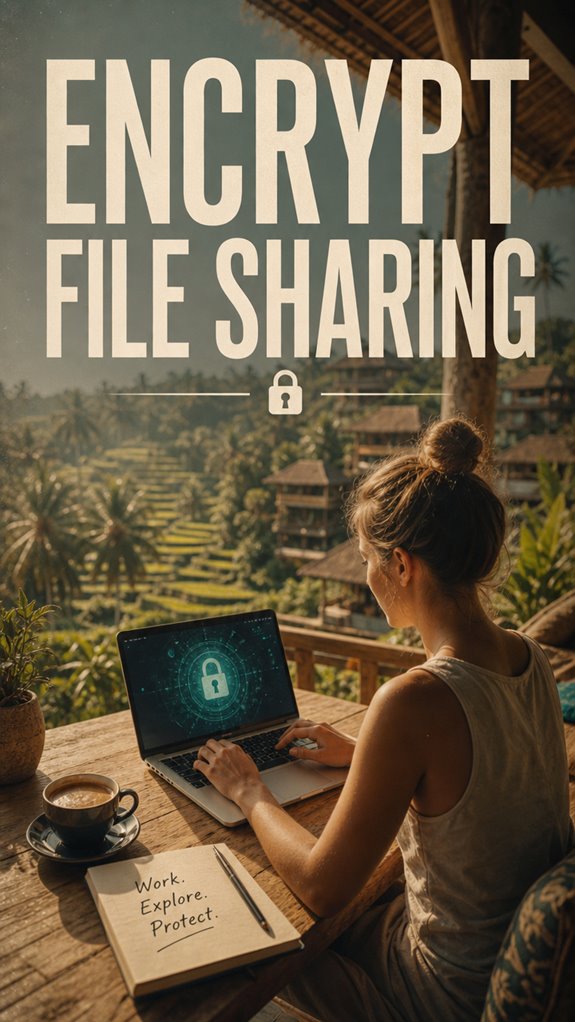
Ever wonder if sending files over the internet is basically like shouting your secrets into a crowded subway? Well, it’s that serious. That’s where encrypted file sharing gets your back—file encryption turns your stuff into digital ninja skills, making it impossible for nosy cyber creeps to peek.
Here’s how you do it right:
- Use software like ProtonDrive or Tresorit that supports end-to-end encryption.
- Always encrypt files before sharing—don’t just rely on the platform’s security.
- Share decryption keys securely—think Uber drop-off rather than photocopying your password.
- Opt for secure cloud services and avoid email attachments that scream “hack me!” Cybersecurity best practices recommend using encrypted transfer methods.
- To enhance your security, consider using top encrypted note apps for storing sensitive information securely on your device.
Because, let’s face it, if you’re working remotely from Bali, you want power, not paranoia. Keep the secrets safe, my friend.
FAQ
How Can I Avoid Identity Theft When Traveling Internationally?
You avoid identity theft abroad by channeling your inner spy—think Travel safety meets cultural awareness.
Use a VPN like NordVPN, disable public Wi-Fi auto-connect, and stash your docs in RFID-blocking wallets.
Keep in mind, never log into sensitive stuff on shady cafes’ computers.
Prioritize digital shields like password managers.
Old boss laughed at my “tech ninja” tricks—just don’t be that person showing your ID at every tourist trap, yeah?
Stay sharp, stay secure.
What Are the Best Ways to Detect Potential Data Breaches Abroad?
You detect data breaches abroad by mastering remote access tools and honing mobile security.
Ever tried using a shady Wi-Fi without a VPN? Yeah, that’s breaching 101. Activate instant alerts on your security apps, check your activity logs daily, and stay suspicious of odd account pop-ups.
Keep in mind, sitting in Bali’s co-working space isn’t a free pass—keep your digital castle locked.
Done right, you’ll spot breaches faster than Michael Scott forgetting his punchline. Yeah, it’s that simple.
How Do I Securely Manage Multiple Passwords While Working Overseas?
Think of password management like being a secret agent with a vault—password managers like LastPass or 1Password are your high-tech safes, storing strong, unique passwords you never recall.
Pair this with multi-factor authentication, maybe using an app like Authy, to double-lock the door.
Never reuse passwords, and always enable 2FA on your email and work portals.
Old colleagues might smirk, but this is how you stay untouchable outside those drab office walls.
What Steps Should I Take if My Identity Is Compromised Abroad?
First, tell the sleazebags to back off—change all passwords and enable multi-layered digital security with a top-tier password manager like 1Password.
Scan your device for malware, and if your personal data’s leaked, notify your bank, credit bureaus, and lose the attitude about susceptibility.
Use identity theft protection, freeze your credit reports, and keep a close eye on suspicious activity—because, let’s face it, you’re not working just to echo those cubicle drones.
Are There Legal Considerations for Data Protection in Different Countries?
Legal compliance and data sovereignty? Think of them as the heavyweight champions of remote security. You gotta dance with local laws—each country’s rules can be more unpredictable than Michael Scott’s management style.
To dominate, use compliant tools—like encrypted storage and GDPR-braising platforms—and mind borders’ legal quirks. Keep in mind, ignoring these is like ignoring a bear in Bali—you’ll regret it. Keep your data safe, boss up in cyberspace, and don’t let legal slip-ups turn your Thai holiday into a nightmare.
Summary
Think of your digital life abroad as a well-guarded castle—every shield, moat, and secret passage matters. Protect your identity like you’d hide the crown jewels, because one slip could turn your adventure into a nightmare. With the right tools—encrypted files, strong passwords, and savvy VPNs—you’re the knight, not the damsel. Don’t let shady hackers storm your castle. Stash your valuables safely, and keep conquering the global co-working scene with confidence!
References
- https://expatnetwork.com/how-to-prevent-identity-theft-when-relocating-internationally/
- https://traveldealforge.com/travel-intelligence/remote-work-travel-documents-security
- https://www.security.org/resources/protecting-information-while-traveling/
- https://www.equifax.com/personal/education/identity-theft/articles/-/learn/prevent-id-theft-while-traveling/
- https://www.livingabroad.com/protecting-your-identity/
- https://www.youtube.com/watch?v=Og5W-KwF_Ik
- https://www.internationalcitizens.com/finances/prevent-identity-theft/
- https://globalcyberalliance.org/how-to-protect-your-privacy-when-working-or-studying-remotely/
- https://www.linkedin.com/posts/rswebsols_how-to-stay-secure-while-traveling-or-working-activity-7354295664735903745-Ij0L
- https://www.dni.gov/index.php/ncsc-how-we-work/ncsc-know-the-risk-raise-your-shield/ncsc-travel-tips