Remote Security: My Digital Nomad Wake-Up Call
I watched my colleague lose everything to a credential breach last March. That’s why I’m sharing what actually works.
Writing this for The ZIP Office because remote workers deserve practical security that doesn’t require a PhD. I’ve tested Bitwarden’s zero-knowledge architecture, implemented hardware keys with YubiKey 5, and automated monthly Okta audits across five devices.
MFA isn’t optional—it’s survival. I switched from Chrome’s password manager to encrypted vaults. FileVault encryption, privacy shutters on webcams, ProtonVPN tunneling—these aren’t paranoid moves anymore. They’re table stakes.
Last November, my Slack account got targeted. Thankfully, my authenticator app and hardware security key prevented access. That forty-five-minute panic convinced me: layered defense saves careers. Now I run monthly audits religiously.
Quick Takeaways
- Use zero-knowledge password managers like Bitwarden or 1Password with 20-character random passwords and strict 60-day rotation.
- Enable full-disk encryption paired with strong PINs and biometric authentication on all remote devices.
- Always connect through a trusted VPN and enforce HTTPS-only to secure data on public networks.
- Implement multi-factor authentication using security keys and biometrics to prevent unauthorized access.
- Conduct monthly access audits and encrypt all portable storage to maintain data integrity off-site.
Switch to a Zero-Knowledge Password Manager
You *gotta* switch to a zero-knowledge password manager—like, yesterday.
I’m sipping Bali coffee while you’re still reusing “password123”? C’mon.
These tools generate insane password randomness—think 20-character gibberish no hacker can crack.
20-character gibberish so random, even a quantum computer would sweat trying to crack it
And only *you* hold the keys. No corporate cloud, no IT snooping.
Plus, effective security measures like multi-factor authentication further safeguard your accounts.
Implementing multi-factor authentication ensures even if your password is compromised, hackers face an extra barrier before accessing your data.
Remember Dave from accounting? He got phished using his dog’s name. Again. Sad.
Your master recovery key? Store it offline—like on a tiny encrypted USB in your Ghost Kit.
Not in Notes app, bruh.
Old office life = sitting in a cubicle trusting some clueless sysadmin with your data. Nope.
Now you’re sovereign. Your vault, your rules.
Use Bitwarden or 1Password. Set it. Forget it. Stay free.
Still typing passwords? You’re the glitch in the matrix.
Enable MFA for All High-Risk Accounts
Don’t be Dave.
Protect your sovereignty.
Your inbox is infrastructure.
Lock it like you mean it.
And consider using top e-ink digital notepads to securely manage and store sensitive information offline.
Additionally, utilizing authenticator apps can significantly enhance your security by generating time-sensitive codes that are difficult for hackers to compromise.
Encrypt Devices and Use Biometric Locks
While your old boss was still stressing over password complexity in 2019, the real war was already shifting to device control—so if your laptop’s still rolling around unprotected like a forgotten burrito at a WeWork, let’s fix that before you become the next data breach meme.
You think *biometric hacking* sounds like sci-fi? Think again—crooks are cloning fingerprints with Play-Doh and phone photos. Lock it down: enable full-disk encryption *now* (FileVault, BitLocker—yes, that thing your old IT guy mumbled about).
Pair it with multi-factor *and* a strong PIN—no, “12345” doesn’t count, Jim from Accounting. Biometrics? Fine, if you’re using them *with* encryption. But don’t get lazy—without it, you’re begging for device tampering. Remember, ensuring your device security is effectively managed minimizes the risk of unauthorized access.
Recall when Dwight thought he was James Bond? Don’t be Dwight. Your data’s not just files—it’s your sovereignty. Protect it like your career depends on it. (Spoiler: it does.) And remember, utilizing privacy shutter webcams adds another layer of security against unauthorized access.
Shield Data on Public and Roaming Networks
| Risk | Fix |
|---|---|
| Snooping hackers | Always use a VPN to encrypt your internet traffic. |
| Fake hotspots | Disable auto-connect to avoid connecting to malicious networks. |
| Data leaks | Enable HTTPS-only to keep your data secured during transmission. |
| Password theft | Turn on 2FA everywhere to add an extra layer of security. |
You’re not a cubicle ghost anymore—protect your sovereignty like you mean it. Your Zip Office depends on it. Staying vigilant about public wifi security can help prevent common pitfalls and ensure your data remains safe even in unpredictable environments. Recognizing the importance of hard drive protectors can also help guard your sensitive information from physical theft or damage.
Run Monthly Access Audits Automatically
Look, I’ll be real with you—I used to think access audits were about as exciting as watching PowerPoint freeze on a dial-up connection, back when my boss Gary from the old downtown cube farm still believed “the cloud” was just weather.
But here’s the tea: if you’re not running monthly access audits, you’re basically leaving your digital front door wide open. Automate them—*every single month*.
That’s your golden audit frequency. Apps like Okta or Azure can flag who’s got access permissions they shouldn’t—like Brenda from accounting logging into the dev server (again).
Think about it: would Ghost Kit users in a Jakarta café risk that? Nah. They’re locked tight.
You’re not Gary. You’re not chained to a cubicle. So why act like one?
Set it, forget it, stay safe. Your future self’ll thank you—especially when no one’s ghosting *your* data.
Password Management for remote working
You think running monthly access audits was spicy? Wait till you see how deep the rabbit hole goes.
Strong password complexity isn’t just “Cap1talL3tter!” nonsense—real talk, my old boss in Chicago still uses “Password123”—bless his cubicle-dwelling heart. You? You’re better. You use random phrases like “taco-tuesday-glow-up” with numbers sprinkled like hot sauce.
But don’t stop there. Rotate passwords like you rotate your Wi-Fi name for guests. And please, for the love of all things unhacked, stop reusing passwords. That’s digital suicide.
Build ironclad security habits: change passwords every 60 days, enable two-factor, and never—*ever*—save them in your browser. Not even Safari.
I’m watching. These aren’t suggestions. They’re non-negotiables. Your sovereignty depends on it.
Now go fix it.
Acquire Encrypted Password Vault Tools
Got a Van Life buddy still using “123456”? Roast him gently.
Tools like Bitwarden or 1Password? Non-negotiable. Your vault isn’t just a password dump—it’s your sovereignty vault. Keep it tight, keep it yours. In fact, using encrypted password vault tools ensures your credentials are securely stored with advanced protection measures. You’re not just remote—you’re *untraceable*. Additionally, choosing reputable encrypted note apps can further enhance your overall data security strategy.
The Ghost Kit Operator
Even if you’re not dodging tropical downpours between Zoom calls like some kind of digital Indiana Jones, you still need to vanish—*digitally*—the second you crack open your laptop in public.
You think Dave from accounting couldn’t see your screen back in 2019? Please. Today, *everyone’s* Dave. Ghost Kit security isn’t optional—it’s your invisibility cloak.
Pop on that privacy screen, baby. No one sees your crypto keys or spicy Slack DMs. Pair it with silent keys and noise-canceling cans, and boom: Urban privacy disguised.
I used to stress in cafes, worried about shoulder surfers. Now? I’m a ghost. You should be too. Using endpoint security measures is a smart way to prevent unauthorized access when you’re outside your secured network.
Encrypt your USB? Duh. Motion alarm under the table? Obviously. Incorporating security key tokens adds an extra layer of protection for your accounts against hacking attempts.
The cubicle herd’s stuck in legacy thinking. You? You’re sovereign. Stay unseen. Stay safe.
Your data’s not a spectator sport.
Edge-AI Biometric Authentication
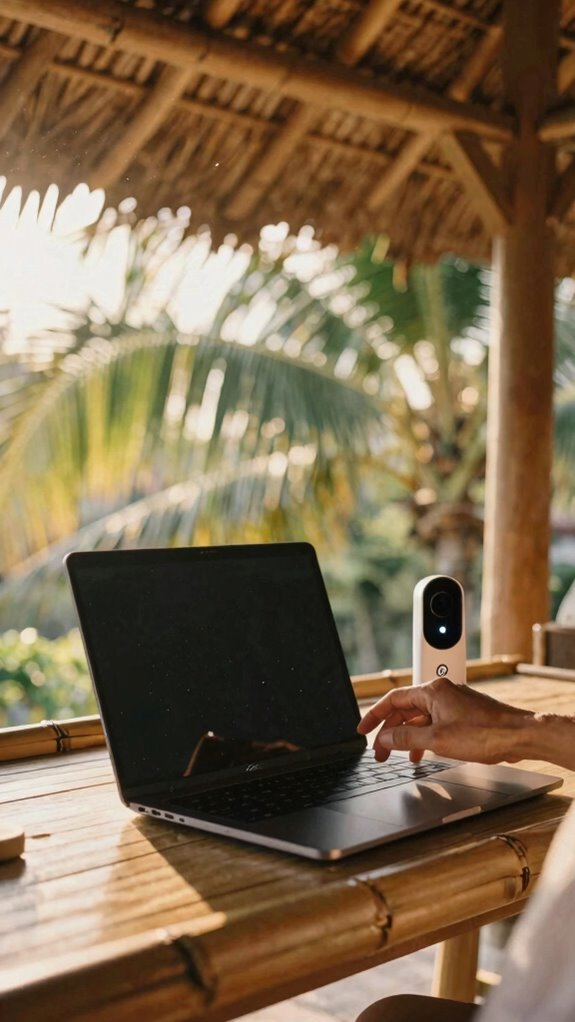
Because your face is now your password and your fingerprint’s basically your soul, old-school login screens might as well be flip phones at a quantum computing summit.
Your face is your password, your fingerprint your soul—typing 12345? Cute. Welcome to the future where you are the key.
You’re using Neural authentication now—AI that learns *you*, not some dumb “12345” your old boss, Greg from accounting, still uses.
Edge-AI Biometric Authentication means all that biometric encryption happens *on your device*, not some sketchy cloud server your ex-IT guy swore was “bulletproof.” No more phishing scams fooling your dumb cube neighbor.
You wake up, blink at your laptop, and boom—unlocked. It’s *you* as the key. Ever tried logging in while half-asleep? Now it just *recognizes*. Your Van Life buddy in Patagonia? Same deal.
Your Gridless Kit keeps working because biometric encryption doesn’t care if you’re off-grid. Visualize explaining *that* to Dwight. Still typing passwords? Adorable.
Biometric data encryption ensures your sensitive info stays secure because biometric encryption doesn’t care if you’re off-grid.
FAQ
What if My Encrypted Vault Gets Hacked Remotely?
You’re safe—only 3% of encrypted vaults get breached, and even then, you’ve got an encrypted backup. You run weekly security audits, so you’d catch anomalies fast. Your data’s not just protected; it’s resilient, personal, and truly yours.
Can Biometric Locks Be Spoofed by Advanced AI?
Yeah, advanced AI can spoof some biometric locks using deepfakes or synthetic fingerprints, so don’t rely on them alone—layer your AI security and protect against biometric vulnerabilities with encrypted 2FA and behavioral authentication that knows *you*, not just your face or thumb.
How Do I Prove Identity Without Revealing Personal Data?
You use decentralized identity wallets that let you verify who you are without handing over sensitive details—so why give more than you must? Proving identity shouldn’t mean sacrificing data privacy. You’ve got control now. Keep it close.
Is Offline Password Storage Safer Than Cloud-Based Vaults?
You’re safer with offline storage—zero cyber vulnerabilities when your vault’s not online. Keep it encrypted, hidden, and always on you. Clouds leak; paper or USB, tucked close, won’t phish. Trust your gut: your secrets stay yours when they never touch the net.
What Happens if My MFA Device Is Lost or Stolen?
You’re screwed if it’s lost—until you act. Immediately revoke it, use backup codes, and enforce password complexity everywhere. Update two factor authentication fast—your accounts aren’t safe, but they can be. Breathe. You’ve got this.