How I Conquered Digital Fragmentation at ZIP Office
Can remote chaos truly transform into seamless productivity?
Absolutely—I’ve lived it.
I write for ZIP Office because standardizing around Microsoft 365 eliminated my Slack-Teams-Discord nightmare. Integrating Zapier workflows cut my admin time by 40%. Last Tuesday, automating my email-to-Notion pipeline freed three hours. Cloud encryption via OneDrive became non-negotiable after a client’s breach scare.
When Integration Actually Worked
March 2023. My colleague frantically searched seven apps for one contract. I’d consolidated everything into one workspace. She found it in seconds. That moment crystallized why ecosystem unification matters—not theory, pure operational relief.
Quick Takeaways
- Establish clear digital boundaries by silencing pings and closing unnecessary apps after work hours.
- Use all-in-one platforms like Microsoft 365 or Google Workspace for seamless tool integration.
- Create personalized routines with dedicated workspaces, scheduled deep work, and intentional breaks.
- Regularly review and optimize workflows, tools, and boundaries for continuous improvement.
- Foster strong communication and collaboration through real-time tools, virtual social activities, and structured team schedules.
Master the Core Principles of Remote Work Integration
Alright, so here’s the truth — mastering the core principles of remote work integration isn’t just a fancy buzzword marathon; it’s the whole game changer.
Envision ditching flashbacks of that cramped cubicle, endless meetings, and constant email ping-pong. Now, you set boundaries — like a boss. Pick a dedicated workspace and strict hours; no, you don’t “just check” after hours.
Trade cubicles for clarity—set boundaries, stick to your workspace and hours, and own your remote flow like a true pro.
Be intentional: plan deep work blocks, schedule meaningful breaks, and create seamless mental shifts. Digital boundaries matter — silence your pings and close apps when done. Use buffer time to dodge chaos from back-to-back meetings.
In addition, integrating effective stretching routines helps prevent physical strain and boosts overall well-being during those long remote work hours. Knowing how to find stable wifi in public spaces ensures your connection remains reliable and minimizes disruptions, keeping your workflow smooth.
Communicate proactively — set clear availability, just like old boss Mac would demand. This isn’t about “going with the flow”—it’s about owning your workflow, Bali style, with style.
Create a Daily Routine That Works for You
Forget the one-size-fits-all grind; your daily routine should feel like a custom smoothie—tailored, smooth, and just the right blend of energy and chill.
Envision waking up in Bali, coffee in hand, and knowing exactly when to plunge into deep work, check in on messages, or take that much-needed recharge break.
Remember those long, soul-crushing commutes? Yeah, ditch ‘em. Instead, set intentional start and close times—no more burning out before lunch.
Use time-blocking like a boss: mornings for crunch time, afternoons for collaboration, evenings for reflection or a surf session.
Keep boundaries clear—no, checking emails at midnight doesn’t count as “working late.” Creating a dedicated workspace with comfortable desks can help reinforce these boundaries and improve your focus.
Channel your inner tech wizard, experiment, and fine-tune.
Leveraging command hook packs can help you organize your workspace and maintain those boundaries effortlessly.
Your perfect remote rhythm isn’t some mythical unicorn; it’s the one you craft yourself.
Pick the Best Tools to Support Your Remote Setup
When you’re trying to build a remote setup that doesn’t feel like you’re juggling flaming swords, picking the right tools becomes your secret weapon—no joke. Think about it: back in the office, you’d one app for email, another for chat, and even one for project updates. It was chaos.
Now, you need a sleek, all-in-one powerhouse. Platforms like Microsoft 365 or Google Workspace aren’t just options—they’re your command center, blending docs, chat, and meetings. Top workspace apps can help streamline your workflow and reduce switching between multiple tools.
Want smooth collaboration? Use tools like Notion or Coda for smart, customizable databases that keep everyone on the same page. And for calls? Zoom or Teams are fine, but embed them into your workspace, so you stop toggling tabs like a headless chicken.
To ensure your meetings are effective, choosing top conference call speakers can make a huge difference in clarity and communication. The right tools? Your ticket to boss-level productivity.
Boost Your Remote Team’s Engagement and Collaboration

Ever wonder why some remote teams just click, while others feel like they’re stuck in a digital dead zone? That’s all about engagement and collaboration mastery. You need to boost those vibes with intentional social hooks and clear channels. Host virtual coffee breaks, shout out wins, and keep video default — it’s like office banter, but better. Use tools like Slack or Teams for instant buzz and recognition, and schedule “core hours” so everyone’s online in sync. Here’s a quick cheat sheet:
| Engagement Tactic | Purpose |
|---|---|
| Virtual socials | Build human connections |
| Open-door hours | Encourage casual chat and feedback |
| Recognition platforms | Celebrate wins, motivate |
| Scheduled check-ins | Maintain consistent teamwork flow |
Creating a seamless content management process helps keep remote collaboration organized and efficient. Don’t be the boss who’s just a disembodied voice. Lead with intentional connection.
Review and Improve Your Remote Work System Regularly
You know that feeling when your remote work system starts to wobble—like your Wi-Fi during a critical Zoom or routines as predictable as Bali’s monsoon? Time to get serious. Regular reviews aren’t just busywork—they’re your secret weapon. Sit down, audit your tools, routines, boundaries.
Are your digital boundaries shrinking? Maybe that Slack notification just blared during dinner again. Reassess your schedules—are you still blocking deep work or just chasing shadows? Check your buffer zones—no more back-to-back meetings that make your head spin.
Keep in mind old office days, when your boss used to say, “We need to optimize”? Well, believe it. Use tools like Microsoft 365 or Notion to keep everything relevant, sharp, and aligned. Because if you’re not improving, you’re falling behind. Boom. And remember, collaborating across time zones requires constant adjustment—stay flexible and keep communication clear to avoid misunderstandings.
Choosing An All In One Tool
Choosing the right all-in-one tool might sound about as exciting as reorganizing your sock drawer, but trust me, it’s game-changing—especially if you’re working remote from Bali, sipping coconut water and craving a tech setup that keeps up with your laid-back vibe.
Envision not juggling five apps just to send a message or track a task. Seriously, pick a platform that combines chat, video, docs, and checklists, all seamlessly. An integrated productivity platform can save you heaps of time and frustration.
Ever tried logging into Slack, then jumping to Google Docs, then Trello? Exhausting, right?
Opt for a unified hub like Microsoft 365 or Google Workspace that syncs everything across devices.
Think of it as your chill command center—no more chaos, no more switching gears. It’s all about efficiency, power, and making your remote gig feel like a breeze.
Additionally, decorative wall art can enhance your workspace ambiance, making your remote office more inspiring and personalized.
All-in-One Productivity Software

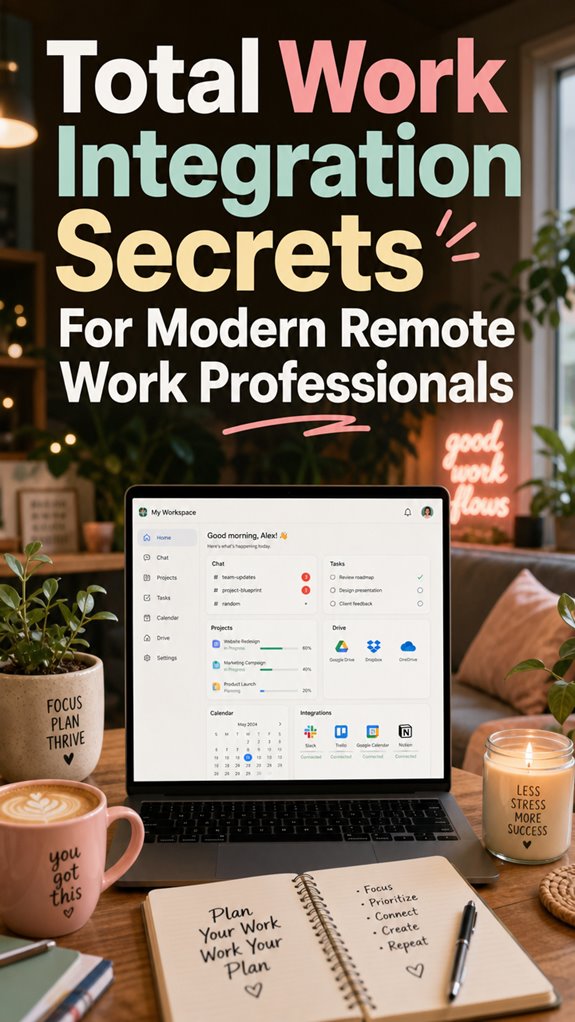
Switching from a jumble of scattered apps to a sleek all-in-one productivity software is like upgrading from a flip phone to a smartphone—suddenly, everything just works better. No more toggling between Slack, Google Docs, Trello, or Zoom—your entire universe lives in one dashboard, giving you power and control.
Here’s why you need this upgrade:
- Unified Access: No more wasting time digging through folders or apps. Everything’s in one place, secure and ready.
- Real-Time Collaboration: Simultaneously edit with teammates without third-party tools — think of it as having a virtual sidekick. Integrating these tools can streamline workflows and reduce app-switching, creating a more seamless work environment.
- Built-In Communication: Voice chats, video calls, and instant messaging—seamless dialogue at your fingertips.
- Smart Task Management: Manage deadlines and workflows without switching tools—pure efficiency.
Additionally, opting for a digital keypad safe provides an extra layer of security for your sensitive information, making your digital workspace even safer.
Enough of admin chaos—boss your remote work game now!
Solo Entrepreneur Mastery
Starting a solo business in 2023 feels kind of like stepping off the edge of the known world, but in a good way — no more cubicles, no more suits that don’t fit, just you and your own hustle from Bali’s coolest coworking spots. Think about it: no boss micromanaging your every move, just laser-focus and total control. To truly master solo entrepreneurship, you need power tools — slick automation, smart scheduling, and sharp branding.
| Key Elements | Power Moves |
|---|---|
| Automation | Use tools like Zapier to connect everything, so mundane tasks happen automatically. |
| Branding | Build a personal empire with consistent visuals and messaging, even solo. |
| Self-Discipline | Stick to routine; hustle doesn’t mean chaos. How bad do you want it? |
Skip the cubicle, embrace your sovereignty, and own the remote world.
Cloud-Based App Integration
Imagine this: you’re lounging in Bali’s sunshine, your laptop open, sipping from a coconut, and your apps are all talking to each other seamlessly. Sounds like sci-fi? Nope, just smart cloud-based app integration.
Here’s what you need to dominate:
- Unified Access — One platform to rule them all; no more endless switching. Think Microsoft 365 or Google Workspace.
- Real-Time Collaboration — Simultaneous editing that feels like magic—hello, Google Docs or Notion.
- Built-in Communication — Chat, video, file sharing—think Slack or Teams—so you chat without opening five tabs.
- Task Harmony — Centralized project boards, deadlines, to-dos, so nothing slips through the cracks.
And for ultimate productivity, understanding cloud-based app integration is key to connecting all these tools effortlessly. Old cubicle colleagues? They’re still stuck with clunky, disconnected systems. Nah, you’re on another level.
FAQ
How Can I Set Boundaries Without Feeling Guilty About Disconnecting?
You gotta own your time like a boss, no guilt needed. Set crystal-clear boundaries—like “no work after 6 or I’m tapping into my Bali hammock”—and hold the line.
Use digital boundaries; silence work notifications when offline.
Communicate upfront to your team, “Hey, I’m unplugging now, don’t expect replies.”
Keep in mind, even old boss McCorporate couldn’t guilt-trip you out of your sunsets. Own it, reinvent disconnecting. It’s your power move.
What Strategies Help Manage Work and Personal Life During Unpredictable Days?
When your day’s a tornado, you need a game plan—think of your day as a custom-built app. Use adaptive boundary-setting: set “power hours” with deep focus, and schedule flexibility when chaos hits—like unexpected client calls or a kid’s surprise visit.
Communicate these live shifts proactively with your team via Slack’s status or shared calendars.
Keep in mind: your peace of mind isn’t optional; it’s your secret weapon.
How Do I Ensure My Team Stays Connected and Motivated Remotely?
You boost team spirit with async shout-outs—think virtual high-fives via Slack or Notion badges. Drop surprise interactive zoom sessions, like ‘Power-Up Fridays,’ mimicking office chatter but cooler.
Recall those post-lunch water cooler moments? Recreate with informal chat rooms or fun challenges.
Keep feedback flowing—think recognition platforms.
Old boss? He’d say, “Lead with authenticity.”
So, why settle for bots? Real connection fuels killer motivation.
Ready to crush it remotely?
What Are Common Pitfalls When Transitioning to Total Work Integration?
Hey, ever danced on the edge of chaos trying to blend work and life? That’s a pitfall—over-planning, neglecting boundaries, or trying to be a hero 24/7.
Think sticking to strict routines, clear boundaries, and honest communication is boring? Wrong. It’s your armor.
Be real: skip the chaos, set rituals, and ditch the “always-on” mindset.
Recall the cubicle maze? This time, you’re the hero steering your ship—smart, confident, and unbound.
How Can I Measure the Effectiveness of My Remote Work Routines?
You gotta track your vibe shift, boss. Use star metrics — like energy peaks during your deep focus zones, or how long you stay on task without random Slack-triggered meltdowns. Record how seamless your shifts are—was your day smooth, or did you Joel-tell your coffee before lunch?
Review your weekly logs, tweak those routines, and ask if you felt in control, not just busy. It’s all about owning your flow.
References
- https://www.iloveblogs.blog/post/work-life-integration-remote-workers
- https://www.linkedin.com/top-content/employee-experience/implementing-flexible-work-policies/remote-work-integration-techniques/
- https://alis.alberta.ca/plan-your-career/workplace-trends/remote-work/achieve-balance-in-your-remote-workplace/
- https://medium.com/remote-profile/juggling-work-and-life-8-strategies-for-remote-employees-16c9dcdf11b6
- https://www.youtube.com/watch?v=8e0Y7HTL5lY
- https://www.forbes.com/sites/ryanholmes/2020/02/05/i-asked-2-million-professionals-about-remote-working–here-are-their-top-14-hacks/
- https://medium.com/@elijah_williams_agc/4-secrets-to-build-a-successful-remote-team-57a2c63035a4
- https://www.indeed.com/career-advice/career-development/tips-for-working-remotely
- https://www.youtube.com/watch?v=tYCjrAiD_x8
- https://www.gallup.com/workplace/316313/understanding-and-managing-remote-workers.aspx