Remote Work Hotels: Why Your Setup Matters More Than You Think
I discovered that laptop-on-bed work destroys productivity. Period.
I’m sharing this because The ZIP Office readers deserve workspace truth—not corporate fluff about “making it work anywhere.”
I ditched paper-thin walls after a 2019 Barcelona booking. Solid-core doors changed everything. Natural light by 10 AM? Non-negotiable dopamine trigger. I demand dual outlets—USB-C near both desk and bed. Privacy screens aren’t luxury; they’re essential. Noise-canceling headphones plus walkable neighborhoods with transit access transform hotels into legitimate command centers.
Last March in Lisbon, I watched my colleague Sarah’s Zoom call get derailed by corridor noise bleeding through cheap drywall. She switched hotels mid-week. One upgraded door seal later? Her client meetings felt professional again. That’s when I realized environment engineering beats willpower every time.
Quick Takeaways
- Choose rooms with dedicated workspaces and ergonomic furniture to maintain comfort and productivity.
- Prioritize properties with high-speed, reliable internet and backup connectivity options.
- Opt for soundproof rooms away from elevators and minibars to minimize noise distractions.
- Use blackout curtains and natural lighting to regulate ambiance and support focus and sleep.
- Leverage hotel loyalty programs for quiet upgrades and seamless service customization.
Pick Hotels With Built-In Work Desks
A real desk means no more hunching on the bed like a sloth. It’s non-negotiable. Pro tip: Filter bookings for “dedicated workspace”—your spine and sprint velocity will thank you. Additionally, consider hotels that provide portable batteries to keep your devices powered during long work sessions without interruption.
Demand Solid-Core Doors for Sound Privacy
Door material choices make or break your deep work zone. Recall Brenda at HQ who cried over Zoom during Todd’s blender podcast? Don’t be Brenda.
Bring a draft stopper, seal the gap. This ain’t camping—it’s sovereignty. Your brain’s your best hardware. Protect the signal.
Inspect Outlet and USB Port Placement
You’re not still plugging your laptop into some sad, sun-deprived outlet behind a dusty filing cabinet like the ghosts of cubicle life circa 2019, are you?
Skip the desk jail. When you walk into your hotel room, drop your bag and *immediately* scout for power accessibility. Check nightstands—real ones have dual USB-A/C and outlets on both sides. That’s cord placement win. No more tripping over chargers like Kevin with the burnt lasagna.
Your Zip-Unit Kit deserves better. I learned this after watching Todd from IT fry three laptops in Phnom Penh.
Ditch dead zones. Demand outlets near the desk *and* the bed—your Bio-Zip tablet and GaN brick need love too. Power accessibility isn’t just about convenience—it’s a key element of your remote work setup.
Power accessibility isn’t convenience—it’s sovereignty. And babe, you’re not a desk drone. You’re a velocity-class operator. Act like it.
And remember, choosing multi-currency wallets that offer reliable power solutions can make a big difference in maintaining your productivity on the go.
Prioritize Rooms With Natural Light
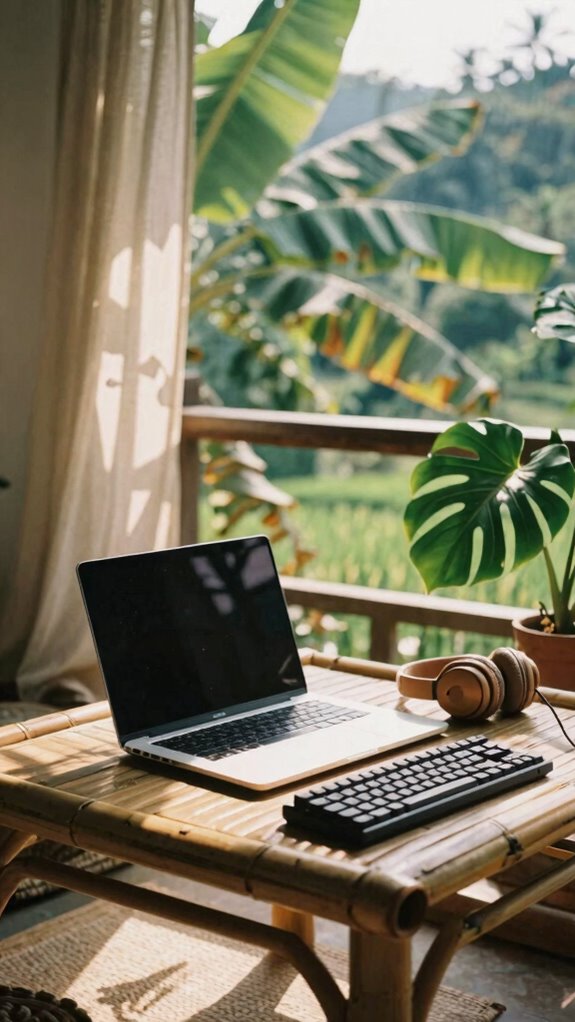
When sunlight cuts across your screen like a midday spotlight, you’re not just working—you’re *performing*, and guess what? You’re not paid to be a cubicle vampire. Ditch the dungeon rooms. Natural light boosts mood, focus, and screen clarity—no $300 ring light can fake it.
Sunlight turns work into performance—ditch the dungeon, embrace the glow. Natural light fuels focus; no ring light can bribe the sun.
I learned this in 2023, coding from a rice field-side café near Ubud, where daylight bounced off water, not fluorescent strips. Daylight therapy lamps can serve as a good supplementary option when natural sunlight isn’t available.
Pro tip: Pick rooms with indoor plants—real ones, not plastic fakes your old boss thought “sped up workflow.” They purify air and chill your vibe. Check for blackout curtains too—great for nighttime Netflix, but keep ’em open during work hours. No sun? You’re just another ghost in a corporate ghost town.
Sunlight isn’t free—that’s *profit*. And if your old office had neither, maybe that’s why Karen from Accounting cried every Wednesday. Incorporating natural light can significantly improve your sleep quality, helping you feel more refreshed and alert during your workday.
Ensure Privacy for Video Calls
Here’s how to lock in privacy like a Bali-based pro:
- Privacy screens – Slap one on your laptop. No more side-eye from seatmates eyeing your spreadsheets.
- Noise canceling headphones – Cancel chatter, horns, and that guy laughing at Jim-Bear memes.
- Book a room *away* from elevators and minibars—acoustic dead zones win.
- Test sightlines—can someone see your screen from the fire escape? Yeah, close that blind.
Your hotel room’s your command center now—treat it like one, not a sad hotel bar reboot.
Dwellers can keep their open offices. You’ve got focus.
Require High-Speed Work-Ready Internet
Just because you’re ditching the cubicle doesn’t mean you’ve gotta suffer dial-up-level Wi-Fi like your boss Greg from 2019 who still used a flip phone and called Slack “that chat thing.” Nah, real sovereign pros in 2026 don’t beg for bandwidth—they command it.
You want seamless edge-AI sync, flawless 4K streams, and zero lag on Zoom calls—because no one’s impressed by your “world peace via blockchain” pitch when your face freezes like a screensaver. Demand hotels with fiber backbones and 5G mesh nodes, not just “available Wi-Fi.”
Test speed *and* ping hourly. Insist on VPN security baked into the network—your biometric access login is useless if hackers sniff your coffee-order data. Recall Greg? Yeah, he’s still rebooting the router. Additionally, ensure that the hotel has robust internet infrastructure to support your high-bandwidth needs without interruptions.
Don’t be Greg. Your workflow’s elite. Your internet should be, too. For truly reliable connectivity, prioritize hotels that have high-quality internet infrastructure and support multiple simultaneous users with minimal latency.
Verify Access to Printing and Work Support
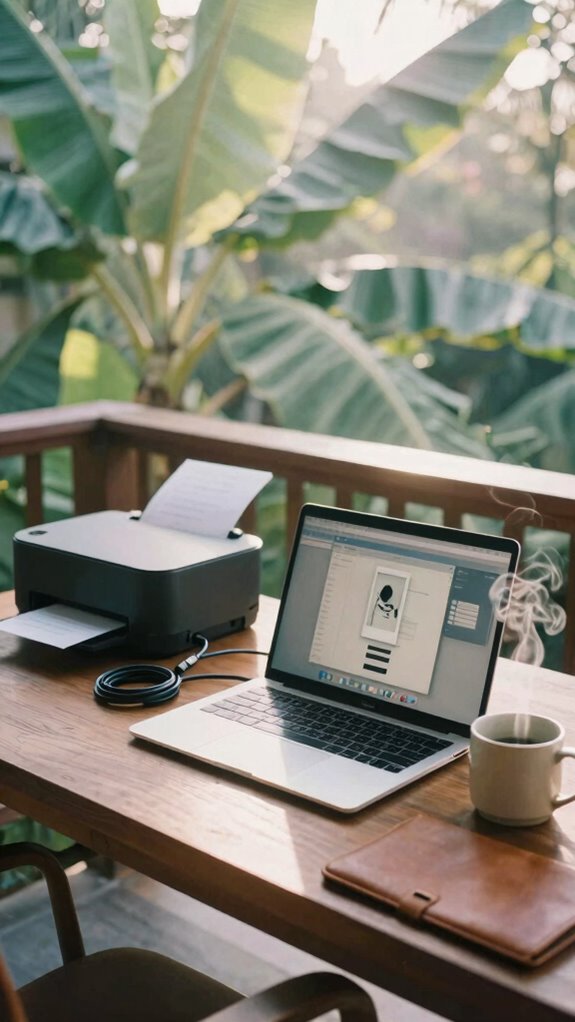
Though you’ve ditched the soul-crushing fluorescent lights and passive-aggressive Post-it notes from Karen in Accounting, don’t fool yourself—your sovereignty hinges on more than just good vibes and a killer travel coffee mug. You’re not Karen’s puppet anymore—no more begging for printer access like it’s a privilege.
You’re not Karen’s puppet anymore—no more begging for printer access like it’s a privilege
When you’re booking that Bali hotel, verify the real deal:
- Are printing stations actually available—or just a dusty corner machine held together by hope?
- Do they offer 24/7 work support services, or do you have to charm the front desk at 3 a.m.?
- Can you print from your device, or are they forcing you into “IT submission”?
- Is there backup if the Wi-Fi crashes mid-presentation? (Spoiler: Karen’s old office didn’t.)
You’re elite now—not cubicle-fodder. Demand seamless tech. Your workflow’s your crown jewel. Keep it guarded.
Schedule Stays to Avoid Housekeeping Interruptions
You’ve already dodged the printer purgatory and escaped Karen’s passive-aggressive reign of terror—no more waiting in line to jam your CV into a dying all-in-one that smells like regret and toner. Now, protect your flow. Housekeeping barging in mid-flow isn’t just annoying—it’s a sovereignty breach. Effective Wi-Fi heat maps can help ensure your workspace remains connected and secure throughout your stay.
Smart move? Silence those housekeeping notifications by declining service via the app. Yep, every tap’s a shield.
And pro tip: lean into hotel loyalty programs like they’re your backstage pass. I did it in Seminyak—blocked cleaning for 72 hours, got free upgrades, even a quiet corner suite. You’re not a guest; you’re a node in motion.
Recall Todd from Accounting who cried when his spreadsheet got smudged by Windex? Don’t be Todd. Schedule stays with buffer days—no surprises, no scrub brushes near your war room. Your zone, your rules. Incorporating lumbar support pillows can help maintain your comfort during long stretches in your hotel workspace.
Housing Selection for remote working
- Prioritize *cultural immersion*: live near a *pasar malam*, not a plastic hotel zone.
- Test *local cuisine* within 500 meters—your brain thrives on real nasi goreng, not room service mediocrity.
- Pick walkable neighborhoods—your future self will thank you when avoiding another 2-hour Teams call.
- Demand fiber-speed Wi-Fi—because Slack *can’t* load while you’re chasing fried bananas.
Forget corporate ghettos. You’re not hiding in a chain hotel.
You’re thriving—spicy, connected, alive. Your new office smells like street food, not stale toner. Welcome to actual freedom.
Equip for Mobile Workspaces
While your old boss from 2019 still thinks “the cloud” is a metaphor for his existential dread, you’re out here turning a Balinese warung patio into a war room with more bandwidth than his entire corporate office ever dreamed of.
You don’t need a cubicle—you need tech focused amenities that *work*: think portable Wi-Fi extenders, universal power adapters, and noise-canceling buds that block out roosters *and* your ex-coworker Chad’s podcast rants.
Ditch the flimsy chair; pack a foldable laptop stand and inflatable ergonomic furniture that supports your spine like a real human being. Recall that back pain from sitting in “synergy zones”? Yeah, don’t repeat that. For optimal comfort and productivity, it’s essential to choose the best picture frame wood that complements your workspace aesthetic and ensures a professional environment.
Bring a mini monitor, a silent keyboard, and treat your setup like mission-critical gear—because it is. You’re not working *remotely*—you’re operating a mobile command center.
And remember, choosing a space equipped with reliable internet can make or break your productivity. How’s *that* for a performance review?
Elite Urban Freelancer
Since you ditched the fluorescent purgatory of corporate “synergy pods,” you’ve been dodging overpriced oat milk lattes in downtown coworking cafés like a true urban ninja—slick, silent, and totally off the grid.
You’ve escaped the soul-sucking glow of open offices—now you move unseen, a shadow in the city’s pulse, free from oat milk small talk and synergy zombies.
You’re not just remote coworking—you’re elite. Welcome to the Urban sanctuaries game, where you weaponize ambiance and vanish into the city’s rhythm.
No more “Toby from HR” lurking by the Keurig.
- Stealth Mode: Use privacy filters + noise-canceling buds—ghost mode activated.
- Ambient Hacking: Pick spots with natural light and low foot traffic—libraries, boutique lobbies, even silent bars.
- Speed Setups: Arrive, deploy laptop, vanish. The Ghost Kit is your best friend.
- Local Intel: Befriend baristas. They’ll save your seat like you’re Michael Scott’s *least* embarrassing intern.
- Smart Locations: Seek out silk blouse tops that reflect professionalism and elevate your presence, even in informal workspaces.
You’re not hiding—you’re curating. The city’s your office. Now own it.
Apartment Proximity to Transit Hubs
You think you’re winning remote work because you escaped the cubicle farm? Cute. But if your “freedom” means getting stranded without local transit, you’re just trading one prison for a slower one. Think about it—how fast can you bounce from your apartment to a coworking pod, a coffee nook, or a last-minute client meet? That’s where commute convenience becomes your secret upgrade.
In 2026, proximity to a metro, bus line, or bike share isn’t just nice—it’s infrastructure. I learned this the hard way in Bali, watching Steve from Accounting (yes, *that* Steve) wait 45 minutes for a scooter that never came. Don’t be Steve.
Pick pads near hubs. Use apps like TransitHero or ZipNav. Sync with local transit schedules like your workflow depends on it—because it does. You’re not fleeing offices to get stuck. You’re optimizing. Effective transportation planning can make all the difference in ensuring your remote setup is seamless.
Move like data—fast, lean, unhindered.
FAQ
Can My Ghost Kit Fit in Standard Hotel Safes?
Yes, your Ghost Kit fits in standard hotel safes—smart packing keeps it compact. For hotel security, you’ll lock sensitive gear tight. These safety precautions protect your tools and peace, letting you work freely, knowing your setup’s secure when you step away.
Does the Velocity Kit Meet Airline Carry-On Limits?
Yes, your Velocity Kit slides into carry-ons like a secret lover’s whisper—compact, sleek, and TSA-friendly. It dodges travel security delays and fits airline baggage limits perfectly, so you stay light, fast, and always ready to work.
Are Solar Panels Allowed in National Park Lodging?
You can bring solar panels to national park accommodations, but you’ll need to check solar panel regulations first—some parks restrict setups. When they allow them, your panels power your work quietly, intimately connecting you to nature while staying charged and ready.
Will Noise-Canceling Headphones Block Hotel Hallway Sounds?
Yes, noise-canceling headphones silence hallway acoustics like a velvet curtain dropping over chaos. They won’t fix soundproof doorways, but with the right pair, you’re wrapped in calm—your private cocoon where focus stays untouched, no matter what hums beyond the wall.
Can I Discreetly Use a Portable Satellite Dish?
you can discreetly use a portable dish—just place your discreet satellite near a window and shield it from view. it connects fast, stays low-profile, and keeps you locked in, so no one even notices. your privacy stays intact, and your work never skips a beat.
Summary
You think Ctrl+Alt+Del fixes everything? Dream on. Your old cubicle’s ghost still haunts you—booh. But guess what? You’re not chained to fluorescent lights and sad desk salads anymore. In Bali, I run servers from a beach villa. Solid-core door? Check. USB-C everywhere? Obviously. Your hotel room’s your command center now—claim it. The future’s agile, my friend. Flexibility’s the only protocol that matters. Now go ghost your old 9-to-5.