Wrist Resilience: Defeating Remote Work’s Silent Killer
Why do remote warriors ignore wrist degradation until it’s too late? Because most don’t realize repetitive strain compounds exponentially.
I write for The ZIP Office because workspace optimization obsesses me. Last March, my ulnar nerve flared after six months of poor ergonomics in Bangkok. I immediately invested in a Kinesis Advantage2 split keyboard, calibrated my standing desk to 42 inches, and synced my Oura Ring for postural feedback. Every 25 minutes, my smartwatch triggers micro-movement sessions—wrist rotations, resistance band work. Within weeks, numbness vanished.
That Bangkok moment crystallized everything. Sitting at a co-working space, I watched another digital nomad clutch their wrist, grimacing. I realized most remote professionals skip preventative biomechanics entirely. Now I preach ergonomic actualization: firmware updates on devices, sensitivity calibration, real-time health monitoring integration. Your workspace architecture determines your longevity.
Quick Takeaways
- Regularly calibrate your wearable devices for accurate stress and movement tracking tailored to your dominant hand and daily habits.
- Set personalized vibration alerts every 20-30 minutes to promote consistent breaks and gentle stretching during long remote work sessions.
- Sync your wearables with ergonomic accessories like split keyboards and adjustable desks to optimize wrist positioning and posture.
- Use data insights from wearables to set achievable health goals and adjust your routines for improved productivity and well-being.
- Prioritize privacy features and secure data settings to protect sensitive wellness information while maximizing wearable benefits.
Why Wrist Wearables Are Essential for Remote Work Wellness
Alright, here’s the deal—if you’re working from Bali’s co-working scene or any remote paradise, wrist wearables aren’t just some trendy gadgets; they’re your new best friends in the quest for wellness.
Wrist wearables are essential wellness allies for remote workers soaking up Bali’s paradise vibes.
Recall those endless hours staring at a screen, wrists bent at weird angles, pretending your keyboard is fine? Yeah, we’ve all been there—like zombies on a productivity mission.
These tiny tech marvels track your stress, alert you when you’ve been stationary too long, and even remind you to stretch. Want to avoid that numb, tingly feeling after a long coding binge?
Wearables give you real-time feedback, so you don’t turn into the next office legend—“the guy who lost feeling in his fingers.” Basically, they’re your secret weapon against becoming a sedentary, wrist-strained relic.
How to Choose the Best Smartwatch Features for Wrist Health
When you’re hunting for the perfect smartwatch to keep your wrists in check, it’s tempting to get dazzled by all the flashy features—heart monitors, step counters, sleep scores—like you’re building the next Iron Man suit.
But forget the bling. Power players want precision and purpose. Focus on health monitoring: look for stress tracking, real-time alerts, and sleep quality—because, honestly, how many of us ignore those signs? Including features that support silk blouse tops can elevate your style to match your tech-savvy lifestyle.
Want to avoid the wrist-ache? Opt for a device with haptic feedback, so it nudges you without being annoying. Pair it with ergonomic goals, like reminders for stretches and breaks.
Recall, a smartwatch isn’t just a tracker; it’s your personal wellness co-pilot. And let’s be honest, even old bosses from the cubicle days would envy that level of control.
Additionally, choosing a device with sliding camera covers can enhance your overall privacy, giving you peace of mind when the camera isn’t in use.
Optimizing Your Wrist Device for Accurate Posture and Motion Tracking
Since your wrist device is basically your new BFF in the fight against poor posture and wonky motion tracking, you’ll want to tweak it for max accuracy—think of it like tuning a vintage guitar before a big gig.
First, calibrate the device daily by checking if it recognizes your dominant hand and consistent movement patterns.
Calibrate daily to ensure your device recognizes your dominant hand and natural movement habits.
Second, update the firmware regularly; some companies sneak in bug fixes that turn your watch into a posture ninja.
Finally, tweak sensitivity settings—set your device to prioritize wrist alignment over random gestures; nobody needs a false alarm every time you scratch your nose.
Keep in mind, a little calibration goes a long way—because nobody’s got time to be blinking at inaccurate wrist data while the world’s changing.
And remember, proper calibration techniques can significantly enhance the accuracy of your motion tracking, making your posture insights more reliable.
Using accurate motion data can help you better understand your movement patterns and make necessary adjustments, ensuring your wrist device remains an effective tool.
Your wrist’s power, boss.
Setting Up Your Wearable and Workspace for Maximum Benefits
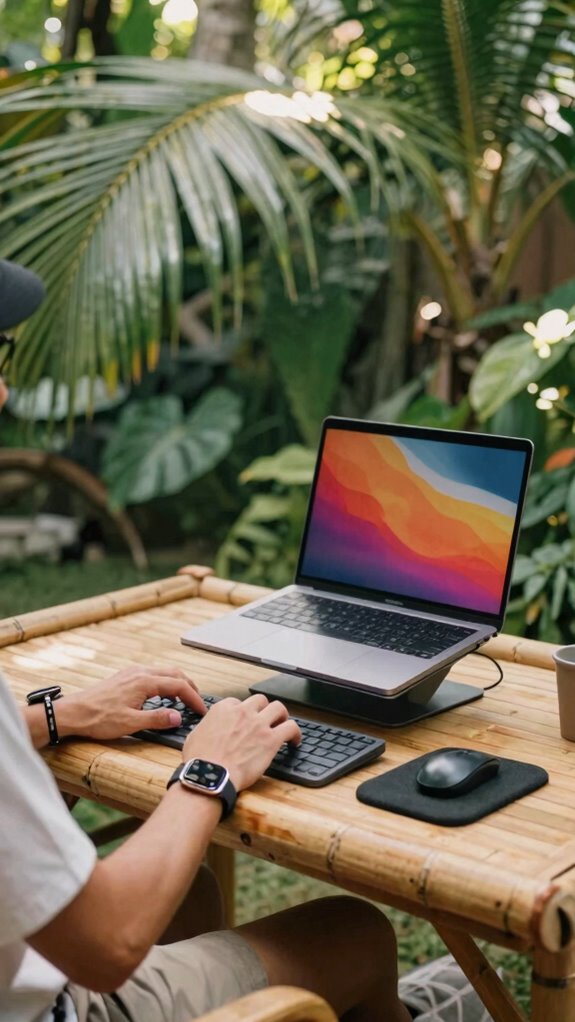
Think of your wearable as the sidekick to your epic remote hustle—like Jim’s prankster wit but in gadget form. Do you recall how old bosses used to fuss about “proper setup”? Well, forget that drill. For maximum swagger, elevate your laptop with a stand, positioning the screen at eye level—no more neck gymnastics.
Adjust your desk height; elbows should be at a perfect 90°, like you’re about to deliver a mic drop. Keep your wrist straight—don’t settle for awkward angles; if you’re still reaching, tighten those ergonomic accessories: split keyboards, vertical mice, or foam rests.
Did you think just charging overnight was enough? Nope. Sync your wearable for real-time alerts, and set your workspace like a tech fortress—powerful, sleek, and built for burnout prevention.
Using Haptic Alerts and Reminders to Enforce Breaks and Exercise
Ever noticed how you get glued to your screen, lost in a sea of tabs, and before you know it, hours have slipped by? Yeah, I’ve been there, done that—now I’m in Bali, remote and thriving, thanks to wrist tech.
Use haptic alerts to shatter that zombie mode:
- Set gentle vibrations every 20-30 mins. No excuses—your wrist practically screams, “Stretch or suffer the shoulder pain apocalypse.”
- Customize reminders to pop up during marathon coding sprints, nudging you to pause, breathe, and move—because your productivity isn’t a badge of honor when you’re stiff as a board. Incorporating data visualization tools can help track your break patterns and ensure you’re staying consistent with your movement goals.
- Pair alerts with quick exercises—like wrist flexions or micro-squats—right on your wearable. It’s about working smarter, not just longer, like that ex-boss who never knew when to take a break.
- Keeping track of your activity and rest intervals emphasizes the importance of break routines, helping you maintain both health and efficiency.
Tracking Stress and Preventing Strain With Wearable Technology
Let’s be real—before discovering wearables, I used to ignore that pounding headache or the weird tightness in my shoulders after hours of coding. Dude, I’d just tweet, “Guess I’m just tense,” while silently screaming inside.
Now, with smartwatches and fitness bands, I can actually *see* stress levels spike through the roof—thanks to heart rate variability and cortisol trackers. When my wrist buzzes with a “relax, buddy” alert, I take a deep breath, do some quick stretches, or even a cheeky walk outside Bali’s co-working scene.
Proven fact: these gadgets reduce strain, improve focus, and force you to stop pretending you’re invincible. Old colleagues? Still stuck in the cubicle; they’ve no idea what they’re missing. Power move? Track your stress, attack it early. Wearable health monitors offer an even more seamless way to monitor wellness continuously without bulky devices.
Keeping Your Data Safe and Battery Life Strong
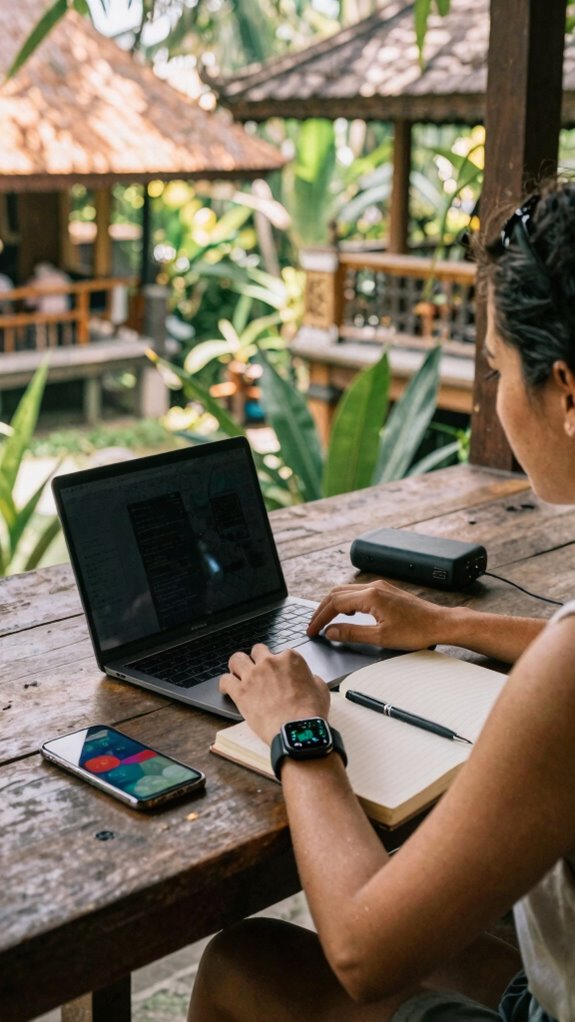
Keeping your data safe and battery life strong isn’t just a nice-to-have—it’s critical when you’re working from Bali’s breezy co-working spots, trying to dodge the chaos of endless notifications and power outages. Have you ever lost hours of work because your device died? Happens to the best of us, especially when you’re chasing that digital power high. Here’s the deal:
- Enable Power-Saving Mode: Seriously, your smartwatch and devices have this sneaky feature. Use it to extend life without sacrificing key notifications or health tracking.
- Limit Background Apps & Bluetooth: Cut off unnecessary digital chatter—turn off auto-updates, close unneeded apps, and disable Bluetooth unless you’re using it.
- Keep Data Secure: Use encrypted storage, enable two-factor authentication, and ditch sketchy Wi-Fi. Recall when Jim’s “Secret Santa” went digital? Don’t be Jim. Be smarter. You can also strengthen your security by enabling multi-factor authentication, which adds an extra layer of protection beyond just passwords.
- Find Reliable Public WiFi Connections: Knowing how to locate stable WiFi in crowded public spaces can save you hours of frustration and ensure your work stays uninterrupted.
How Wearables Help You Improve Posture and Boost Productivity
Switching gears from worrying about your device’s battery life and data security, let’s get real—how about boosting your posture and productivity while working remote from Bali’s paradise?
Wearables are your secret weapon. Think of them as your personal coach, giving real-time nudges when your slouching habits kick in—no more “just one more email” slouch fests.
With haptic alerts, you get gentle wrist vibrations reminding you to straighten up or stretch. They track your movement, remind you to take breaks, and even log your stretch reps—yes, even during those “urgent” Zoom marathons.
These gadgets turn your workspace into a powerhouse of ergonomic efficiency, forcing old habits to fade. Because, let’s face it, no one’s impressing anyone with a keyboard-induced carpal tunnel, right?
Pairing Wrist Devices With Ergonomic Accessories for Total Wrist Care
When you’re pairing wrist devices with ergonomic accessories, you’re creating a fortress of wrist wellness that kicks any basic gadget’s butt. Seriously, it’s like giving your wrists a VIP upgrade. Here’s how to do it like a pro:
- Seamlessly sync your smart wearables—like a Fitbit or Apple Watch—with ergonomic gear such as a split keyboard or vertical mouse. Power move: set reminders based on wrist data.
- Invest in adjustable desk setups paired with wrist rests that keep your wrists straight and free from nerve pinching—no more angsty discomfort. Proper ergonomic design can significantly help prevent repetitive strain injuries.
- Use smart wristbands that track stress and motion, then zone in on your workspace—think Bali beach chill meets Silicon Valley hustle—and tweak your setup for maximum wrist freedom.
- Consider incorporating dynamic microphones for clear communication during remote work, reducing the need for repetitive movement or strain. Additionally, understanding ergonomic benefits of ergonomic accessories can guide your choices for lasting wrist health.
Stack the deck—it’s your secret weapon for avoiding the torture chamber known as the cubicle.
Future Trends in Wrist Wearables for Remote Work Wellness
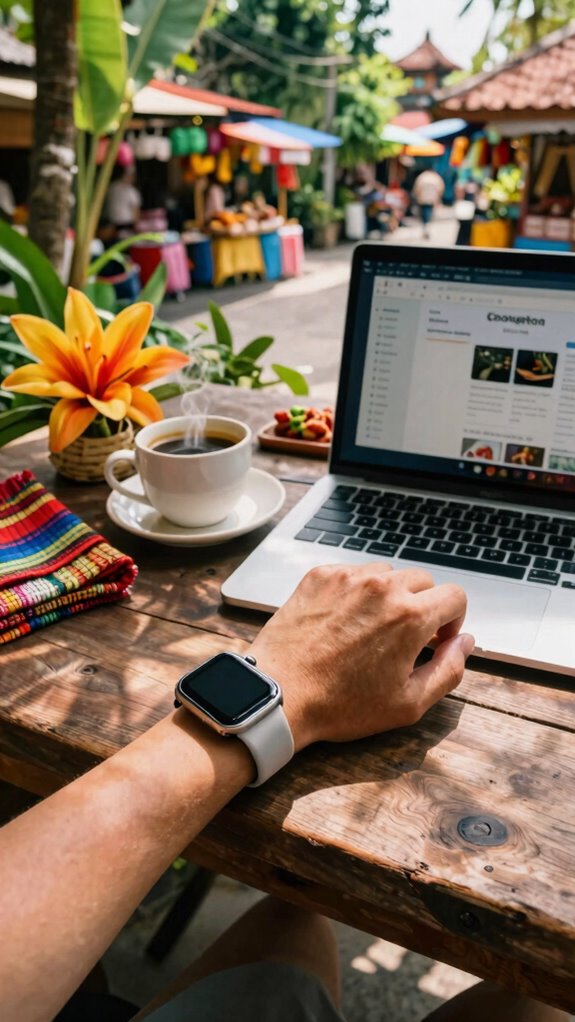
Envision a wearable that adapts instantly, like Siri on steroids, learning your stress triggers or pattern quirks from Bali’s vibrant cafés. Want your wrist to gently nudge you off your chair? Done.
Need it to sync effortlessly with your work apps, like Slack or Notion? Easy.
These future trends use AI-driven *perspective* to optimize your posture, remind you to breathe, or even detect when your mental mojo is slipping—without bombarding you.
Additionally, advancements in materials and film technologies—such as vapor barrier films—will enhance device durability and comfort, making these wearables even more seamless for everyday use. Old colleagues might scoff, but trust me, these wrist warriors will make the cubicle-dwellers look prehistoric.
Power-up, stay sharp, and let your wrist do the heavy lifting.
Smart Watches For Professional Use
Imagine this: you’re lounging in Bali’s co-working scene, sipping a coconut, and your wrist buzzes—no, it’s not a spam email or another reminder from your “boss” (who’s probably still in a basement cubicle, blissfully unaware of the open-air revolution).
Smartwatches are now the secret weapon for top-tier remote pros. They do more than tell time; they’re your health, security, and productivity sidekick. Here’s why you need one:
- Health Hacks: Track stress, heart rate, and even monitor sleep quality—crucial when you’re fighting jetlag and trying to stay sharp.
- Alert Control: Gentle haptic nudges remind you to stretch or stand—no more forgetting your body in marathon screen sessions.
- Privacy & Focus: Disables distracting notifications, keeps your digital life undercover, and helps you stay in “the zone.” Welcome to the new power suite.
Best Smartwatch for Remote Teams
If you’re thinking about ditching your cluttered desk setup for the kind of freedom only remote work in Bali can give, then a smartwatch tailored for teams on the move is your new best friend. You need power tools for productivity — like the Garmin Venu 2 Plus or Apple Watch Ultra — that can handle serious hustle. These babies sync instantly with your project apps, alert you with strategic haptic cues, and track your health to keep you sharp.
Recall how your old boss used to yell about missed deadlines? Well, now you get nudges for breaks, activity, and stress levels, right on your wrist. No more “volume-down-and-hope-it-goes-away” notifications. This is remote work upgraded.
It’s hustle, with a dash of wellness, all in one sleek package—game changer.
Wireless Earbuds Enhance Productivity

Ever tried working from a bustling café in Bali, headphones on, and still felt like your productivity’s on ice? Right? I’ve been there—wishing for that sweet soundtrack of focus, minus the chatter. Wireless earbuds are your secret weapon.
They boost your flow by cancelling ambient chaos, making even a noisy street feel like a private studio. Discovering the freedom of van life involves embracing portable tech that keeps you connected anywhere.
Here’s why they’re power-players:
- Seamless Connectivity – Instant pairing with your device means zero lag, so no awkward seconds when switching between calls or music.
- Active Noise Cancellation – Crush distractions and create your personal zen zone, even amid the chaos. A well-designed studio kit can optimize the sound quality and overall experience.
- Comfort & Portability – Slip ‘em in your pocket or helmet, ready to roll at a moment’s notice—because mobility is king.
Ditch the old bulky headphones—your focus depends on it.
Bluetooth-Enabled Health Monitors
Have you ever wondered if your health secrets could be hiding right on your wrist, just waiting to be revealed? As an IT wizard working from Bali’s bustling co-working scene, I’ve ditched the cubicle for freedom—and Bluetooth health monitors are my new secret weapon.
These sleek gadgets sync with your phone or smartwatch, gathering real-time data on heart rate, stress levels, even sleep quality. No more guessing if you’re pushing too hard or just need a quick stretch—your wrist’s got your back. Tracking sleep patterns can help identify issues and improve overall restfulness.
Just slap one on and get instant feedback, notifications, or even customized workout tips. Want to beat burnout and stay sharp? These monitors turn data into power moves, giving you a competitive edge.
Honestly, they make those old boss’s “stay healthy” pep talks sound lame. Plus, with so many options available, you can find a device tailored to your fitness tracking needs and keep your health game on point.
FAQ
How Often Should I Calibrate My Wrist Wearable for Accuracy?
You should recalibrate your wrist wearable every 2-4 weeks, or whenever you notice inconsistent data—like your stress levels suddenly spiking during a zen meditation.
Think of it like rebooting your ancient laptop—necessary for peak performance. In Bali, I do it after every virtual coffee break, especially since my old boss used to say, “Don’t trust those gadgets too much.”
Basically, stay sharp, keep it precise, and avoid becoming the office “tech plant” dinosaur.
Can Wrist Wearables Detect Early Signs of Repetitive Strain Injuries?
Wrist wearables can detect early signs of Repetitive Strain Injuries (RSIs) if you’re paying attention. They analyze movement patterns, tension, and posture, alerting you before pain hits like a brick wall.
Think of it as your digital coach—spotting anomalies, like wrist deviation or overuse, faster than your old boss could process emails.
Use their understanding for proactive fixes: tweak your setup, take breaks, and crush those office-guy habits.
What Privacy Settings Are Recommended for Work-Related Health Data?
You wanna keep your health data private? Lock down those privacy settings like your Wi-Fi password. Disable cloud syncing unless you trust your data overlords, and only share info with your health apps that scream “trusted.”
Use two-factor authentication, and check permissions regularly. Keep in mind, if your smartwatch chats back about your stress levels to every app, that’s a red flag.
Stay sharp, stay safe, and don’t be that guy who leaks his own secrets.
How Do I Customize Haptic Alerts to Suit My Workflow?
You set your haptic alerts like a DJ spins tracks—precisely tuned to your workflow. Immerse yourself in your smartwatch app, find the alert settings, and customize vibrations by duration, intensity, or pattern—think subtle buzz or something to make the office drone jealous.
Want to stage a power move? Create distinct patterns for meetings vs. deep focus. Keep in mind, your wrist isn’t just a tech gadget—it’s your secret weapon.
Are Wrist Devices Compatible With All Ergonomic Workspace Setups?
Absolutely. Wrist devices are like the Swiss Army knives of your remote setup—they’re compatible with pretty much any ergonomic workspace, from standing desks to cozy corner setups. Just make sure your device connects via Bluetooth or Wi-Fi, and that your ergonomic essentials—like proper desk height and monitor position—are dialed in.
No fancy caveats, just good, clean tech synergizing with your workspace. Old colleagues would call it “plug-and-play,” but really, it’s next-gen boss moves.
References
- https://www.wired.com/story/work-from-home-home-office-gear-guide/
- https://www.youtube.com/watch?v=2SEFiRzfGkc
- https://www.virtua.org/articles/take-a-short-break-from-working-at-home-to-stretch-your-wrists
- https://www.reddit.com/r/workfromhome/comments/1cgh1i1/tips_for_building_wrist_strength/
- https://www.youtube.com/watch?v=r7y4lQ_Q54I
- https://remoteworkergonomics.com/ergonomic-tips-to-prevent-wrist-pain/
- https://www.forthealthcare.com/hand-and-wrist-stretches-for-computer-and-smartphone-users/
- https://premierortho.com/protecting-your-wrists-5-exercise-for-computer-users/
- https://www.insidesalesexpert.com/blog/Remote Work Setup: Essential Equipment and Best Practices for Maximum Productivity
- https://powerbank.app/blogs/news/maximizing-battery-life-for-remote-work-essential-tips-for-digital-nomads