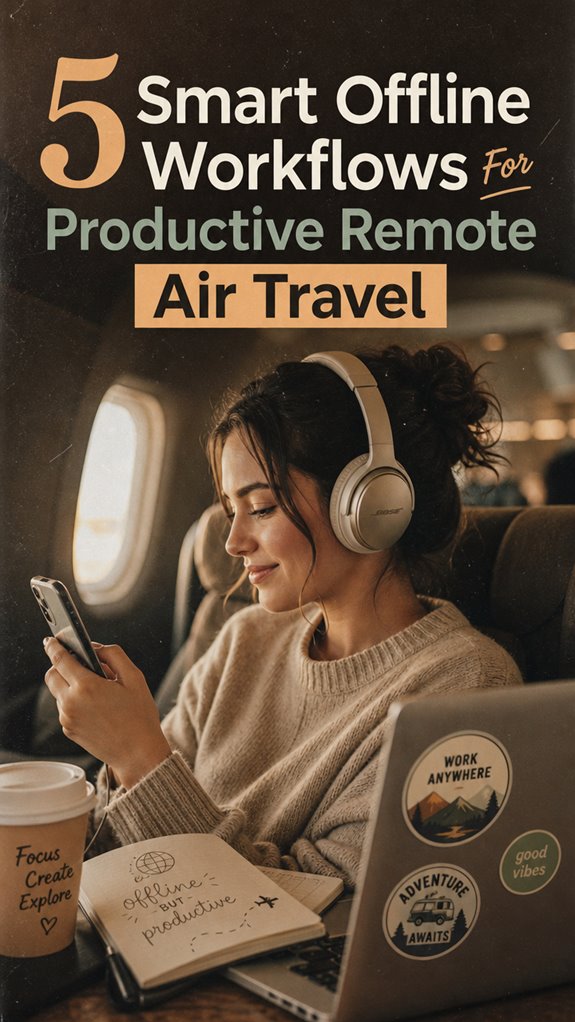
Remote Air Travel: Mastering Productivity at 35,000 Feet
How do I maintain focus while working from aircraft cabins across Southeast Asia? I’ve engineered five offline workflows that transform dead time into deep work sessions.
I’m sharing this with The ZIP Office community because remote professionals deserve tactical frameworks beyond motivational fluff. My 2024 backpacking stint through Thailand taught me that offline-first architecture—pre-loaded Notion databases, voice transcription apps, cached documentation—outperforms cloud dependency. I’ve ditched corporate PowerPoint rituals for markdown-driven workflows, leveraging tools like Obsidian and Otter.ai. Portable power infrastructure matters: my Anker 25000mAh charger keeps my MacBook operational across twelve-hour layovers.
Last March, I faced a presentation deadline mid-flight from Bangkok to Singapore. Instead of panicking, I’d prepped an offline packet with competitor analysis templates and brand guidelines. I dictated talking points using Otter during descent, edited raw transcript in Google Docs offline mode, then synced everything post-landing. That single habit compressed my usual three-day workflow into six flight hours. The tactile friction of analog preparation—printing key documents, handwriting structure outlines—sharpened my thinking beyond what cloud-only workflows deliver.
Quick Takeaways
- Pre-download essential files, templates, and reference materials to ensure seamless offline access during travel.
- Use voice-to-draft tools like VoiceScriber for quick note-taking and idea capture mid-flight.
- Set up an in-flight dashboard tracking tasks, deadlines, and project priorities for continuous workflow.
- Equip with noise-canceling headphones, portable monitors, and offline-curated files to boost productivity on the go.
- Develop offline project dashboards with visualizations and automated workflows to manage tasks without internet reliance.
Master in-Flight Productivity: Your Complete Workflow
Keep your network security tight during flights—VPN, passwords, and off-the-grid gear to avoid digital sharks.
Avoid distractions, go offline, and protect your focus—because liberation is about working smarter, not harder.
Why settle for coffee shop Wi-Fi chaos? Tips for Securing Reliable Public WiFi Connections to stay connected safely.
Prepare an Offline Work Packet for Transit
Picture you’re about to take off on your first big trip, and instead of scrambling at the last second for files or hunting down that tricky document, you’ve already got a sleek, curated offline work packet ready to rock—your secret weapon for deep-focus domination.
That’s where digital archives come in—cloned folders with templates, assets, invoices, and key docs pre-downloaded. No more waiting for cloud sync or succumbing to Wi-Fi rage.
Plus, backup solutions are your safety net; think portable SSDs or encrypted drives, so even if your laptop zaps or the tech gods play tricks, your work isn’t toast.
This setup liberates you from the cubicle grid, keeps your brain laser-focused, and makes you look boss-level prepared—because who wants last-minute drama? Not you.
And if your carry arrangement includes a water-resistant rucksack, it’ll protect your electronics and important documents from unexpected splashes or light rain, ensuring your offline workflow stays intact.
Use Voice-to-Draft to Maximize Your Flight Time

Stepping onto that cramped airplane seat, you might feel like you’re about to miss out on your best ideas—think again. With voice-to-draft tools like VoiceScriber, you can transform your speech into a solid draft, freeing your mind from manual typing. Want to boost your vocabulary expansion? Just talk through your ideas aloud—your device picks up the nuance, making your jargon sharper and your sentences more punchy. Gesture control? Totally doable! Use simple hand waves to pause, rewind, or save your recordings—no fuss. Recall those early days, manually jotting notes while on calls? Forget that. Now, you speak, and AI does the heavy lifting, turning your in-flight ramblings into instant drafts. Incorporating voice-to-draft technology, inspired by innovative speech recognition tools, can significantly enhance your productivity during flights. Because, honestly, why waste time typing when you can be thinking?
Build an Offline Dashboard to Manage Projects and Tasks
If you’re tired of toggling between a million browser tabs or hunting down scattered notes, it’s time to build yourself an offline dashboard—a sleek, no-nonsense command center to tame your workload chaos. Think of it as your digital cockpit, combining data visualization with task automation.
Want to see project deadlines at a glance? Set up a simple grid that updates automatically—no messy Excel sheets needed. Automate your task prioritization, send reminders, and track progress without internet fuss.
In Bali’s co-working scene, I’ve set these dashboards up using tools like Notion or Obsidian, linking drafts, deadlines, and routines effortlessly. No more drifting from distraction to distraction—just clean, command-line clarity, giving the cubicle kids a real run for their money. Incorporating blue light glasses can help preserve your eyes during long work sessions in front of screens.
Sync and Publish Your Work Seamlessly After Landing

Landing back from your flight might feel like hitting pause on your creativity—until you realize that isn’t the time to stare at a blank screen staring right back.
Instead, leverage data synchronization tools like Dropbox or Notion that auto-sync your offline content curation. Envision easily pulling your latest drafts, client feedback, or project updates from your local cache right into your cloud workspace.
Just like that, your workflows stay current, free of chaos. Want to flex? Use version control or backup your files on a reliable SSD, so when you hit “publish,” it’s smooth sailing, not slogging.
Incorporate stylish floating wall shelves to organize your workspace efficiently, ensuring quick access to essential tools and materials.
No more frantic email threads or lost edits. Think of it as the ultimate liberation from the “save and upload” grind—your work, fully in sync without the corporate clutter.
Offline Productivity For Air Travel
Ever wonder how some digital nomads make airplane mode feel like their secret weapon instead of a productivity black hole?
Here’s the deal: airlines actually offer sweet incentives for booking certain flights, plus sky-high bandwidth options in premium cabins—so why not leverage it?
- Pre-download Critical Files & Apps: Think of it as your offline fortress—templates, reference PDFs, even that killer podcast episode.
- Use Voice-to-Draft Tools: Record voice memos, hit send, and let on-device transcribers (like VoiceScriber) get your brain dump ready—no Wi-Fi needed.
- Curate a Mini Offline Buffer: Jot down micro-tasks—emails, quick edits—so your workflow stays fluid, even if the bandwidth drops.
- Build Your In-Flight Dashboard: All active projects, deadlines, and travel plans in one place, ready to launch when you land.
Screw the cubicle life; this is true freedom.
Transit Office for remote working
A transit office in 2026 means ditching the dull throne of your traditional desk and stepping into a mobile command center that screams productivity, even amid airport chaos or crowded coffee shops. Think airport lounges—they’re your new HQ, filled with comfy chairs, quiet corners, and secret travel etiquette hacks.
No more waiting in line for Wi-Fi or fighting for power outlets – recall those days? With the right tech kit, you’re in control. Use noise-canceling headphones to drown out crying babies, portable monitors to keep stuff organized, and curated offline files so you’re never stuck with dead bandwidth.
Ever tried working on the edge, while sipping Bali’s best coffee? Once you master this, you’ll see cubicle-dwellers as ancient relics. Freedom tastes way better when you’re your own boss.
Prioritize Essential Offline Tools
When you’re heading into the wild world of remote work from Bali’s coolest co-working spots, choosing your offline tools is like packing your survival kit—only way cooler. Think of it as your secret weapon against the tyranny of the cubicle, especially when you’re hunting for total freedom and mad productivity.
Here’s the deal:
- Offline collaboration tools — like synced Google Docs or Notion, but *fully* offline, so no awkward Wi-Fi dance needed.
- Security protocols — encryption, VPNs, password managers. Because, trust me, hackers and nosy colleagues aren’t on your beach vacation invite list.
- Local storage — USB drives, SSDs—your backup for when the cloud throws a tantrum.
- Pre-downloaded, offline resources — articles, templates, podcasts. No Wi-Fi? No problem.
And don’t forget to review your offline workflow tools regularly to ensure seamless productivity when connectivity isn’t an option.
Your mission: stay liberated, stay secure, stay productive.
Essential Offline Workspace Accessories
Mastering the world of ultra-efficient offline work, especially in those bustling Bali cafes or tucked-away co-working nooks, demands the right gear—think of it as your secret ninja arsenal. Recall when old boss Dave used to rant about “office essentials”? Yeah, forget that noise. Today, it’s wireless charging pads for quick top-ups without fumbling, and portable lighting so your laptop doesn’t look like it’s in a cave. You wanna stay productive and mobile? Here’s what you need:
| Accessory | How to Use |
|---|---|
| Wireless Charging Pad | Keep your phone and tablet juiced for instant access, no wires needed. |
| Portable LED Light | Brighten your workspace when the sun goes down, just like a pro. |
| Power Bank (65W+) | Power your essentials on the go, even in the wild. |
| Foldable Desk Lamp | Focus on that deep work, no distractions, no fuss. |
Forget the cubicle life—liberate your workspace!
Plus, understanding offline workflows can make or break your productivity when Wi-Fi is scarce.
Bluetooth Headset for Calls
Here’s the real juice—pick a model that has active noise cancellation (ANC). You want crystal-clear Bluetooth quality and seamless wireless pairing, especially for those calls with clients or your team. Think back to the endless mic pops and connection drops during board meetings—annoying, right?
Now, picture yourself in Bali’s co-working scene, free from slumdog headphones and tangled cords.
Here’s what to check:
- ANC power—block that jet engine or chatty neighbor noise.
- Bluetooth version—go for 5.2 or higher for stable, beefy wireless pairing.
- Battery life—mindful of long calls? Look for 8+ hours.
- Comfort and fit—long flights demand snug, cozy buds, not flimsy plugs.
- Note compatibility—ensure your device supports the latest Bluetooth standards for optimal connection quality.
Upgrade your call game, ditch the wires, and never suffer hideous audio again.
FAQ
How Do I Ensure Data Security During Offline Work in Transit?
You wanna keep your data locked tighter than Michael Scott’s awkward jokes? Use encryption protocols—think of them as digital vaults that even the scrappiest hacker can’t crack.
Always back up your files to secure, offline drives—like those USB/SSD backups from your old “Desk Jockey Days.” Keep in mind, you’re not just working offline; you’re building a fortress.
Don’t be the person who loses their work ‘cause you skipped this step—yeah, I’m talking to you, Tim.
What Are the Best Practices for Managing Multiple Offline Projects Simultaneously?
Master task prioritization to juggle multiple offline projects—think of it as your own mini-office chaos, Bali style.
Break big gigs into micro-missions with crystal-clear deadlines.
Use a digital planner like Notion or Trello—your new best friends—to keep an eagle eye on progress.
Time management’s key—schedule no more than three top-tier tasks a day, then crush them.
Keep in mind, old colleagues did it in cubicles; now, you’re untethered, boss.
How Can I Handle Unexpected Technical Issues Without Internet Access?
You handle unexpected tech hiccups by trusting your offline app selection and airplane mode. Keep critical apps—like offline docs or voice transcribers—fully downloaded, fully functional without Wi-Fi.
Before takeoff, test-run every tool—like last-minute rehearsals—so you’re not caught hanging. Old colleagues laughed at my Bali setup, but hey, when Wi-Fi drops, you’re the hero, not the helpless cubicle drone waiting for IT help.
Be ready—your unplugged liberation depends on it.
What Are Effective Ways to Re-Engage Team Collaboration Post-Flight?
You re-engage your team post-flight with a killer combo: virtual brainstorming, plus quick feedback sessions. Schedule a fresh, fun huddle right after landing, share your raw ideas—think “brain dump mode”—then invite instant team input.
Use tools like Miro or Notion to keep everything sleek and visual. Keep in mind, no one misses the vibe of tossing ideas around face-to-face, but don’t forget, digital can totally crush it—if you do it right.
How Do I Optimize Battery Life for Extended Offline Work Sessions?
You wanna milk every ounce of juice from your device? Power saving tips like dimming screens, turning off Bluetooth, and disabling auto-sync matter.
Choose offline apps that are optimized, like SpeechTexter for voice memos or Focus To-Do for task batching—yeah, even Old Jim would’ve appreciated that.
Prioritize hardware with beefy batteries, and don’t forget your power bank—because, honestly, who’s got time for dead devices?
Stay liberated, my friend.
References
- https://voicescriber.com/digital-nomad-airplane-mode-productivity
- https://nerdchips.com/productivity-hacks-digital-nomads
- https://www.youtube.com/watch?v=WN3J1Zh4Bco
- https://www.globalmail.ai/global-mail-blog/the-top-10-productivity-hacks-for-frequent-flyers-in-flight-amp-on-ground-excellence
- https://www.gtfo.co/blog/7-apps-for-staying-productive-while-traveling/
- https://www.makeuseof.com/ways-to-work-while-traveling/
- https://www.youtube.com/watch?v=nuM2EEjH4V8
- https://www.linkedin.com/posts/gear-worth-packing_traveltips-flighthacks-businesstravel-activity-7442949281990287362-Kv6u
- https://www.calamari.io/blog/how-to-stay-productive-while-traveling-and-working-remotely
- https://www.youtube.com/watch?v=CTz4k8voetQ
- https://www.youtube.com/watch?v=bOllncHkXTY