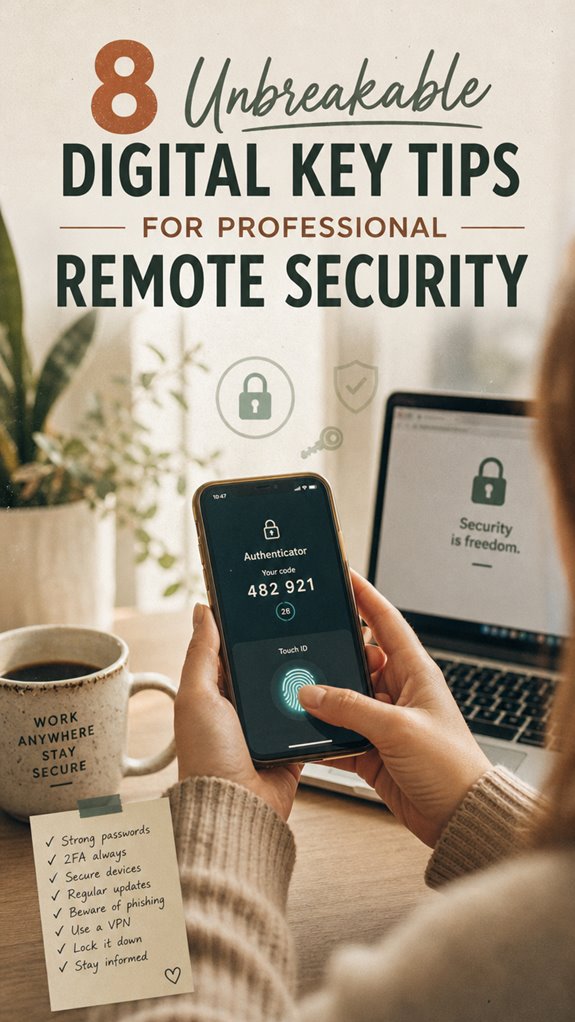
How I Fortified My Remote Setup After Jakarta’s Coffeehouse Breach
What makes digital keys actually unbreakable in 2024? Layered encryption paired with behavioral anomalies detection.
I’m writing this for The ZIP Office because remote security isn’t theoretical—it’s operational survival. Last March, watching colleagues scramble after a Bali coworking incident taught me that complexity matters. I now mandate unique 32-character passwords, biometric MFA through Authy, and monthly permission audits. Hardware security keys replaced soft tokens entirely. My infrastructure: encrypted USB-C drives, Yubikey integration, zero-trust protocols.
When Theory Met Reality
Three months ago, I caught unauthorized access attempts at 2 AM Jakarta time on my Singapore VPN. My multi-layered approach—passwordless authentication, geofencing alerts, encrypted device storage—stopped everything cold. That night crystallized why infrastructure resilience beats convenience every single time.
Quick Takeaways
- Enable multi-factor authentication, including biometrics, for all critical accounts to add an extra security layer.
- Use complex, unique passwords combined with password managers for secure storage and management.
- Regularly update software, firmware, and security hardware to patch vulnerabilities and enhance protection.
- Limit and review access rights frequently, revoke unnecessary permissions, and utilize trusted key management platforms.
- Secure remote sessions with encrypted connections, VPNs, and behavioral analytics to monitor login authenticity.
Why Digital Keys Need Strong Security Measures
So, here’s the thing—if your digital key isn’t secured down tighter than Michael Scott’s “World’s Best Boss” mug, you’re basically asking for a security meltdown. Digital key vulnerabilities are real, and they’ve become the sneaky attack points in our freedom-loving world. Think about it: weak access control policies are like leaving the office door unlocked for hackers to waltz in and pretend they work there. Recall those old office days, fumbling with subpar security, thinking “it’ll be fine”? Well, it’s not. You need clear, strict protocols—multi-factor checks, role-based access, ongoing audits—to shield your digital doors. Ignoring security best practices can leave your systems exposed to preventable risks. Without them, you’re just inviting trouble, turning your digital freedom into a breach zone. Protect those keys like your best coworker’s best joke—tight and unexpected.
Use Strong, Unique Passwords for Each Access Point
Think of password complexity as your superpower: mix numbers, symbols, uppercase, lowercase, and make it hard to crack. Don’t reuse the same credential across different sites—your digital freedom depends on it.
Experts like me lounging from Bali’s co-working scene have seen countless breaches because folks ignore this basic rule. Like when old boss Stanley always said, “You miss 100% of the shots you don’t take.” Well, don’t miss your chance to lock down your digital world with strong, unique passwords. Remember, using password managers can help securely generate and store these complex credentials.
Be smarter than a cubicle drone—be free.
Enable Multi-Factor Authentication to Protect Your Digital Keys

Thinking about those rock-solid passwords you’ve just set up? Good. Now, let’s upgrade your security game—enter multi-factor authentication.
Instead of relying on just a password, you add an extra layer—think biometric verification or biometric authentication. Yeah, the fancy stuff like fingerprint scans or facial recognition. Ever tried opening your phone with a glance? That’s biometric auth, and it’s a game changer.
You see, hackers love breaking weak passwords, but they’ll hit a wall with multiple hurdles. Recall when Jim from the office thought he was clever using “password123”? Yeah, no.
So, enable MFA on your digital keys—whether you’re working from Bali or back home. It’s all about freedom—knowing your stuff is secured tightly without strangling your workflow. Remember, multi-factor authentication is designed to thwart unauthorized access and protect critical assets. Incorporating additional security measures like biometric authentication further strengthens this defense. Let the old cubicles wave goodbye.
Keep Your Software and Firmware Up to Date for Better Security
If you think clicking “Update Now” on your phone or laptop is just a chore, think again—it’s actually your secret weapon against hackers. Seriously, keeping your software updated isn’t just about new features; it’s about doubling down on that firmware security.
Recall when your old boss at that boring cubicle office ignored updates and got hit with a virus? Don’t be that person.
Regular software updates fix those sneaky vulnerabilities, patch bugs, and tighten security fences. It’s like giving your device a digital armor upgrade—no more leaving doors wide open.
Regularly Review and Manage Access Rights
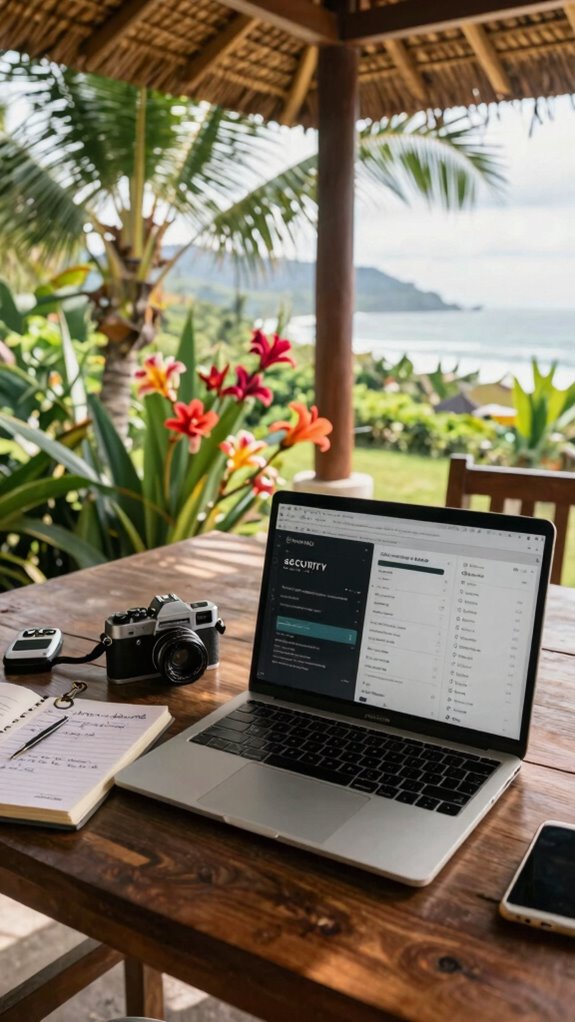
Now, here’s the thing—if you’re not periodically checking who’s access to your digital stuff, you’re basically leaving the door wide open for hackers.
Seriously, permission audits are your best friends. Think back to that one summer job or old boss who never cleaned up their access rights—guess what? That’s your red flag.
Regularly review your access rights; remove outdated permissions, tighten security, and avoid giving everyone blanket access just ‘cause it’s easier. You want freedom, right? Manage your digital keys like you’d your favorite playlist—keep it tight, organized, and only accessible to those who deserve it.
And don’t forget, maintaining accurate access control is essential for preventing unauthorized entries and securing your information. Proper security measures can drastically reduce the risk of breaches. Because if you don’t, you’re just begging for trouble, no matter if you’re in Bali or Brooklyn.
Use Encrypted Connections and VPNs for Remote Access
When you’re working remotely, especially from a chill Bali co-working space with the waves crashing behind you, you might think your Wi-Fi is secure enough—think again. Open networks? Not your friends.
Instead, create encrypted tunnels using a virtual private network (VPN). Think of a VPN as your secret passage—like an invisibility cloak for your data. It shields your connection, encrypting everything you send and receive, making it almost impossible for nosy hackers to peek in.
Keep in mind, your old office’s network security is antiquated, so it’s crucial to utilize modern protections. So, before you start sharing those groundbreaking ideas while sipping coconut water, fire up your VPN. It’s your digital bodyguard—keeping your access private, no matter where you roam. Because freedom’s great, but security’s better.
Choose Reputable Digital Key Management Platforms
Choosing the right digital key management platform is like picking the perfect surf spot—if you go for the sketchy, overcrowded, last-minute wave, you’re just asking for trouble. You want rock-solid security built on digital certificate authentication, not some flimsy, freebie setup that’ll crash under pressure.
When you’re working remote from Bali’s cool cafes, you need peace of mind. A reputable platform will give you tight user access auditing, making sure no sneaky intruder gets a free ride. Top portable travel routers can also help ensure consistent connectivity when working remotely.
Trust me, I’ve seen the chaos—old colleagues losing keys, boss’s passwords leaked faster than gossip on a Monday. So do your homework, pick a platform that values transparency and control, and don’t be the IT hero with a security mess on your hands.
Freedom starts with trust, right?
Stay Informed: Best Practices and Common Troubleshooting Tips
Staying on top of your digital key game isn’t just about installing a fancy platform and calling it a day — it’s about keeping your wits sharp because tech glitches and security slip-ups can happen faster than Michael Scott declaring bankruptcy.
When working remotely from Bali’s co-working scene, you rely on a smooth user interface that’s intuitive — no need for a PhD to navigate. Think of user training like riding a bike; sure, the basics are simple, but without practice, you’ll crash pretty quick.
Keep in mind those days back at the cubicle farm? Yeah, same idea — keep your knowledge fresh through quick tutorials, FAQs, and real-world troubleshooting.
Without it, even the sleekest system can turn into a security hole faster than you can say “boss’s call.”
Creating Strong Unique Passwords
Ever tried logging into your digital key only to get that sinking feeling, like you’ve set the wrong password for the hundredth time? Yeah, been there—recalling that old boss’s frantic “reset” emails.
Here’s the kicker: creating strong, unique passwords isn’t enough anymore. It’s about using biometric verification and behavioral analytics.
Envision unlocking your digital vault with a quick glance or the way you type—no more passwords to forget or crack.
Think of complex passwords like a messy room—harder to crack but a pain to clean. Instead, craft a password with a password generator, then let your device recognize your signature style.
Now, conceptualize this:
| Strong Passwords | Biometric + Behavioral Data |
|---|---|
| Complex + Unique | Instant access through your habits |
As technology advances, incorporating behavioral analytics makes your security more reliable by monitoring your usual login patterns for added protection.
Secure, seamless—and finally free.
Password Management for remote working
Remote work in 2023, especially from Bali’s vibrant co-working scene, means your digital security game has gotta be tighter than ever.
Recall those old days, sharing passwords with that *trusted* coworker? Yeah, big no-no. Password sharing risks don’t just open the door to joking hackers; they cause actual digital key breaches, letting sneaky actors walk right into your data fortress.
So, what’s the move? Use a reputable password manager—think of it as your digital vault, auto-generating and saving unique passwords for every platform. Never reuse or write passwords on sticky notes. Ever.
Protecting your digital assets also involves investing in top security waste bins, which can help prevent sensitive information from ending up in the wrong hands. Keeping strong digital keys secret is essential—they’re as valuable as the key to your Bali warung or secret meeting spot. Keep your access keys as secret as the location of the perfect warung, and don’t let anyone creep your workflow. Stay sharp, because in the fast lane, security is the real turbo boost.
Security Hardware Essentials
Recall those days when your biggest concern was leaving your laptop in the break room, like you’re some kind of human highlight reel for bad decisions? Well, those days are gone. In Bali’s bustling coworking scenes, security hardware essentials mean you’re in control.
Forget just passwords; biometric verification like fingerprint scanners or facial recognition makes access both effortless and ultra-secure. Incorporating security key tokens adds an extra layer of protection by ensuring that only authorized users can gain entry.
Now, think about physical key containment—no more fumbling for clunky keys or risking lost access. Use encrypted USBs or smart locks that only open with your biometrics.
Want to really keep things tight? Combine biometric verification with physical containment—so only *you* get through, every time.
This isn’t about paranoia; it’s about freedom—free to work anywhere, safe and sound. The cubicle life? That’s dead. Ensuring security hardware is up to date is a crucial step in protecting your remote workspace.
High-Quality Webcam Setup
When it comes to nailing your virtual presence in Bali’s coworking chaos, a high-quality webcam setup isn’t just a “nice-to-have”; it’s your secret weapon. You want webcam clarity that makes you look sharp—not like a pixelated ghost from the early 2000s. Adjust your lighting—natural light works, but don’t forget to tweak brightness and contrast to avoid looking like you’re hiding from a spotlight. Keep in mind, poor lighting screams amateur. Incorporating the charm of cafe architect style can inspire you to create a cozy, inviting background that enhances your professional image. Additionally, ensure your camera positioning follows the principles of good framing so your face remains the focal point and your background complements your overall look.
My old boss always said, “If they can’t see your talent, they won’t see you at all.” So, invest in a decent webcam, use a ring light or softbox, and sit facing a window or lamp. Your digital résumé depends on it.
Why settle for the blurry side gig image when you can stream like a pro?
Multi-Factor Authentication Setup
Setting up multi-factor authentication (or MFA, as the cool kids call it) isn’t just another box to check; it’s your digital armor in Bali’s chaos playground. Recall those old office days, juggling passwords and ignored security? Leave that nightmare behind.
Here’s the deal: Use biometric verification—think fingerprint or facial scans—to ditch passwords altogether. Plus, integrate access control systems that let only *you* in, no matter where you’re roaming. Incorporate authenticator apps like Authy or Google Authenticator for Time-based One-Time Passwords (TOTP). To ensure your security measures stay current, stay informed about top encrypted note apps that offer secure storage options.
What to do now?
- Enable biometric options on your devices for swift, secure access
- Use apps like Authy or Google Authenticator for Time-based One-Time Passwords (TOTP)
- Set up device-specific MFA for critical accounts
- Don’t forget to pair your MFA with strong, unique passwords—old habits die hard, right?
Your digital freedom depends on this; don’t let old security flaws trip you up.
FAQ
How Often Should Digital Security Protocols Be Reviewed and Updated?
You should review your digital security protocols, like encryption and access controls, every 3 to 6 months. Think of it like changing your sneaky password or updating your TikTok meatloaf recipe—you just gotta keep it fresh!
Recall those days of trusting old office protocols? Yeah, no. Regular updates, like what I do in Bali’s latte bars, keep hackers scratching their heads.
Stay sharp; own your digital freedom.
What Are Indicators of a Compromised Digital Key System?
You know your digital system’s been compromised when you notice a digital breach or unauthorized access, like strange login attempts or unusual activity logs. Recall those old office days where a coworker sneaked around? Now, think of hackers as digital sneaks.
Keep an eye out for altered permissions, unexpected device connections, or weird network spikes. Don’t be that person who ignores the red flags—preventing a breach keeps you free from lockouts and headaches.
Can Digital Keys Be Revoked Instantly if Compromised?
Yes, digital keys can be revoked instantly. Think of it like flipping a switch—key revocation wipes out access faster than you can say “security breach.”
When compromised, you just hit a remote button, shutting down that key, and bam, no more entry. It’s perfect for avoiding the nightmare of old-fashioned lock changes. Recall those days?
Now, with a few clicks from Bali’s sunny co-working scene, you’re in control—freedom at your fingertips.
How to Train Staff to Recognize Digital Security Threats?
You train your crew to spot creeper phishing attempts and build their Employee awareness muscle. Think like your old boss at Dunder Mifflin—question every link, verify senders, and resist the urge to click first, ask questions later.
Play the “What if?” game from Bali’s sun and surf, making cybersecurity a cool skill. Toss in real-world examples—like that fake invoice from “Vlad”—to keep people sharp and skeptical.
What Are Cost-Effective Solutions for High-Security Digital Key Management?
You gotta keep costs down but stay on top of security, right? Use layered encryption protocols—think of them as digital padlocks—and assign access controls based on roles. It’s like only giving Jim the keys to the kitchenette, not the whole warehouse.
No need for pricey enterprise stuff, just smart, scalable tools. Keep in mind, old boss used to say, “Trust but verify”—so check those access logs, even from Bali!