My Remote Presence Transformation: Seven On-Camera Essentials
Why do remote professionals command attention on Zoom calls? Strategic visual architecture beats natural charisma every time. I write for The ZIP Office because remote work demands tactical presence-building—not luck.
I ditched fluorescent overhead lighting after a disastrous Tuesday call with Jakarta clients in 2023. Instead, I positioned a Neewer ring light at 45 degrees, neutralized background clutter, and switched to jewel tones—cobalt blazer, emerald accent wall. Color psychology matters. Avoid busy patterns. Keep grooming intentional: structured hair, minimal jewelry, soft makeup. Comfort meets credibility.
Last month, my colleague Marcus invested in a Elgato key light setup. His conversion rates jumped 23%. He’d been streaming from his apartment in Austin with terrible backlighting for months. Once he calibrated his environment—neutral backdrop, consistent 5000K color temperature—client feedback shifted dramatically. Presence isn’t innate; it’s engineered through deliberate spatial design and lighting precision.
Quick Takeaways
- Choose flattering on-camera colors like deep blues and vibrant greens to boost confidence and convey professionalism.
- Maintain natural, sharp grooming with minimal makeup and tidy hair for a polished appearance.
- Use even, soft lighting and camera at eye level to create a confident, approachable presence.
- Keep backgrounds clean and minimal, with organized decor and subtle accents for a professional impression.
- Wear professional, well-fitted attire with subtle accessories, and ensure proper posture for command and credibility.
Choose Flattering Colors for Your On-Camera Look
Alright, let’s talk colors—because honestly, your wardrobe choices might matter more than that fancy mic or camera. When it comes to color psychology, certain hues boost confidence and tell a story—without saying a word.
Want to channel the Bali digital nomad vibe? Stick to wardrobe color coordination that pops on camera—think deep blues, vibrant greens, or warm earth tones. These shades aren’t just pretty; they send signals of calm, reliability, and a dash of adventure. Incorporating color psychology into your wardrobe decisions can further enhance your on-camera presence.
Remember how old boss used to say, “Dress for the signal, not the signal on your Wi-Fi”? Well, same applies—your color choices convey your vibe. effective stretching routines can also help you stay relaxed and confident, making your appearance even more polished and authentic.
Skip the dull grays—they make you feel boxed in. Pick powerful colors, and watch your remote presence level up.
Select Clothing Styles That Make You Camera-Ready
When you’re trying to look canon-worthy on screen, the right clothing style can seriously elevate your presence—kind of like swapping a clunky old feature phone for a sleek foldable. Think fabric textures that add subtle dimension—smooth silks or chunky knits work wonders. Accessory coordination isn’t just about bling; it’s about making your look pop or stay sleek without overdoing it, like choosing a minimalist watch or a simple necklace. Recall your past office days? No more loud prints that distract, but maybe a crisp blazer like my old boss used to wear—timeless. Check this out: a deliberate choice of clothing styles can help bridge the gap created by different time zones and make your appearance more consistent across meetings. Additionally, selecting appropriate materials can contribute to a more polished appearance on camera, ensuring you look professional under various lighting conditions.
Create a Professional Background for Video Calls
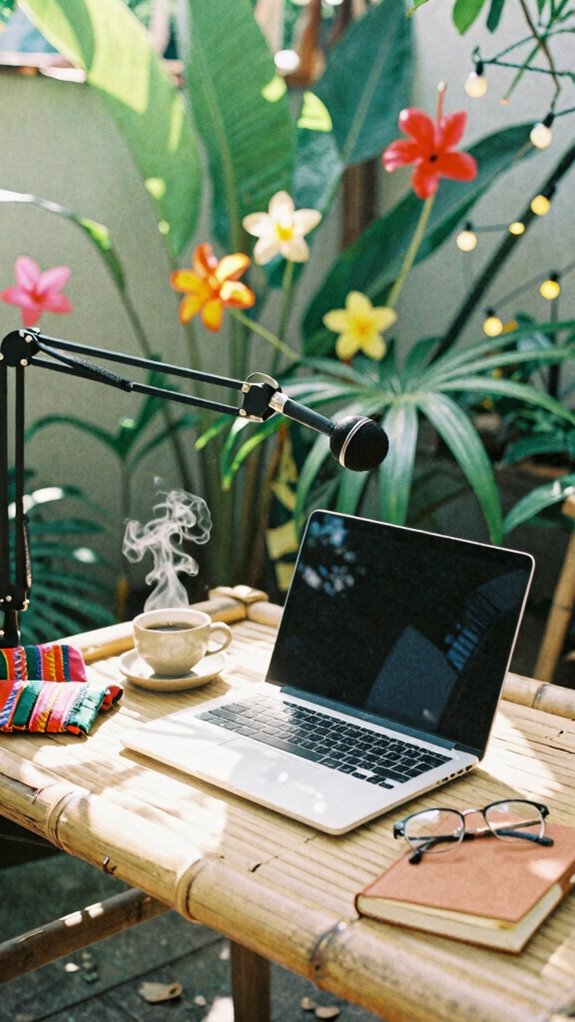
If you want your on-screen vibe to scream ‘professional,’ creating a killer background is where the magic happens—think of it as your digital office decor, minus the awkward water cooler chats. Channel some television styling flair; it’s all about the vibe, right?
Your home studio should scream ‘I’ve got it together,’ not ‘I threw this together in five minutes before the call.’ Swap dusty shelves for sleek, curated decor, maybe a plant or two to keep it lively.
Keep in mind, your background tells a story—avoid clutter, embrace clean lines. Think of this like your secret weapon against the old cubicle-dwellers stuck in the 9-to-5 grind.
In addition, consider incorporating emergency preparedness elements subtly into your space, highlighting that you’re ready for anything—just like with emergency crank radios.
Using a boom arm microphone effectively can also elevate your audio quality and overall on-screen professionalism, ensuring your voice comes through crystal clear.
After all, the goal isn’t just to remotely work—it’s to flex your digital space like a pro.
Groom Yourself to Look Your Best on Screen
Sitting here in Bali’s vibrant co-working scene, I gotta tell you—grooming yourself for a video call is basically the digital equivalent of dressing for the runway, minus the fancy lights and designer labels. Think of makeup techniques as your secret weapon; a little concealer here, some subtle eye smudge there—nothing heavy, just enough to highlight those fearless features.
Skincare routines? Keep it simple. Clean, moisturize, maybe a dab of SPF—because even on sunny Bali, you wanna look refreshed, not fried. Recall those days at the office where Tom from accounting still looked like he’d been up all night? Yeah, we’re past that. Grooming’s your ticket to projecting confidence without saying a word—hello, digital diva. And don’t forget to consider blue light glasses if you spend hours in front of screens—they can help reduce eye strain and keep you looking sharp during those long meetings. And if you’re using your laptop or camera for high-quality video calls, investing in a reliable Ethernet-to-USB-C adapter can ensure a stable connection and better overall on-screen appearance.
Light Your Face Well to Highlight Your Features

- Use soft, diffused natural light from a window, ideally in front of you—no harsh side shadows.
- Avoid fluorescent or overly bright bulbs; they wash out your features.
- Position yourself so the light falls evenly, highlighting your cheekbones and eyes, giving you that effortless glow.
- Incorporate ideal lighting conditions by ensuring your light source prevents shadows and evenly illuminates your face.
Maintain Good Posture for Confident Video Presence
Let’s be honest—nothing screams “I’m confident” like sitting up straight and owning your space during a video call. Ergonomic habits are your secret weapon here. Think of your posture as your personal hype squad—core engaged, shoulders back, chin up.
Why slump and look like you’re about to nap? That’s so *zero* cool. Use a good chair, adjust your height to keep your back straight, and don’t forget to breathe—seriously, voice modulation makes you sound more compelling and less like you’re hiding behind a pillow. Incorporating a wearable posture trainer can help you maintain that optimal alignment effortlessly throughout your call.
When you speak with authority and keep your posture sharp, you radiate calm, control, and charisma—like an IT pro who’s just discovered Bali’s co-working magic. Maintaining good posture is also crucial for reducing physical strain during long meetings—bonus points for boosting your overall health. Old colleagues would marvel. Bosses, even.
Check Your Tech to Ensure Clear Video and Sound
Ever tried a video call and wondered why everyone looks like they’re battling a ghost from the 1990s? Welcome to the digital age — where your tech actually matters.
- Check your internet stability: Run a speed test, aim for at least 5 Mbps for smooth video. Nothing kills confidence like lagging like a dial-up modem.
- Prioritize audio clarity: Invest in a decent mic or noise-canceling headphones — your voice should be crisp, not muffled or distorted.
- Camera setup: Use good lighting (no, your closet spotlight doesn’t count), and position your camera at eye level — it’s all about the good looks, not the neck angle.
Drop the old tech excuses — clarity and stability set the stage for true freedom in remote work.
Grooming For Professional Video Calls
When it comes to looking like a pro on video calls, grooming isn’t just about tossing on a clean shirt (though, yes, that helps). You gotta nail the basics—makeup application and hair styling—without turning your Zoom into a full-blown glam session.
Think natural, sharp, and fuss-free. Layer light makeup if you want to hide late-night Netflix eyes, but don’t go overboard—less is more, especially when your coworker’s Wi-Fi bombs their view.
Hair should stay tidy—maybe a quick blow-dry or a neat ponytail. Remember, you’re not a TikTok influencer; you’re a legit remote worker.
Old colleagues from the Bali co-working scene would joke about how a little grooming keeps you “competent, not crazy.” Keep it simple. Stay polished. No turning into the “Lettuce Head” from your past office!
Wardrobe Framing for remote working
Getting your wardrobe right for remote work is like building the ultimate digital armor—you want to look sharp enough to impress but not so overdressed you feel like you’re still stuck in a conference room back in the day.
Think of wardrobe framing as your professional selfie—that magic combo of accessory styling and color coordination.
Here’s what you should consider:
- *Choose versatile pieces*: Blazers or neat shirts that work on camera and out.
- *Accessorize wisely*: Sunglasses, sleek watches, or minimalist jewelry—nothing too distracting.
- *Color coordinate*: Pick colors that pop but don’t clash—think muted earth tones or bold blues.
- *Organize your wardrobe with command hook packs* to keep your outfits accessible and neatly arranged.
- *Incorporate fun elements like cube gravity timers* to add a touch of personality to your workspace and keep your routines engaging.
Smartphone Grooming Accessories
Now, let’s talk about smartphone grooming accessories — because if you’re still relying on questionable earbuds and scratched-up screens to keep your professional game sharp, you’re missing the point. It’s all about elevating your digital presence with simple upgrades.
Cosmetic enhancements like sleek phone cases, clarity-boosting screen protectors, or even a subtle ring light attachment can make a world of difference. Incorporating timeless neutral V-Neck sweaters into your wardrobe can also subtly enhance your professional appearance during virtual meetings, projecting an aura of polished simplicity.
Ditch the old skincare routines and embrace tech-savvy grooming tools—think UV sterilizers or mini facial steamers, keeping your face fresh before those remote meetings.
Recall to keep your mobile camera pristine; a microfiber cloth should be your best friend.
Trust me, a few thoughtful accessories can turn your smartphone into a powerhouse of polished professionalism—no cubicle required. Using green screens effectively can also significantly enhance your on-screen presence, making your virtual meetings more engaging and professional.
Remote Tech Essentials Pack
You ever try to hustle through a project from a tiny Bali café, only to realize your gear’s more baggage than battery? Yeah, been there—smooth sailing until the laptop’s screen glare hits a volcanic sunrise. That’s where your Remote Tech Essentials Pack comes in.
- Privacy filters to eliminate pesky reflections
- Color calibration tools for true-to-life screen tones
- Anti-glare matte screens that banish blinding light
Look, if you’re tech-savvy, you already know that screen glare messes with your flow—and bad color calibration sends your visuals straight to the digital abyss. So, set your workspace straight and ditch the creeper glare. Embracing a hybrid commuter style can help you seamlessly adapt between various environments while maintaining productivity and style. Properly calibrated screens enhance visual clarity and make it easier to work on detailed projects regardless of your surroundings.
Old bosses would scoff at the chaos; now, as a Sovereign Pro, you control your environment. Who needs a cubicle when you’ve got the right gear?
Virtual Background Setup Tips
When you’re dialing into a client call from a Bali café, chances are that your background is more “busy street chaos” than “professional Zen zone.” That’s where smart virtual background setup becomes your secret weapon—saving you from the “what’s that messy room behind you?” cringe moments. Focus on virtual lighting—soft, even, and natural—and tweak your ambient glow for clarity. Camera angles matter, too—view yourself at eye level, not from an awkward under-chin shot or ceiling gaze. Want to look like an indie film hero, not a cubicle zombie? Play with your background’s depth and avoid clutter. Adequate lighting setup can dramatically improve how you’re perceived on-screen. Here’s a quick cheat:
| Tip | Example |
|---|---|
| Virtual Lighting | Use diffusers or ring lights for even glow |
| Camera Angles | Keep your camera at eye level for confidence |
| Background Depth | Use slight blur for a professional feel |
| Clutter Control | Remove distractions, showcase your Zen space |
Seize your freedom—know your tech, own your shot. Remember, background management can significantly enhance your on-screen presence and credibility.
FAQ
How Can I Reduce Glare and Reflections on Camera?
First, adjust your camera position—you want it at eye level, not staring up your nostrils or from way below.
Next, tweak your lighting; use soft, indirect light to beat glare and reflections. Think of it like changing your office’s fluorescent bulbs to warm LEDs during a Zoom call.
Ever try a simple desk lamp with a diffuser? It transforms your look without ninja tech.
Freedom’s about looking sharp, right?
What’s the Best Way to Handle Appearance Discrepancies Due to Lighting?
You want clear, consistent appearances? Do a quick lighting adjustment — tweak your lamp or add softboxes if possible.
Use a ring light or natural window light for uniform brightness; no one wants to look like they’re hiding in a cave.
Keep background lighting consistent to avoid shock value.
Recall, appearance consistency isn’t just vanity — it’s your digital handshake. Old boss would’ve loved that tip.
Stay sharp, stay visible!
How Often Should I Update My On-Screen Wardrobe Choices?
Ever wonder how often you should update your wardrobe for remote gigs? Honestly, shoot for every few months—think seasonal refresh, not weekly wardrobe tweaks.
Wardrobe coordination and outfit consistency matter less when you keep a vibe that lets you breathe, explore, and stay flexible.
Keep in mind those dull conference calls with the old boss in outdated gear? Avoid that. Be fluid, be fun, and keep your style fresh like your Wi-Fi.
What Are Quick Fixes for Minor Camera Angle Issues?
Want quick wins for camera angle screw-ups? Adjust your camera positioning—lift your laptop or webcam to eye level using stacked books or a stand (think of it as your ‘freeing from the cubicle’ hack).
Use framing techniques: center yourself, avoid weird angles, and keep good headroom.
Keep in mind, your background’s part of your vibe. A little tilt or shift can turn a “meh” setup into a pro look—like old boss always said, “Presentation is key!”
How Can I Improve Audio Quality Without Professional Equipment?
Want better audio without fancy gear? Focus on mic placement – keep it close and at mouth level, not tucked away like last year’s memo.
Minimize background noise—think about your space, close windows, turn off what hums or buzzes.
If you’re feeling daring, toss in a simple lapel mic or a USB mic—super affordable and game-changing.
Keep in mind, clear sound isn’t just for Hollywood; it’s your bridge to freedom from the office cage.