Why Your Home Office Becomes a Distraction Vortex (And How I Fixed Mine)
Why does remote work transform productivity into chaos? I discovered that environmental design trumps willpower. I write to The ZIP Office because workspace optimization deserves real talk, not corporate fluff.
I implemented StayFocusd blocking Instagram during deep work sessions. Batched emails into 10 AM and 3 PM windows. Activated macOS Focus Mode, silencing Slack notifications. Decluttered my desk—removed that coffee-stained monitor stand from last Tuesday. This neuroscience-backed approach eliminated decision fatigue, amplifying cognitive bandwidth.
The Moment Everything Changed
Last March, I realized my standing desk had morphed into a Slack notification graveyard. Notifications pinged every ninety seconds. I implemented a “notification bankruptcy” protocol—nuked non-essential alerts, created communication channels with response-time expectations. Within two weeks, my deep work blocks extended from forty to ninety minutes. The friction of intentional context-switching became my secret weapon against digital fragmentation.
Quick Takeaways
- Install browser extensions like StayFocusd or LeechBlock to limit access to distracting sites during work hours.
- Customize browser settings to block low-value sites such as social media and memes, acting as digital gatekeepers.
- Use website filtering tools like FocusMe or Cold Turkey to create a distraction-free browsing environment.
- Set specific time slots for checking emails and social media to prevent constant interruptions.
- Maintain a clean, organized browser workspace by closing unnecessary tabs and utilizing bookmarks for essential sites.
Identify Your Biggest Distractions and How to Block Them
Ever try to focus at home, only to get bombarded by a never-ending parade of distractions, like that sneaky cat knocking over your coffee or the tempting ping of social media? Welcome to the modern wild west of remote work. To truly unlock your freedom, you need a solid digital detox — no endless scrolling, just pure focus.
Start with workspace organization — clear off that clutter, hide some apps, and keep only what fuels your flow. Identify your biggest distractions: is it email, apps, or your messy desk? Then, block them ruthlessly — use website blockers or set specific time slots.
Recall those days in the office, when your boss (who now seems ancient) actually helped set boundaries? Now, it’s on you to carve out a distraction-free zone where your brain can breathe. Setting up a designated home workspace can significantly improve your focus and establish clear boundaries between work and leisure.
Additionally, securing reliable internet access, such as public WiFi, can help you avoid frustrating connectivity issues and stay focused on your tasks.
Use Focus Mode Features to Minimize Interruptions
Imagine this: you’re in your Bali co-working haven, sipping a fresh coconut, and suddenly your phone buzzes—again. That’s when you realize distraction management is no longer a hassle but a strategy.
Use your device’s Focus mode, like a gatekeeper, to silence non-essential notifications and block interruptions. It’s your digital shield against the chaos of endless pings.
Think of Focus mode as your personal bouncer—letting in only what’s essential, ignoring the social media siren calls that wreck your zen. Honestly, does your old office even bother with that?
No, they just expected you to drown in distraction. Now, with one tap, you set boundaries, stay in the flow, and reclaim your freedom—because genuine remote work is about control, not chaos. For crystal-clear communication, consider investing in quality voice-to-text microphones to minimize misunderstandings and keep your focus sharp.
Additionally, using ergonomic tools like standing desks can help you maintain better posture and stay alert during long work sessions, further enhancing your overall focus and productivity.
Set Up Browsing Filters to Block Non-Work Websites
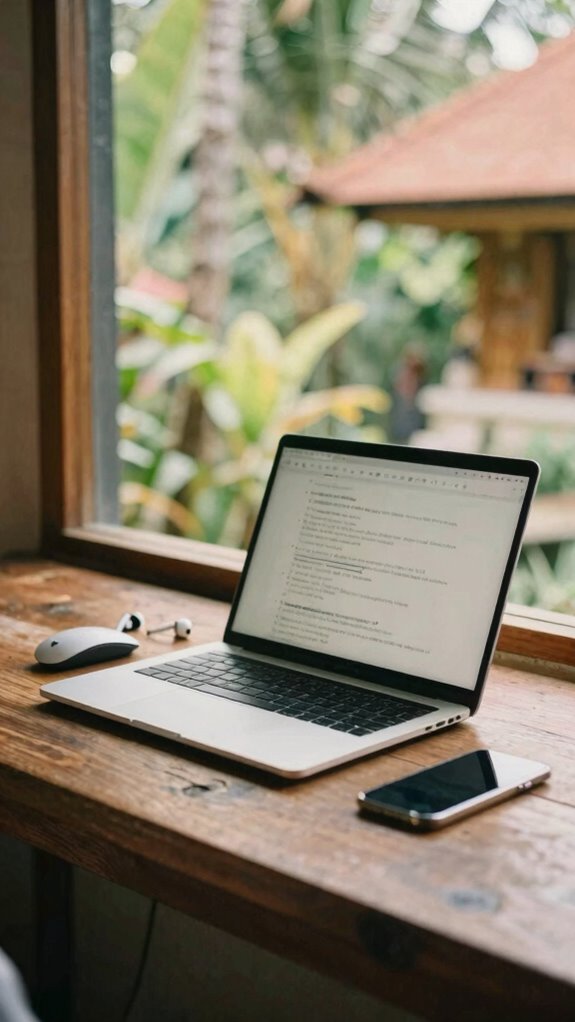
If you’ve ever felt the urge to scroll through social media or check the latest memes instead of crushing your work tasks, you’re not alone—especially in Bali where paradise is a distraction magnet.
As a Bali-based IT wizard, I swear by browser customization and website segmentation. Think of it as creating a digital firewall that keeps your favorite series or shopping sites hidden during grind time. Set up filters in Chrome or Firefox—block TikTok, Reddit, or any non-work sites.
It’s like having a mental gatekeeper, but for your browser. Why let your old coworker’s vacation photos derail your focus? Just a few clicks, and bam, your work zone is clean and distraction-free.
Freedom from low-value browsing? Yes, please.
Use Productivity Extensions to Limit Social Media and News
Switching gears from blocking off distracting websites, it’s time to bring in some tech firepower—namely, productivity extensions. Think of these as your digital bodyguards, shielding you from endless social media scrolls and news outlet rabbit holes.
Want to stay focused during crunch time? Install extensions like StayFocusd or LeechBlock—easy to set up, and they let you whitelist the legit sites while cranking down the social media noise. Seriously, do you need nickpics from your friend’s 52nd reposted meme or *another* breaking news alert? Nope.
Turn off notifications, and customize your extensions to block those feeds when tasks hit boiling point. Keep in mind, you’re fighting for your own freedom—so take control before those feeds hijack your productivity like a bad sitcom. Digital distraction control is a crucial part of maintaining focus while working from the passenger seat. Additionally, understanding your own digital habits can help you craft a more effective focus strategy.
Create Routines and Breaks to Build Focus Habits

Once you’ve ditched the endless scroll and installed all the shiny extensions, it’s time to get serious—like, setting-up-your-work-routine serious. Think of routines as your personal “workflow playlist.” Start each day with some mindful meditation—trust me, that’s your secret weapon against tech overload.
Organize your workspace to be a Zen paradise, with everything you need in easy reach and clutter out. Incorporate effective stretching routines to keep your body relaxed and prevent strain during long sitting sessions. Creating a distraction-free environment, such as a silent zone, can significantly boost your ability to focus intensely and minimize interruptions.
Set short, focused bursts of work, then break—no checks, just pure mental reset. These breaks aren’t for scrolling—they’re for re-centering.
Keep in mind, old colleagues back at the cubicle shuffle stayed glued to their screens; don’t be them. Build habits that keep you sharp.
Because if you structure your day like a boss, freedom becomes your reward—not your myth.
Blocking Websites During Work Hours
Blocking websites during work hours isn’t just some boring productivity hack — it’s basically the secret handshake to staying focused in this new age of Sovereign Professionalism. Think of it as your digital detox from endless scrolls and meme overloads.
Why waste precious work time on mindless browsing? Instead, set up tools like Freedom or Cold Turkey—they act like bouncers, blocking distractions so you can stay in your flow.
Ever caught yourself down a rabbit hole of cat videos instead of client calls? Yeah, me too.
Mindful browsing means creating boundaries for your digital environment. Break free from the chaos of old office distractions and ramp up your focus—because in Bali, or anywhere else, your time deserves respect.
Focus Timers for remote working
| Focus Timer Tip | Why It Works |
|---|---|
| Use a Pomodoro Timer | Blocks out exact work intervals, pushing you into deep focus, not endless scroll. Try 25-minute sprints. |
| Tune Ambient Noise | Whether it’s waves or cafe chatter, ambient noise drowns out distractions. Apps like Brain.fm sync music with focus periods. |
| Adjust Ambient Lighting | Brightness levels or a cozy lamp influences alertness. Set it to match your mood—dim for deep thinking, bright for quick sprints. |
Visualize this: You’re chilling in Bali’s coolest co-working spot, ocean breeze, ambient lighting, and no annoying notifications stealing your flow. Focus timers keep your brain engaged, not wandering. Think like a Sovereign Pro—own your environment and crush tasks with laser precision. Old cubicle buddies? They’re still stuck in gridlock while you’re surfing high-performance waves. How’s that for freedom? Now get crackin—and don’t forget to set your timer! Plus, distraction management can help keep your inbox tidy, ensuring that distractions stay at bay.
Premium Website Blocking Software
Ever tried focusing in a Bali co-working space only to be bombarded by clickbait ads, TikTok distractions, and your boss’s weekly email chaos? Yeah, we’ve all been there. That’s where premium website blocking software becomes your best friend. It’s all about mindful browsing—filter customization lets you block out the noise and zero in on your high-impact tasks.
No more wasting time on puppy videos or gossip forums. Instead, you set specific filters for social media, shopping sites, or news feeds, tailoring your digital space for maximum focus. Think of it as curating your own personal zen zone—minus the yoga mats.
Old colleagues who still drown in endless tabs? They’re probably still glued to their bad habits, hoping for a miracle. You, though? You’re crafting your own freedom blueprint. And with the right carry-on bags for tech gear, your tools stay organized and accessible, keeping your workflow seamless on the go.
Ergonomic Desk Accessories
Did you know that a good ergonomic setup can actually make or break your productivity in a Bali co-working space? I’ve seen folks try to crush deadlines hunched over flimsy desks—no wonder focus evaporates faster than your last paycheck.
Invest in ergonomic posture tools like adjustable monitor stands and supportive chairs, and don’t forget desk organization! Without clutter, your mind stays sharp—and your workflow flows. Understanding the Velocity Kit can help you optimize your workspace for maximum efficiency and comfort.
Think of it as upgrading from a rusty bike to a lightning-fast e-scooter. Old colleagues whined about back pain after hours of slouching; respect the body that powers your freedom. Incorporating knowledge about ergonomic desk accessories can greatly enhance your overall comfort and efficiency.
A clean, well-structured desk isn’t a luxury, it’s the foundation for high-concept work amidst the chaos. Do your future self a favor—ditch the chaos, lock in perfect posture, and reignite your focus!
Customizable Sound Alerts
So, you’ve probably lost track of how many times your old boss’s incessant notification pings ruined your flow—like they were trying to sabotage your deep work.
Enter customizable sound alerts. Instead of battling chaotic city noises or endless inbox pinging, you can craft personalized soundscapes with ambient noise generators. Envision setting a zen waterfall or gentle rainforest as your backdrop—so soothing, even Karen from accounting’s yelling doesn’t bother you.
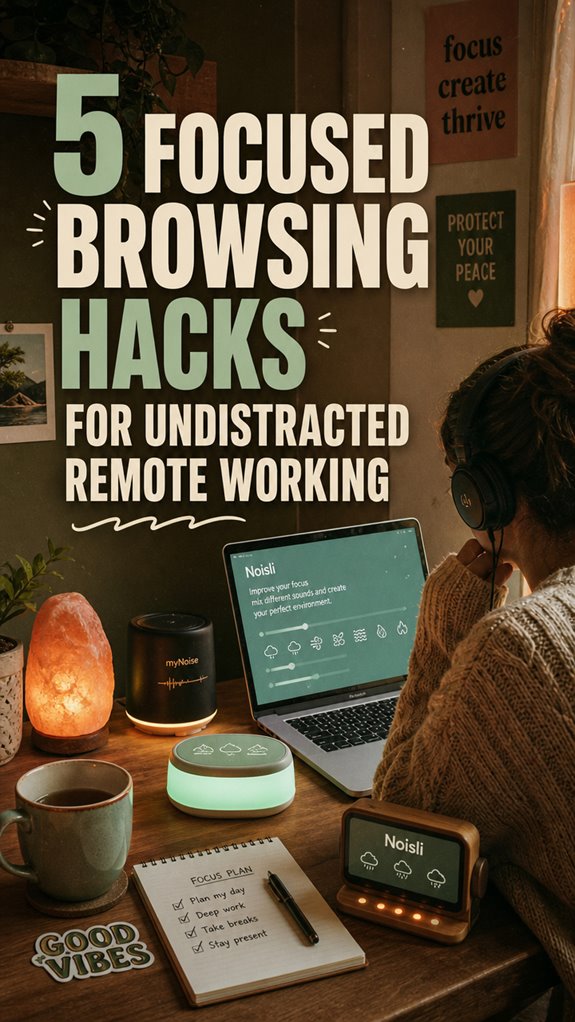
Use apps like Noisli or myNoise to tweak sounds and drown out distractions at will. Want to spark creativity? Try playful piano tunes. Need pure focus? Opt for white noise or nature sounds.
This isn’t just about blocking noise; it’s about reclaiming your mental space—plus, saying “bye-bye” to old teammate’s gossip sessions ruining your flow. When selecting the best backdrop support stands, ensure stability and customizable options to keep your setup flexible and effective.
FAQ
How Do I Prioritize Work Tasks to Stay Focused During Remote Work?
You gotta master time juggling—prioritize your big-deal tasks first, then batch similar hits like emails or content creation.
Recall those long office days? Think of task batching as your secret weapon, freeing you from constant framework switching.
Use digital tools like Trello or Notion to map tasks.
Ask yourself: what’s truly urgent? No one’s got time to chase noise when you’re cultivating that elusive work-life harmony from Bali’s paradise.
What Are the Best Strategies for Minimizing Mental Distractions?
Did you know that your brain wastes up to 47% of the day being distracted? To beat this, try mental decluttering—say, chunk your tasks into clear, manageable bites.
Practice mindfulness, like a quick breath meditation or mindful walking—trust me, it’s a game-changer. Swap the noise of old office chaos for focus routines.
Keep in mind, freedom from distraction is your modern office revolution. Want more? Stay tuned, Bali’s got your back!
How Can I Maintain Focus During Long Work Sessions?
You stay sharp by anchoring in mindfulness techniques—deep breaths, quick body scans—like your favorite Bali sunset. Take physical stretches every 30 minutes, no excuses.
Ever tried pigeon pose? It’s a game-changer. Think of it as hitting reset, just like rebooting your laptop.
Keep in mind, long sessions crash harder without breaks. Channel your inner Jim—break the monotony, breathe, stretch, and stay laser-focused.
Who needs cubicles when freedom’s this good?
Are There Techniques for Managing Notifications Effectively?
Ever felt like notifications sneak in like pesky pop-up ads? Managing them is key for your freedom!
Use distraction tools — toggle quiet hours, disable non-essential alerts, and set dedicated “focus modes.” Keep in mind those endless email chains from your old boss? Ditch the noise, and silence those “urgent” pings.
Think of notifications like that stubborn colleague—ignore them or they’ll hijack your flow. Freedom’s just a click away!
How Do I Stay Motivated to Follow My Browsing Limits?
You stay motivated by knowing that browsing boundaries give you true digital freedom. Set clear limits—like a boss—then reward yourself when you hit them.
Recall those long days glued to desks? Nah, those are ancient. Keep reminding yourself, “This discipline’s for my freedom,” just like when I blocked social media during Bali caffe-oke hours, feeling more alive.
Embrace the challenge—because real pros, like my old boss at TechVibe, thrive on self-control.