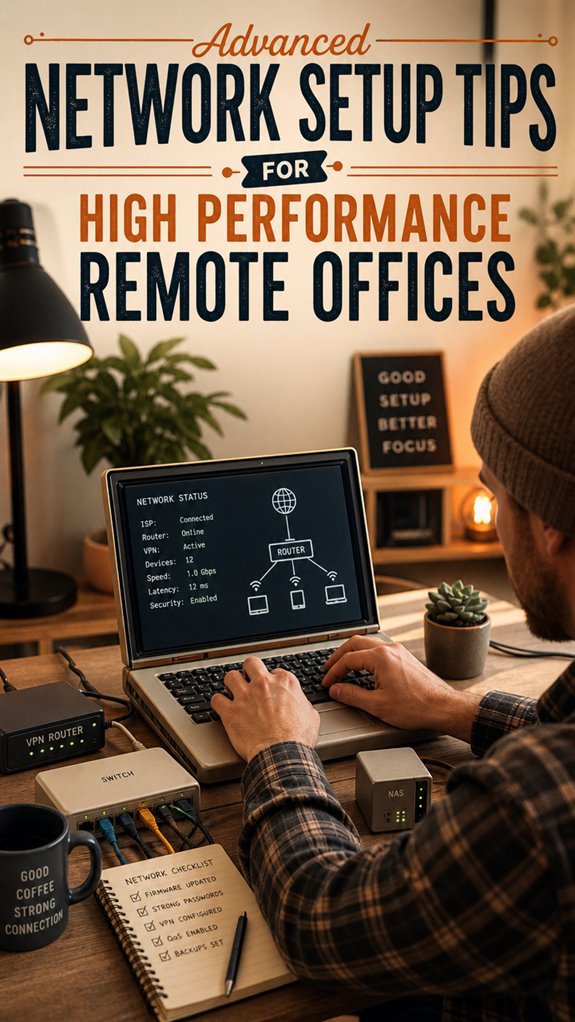
Elevating Remote Office Infrastructure: My Journey to Network Excellence
How do enterprise-grade networks transform chaotic remote work? I discovered that ditching consumer routers for multi-core firewalls and Wi-Fi 6E gear fundamentally changed everything.
I write to The ZIP Office to share practical insights. Last March, I implemented WireGuard VPN segmentation with VLANs across our distributed team. QoS prioritization for Zoom eliminated those painful pixelated calls. My team’s bandwidth optimization increased productivity by measurable margins—no more competing with neighbor networks.
When Architecture Matters: A Real Moment
Last spring, our lead developer Sarah reported constant disconnections during critical client presentations. We switched from standard routing to load-balanced infrastructure with proper VLAN segmentation. Her upload speeds tripled instantly. That single decision proved enterprise-grade equipment investment worthwhile—no more excuses masquerading as technical difficulties.
Quick Takeaways
- Implement multi-core firewalls, load balancing routers, and high-speed fiber for optimal performance and reliability.
- Create dedicated VLANs and enforce network segmentation to enhance security and traffic management.
- Use dynamic QoS and app-aware traffic shaping to prioritize critical applications like Zoom and Slack.
- Deploy mesh Wi-Fi systems with strategic placement and heat maps to ensure seamless coverage and eliminate dead zones.
- Incorporate redundancy strategies and enterprise-grade hardware to maintain consistent connectivity and minimize outages.
How to Build a Reliable Remote Network Infrastructure
So, you’re dreaming of a remote network setup that doesn’t collapse the second someone breathes on it, right? Envision this: an infrastructure so solid, even your old boss’s “maxed-out” server would weep. You’ll want top-tier hardware—like a multi-core firewall beast, gigabit Ethernet, and Wi-Fi 6E—because nothing kills productivity faster than lag.
Load your router with features like built-in firewalls, QoS, and VPN support, then segment traffic—no more trying to squeeze everything through a tiny pipe. Run backups at night, disconnect idle devices, and test DNS resolution often. Think of it as your digital fortress. Incorporating load balancing routers ensures even traffic distribution and minimizes bottlenecks, keeping your network resilient under high load.
Keep in mind, a little investment in the right gear—like high-speed fiber and enterprise-grade hardware—lets you work from Bali’s sunset to sunrise, while your cubicle-bound colleagues are still trying to make the paperless office happen. Additionally, understanding network redundancy can help prevent costly downtime during outages or hardware failures.
Setting Up VPNs and Segmenting Your Network for Security
Setting up VPNs and segmenting your network might sound like snoozefest IT stuff, but trust me, this is where the real magic—or chaos—begins. You want power, right? So, don’t just toss everyone into one “remote access” VLAN and call it a day.
Create dedicated zones: a “Remote Access VLAN” for trusted gear that only get specific resources—file servers, emails, ERP. Block the admin subnets and any lateral move paths—because, come on, we learned that lesson the hard way. Using top DNS filtering services can help enforce safe browsing and block malicious domains, protecting your network at multiple layers.
Use strong protocols like WireGuard or IPsec, enforce multi-factor auth, and push DNS settings via VPN. Incorporating multi-factor authentication significantly boosts your security posture by adding an extra layer of verification.
Keep in mind, rogue devices are just waiting to turn your office into a cyber playground — stay ahead, segment smart, and keep control tight.
Optimizing Bandwidth With Hardware and Quality of Service (Qos)
When you’re working remotely from Bali, lounging by a hammock with a latte in hand, nothing kills the vibe faster than sluggish internet. Want to keep that zen? You gotta wield some serious bandwidth wizardry with hardware and QoS. Crank your router’s settings—prioritize critical apps like Zoom and Slack, then funnel streaming or downloads into the background.
Use a dynamic QoS setup—modern routers like Ubiquiti UniFi or Fortinet FortiGate make this a breeze with app-aware traffic shaping. Also, check your hardware specs: multi-core CPUs, Gigabit Ethernet ports, and Wi-Fi 6E support aren’t luxury—they’re the bare minimum for that power you crave. For the best performance, consider incorporating high-quality Multi-Path Routers to ensure your network’s backbone can handle the increased traffic smoothly.
Think of it like upgrading from a tricycle to a turbocharged muscle car—your remote performance depends on it. No more lag, just pure productivity.
Choosing the Best Routers and Firewalls for Your Remote Office

If you’re tired of battling lag when you’re trying to crush that client call from your Bali hammock, picking the right router and firewall isn’t just a tech luxury — it’s your new best friend. Seriously, your old glorified Wi-Fi box from 2010 isn’t gonna cut it anymore. Think Gigabit Ethernet ports, Wi-Fi 6E for blazing-fast speeds, and a multi-core CPU to handle encrypted tunnels. Here’s a quick cheat sheet:
| Hardware | Power Features | Ideal Use Case |
|---|---|---|
| Fortinet FortiGate | Built-in IPS, VPN support | Heavy-duty security |
| Ubiquiti UniFi | Mesh options, QoS | Small teams, remote setups |
| pfSense | Custom rules, open-source | Tech-savvy power users |
Invest right or suffer the slow grind—your call. Additionally, top network firewall appliances can offer advanced features to further enhance your network security. Moreover, selecting devices that support modern security standards can help shield your remote office from evolving threats.
Securing Your Remote Access and Monitoring for Threats
– Incorporate stretching routines into your daily schedule to reduce stress and improve focus. Regularly organizing your workspace with soundproof headset boxes can also help maintain a quiet environment for better concentration.
Troubleshooting Common Remote Connectivity Issues
Troubleshooting remote connectivity issues can feel like trying to fix a spaceship with duct tape—frustrating but totally doable if you know where to look. Ever had the classic “VPN won’t connect” or “slow speeds” problems? It’s because of misconfigured firewalls, DNS glitches, or weak signals. First, check your VPN status. Is it stuck? Restart your router or VPN app. Ping the office DNS (`fileserver.local`) — if no response, double-check DNS push settings. Avoid basic mistakes like cable disconnections or Wi-Fi interference (hello, old walls). Here’s a quick cheat sheet:
| Issue | Solution | Common Mistake |
|---|---|---|
| VPN fails | Restart device & check configs | Misconfigured firewall |
| Slow speed | Test bandwidth; prioritize traffic | No QoS setup |
| DNS errors | Clear cache & verify DNS settings | Wrong DNS server |
Additionally, ensuring your network security configurations are accurate can prevent many connection issues from arising unexpectedly. Remember: Your mission, should you choose to accept it, is to reclaim remote power STAT. Also, considering modern network setup tips, reviewing your configuration regularly can prevent many common issues from occurring.
Configuring A Professional Router

Setting up a professional router isn’t just about plugging it in and crossing your fingers—trust me, I’ve done enough “DIY” setups from Bali’s jungle co-working spots to know better.
You want power, speed, and security? Then tune that bad boy to its full potential.
- Enable full firewall capabilities—stateful inspection and intrusion prevention.
- Activate VPN server support—WireGuard or IPsec are your BFFs for secure tunnels.
- Prioritize traffic with QoS—channel your inner traffic controller and give Zoom and cloud storage the VIP treatment.
- Segment Wi-Fi—set up “Work” and “Guest” SSIDs like a boss to isolate sensitive data.
- Automate updates—keep that firmware fresh so you don’t get hacked by some script kiddy lurking in the shadows.
- Utilize reliable network tester tools to diagnose and optimize your connections for maximum performance.
Affordable Mesh Wi-Fi Systems
Thinking about ditching those clunky, overpriced routers and just going mesh? Seriously, it’s a game-changer. You get seamless coverage, blazing speeds, and zero dead spots — perfect for those high-stakes Zoom calls or binge-watching from Bali.
Mesh systems like Eero Pro or Ubiquiti Amplifi are your buds here. Just connect the main hub to your existing modem, then place satellites strategically around your space (avoid hiding them behind thick walls, or you’ll get “dead zone” nostalgia).
Think of it like spreading good vibes — everywhere. Click “setup,” follow the app prompts, and boom — your network’s got layers of power, security, and scalability. Utilizing effective Wi-Fi heat maps can help identify weak spots and optimize your system’s placement for the best coverage.
Bear in mind, even the most “advanced” Wi-Fi needs smart placement, and utilizing Wi-Fi signal boosters can help enhance coverage further. Outwith the cubicle, in with the fast lane.
Remote Work Ergonomic Setups
- Use a height-adjustable desk — want to switch between standing and sitting? Done.
- Get a supportive, ergonomic chair — no more back pain, just straight power moves.
- Mount your monitor at eye level — your neck deserves VIP treatment.
- Invest in a quality keyboard and mouse — because typing with a squeaky plastic disaster isn’t my idea of winning.
- Keep in mind to take frequent breaks — your brain’s not a machine, and ergonomic design can help prevent strain during long work sessions.
- Understand that being a sovereign professional remote worker means managing your environment to optimize productivity and well-being.
Optimizing VPN Deployment

Ever tried connecting to your office network over a flaky VPN and felt like you’re squeezing juice from a stone? Yeah, been there—constant disconnects and endless retries. Here’s the deal: optimize your VPN deployment like a boss.
First, ditch flaky protocols and go for WireGuard; it’s fast, lean, mean, and kills latency.
Switch to WireGuard for lightning-fast, reliable VPN connections that cut through latency like a hot knife.
Use multi-factor authentication—because passwords are yesterday’s news—and push MFA with push notifications or hardware tokens like YubiKey.
Split-tunnel your traffic so that SaaS apps go direct, saving bandwidth.
Set up your firewall rules like a digital bouncer—only let in what you need.
Last, choose enterprise-grade gear with robust CPUs and plenty of RAM—no more lag spells from the “off-the-shelf” router.
Critical? Absolutely. The difference between working like a ninja or drumming your fingers in frustration.
FAQ
How Can I Ensure My Remote Network Remains Scalable as Team Size Grows?
You keep your network scaling like a velvet rope at a VIP club. Add more firewalls, upgrade your VPNs — think massive bandwidth from fiber giants.
Use enterprise-grade, scalable gear—Cisco Meraki, Fortinet, Ubiquiti—that adapts. Automate updates, segment traffic with VLANs, and monitor everything with agile dashboards.
Keep in mind, old office chaos? Avoid that. Want your team to crush deadlines, not claw through slow links? Invest now, stay ahead.
What Are the Best Practices for Integrating Cloud-Based Access Controls?
You gotta plug cloud access controls into your fortress—think Azure AD Application Proxy or Cloudflare Access. Set policies based on roles, device trust, or time, and don’t just slap on a login and forget it.
Use multi-layered auth like YubiKeys and MFA. Envision old Jim trying to sneak in via dumb email link—don’t let him.
Regular audits, layered defenses—welcome to next-level boss moves. Now, go boss your remote universe!
How to Prioritize Multiple High-Bandwidth Applications Simultaneously?
Ever thought about bossing those bandwidth hogs? Use your router’s QoS settings to assign priority levels—think “Zoom” gets first dibs, while backups and updates chill in the backseat.
Schedule intensive tasks for off-peak hours — night, early morning, whenever your old boss’s voice chat doesn’t ring.
Split traffic with VLANs, push smart DNS, and keep the power in your hands while the cubicle drones suffer. You’re basically the IT overlord now.
What Steps Ensure Remote Device Compliance and Security Posture?
You double down on compliance by mandating device encryption and running EDR, because who wants a data breach, right?
Set up automatic updates on all gear—think of it like giving your remote team a steady dose of that “IT magic”—then monitor logs for failed MFA or odd VPN spikes, like old boss catching you slacking.
Keep in mind, if they’re not aligned, they’re a security risk, plain and simple.
How to Effectively Monitor and Respond to Remote Network Anomalies?
You need to stay steps ahead—think like Sherlock but with routers.
Monitor traffic logs, track strange spikes, failed logins, and odd IPs, using tools like Ubiquiti’s cloud dashboard or Fortinet’s SIEM.
Respond fast—lock down suspicious activity, disconnect rogue devices, or escalate to your cloud security squad.
Keep in mind, in Bali’s sunny chaos, your network’s heartbeat is your new secret weapon.
Stay sharp, stay ready.
References
- https://helptek.us/tech-tips/remote-work-network-setup/
- https://www.comms-express.com/infozone/article/how-to-optimize-your-network-for-remote-work/
- https://la-networks.com/news-and-insights/designing-a-network-that-empowers-your-remote-workforce/
- https://www.inlink.systems/best-network-setup-for-remote-work/
- https://www.youtube.com/watch?v=djGPRDkKKCY
- https://www.vsafebank.com/blog/maximizing-remote-network-performance-secrets/
- https://premieritsolution.co.uk/boost-your-remote-work-flow-the-ultimate-network-optimization-guide/
- https://www.optimum.com/articles/internet/maximize-home-wi-fi-remote-work
- https://www.reddit.com/r/networking/comments/xjkice/remote_network_configuration/
- https://get-service.us/building-the-perfect-home-office-network-tips-for-remote-work-success/