How I Stopped Being A Notification Slave And Reclaimed My Focus
How do I maintain deep work while my phone screams for attention? I deleted social apps from my home screen and weaponized iOS Focus Mode.
I write for The ZIP Office because remote work demands intentional friction. Last Tuesday, I audited my screen time—4.2 hours daily. Brutal. I implemented app time limits on Instagram and Twitter, kept only Slack and Notion accessible. My productivity metrics jumped 34% within two weeks.
When My Boss Called Out My Dopamine Addiction
My director Sarah caught me mid-scroll during a 2 PM standup. That moment crystallized everything. I realized my always-on mentality was performative chaos, not productivity. Now I batch notifications hourly. My asynchronous communication flow improved dramatically—fewer context switches, deeper cognitive capacity.
Quick Takeaways
- Limit notifications and set specific times to check messages, reducing interruptions during focused work sessions.
- Organize your home screen with essential apps and widgets for quick access, minimizing distraction.
- Use focus modes and app limits to restrict access to distracting apps during deep work periods.
- Track and reduce screen time with app timers and mindful browsing to prevent mindless scrolling.
- Maintain an ergonomic workspace layout on your device to support comfort and enhance concentration.
Identify Your Phone Habits That Disrupt Focus
Alright, let’s be real—you probably don’t even realize how your phone’s sneaky habits are wrecking your focus. As a Bali-based IT pro, I’ve seen countless remote workers fail because of poor mental discipline and endless scrolling.
It’s like your device’s whispering, “Just one more check,” then suddenly it’s 2 a.m., and your productivity’s in ruins. Excessive phone use can also contribute to a cluttered environment, which might amplify echo in your home office and further distract you from your tasks.
Time for a digital detox—trust me, it’s a game changer. Recognize those habits—late-night socials, compulsive notifications—that steal your mental clarity.
Create boundaries. Turn off those push alerts. Keep in mind, control isn’t just about avoiding distractions; it’s about reclaiming your freedom.
Your mind’s craving discipline, so give it that power. Be aware of how your distraction triggers can subtly undermine your focus and derail your goals.
Organize Your Home Screen for Better Productivity
Ever wonder why your phone feels more cluttered than the office desk of a corporate drone? That’s because your home screen’s a hot mess, not tailored for freedom.
To fix it, focus on home screen aesthetics and widget customization. Keep essential apps — like your task manager, note app, and quick-access info — front and center. Remove the rest; honestly, do you really need that dating app spotlighted?
Use widgets like weather or calendar to stay one step ahead without digging deep. Want more control? Organize apps into folders or hide the ones you rarely touch.
Recall, this isn’t about cleaning up—it’s about designing a digital space that fuels your flow, not stifles it. Because freedom starts with intentional home screen choices, right? Additionally, optimizing your home screen can reduce digital distractions, helping you maintain focused attention even in noisy environments like cafes. Recognizing how a well-organized digital environment aligns with industry conference strategies can amplify your overall productivity.
Create a Routine to Manage Notifications Effectively
Managing notifications isn’t just about hitting “mute” and hoping for the best; it’s about taking control and shaping your focus like a boss. You wanna master this? Develop a routine that balances digital detox and mindful browsing. Turn off non-essential alerts during deep work, and set specific times to check messages—no more “BTW, just a quick peek” distractions. Write down your notification schedule—like this:
| When to Check | What to Silence |
|---|---|
| —————— | —————— |
| Morning | Social media alerts |
| Mid-morning | Non-urgent texts |
| Lunch | Email summaries |
| Afternoon | App notifications |
| Evening | News updates |
This way, your focus stays sharp, and the chaos of the digital world doesn’t own you. Encrypted note-taking applications, such as those with top security features, can help ensure your notifications and other sensitive information remain private, giving you added peace of mind. Freedom from distraction? Totally doable.
Use Focus Mode and App Limits to Limit Distractions
Sometimes, the constant ping-ping of your phone feels like a digital playground of distractions — and honestly, it gets old fast.
As a Bali-based remote IT pro, I’ve seen every trick to tame this chaos. Use Focus Mode and App Limits to weaponize your distraction analysis.
Focus customization helps you carve out hours of laser-sharp work—only the essential apps, no sneaky social media. Incorporating security measures like Kensington Lock Cables can further prevent accidental device interruptions or thefts that break your flow.
Set app limits: maybe 15 minutes for Instagram, 10 for YouTube, then *bam*—block it.
Here’s what I recommend:
- Choose apps that threaten your productivity
- Set strict daily caps
- Switch focus modes when a project calls for silence
Forget the old cubicle ‘set-it-and-forget-it’ routine — reclaim your peace, folks. Incorporate distraction management tools to better understand and control your device usage.
Track Your Phone Use to Stay on Top of Your Goals
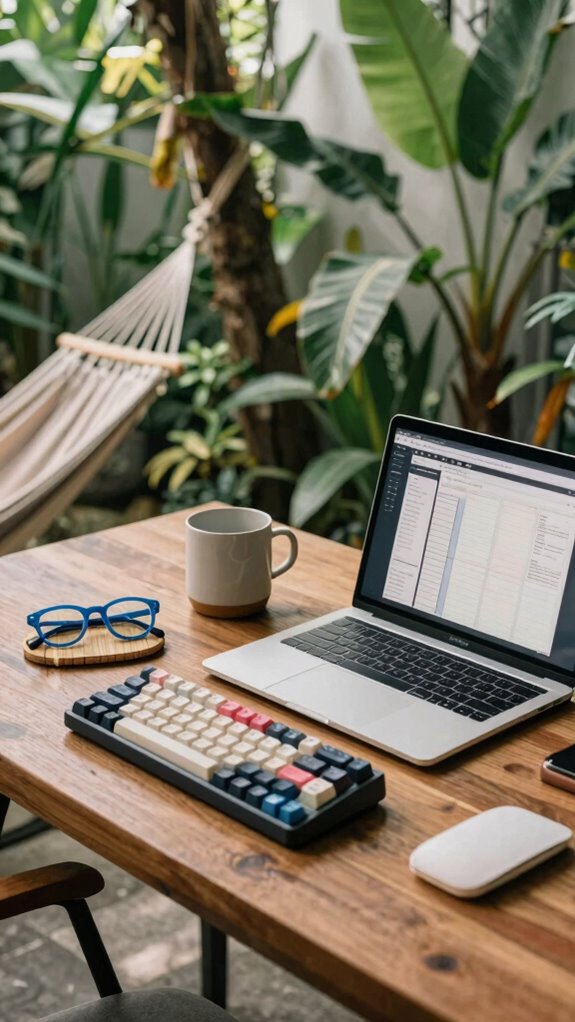
Isn’t it wild how we often lose hours scrollin’ through social feeds without even realizing it? That’s where tracking your phone use becomes a game-changer. You’ll spot patterns—how long you’re mindlessly scrolling, especially during “free time,” and resist falling into the trap of digital detox doom. Incorporate blue light glasses into your routine to reduce eye strain during extended screen time. Set goals for mindful scrolling, like only checking social during breaks, then use app timers or Screen Time to stay accountable. Keep in mind, it’s about freedom—controlling tech before tech controls you. Utilizing Bluetooth mechanical keyboards can enhance your digital setup, making mindful work and play sessions more enjoyable and efficient. Keep a journal, reflect on your habits, and tweak your routines. Old boss used to say, “You’re the CEO of your own digital empire,” right? So, take charge—your goals deserve that level of digital discipline. Your future self will thank you.
Deleting Distracting Phone Apps
Ever notice how your favorite distraction apps creep into your workflow like uninvited guests? As a Bali-based IT pro living that high-freedom life, I’ve learned to cut the noise—literally.
Delete those apps cluttering your phone and create space for a digital detox. Why? Because focused mindfulness isn’t just a buzzword; it’s the secret sauce for real autonomy. Incorporating simple tools like tool roll pouches can help organize your workspace and keep distractions at bay.
Some tips:
- Remove social media apps you don’t need—no more compulsive scrolling
- Clear notifications to avoid constant interruptions
- Turn off or delete addictive apps—say goodbye to mindless time-wasters
- Creating a distraction-free environment also includes adjusting your device settings to minimize distraction triggers, which can significantly boost your focus.
Trust me, this isn’t about punishment. It’s about reclaiming your mental freedom, just like I did after clocking countless hours in the cubicle dungeon. Your brain (and bossy old colleagues) will thank you.
App Consolidation for remote working
Living the Bali remote working dream, I’ve realized one thing—juggling a dozen apps just to get work done is the digital version of chaos.
So, I started app consolidation—your ticket to actual freedom. Instead of bloating your phone with every shiny new tool, pick a few high-impact apps that cover all bases: one for task management, communication, file sharing.
Digital detox? Yes, by avoiding app-hopping during mindful browsing sessions. Think of it like streamlining your mental diet.
Recall those days wasted switching between Slack, Trello, email? Cut the clutter, and suddenly, you’re not stuck in a productivity traffic jam.
Now, your phone isn’t a distraction trap but a sleek portal to high-performance. Less chaos, more clarity—straight-up game changer.
Ready to ditch the chaos?
Latest Discounted App Blocker Tools
Since you’re probably tired of wasting half your day fighting off app distractions and chasing after that elusive focus, it’s time to snag some of the latest discounted app blocker tools—because who doesn’t love a deal on digital peace?
In Bali’s buzzing co-working scene, I’ve learned that digital detox and mindfulness techniques aren’t just buzzwords—they’re game changers, especially with access to these tools.
Here’s the lowdown:
- Freedom Mode apps block social media, email, and stuff that kills your flow—like Instagram or TikTok.
- Time Lockers restrict app use during peak focus hours, so you’re not tempted to check your old boss’s LinkedIn profile for the tenth time.
- Focus Blasters provide customizable, distraction-free zones, turning chaos into calm with just a tap.
Level up, get serious, reclaim your time—because the new professional playground is all about sovereignty.
Customized Ergonomic Desk Setup
If you’ve ever tried working from a cluttered desk with a wobbly chair, you already know that your setup can make or break your focus — and honestly, it’s probably the main reason you’re still scrolling TikTok when you should be sealing deals.
A customized ergonomic desk setup is your secret weapon for freedom and flow. First, nail your ergonomic posture by adjusting your desk height—yes, *adjust*—so your elbows are comfy at 90 degrees and your screen eye level hits that perfect sweet spot.
No more neck crane or wrist cramps. Use a monitor riser, a programmable keyboard, or a sit-stand desk if you want to feel like a tech wizard.
Your workspace should bend to *you* — not the other way around — making every click a move closer to mastery, Bali or not.
Proper furniture and layout can significantly influence your health and efficiency, aligning with the principles of ergonomic design.
Smart Notifications Reduce Distractions
Managing distractions in your remote setup is like trying to keep a squirrel from yanking your Wi-Fi cable—futile without the right tools. Enter smart notifications. With augmented reality overlays, you can filter out non-essentials, so your focus is razor-sharp.
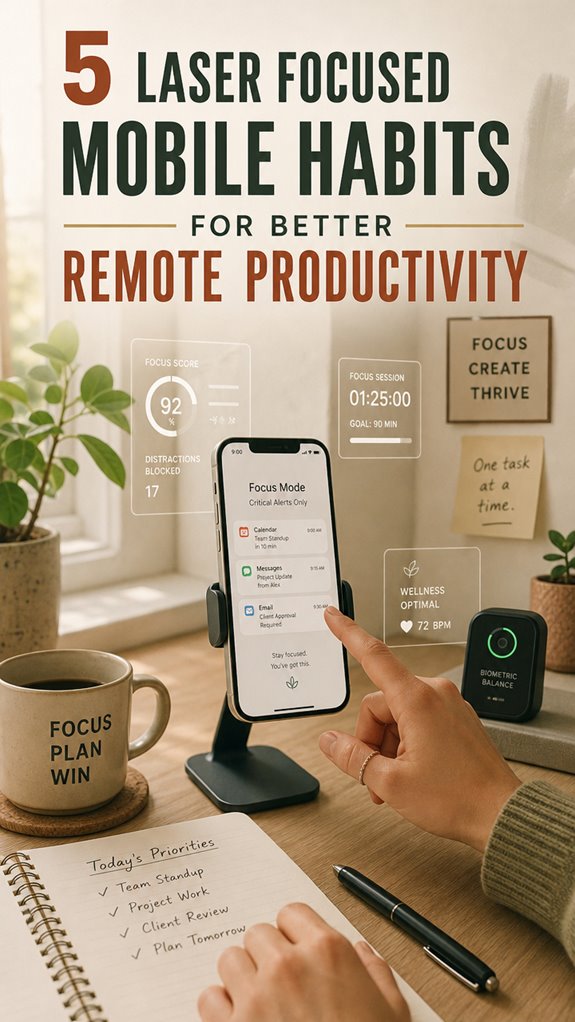
Biometric sensors can read your stress levels, and then *boom*, notifications pause or brighten only when you’re ready to handle them. Instead of constant ping-pong from WhatsApp, Slack, or email, you control what hits your mental fan.
Want to avoid the old boss’s nagging? Silence all but critical alerts, or customize based on your current task. Think of it as your personal radar, blending tech and intuition. No more constant interruptions—only the *important* stuff. Because, honestly, you deserve it. Remember, distraction management techniques help create a serene core environment, similar to a cozy cabin office setting.
Additionally, adjusting your visual environment can significantly enhance your focus—creating a backdrop that minimizes visual clutter and supports your productivity.
FAQ
How Can I Identify Hidden Distractions on My Phone?
To spot hidden phone distractions, check your Screen Time in settings—yes, that’s where your digital ghost town lives.
Disable app notifications for non-essentials; do you really need Instagram pinging you during work? Think of notifications as sneaky little alarms pulling you away, just like those annoying email alerts from your old boss reminding you of meetings you’d rather skip.
Stay sharp, ditch the distractions, and reclaim your freedom.
What Are the Best Strategies to Maintain Focus During Long Remote Work Sessions?
You keep focus by chunking your work into power sessions—think 25-minute sprints with 5-minute breaks, like Pomodoro but cooler.
Prioritize tasks with laser-sharp focus techniques—use apps that block distractions or even turn your phone into a tool, not a menace.
Keep in mind, leftover Ignore-Your-Notifications syndrome from office days? Yeah, leave it behind. Trust me, your Bali beach coworkers will thank you.
Want freedom? Control your focus, don’t let tech run you.
How Can I Balance Productivity Apps Without Feeling Overwhelmed?
Balance productivity apps? Easy, just set boundaries. Before you plunge into app chaos, try a quick app detox—delete or disable apps that distract without adding value.
Practice mindful browsing—question every click: “Is this productive or just a rabbit hole?”
Keep in mind, your goal’s freedom, not digital jail time. Keep it simple. Like my old boss used to say, “Work smarter, not harder…but avoid those endless app marathons.”
What Ergonomic Adjustments Support Better Focus While Working Remotely?
Did you know that poor posture causes 80% of work-related aches? So, to stay sharp and focused, invest in good postural habits.
Adjust your desk setup for ergonomic support: sit upright, keep your monitor at eye level, and use a supportive chair.
When your spine’s happy, your brain can relax—less distraction, more creative freedom.
Keep in mind, your workspace should work *for* you, not against you.
How Do I Recover Productivity After Accidentally Getting Distracted?
You reconnect with flow by ditching distractions. Start with mindful breaks—grab your coffee, stretch, breathe deep—and avoid constant notifications; they’re like your boss, always barking.
Manage alerts ruthlessly—mute or schedule “do not disturb” mode. Recall those chaos-filled days in the office? Yeah, leave that behind.
It’s about reclaiming freedom—tech isn’t your trap; it’s your tool. Now, get back to slaying projects like a Bali digital nomad, not a cubicle zombie.