How I Mastered Remote Work Infrastructure Across Three Continents
How do digital nomads maintain productivity without infrastructure collapse? I discovered it’s about strategic device architecture and spatial optimization.
I write for The ZIP Office because remote work infrastructure deserves rigorous analysis beyond surface-level tips. My 18-month sprint across Bali, Lisbon, and Bangkok taught me that successful remote operations require redundancy systems—offline Dropbox caches, dual external drives, VPN protocols, and ergonomic workspace design. I invested in a MacBook Air, Sony WH-1000XM5 headphones, and portable Starlink. Premium connectivity and minimalist desk setups eliminated distractions entirely.
The Bangkok Moment That Changed Everything
Last March in Sukhumvit, my primary internet failed during a critical client call. My backup hotspot saved the presentation. That’s when I realized: infrastructure redundancy isn’t luxury—it’s operational necessity. The $200 investment in backup systems paid for itself within weeks through uninterrupted productivity and client confidence.
Quick Takeaways
- Optimize sleep with noise-canceling headphones, silk masks, and memory foam pillows for better rest on long flights.
- Use portable, ergonomic tech gear and adjustable seating to enhance comfort and maintain focus during work sessions.
- Prepare and download essential files beforehand to ensure seamless productivity without relying solely on in-flight Wi-Fi.
- Establish routines around flight schedules, including pre-flight packing and post-arrival setup to maintain consistent workflows.
- Protect devices from environmental hazards with secure cases, safeguards, and proper storage to ensure reliability during travel.
How to Prepare Your Devices and Files for Smooth Work on Long Flights
Alright, let’s get real for a second—long flights are basically the motherlode of productive work if you’re prepared right. Think back to your last cubicle stint—tangling with slow Wi-Fi and flickering screens. Now, envision shutting all that chaos out, flying *above* it.
First, pre-download your files—think of it as mentally packing for a trip, only for your brain. Use cloud services like Dropbox or Google Drive, or better yet, sync your work folder locally to save hassle.
Before takeoff, try to update apps, clear cache, and make sure your VPN works—dodge those “Can’t connect” moments like a remote ninja. Toss your key docs on an external drive if needed.
Why sweat the tech turbulence? Be ready, stay sharp, and make that turbulence work in your favor.
Choosing the Best In-Flight Tech Gear for Comfort and Productivity
When you’re flying high above the chaos of daily grind, your in-flight tech gear can make or break your productivity—and trust me, it’s worth investing in the right stuff.
Recall those old office tech nightmares? No thanks.
Here’s what you need:
- Lightweight Laptop or Tablet – Go for a powerful, slim model like the MacBook Air or iPad Pro, so you can crush tasks without the weight.
- Universal Power Adapter & Power Bank – Keep your gear juiced up; those outlets on planes are rare gems.
- Noise-Canceling Headphones – Sony WH-1000XM5? Game changer for focus in noisy cabins.
- Portable Ergonomic Mouse & Keyboard – Compact, silky-smooth devices turn any tray table into your mini command center.
Adding a reliable backdrop support stand ensures your device stays steady during long working sessions in flight.
Trust me; these staples transform turbulence into productivity.
Setting Up a Mobile Desk in First Class: Tips for Staying Focused
Setting up a mobile desk in first class isn’t just about tossing your laptop on the tray table and calling it a day—though I’d be lying if I said that’s far from the truth. You want power, focus, control.
So, first things first, clear that tray—yes, no Marie Kondo magic, just strategic minimalism. Use the fold-out table for your ergonomic essentials: a compact wireless keyboard, mouse, and a portable stand for your device.
Bring a USB hub—connection chaos is so last season. Pre-load your files and activate privacy screens so nosy seatmates don’t get a free peek.
Optimize your seat for posture—think lumbar support and a slight recline. Remember, this is your command center; no half-baked setups here, friend. Own that space.
Adding a portable scanner wand can further streamline your documentation process without cluttering your space.
Hacks to Keep You Connected With Reliable Internet During Your Flight
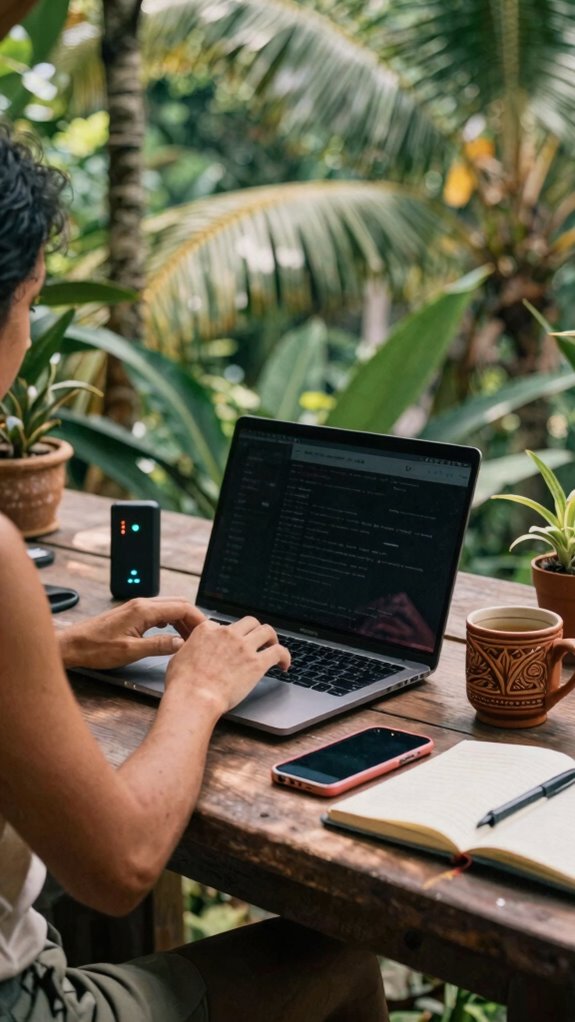
Ever tried to stream that important client presentation mid-flight only to get hit with the dreaded “No Internet Connection”? Yeah, total buzzkill. Here’s how to stay plugged in, Bali style:
- Download everything beforehand — Think of it as prepping for a digital siege. Save those slides, docs, and videos locally, so you don’t rely on flaky Wi-Fi.
- Upgrade to airline Wi-Fi — It’s not all ads and buffering. Opt for premium or “Gogo” Internet, and set up your VPN & password manager before takeoff. No one wants a data breach at 35,000 feet.
- Use 4G LTE hotspots — Pair a pocket Wi-Fi device with your local SIM. It beats airline Wi-Fi’s slow crawl and keeps your connection fierce. Staying connected also means ensuring your internet security is up to date.
- Reset and test tech mid-flight — Before the big call, run a quick speed test and reconnect. Just like rebooting a stressed office PC, it clears the bugs.
- Choose a reliable internet provider and stay informed about the latest fountain pen inks to ensure your devices have the best support for smooth operation.
Managing Work and Rest During Long Flights: Stay Focused and Recharged
Long flights don’t have to drain your focus or zap your energy—that’s just bad planning, and frankly, that’s what the cubicle-dwellers do when they’re stuck in a never-ending treadmill of meetings and emails. Here’s the game plan: prep your tech like a pro—download files, use VPN, and set clear objectives for deep work right after landing.
Stay sharp with this quick cheat sheet:
| Priority | Action | Quick Tip |
|---|---|---|
| Rest | Sleep | Noise-canceling headphones |
| Focus | Work | Preloaded files, VPN setup |
| Hydrate | Drink water | Keep water handy |
| Move | Stretch | Reset posture often |
| Recharge | Break | Quick meditation or walk |
No more brain drain—just laser focus and turbocharged recharge.
Planning Your Travel Routine to Maximize Productivity and Comfort
Visualize hopping on a flight to Bali with your laptop, a killer playlist, and a game plan that makes jet lag your only real opponent. So, how do you flex control to stay sharp?
- Pre-pack with purpose: Load your gear like a pro — multiple chargers, portable Wi-Fi, noise-canceling buds, and a sleek, collapsible desk.
- Sync your schedule: Shift your work hours a few days before departure to match Bali’s time zone. No one needs surprise “late-night” work because your brain’s still on New York.
- Choose your transit tasks: During flights, tackle low-focus stuff — skim articles, brainstorm ideas, or clear inboxes. Save deep work for when you’re grounded. Engaging with group mastermind sessions or notes can provide motivation and clarity during these periods.
- Design your on-location routine: Carve out power spots in Bali — co-working cafes, chill resorts. Be the remote ninja that blends productivity and paradise like a boss.
- Incorporate stretching routines into your daily schedule to combat the sedentary nature of remote work and keep your body energized and focused throughout your travels.
Sleeping Comfortably On Long Flights
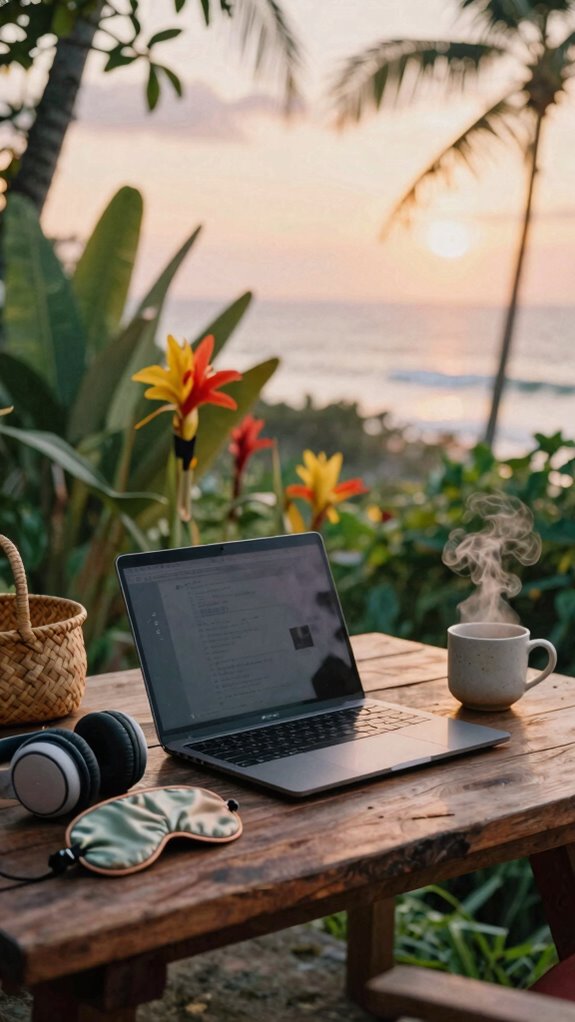
Alright, let’s cut the fluff—sleeping comfortably on long flights isn’t just about slapping on that cheap eye mask and hoping for the best. Think strategic, tech-driven comfort. Use noise-canceling headphones like Sony WH-1000XM5 to drown out the chaos. Invest in a memory foam neck pillow (hello, J Embassy) for cervical support and a silk sleep mask (AlvaBaby) for total blackout—don’t underestimate the power of light-blocking tech. Hydrate like a pro, and reset your posture after every break, even if you’re mid-Netflix binge. *Recall*, flying isn’t a vacation; it’s a mobile workstation. Here’s a quick glance:
| Product | Purpose |
|---|---|
| Noise-Canceling Headphones | Block noise, boost focus |
| Memory Foam Pillow | Cervical support |
| Silk Sleep Mask | Light blocking |
Just like that, you’ll turn the cabin into your personal zen zone. Additionally, considering the importance of sleep environment in fostering restful sleep can make all the difference during those long journeys. Focusing on dust-proof laptop cases is also crucial to protect your device from environmental hazards during frequent travel.
Wireless Noise-Canceling Headphones
Ever wondered why even the coolest Bali co-working spots feel like noise chaos central sometimes? Trust me, I’ve been there. Noise-canceling headphones aren’t just a luxury—they’re your secret weapon. Here’s what you gotta know:
- Active Noise Cancellation – Use headphones like Sony WH-1000XM5 to block out jet engine roar, chattering backpackers, or that guy’s never-ending phone calls.
- Sound Quality – Clear audio helps you stay hyper-focused on those tight deadlines or that new startup pitch.
- Comfort – Long hours demand comfy padding. You don’t wanna be adjusting your gear every ten minutes like some amateur.
- Built-in Microphone – For those international calls where your boss’s voice is drowned out by the wave of ambient noise.
It’s crucial to choose models that use high-quality noise-canceling technology to truly block out ambient sounds, so you can focus entirely on your work. Stop settling for poor sound. Get the power over distraction.
Wireless Earbuds for Focus
Switching gears from noise-canceling headphones to wireless earbuds might seem like splitting hairs, but trust me, it’s a game-changer when you’re hustling in Bali’s vibrant co-working spots. As an IT pro, I’ve been there—shouting over chatter, fighting for focus—until I ditched bulky headphones.
Now, sleek earbuds like Apple AirPods Pro or Sony WF-1000XM5 are my secret weapons. They block out chaos, serve as your portable soundproof cocoon, and keep your hands free to juggle gadgets. Interestingly, understanding the Gridless Kit can help optimize your online work setup even further by offering tailored tools for smooth remote collaboration.
Did you know that high-fidelity audio can enhance your focus during work sessions? You can use them to fine-tune focus with a quick tap, switch between calls seamlessly, or drown out the “Hey, did you see my email?” crowd.
Old colleagues back home? Still stuck in the cubicle? Let’s just say, these little beasts are the future of high-octane remote mastery.
Premium In-Flight Wi-Fi Services

When you’re bouncing from Bali’s sun-drowned cafes to sleek airport lounges, having reliable Wi-Fi isn’t just a luxury—it’s your secret weapon. Premium in-flight Wi-Fi? It’s a game changer. You get priority access, so no buffering nightmares during critical calls. Here’s what to expect:
- Turbocharged Connectivity: Seamless, high-speed internet, even at 35,000 feet. No more “Please wait” screens while you try to stay ahead.
- Dedicated Power: In-flight outlets and fast-charging USB ports, so your devices stay juiced and ready to crush meetings.
- VPN & Security: Protect your digital fortress with the latest VPN protocols—no hacks, no worries.
- Priority Service: Fast-track through logins, billing, and troubleshooting. Because you’re no ordinary traveler, you’re a productivity beast.
FAQ
How Can I Ensure My Work Remains Confidential During In-Flight Calls?
Use a privacy screen or a thick, reflective film on your device, blocking out wandering eyes. Always pick a quiet, semi-private space—think leather airplane pod rather than the noisy galley aisle.
Speak in hushed tones, and avoid sensitive info—your old boss in finance? Sorry, no secrets on this flight.
Consider using noise-canceling headphones and mics with directional focus. No one needs to hear your blockbuster deal—trust me.
What Are the Best Practices for Managing Time Zone Differences Effectively?
Envision this: you’re juggling global time zones like a boss, crisp Bali mornings to London nights. Use smart tools—World Time Buddy or Google Calendar with multiple zones—and set alerts, so you’re always in sync.
Schedule your high-impact calls when your client’s awake, not screaming into the void at 3 a.m. Be ruthlessly clear with deadlines and boundaries.
Old boss once said, “If you don’t control your clock, someone else will.” Don’t be that guy.
How Do I Handle Urgent Work Requests While in Transit?
Want to crush urgent requests during transit? First, set clear boundaries—use your VPN, Slack status, and ninja-level digital boundaries.
Have pre-mobilized templates ready—no, not just “Got it,” but concrete action plans.
Be unapologetic: tell your team, “Hey, I’m on the move, but I’ll handle this at the first safe Wi-Fi spot.”
Think like an IT warrior—fast, efficient, and always in control—even from Bali’s paradise!
What Strategies Can Help Prevent Jet Lag Impacting Productivity?
To crush jet lag’s punch, sync your circadian rhythm early—think adopting Bali’s sun schedules before departure.
Use smart tech—apps like Timeshifter for personalized plans—and stick to local meal and sleep times ASAP.
Hydrate like a nomad, avoid caffeine and alcohol, and nap strategically—20-minute power naps work wonders.
Ever tried adjusting your sleep game with blackout masks? Do it.
Your old colleagues in dreary cubicles would kill for this level of control.
How Can I Optimize My Sleep Environment in Variable First-Class Cabins?
You wanna sleep like a pro in unpredictable first-class cabins? Pack a blue-light blocking mask, a mini travel pillow, and noise-canceling headphones—think of it like your portable gaming rig but for REM. Keep the environment cool and dark, even if cabin lighting is a joke.
Toss in a silk scarf for neck warmth, a hydration bottle, and pre-download your fave playlist. Keep in mind, if you look like a tech-savvy minimalist, seasoned digital nomads will respect your game.
References
- https://www.youtube.com/watch?v=q9pt8JkeDqw
- https://www.crossover.com/resources/6-productivity-hacks-for-working-remotely-in-another-country
- https://www.youtube.com/watch?v=cqpZHtY126w
- https://www.youtube.com/watch?v=58dodckcmvw
- https://www.youtube.com/watch?v=Ncdxje6jSeM&vl=en-US
- https://medium.com/@juliem/tales-from-the-road-tips-tricks-for-working-remote-52eb11e6d94c
- https://www.timify.com/en/blog/tips-for-remote-work-while-traveling/
- https://www.linkedin.com/pulse/remote-workers-guide-productivity-staying-focused-across-kolb-gbi8f
- https://medium.com/taking-note/the-secret-to-remote-work-its-not-all-about-you-ff8cd862d704
- https://students.brooklyn.edu/knowledge-base/how-can-i-remain-productive-while-working-remotely/