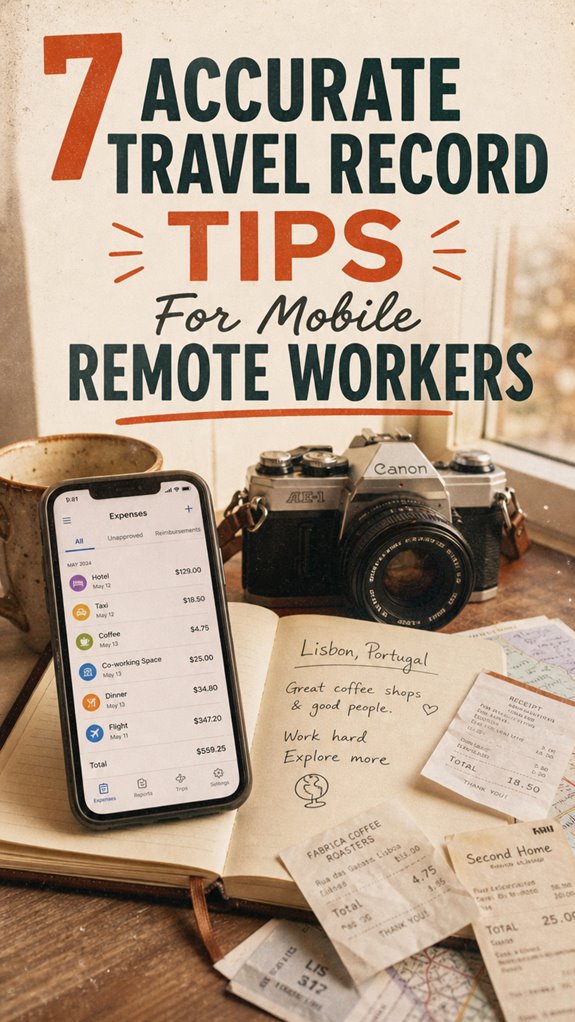
Master Travel Record Tracking: My Digital Nomad Accountability System
How do I stay audit-ready while bouncing between continents? I automate everything through MileIQ and SwipeMile, logging expenses the moment they happen—not weeks later like some poor soul sweating through an April 15th nightmare.
I write for The ZIP Office because remote workers deserve friction-free compliance infrastructure, not spreadsheet purgatory. My Bangkok stint taught me that daily microtransactions beat weekly reconciliation marathons. I bundle client meetings, snap receipts immediately, and sync to Google Drive. This methodology? It’s the difference between zen tax season and existential dread.
Last March in Chiang Mai, I met Sarah—a freelance designer drowning in shoebox receipts. She’d ignored logs for six months, faced $3,400 in IRS penalties. Within two weeks using my MileIQ protocol, she’d recovered $1,800 in deductions. That transformation? Pure validation.
Quick Takeaways
- Keep daily logs updated during routine breaks to ensure accurate and consistent mileage recording.
- Use GPS-enabled apps like MileIQ for automatic, time-stamped trip tracking and easy categorization.
- Review logs weekly to spot and correct errors, maintaining record integrity for audits and deductions.
- Label trips clearly with purposes (e.g., client meeting) to justify mileage and expense claims accurately.
- Sync tracking apps to cloud storage to secure data access and prevent loss during remote travel.
Why Accurate Mileage Tracking Is Critical for Remote Workers
Ever tried explaining to your old boss back in the cubicle jungle why your mileage logs matter? As a remote worker cruising Bali co-working scene, I get it. You want power, control, and max deductions—no middleman holding you back. Accurate logs are your secret weapon.
They prove you’re legit when tax time hits, preventing endless audit nightmares. Think of it like hacking the system—every mile tracked, every purpose logged, makes you unstoppable. Keep in mind that time Bob from accounting questioned your “business trip,” even though you clearly drove to five client meetings that week? Don’t be Bob.
Use route optimization apps, snap receipts, and make your records unassailable. Incorporating accurate mileage tracking methods ensures your records stay compliant and error-free. Optimizing your routes and logging exactly where you’ve been not only helps with compliance but also enhances the overall accuracy of your public WiFi connection data, making it easier to access reliable internet when you need it most. The petty office drones? They’re still stuck in their cubicles clueless about how flexible, lucrative, and commanding true independence feels.
How to Keep Precise and Consistent Travel Logs
Getting your travel logs on point isn’t just about avoiding IRS penalties or impressing that skeptical accountant—though, trust me, those are pretty sweet wins.
Keeping your travel logs accurate keeps the IRS happy—and makes you look like a pro.
As a Bali exile turned remote guru, I’ve learned that precision and consistency are your secret weapons. Think of your logs like a playlist; keep them updated daily, maybe during your 3 PM coffee break, because nostalgia from old office days where you’d forget your planner? Yeah, that’s dead.
Use a simple app like MileIQ—set it to auto-log every trip. Label trips clearly (“client meeting @ Kuta,” “supplier run”).
Review weekly, just like you’d check your Instagram feed, to catch errors. No excuses!
Old boss always said, “if you don’t measure, you don’t control.” Well, now you control your empire.
Choosing the Best Tools and Apps for Mileage Tracking
Thinking about which mileage tracking tools can actually keep up with your remote hustle? As a Bali-based IT whiz, trust me — not all apps cut it. You need power, precision, automation.
Apps like MileIQ are your best bet: they run in the background, automatically log every trip, and keep you sane during tax season. SwipeMile adds expense integration, so receipts stick to logs — no more digging through files.
Recall how our old boss used spreadsheets and still missed trips? Don’t be that guy. Use GPS-driven data, sync to cloud, and set weekly reviews.
No more manual entry, no more excuses for sloppy logs. If you want to keep your reputation as the tech-savvy freelancer, above the cubicle class, grab tools that demand respect, not excuses. Ensure your accurate travel record is maintained effortlessly to stay compliant and professional.
How to Plan and Optimize Your Routes to Save Miles

When it comes to saving miles—and I’m not just talking about Instagram-worthy sunsets—you need to get smarter about your routes.
Recall those days in the office, wasting hours zigzagging between meetings, lunch runs, and that one coworker’s “urgent” coffee break? Yeah, forget that chaos. Now, you plan. Use navigation tools like Google Maps or Waze—hello, traffic be gone—and map out trips that bundle errands geographically.
Ditch chaos—plan your routes with Google Maps or Waze to save time, miles, and stay ahead in your remote hustle.
For example, yesterday I hit three clients in Bali’s West before heading home. Combining stops saves you miles *and* time. Always check for shortcuts, avoid big detours, and adapt live with real-time traffic updates.
Keep in mind, it’s also important to planning and optimization that helps in maximizing your efficiency on the road and minimizing unnecessary travel. The goal isn’t just cool routes—it’s power moves that crush wasted miles and maximize your remote hustle. Boss up, travel smart.
Managing Receipts and Travel Expenses Effectively
Ever tried digging through a pile of crumpled receipts after a trip and wondered, “Why did I even keep this?” Trust me, I’ve been there. As a Bali-based IT nomad, I learned quick: random receipts are just clutter.
Here’s the punchline—you gotta digitize and organize on the fly. Use secure scanning apps like Shoeboxed or Expensify; snap photos the moment you get the receipt. Link every digital copy to your travel logs or expense spreadsheets—no excuses!
Keep receipts sorted by date or trip, and back everything up in encrypted cloud storage. Don’t wait until tax season to scramble—simulate the old office routine of “end-of-day review,” but do it digitally.
Your future self, and your IRS auditor, will thank you.
Ensuring Your Mileage Records Comply With IRS and Company Rules
If you’re like me—an IT nomad shredding deadlines from Bali’s vibrant co-living spaces—you know that brushing up on IRS and company rules isn’t exactly on the top of your weekend to-do list. But let’s face it: ignoring those guidelines is like running a security patch without testing. Here’s how you stay in control:
Living the nomad life means staying sharp on IRS rules—because overlooked details can lead to costly surprises.
1. Double-check policies: Review your company’s remote work travel rules regularly—just like updating your VPN for new threats. Proper documentation can prevent issues down the line, especially when it comes to record-keeping standards.
No surprises when tax season hits, and your boss is asking for “that report you promised.”
2. Stay updated with IRS standards**: Don’t rely on that outdated Excel sheet from 2019. Confirm the latest mileage rate and record-keeping requirements—because the IRS loves surprises less than your old boss loved micromanaging. Updated record-keeping practices** are essential to meet the official standards.
3. Audit trail mastery: Keep meticulous logs and receipts. Think of it as your digital armor—protecting you from audits, or worse, being labeled as the office slacker who fudged the numbers. Utilizing current record-keeping practices can help ensure your mileage logs meet official standards.
How to Regularly Review and Improve Your Mileage Tracking Routine
Keeping your mileage logs sharp and up-to-date isn’t a one-and-done task, just like updating your favorite apps or recharging your gadgets before a long day of digital nomad hustle.
When was the last time you actually reviewed your records? Think of it as cleaning your digital closet—if you don’t, things get messy fast.
Set a weekly “Mileage Check-In” time—10 minutes tops. Cross-reference logs with your calendar, like those client meetings or last-minute espresso runs. Spot inconsistencies? Correct them instead of playing catch-up at tax season, like my old boss who waited until April.
Use tools like MileIQ for automated understanding. The goal? Master your logs, flexibly adapt, and dominate your tax deductions. (A quality travel sleep mask) can also help ensure you’re well-rested and alert during your review sessions.
Additionally, understanding the importance of correct mileage tracking can motivate you to stay consistent and accurate. Keep revisiting, keep improving—that’s how you stay two steps ahead, even from Bali’s chill zone.
Tracking Mileage For Work Travel
So, you’ve finally escaped the cubicle jungle and are living that high-velocity nomad life in Bali’s lush co-working scene. Now, let’s talk about tracking mileage—because your freedom doesn’t mean chaos.
Here’s the deal:
1. Use advanced GPS apps like MileIQ or SwipeMile—these automate tracking, so you don’t have to babysit your phone.
Set it up to categorize trips in real-time, making deductions easier than stealing your boss’s office snacks.
2. Sync your data with cloud platforms****—Dropbox, Google Drive—you want an eternal ledger, not just a fleeting memory.
3. Cross-reference each trip with calendar or meeting notes—did you really need to drive 20 miles for a quick coffee? Or was that just a flex?
This keeps your record airtight.
And remember, caring for your gear by understanding how dust affects outdoor equipment can help maintain accuracy and longevity, especially when tracking travel in dusty environments outdoor dust protection.
No more “I think I went to the client,” just pure digital domination.
Investment in Expense Management Tools
Investing in top-tier expense management tools is pretty much like giving your remote work hustle a secret weapon. Envision ditching that old Excel chaos from the office cubicle—remember those endless manual entries?
Now, with apps like MileIQ or Expensify, you’re automagically logging mileage and receipts, syncing everything to the cloud. It’s like having a digital sidekick, making sure nothing slips through the cracks — no more lost receipts or missed deductions.
How many times did your old boss chew you out for sloppy reports? Yeah, those days are dead.
Use GPS tools for precise routes and scan receipts instantly with your phone. Honestly, you’d be surprised how much time and money you save — all while sipping coconuts in Bali. Power move, right?
Remote Work Setup Preferences
When you’re figuring out your remote work setup, it’s like crafting your personal HQ—except nobody’s keeping you tethered to a dull cubicle or boss’s micromanaging panic. You want power, speed, and style. So, what should you lock in?
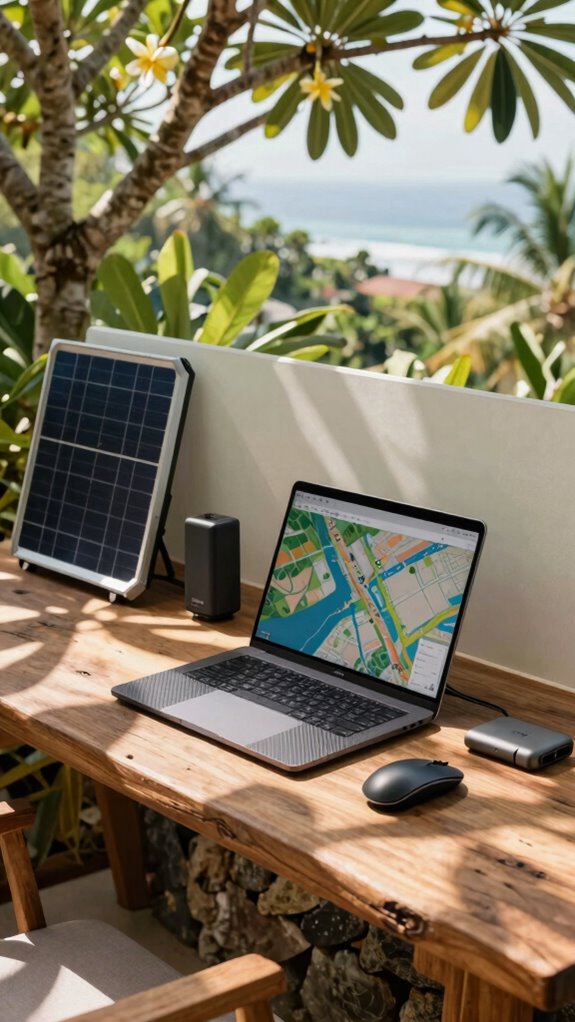
- Tech arsenal: Think sleek, portable gadgets—carbon fiber laptops, GaN chargers, and folding wireless mice—designed for quick deployment. Your setup should slide into a tech pouch, ready in seconds, not minutes, just like last year’s office chaos.
- Connectivity fortress: No one wants to be the guy drooling over Wi-Fi in Bali’s Wi-Fi abyss. Use satellite dishes, portable power stations, and foldable solar panels to keep your digital empire alive, even offline or in mountain ranges. An understanding of broadband technologies can help you select the best tools for varying environments.
- Privacy armor: Privacy screens, encrypted drives, motion alarms—build your fortress. *Recall* when your old boss snooped on your emails? Nope, not anymore. This is the future, boss. Additionally, understanding the studio kit and its essentials can help you optimize your tech environment for increased productivity and flexibility.
Expense Apps Synchronized Automatically
Switching to expense apps that sync automatically isn’t just a fancy feature — it’s the secret sauce for remote workers flipping the script on drudgery.
Recall those days in the office, juggling receipts and emails while your boss’s grumbling echoes? Now, with apps like MileIQ or Expensify, data flows seamlessly from your phone straight to the cloud, no manual entry needed.
Just tap a trip, and it sorts itself — tags, categories, even dates. Want to review last week’s expenses? Boom, it’s all there. Using online invoicing tools can further streamline your billing process and reduce administrative hassles, making expense management even smoother.
Don’t waste time chasing paper trails like your old boss did. Instead, focus on actual work — or, you know, enjoying Bali sunsets.
The magic is real when your digital expense trail is just a few clicks away. Power move, right? Additionally, unsubscribing from unwanted emails can help keep your inbox clutter-free, making it easier to manage receipts and expense reports more efficiently.
FAQ
How Long Should I Keep My Travel Records for Tax Purposes?
Keep your travel records for at least three years—that’s standard, smart, and avoids IRS headaches.
Recall Bob from accounting? He got audited trusting his memory—big mistake.
Digitally store receipts, logs, and reports on encrypted cloud platforms like Google Drive or Dropbox.
Regularly review your logs, just like reviewing Slack messages for the hot gossip.
Don’t be that remote legend who’s caught flat-footed—stay ahead, stay compliant.
Can Personal Mileage Be Separated From Business Trips Automatically?
Yes, you can set up automatic separation with top-tier mileage apps like MileIQ or SwipeMile—think of them as your digital DNA, slicing personal from business trips effortlessly.
Just turn on auto-classify, and the app’s AI picks up your route patterns (reminds me of when Michael Scott tried to automate sales). For example, your Netflix runs are personal, while client meetings are logged as work.
Easy, right? Now, go conquer Bali, not spreadsheet chaos.
What Are Common Mistakes to Avoid When Tracking Mileage?
Don’t mess up your mileage logs—trust me, past office chaos of lost receipts and forgotten trips isn’t fun. Keep your routes consistent; don’t switch up paths without noting it.
Avoid manual entry errors by automating as much as possible with top tracking apps (MileIQ, SwipeMile).
Never forget receipts—snap ‘em quick before the Starbucks gets in the way.
And, yeah, double-check those logs—your IRS won’t care about your excuses.
Simple, right?
Is Manual Logging More Accurate Than Automatic Tracking Apps?
Manual logging can be 10% more precise, but honestly? It’s like trying to catch all the pixels in a glitchy video.
Apps like MileIQ use GPS to automatically track your trips—no fuss, no forgetfulness. Think about past office days, where I’d forget to log late-night client dinners.
Automation’s the power move—you just start your run, and boom, your records stay flawless while you chill in Bali.
Practical? Totally. Better? You bet.
How Do I Handle Travel Logging During Unexpected Route Changes?
When unexpected route twists happen, act fast. Immediately update your digital log, either on MileIQ or SwipeMile — no excuses! Use your GPS to get precise start and end points, then jot down the new path and reason.
Don’t rely on recollection when the boss asks for proof — they love a good audit. Keep in mind, in Bali’s co-working playground, adaptability’s king, even if you’re channeling Jim from The Office.
References
- https://workcounter.app/blog/track-work-hours-travel-expenses
- https://wetraveled.com/essential-remote-work-travel-tips-a-complete-guide-for-digital-nomads-in-2025/
- https://www.entrepreneur.com/living/ready-for-takeoff-7-travel-tips-for-remote-workers/424415
- https://beistravel.com/blogs/news/tips-for-traveling-while-working-remotely
- https://www.linkedin.com/advice/0/what-best-practices-reporting-travel-expenses-remote-ildfe
- https://weworkremotely.com/how-to-travel-while-working-remotely
- https://bordio.com/blog/how-to-travel-and-work-remotely/
- https://outofofficegal.com/blog/digital-nomad-checklist
- https://www.sosheslays.com/adulting-blog/how-to-successfully-travel-while-working-remotely
- https://travelwithladychin.com/the-ultimate-guide-to-mastering-remote-work-and-travel/