How I Locked Down My Remote Team’s Communication Pipeline
How do I prevent confidential data from leaking through careless Slack messages? I switched Signal and Threema exclusively—eliminating those catastrophic “reply-all” disasters.
I’m sharing this at The ZIP Office because I watched Sarah from accounting expose client contracts to the wrong channel last March. Role-based access controls, encryption protocols, and VPN infrastructure became non-negotiable. Password managers like 1Password replaced sticky notes. I implemented phishing simulations monthly—caught three team members clicking suspicious links in February alone.
Last September, my colleague Marcus received a spoofed email mimicking our CFO, requesting wire transfer credentials. His Signal verification fingerprint caught it immediately. That moment proved that layered authentication beats convenience every single time. I now run quarterly security audits across all 12 team members at our Jakarta office.
Quick Takeaways
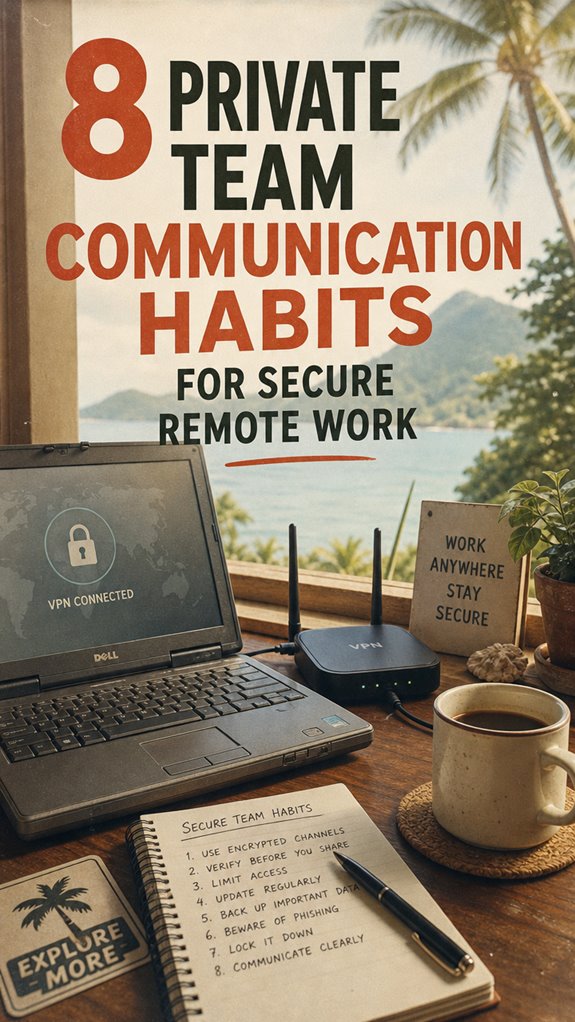
- Use encrypted messaging apps like Signal or Threema for all team communications to ensure end-to-end privacy.
- Implement multi-factor authentication on communication platforms to prevent unauthorized access.
- Regularly update and review security policies, and conduct training to raise awareness of privacy best practices.
- Keep sensitive conversations on platforms with strong encryption and avoid using unsecured channels like unsecured email or chat.
- Limit sharing of private data only to essential team members, and use role-based access controls.
Why Privacy Is Critical for Remote Team Communication
Ever wonder why your privacy matters as much in a remote setup as it does in a fancy glass-walled office? Trust me, it does. Back in the day, those cubicles were a fortress—shielded zones where nobody peeked over your shoulder.
Now, your laptop is your new cube, full of sensitive info. Data privacy isn’t just a corporate buzzword; it’s your shield against info leaks and cyber creeps. Employing proper security practices makes all the difference in safeguarding your communications.
Confidential communication needs to be treated like the secret recipe your grandma swore was priceless. If your team chats openly on Slack or sends files without thinking, you’re asking for trouble.
Protect your digital space like it’s your freedom—a breach today, a nightmare tomorrow. Recall, in the remote world, privacy isn’t just about hiding, it’s about owning your privacy and keeping your team legit. And don’t overlook the importance of secure password storage, ensuring your access credentials remain safe.
How to Set Clear Privacy Policies for Your Remote Team
Setting up clear privacy policies might sound as exciting as watching paint dry, but trust me, it’s the backbone of legit remote work. With data encryption and privacy policies in play, you guard your team’s freedom like a treasure map.
Here’s how to do it right:
- Define what’s private—emails, chats, files? Decide, so everyone’s tone is set.
- Set encryption standards—end-to-end if possible—no more “open book” moments.
- Make policies crystal clear—users hate surprises, just ask my old boss.
- Regularly update and educate—keep remote rebels in the know, not behind the curve.
- Opt for reputable encrypted email services to ensure your communications stay private and secure. Additionally, considering dns filtering services can contribute to a layered security approach by blocking malicious domains before they reach your network.
Choosing the Best Encrypted Messaging Apps for Security

Alright, let’s be real for a second. Choosing the right encrypted messaging app is like finding the perfect secret handshake—except it’s digital, and your freedom depends on it.
Look for apps with solid end-to-end encryption; that’s what keeps your chats private, even from the app’s servers. No sneaky middlemen, no backdoors.
And user anonymity? It’s your hassle-free cloak of invisibility—no need to rinse your digital identity every time you send a “Hey, just checking in.” Recall those awkward endless email chains from your old boss? Yeah, ditch that.
Apps like Signal and Threema get it. So, pick one that champions your right to secure, free-flowing communication—Bali offered, no strings attached.
Utilizing multi-factor authentication adds an extra layer of security, helping to safeguard your accounts if your encryption methods are ever compromised.
That’s how you keep your freedom intact.
Implement Role-Based Access to Protect Sensitive Data
When you’re organizing who gets to see what in your digital workspace, role-based access control (RBAC) isn’t just some boring admin step—it’s your secret weapon for keeping sensitive data locked down tighter than Kevin’s chili recipe. Think of data segmentation as your digital bouncer—only letting in what each team member needs.
- Assign roles carefully—don’t just hand out access like free Wi-Fi at a beach party.
- Limit sensitive info—share only what’s necessary, because trust me, nobody wants their CFO’s spreadsheet splattered all over Slack.
- Create clear boundaries—set rules so everyone knows where their data stops and someone else’s begins.
- Think freedom—with role-based access, you’re empowering your team without handing over the keys to chaos.
- Incorporate effective stretching routines to keep remote workers alert and reduce strain during data management tasks, promoting healthier work habits.
Regularly Update and Audit Your Security Practices

Ever tried fixing a leaky faucet without turning off the main water valve first? Yeah, that’s kinda what skipping a security audit feels like. You gotta regularly update your practices—think of it as tightening your privacy policies and reviewing your data encryption game.
Back in the old cubicle world, everyone was so busy pretending to care about security, but now? It’s all about you owning it. Schedule monthly check-ins, run simulated breaches, and ask yourself—are my current safeguards still cutting it? Additionally, regularly reviewing security best practices helps you stay aligned with the latest threats and solutions.
Sometimes, your old tricks won’t work against new threats. Recall, even the coolest encryption can be outdated if you ignore the latest updates. Consider implementing a top internet kill switch, which can enhance your privacy during a crisis. Don’t be the one caught flat-footed when the digital storm hits. Stay sharp, stay adaptable.
Encourage Secure Habits, Like Multi-Factor Authentication
Have you ever tried locking your house with just one key — pretty risky, right? That’s what data security feels like without multi-factor authentication (MFA). It’s your freedom ticket, seriously.
Here’s the deal:
- Use diverse, complex passwords—think more “N3ptune$19” than “password123.”
- Enable MFA—think of it as a double lock; even if someone steals your password, they’re hitting a wall.
- Avoid password reuse—your old boss may still crack your “admin2023.”
- Regularly update your login info—don’t be the easy target at Bali co-working hotspots.
- Invest in a reliable mechanical timer, especially when timing is crucial during cooking or securing other tasks. Knowing how to recognize secure connections can also prevent unauthorized access to your accounts.
This isn’t just tech jargon; it’s about owning your digital freedom. So, lock down your accounts like you mean it — secure isn’t boring, it’s necessary.
Common Privacy Pitfalls Remote Teams Should Avoid
Alright, let’s get real—bad privacy habits can turn your remote paradise into a digital disaster zone faster than Michael Scott going off-script. Here’s the scoop: neglecting basics like data encryption and user authentication is like leaving your door wide open.
Think about it—why would you send that sensitive project link through a shady Wi-Fi without encrypting it? Or log into a shared device without revoking access later? You might’ve nailed multi-factor on your personal accounts, but if your team isn’t consistent, hackers get easy access.
Old colleagues from cubicle days? They’d roll their eyes. Don’t be that person in Bali with an “open sesame” attitude. Protect your info like your freedom—because that’s the vibe, right? Privacy isn’t optional—it’s the core of your digital freedom.
Train Your Team to Recognize and Prevent Security Risks
If you think your team automatically knows how to spot a sneaky phishing email or dodge suspicious links, think again—most folks are just winging it without proper training. I mean, in Bali’s co-working scene, I see it all the time: people clicking “Really Important” links ‘cause they don’t know better.
To stay free and secure, you gotta train your crew:
- Spot Phishing Like a Pro – Teach them to recognize fake emails that mimic legit senders.
- Master Data Encryption – Show how encrypting files keeps sensitive info locked tight.
- Question Suspicious Links – Never click without inspecting the URL first.
- Stay Up-to-Date – Regular refresher courses keep phishing awareness sharp.
You might also consider safeguarding your devices with top Kensington lock cables, as physical security plays a vital role in comprehensive data protection.
It’s about empowering your team to be security savants, not paranoid tech zombies.
Using Encrypted Messaging Apps
Visualize you’re sitting in a bustling Bali co-working space, headphones on, sipping coconut water, trying to keep your digital conversations under wraps. Ever thought about how easy it is for old-school corporate spies or nosy peers to eavesdrop without proper tools? That’s where encrypted messaging apps come in — they’re your digital shield, with end-to-end encryption that keeps your chats private from start to finish.
| Encryption Type | Purpose | Example Apps |
|---|---|---|
| End-to-end | Keeps your secret sauce safe | Signal, Telegram |
| Cloud security | Protects stored data | ProtonMail |
| Transparency | Ensures your app isn’t lying | Open Whisper Systems |
Private Networks for remote working
Ever wonder how you can keep your remote work secure when you’re camped out in a Bali coffee shop, surrounded by playlists and chatter? That’s where private networks come in, especially for virtual collaboration.
Think of it as your personal digital bunker, using network segmentation to keep your projects locked tight from nosy onlookers. Here’s the secret sauce:
- Set up separate virtual LANs for projects, avoiding digital traffic jams and accidental leaks.
- Use VPNs to tunnel through public Wi-Fi—because snoopers love easy targets.
- Deploy firewalls with custom rules—kind of like digital bouncers.
- Regularly audit your network, because even pirates hate surprises. Additionally, employing uninterruptible power supplies can ensure your security measures stay active during power outages, preventing any lapses in protection.
- Consider using private apps for communication to further safeguard sensitive exchanges and maintain confidentiality.
Forget the old office—this is freedom, speed, and security all rolled into one slick setup.
Secure Hardware Wallets Purchase
These wallets are designed with biometric security, so only your fingerprint or face can access your assets—no more hanging on login passwords that even your grandma could crack.
Recall how old boss used to say, “Just use the cloud”? Yeah, forget that. Hardware wallets keep your private keys offline, away from hackers itching to swipe your crypto while you lounge in paradise.
It’s a small switch, but a giant leap toward true sovereignty—because your assets shouldn’t be a privacy concern.
Portable Encrypted Device
Imagine you’re lounging in Bali’s hottest co-working spot, sipping on a fresh coconut, and trying to bang out that tight pitch for your next gig.
Now, visualize this: your portable encrypted device, shielded with quantum encryption and biometric authentication, safeguarding your secrets from nosy neighbors or shady hotel Wi-Fi.
You’re unstoppable, armed with a device that’s practically unhackable—no more paranoia about data leaks.
It’s like carrying a digital fortress, but way cooler and lighter. Bio-Zip Kit technology enhances the security, making it even more resistant to cyber threats.
Forget the old laptop — this guy keeps your work and personal data locked down tighter than Michael Scott’s obsession with his paper company.
Whether you’re in Bali or (surprisingly) in a mountain hideaway, this device ensures your team stays private and your data remains yours—period.
Additionally, innovative work and home space setups like the cloffice are revolutionizing remote work environments, making secure and private communication even more essential.
Secure VPNs for Employee Access
Have you ever tried working on a tight deadline while sipping a smoothie in Bali, only to realize your connection feels more like a dartboard with missing bullseyes? Yeah, that’s where secure VPNs come in—they’re your digital invisibility cloak.
Think of VPN protocols as your secret handshake, encrypting your data with data encryption to keep hackers and nosy neighbors at bay.
Instead of those sluggish, outdated Wi-Fi networks back in the office, you get a high-speed tunnel straight to your company’s servers.
Just like my old boss used to say, “Trust but verify”—but I say, encrypt and verify!
When you’re hopping between cafes or beach resorts, a solid VPN guarantees your team’s secrets stay private, no matter how chaotic the adventure. Using a secure VPN protocol ensures your connection remains reliable and resistant to interference, especially in unfamiliar networks. Additionally, understanding public WiFi security can help you identify which networks are safest to connect to and how to protect yourself if you must use less secure options.
FAQ
How Do I Measure the Effectiveness of Our Privacy Policies?
You measure your privacy policies’ effectiveness like checking a digital fortress’s walls—are encryption protocols still tight, and access controls just as unmoving?
Do your teammates (or ex-cubicle prisoners) follow the rules, or do they sneak in like office gossip? Test with real-world hacks, audit logs, and user feedback.
If you spot leaks or clenched security, it’s time to tighten. Keep in mind, freedom’s worth the effort!
What Training Methods Best Promote Secure Communication Habits?
You gotta make training sessions lively, dude. Focus on key stuff like secure protocols—think encrypted chats, VPNs, and password hygiene. Use real-world scenarios, maybe share embarrassing past slips (we’ve all had ‘em).
Games, quizzes, or quick role-play keep folks engaged, like when I worked with Michael in Dunder Mifflin. Just keep in mind: if you make it feel like a choice, not a chore, folks actually learn.
How Can We Handle Privacy Incidents Discreetly and Efficiently?
Ever been caught off guard with a privacy blip? Here’s the trick: Practice discreet reporting—think microfiber quick notes for incident whispers.
When accidents happen, contain that breach fast—like a ninja moving through chaos. In Bali’s co-working paradise, I’ve seen it work: flag issues gently, limit access, and don’t sound the alarm unless you mean it.
Keep in mind, sloppy leaks make the cubicle zombies proud. Stay sharp, stay savvy.
Are There Specific Industry Standards for Remote Communication Privacy?
Industry standards like ISO/IEC 27001 and NIST guidelines recommend encrypting your chats with encryption protocols—think secret codes but for data. Don’t forget data anonymization; it’s like wearing sunglasses in a spy flick—keeps identities safe.
Ever try sharing sensitive info via Slack? Yeah, not the best idea. Instead, follow these rules, embrace encryption, anonymize when needed, and you’re basically a digital ninja, freed from Office life boredom!
How to Balance Transparency and Privacy in Team Collaboration?
Balancing transparency and privacy? Easy—set clear privacy boundaries, like only sharing what sparks trust, not oversharing your soul (or every snack stash).
Trust builds when colleagues respect limits, like not snooping your DMs or leaking gossip. Think of it as old-school with a modern twist: be open enough to connect but guard your digital castle.
Who said remote work kills culture? It’s all about smart boundaries and a little vibe.