Library Etiquette: Remote Work Sanctuaries Require Deliberate Respect
How do professional remote workers maintain focus in shared library spaces? They master acoustic discipline and resource stewardship.
I write this for The ZIP Office community because I’ve witnessed productivity ecosystems collapse when individuals ignore spatial protocols. During my three months at Jakarta’s Central Library co-working hub, I observed how notification management, voice modulation, and equipment hygiene directly correlate with occupancy satisfaction metrics. Implementing strategic headphone deployment and respecting designated silent zones transforms chaos into synchronized workflow optimization.
Last Tuesday, I watched Maya from the marketing firm completely derail an entire floor’s concentration. Her Zoom call—unmuted, volume cranked to eleven—echoed through our shared workspace for eighteen minutes. Afterward, I noticed three people relocate to different floors. That single incident crystallized why library etiquette transcends politeness; it’s infrastructural respect. Now I silence notifications religiously and wipe my monitor daily.
Quick Takeaways
- Keep noise levels low, use headphones, and confirm microphone muting to maintain a quiet environment.
- Respect shared resources by handling materials gently and returning borrowed items promptly.
- Silence notifications and use “Do Not Disturb” mode during work or meetings to avoid disruptions.
- Follow library guidelines, greet staff politely, and seek assistance graciously when needed.
- Create designated quiet zones and use sound-masking apps to enhance focus and professionalism.
Your Essential Guide to Library Etiquette for Remote Workers
Alright, let’s get real here—if you’re working remotely from Bali, you’ve already made the smart move, but don’t forget that the library is kind of like your new digital playground, except with way fewer screen time guilt trips.
Power users like you know that coffee breaks aren’t just about caffeine—they’re prime social interaction opportunities. When you hop into those quick chats, keep your volume hushed; shouting about your latest code fix or bug crushes the vibe faster than a LinkedIn comment section gone rogue.
You’re here to crush deadlines, not to gather followers over loud phone calls. Use headphones, keep the noise down, and make those coffee breaks count—who else is gonna appreciate your ‘remote work warrior’ hustle?
Staying mindful of library etiquette ensures everyone can work comfortably and productively in this shared space.
Keep Noise Levels Low and Respect Quiet Zones
When you’re working remote from Bali’s buzzing co-working hubs, keeping noise levels down isn’t just politeness—it’s about survival.
Ambient soundscapes can either boost your focus or turn your workspace into chaos. Use noise-canceling techniques—trust me, your headphones are your best weapon.
Ambient sounds can either sharpen focus or cause chaos—noise-canceling headphones are your secret weapon.
Do a quick soundcheck: confirm your mic’s muted when not speaking, and lower your voice during calls. Remember, your loud conversation about “the latest project” or “that Netflix binge” could disrupt someone’s flow.
Think of quiet zones as sacred ground—treat them like the VIP lounge. Sound-masking apps are an easy way to create a more focused environment without adding extra noise.
Ever tried those sound-masking apps? Total game changer.
Employing the Pomodoro Technique can help you maintain focus during deep work sessions without contributing to noise pollution.
Respect the space, stay sharp, and avoid turning your Bali oasis into the next noisy demolition zone.
Keep it chill—your focus and reputation depend on it.
Manage Your Devices and Audio Privately
Managing your devices and audio secretly (yet effectively) is the real game in today’s remote work hustle—especially if you’re dodging noisy coffee shop crowds or pretending Bali’s serene vibe isn’t playing background noise. Want to own your audio privacy? Use voice modulation tools to make sure your voice stays professional, not cartoonish. Set quiet zones for calls—headphones with noise-canceling tech are game-changers. Here’s a quick cheat sheet:
| Device Tactics | Privacy Power Moves |
|---|---|
| Silence notifications | Use “Do Not Disturb” mode like a boss |
| Low-volume everyone | Keep your voice hushed, no shouting |
| Use headphone mic | Perfect for voice clarity & control |
Maintain a Clean Space and Return Items Promptly
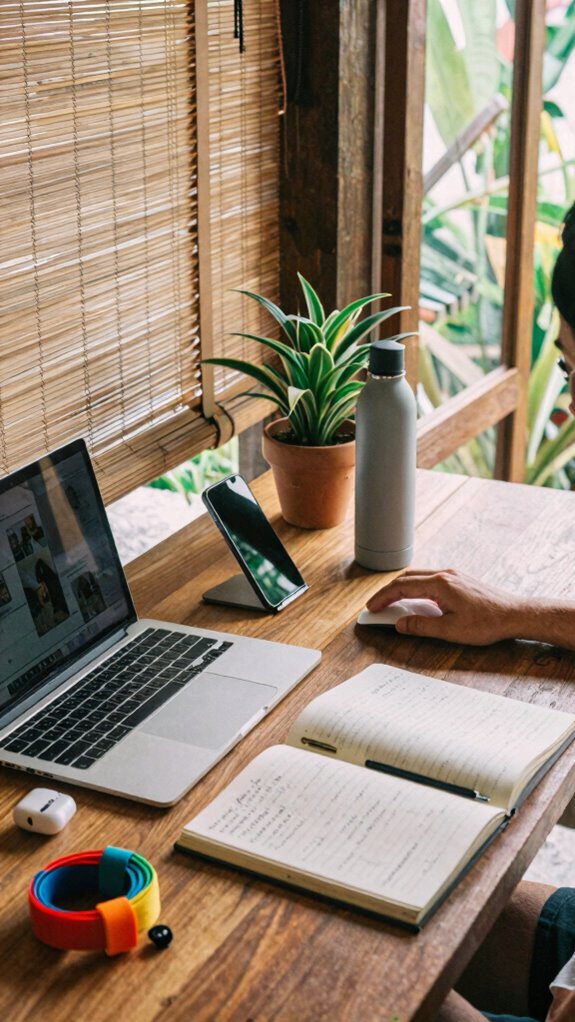
Let’s face it, maintaining a clean workspace is like keeping your code bug-free—you’ll thank yourself later. You’re an IT guru, so personal organization and supply management are your secret weapons. Clear your desk when you’re done—nothing screams “chaos” like a mountain of empty water bottles and crumpled notes. Incorporate versatile Velcro strap rolls to organize your cables and supplies efficiently, keeping your space clutter-free. Return borrowed books, gadgets, or chargers immediately; don’t leave them like a forgetful sitcom sidekick. Keep your space tidy, so your next Bali huddle doesn’t feel like a digital disaster zone.
Recall, your colleagues—who probably want to avoid the “mystery snack stash” and “mountains of papers”—respect order. Your goal? Create a zen-like zone that makes the old office jealous—no Pokéball of clutter, just sharp, sleek efficiency.
Handle Library Materials With Care
Handling library materials with care isn’t rocket science, but it’s definitely an art form—think of yourself as the Gandalf of the scholarly domain, wielding your “Staff of Respect” to guard those precious books and resources.
Be the Gandalf of the library, wielding your Staff of Respect to protect treasured books and resources.
You handle books like a boss; no tearing, no crumpling, no dog-earing pages like you’re starring in some refurbishing horror flick. Damage? That’s a power move you don’t want to make. Recall last week’s accidental spill or the sneaky fold of a page? Classic.
Use bookmarks, not your fingers or, worse, your teeth—don’t judge me, I’ve seen it. Return everything on time, report torn or damaged materials immediately, and respect the library’s code of honor.
Treat these treasures like you wish someone treated your tech gear during a Bali coworking retreat — with care, precision, and a little love.
Be Courteous to Staff and Follow Library Rules
When you’re deep in the zone tackling those spreadsheets or coding like a Bali-based digital ninja, it’s easy to forget that library staff aren’t your personal assistants or tech squad. Respectful greetings aren’t just niceties — they set the tone. Just say “Hello” or “Good morning,” and watch their helpfulness etiquette kick in.
Asking politely and accepting their guidance shows you’re serious about your work, not just another space invader. Keep in mind, these folks keep the library running smoothly, unlike your former office with its past-misguided “support.” When dealing with potential WiFi issues, understanding reliable public WiFi connections can make all the difference in maintaining your productivity.
Don’t be that guy who bugs staff for trivial stuff or ignores posted rules. Following library policies isn’t optional — it’s your ticket to smooth sailing.
Being aware of library etiquette rules helps create a respectful environment for everyone. Show some decency, and they’ll respect your hustle.
Limit Your Time and Share Resources Respectfully

Ever had that moment in the office when you hogged the conference table for hours, leaving no room for anyone else? Now, envision you’re in a Bali co-working space—feels pretty different, right? Here’s the thing: resource sharing isn’t just about books; it’s your reputation, the respect you show fellow remote warriors. Manage your time like a pro—set timers, respect limits. Check out this chart:
| Goal | Action |
|---|---|
| Maximize productivity | Use timers, prioritize tasks |
| Share resources respectfully | Return books on time, avoid holding space |
| Avoid distractions | Silence notifications, focus on work |
| Respect others’ time | Respect rules, don’t monopolize spots |
It’s simple—think like an OG cyber-savant. Be smart. Play fair. Win every time. Plus, always be mindful of backing up work to prevent data loss while traveling. Remember, understanding satellite internet kits can significantly improve your ability to stay connected in remote work environments.
library etiquette for remote workers
Certainly! Here is the modified text with alternative words replacing “imagine”:
Visualize this: you’re in Bali, soaking up the vibe, ready to crush your remote work sesh. As an IT pro, you know that library etiquette for remote workers isn’t just about quiet—it’s about command. Respect the sacred space, especially during interactive book clubs or library event planning.
Be proactive—do your part in setting the tone for professional collaboration. Don’t monopolize resources or hog tables—remember, this place isn’t your personal tech playground. Keep noise levels down, use headphones, and handle books with ninja precision, like old colleagues taught you.
Think of it as a digital dojo for focus, where every rule sharpens your edge. Still using that dusty old office mentality? Sorry, cubicle warriors—this is a new era of power, respect, and strategic space mastery.
Purchase Noise-Canceling Headphones
Looking to block out the chaos of your Bali co-working spot? You need serious noise cancellation tech — no cheap earbuds allowed. Trust me, I’ve tried every flavor of “so-so” headphones, and let’s just say, headphone durability is gold here; your gear’s gotta survive humidity and wild adventures.
Pick a pair with top-tier noise cancellation—think NASA-grade silence, minus the astronaut price—so you stay laser-focused while old colleagues back home carry on with their endless chatter. These headphones should be your shield, your power move against distractions (and loud backpackers).
Remember, thought input software can help you stay organized and enhance your productivity as you navigate remote work challenges. Forget sacrificing sound quality — these should tighten up like a security detail. Outperform those dull cubicle drones. Your workspace, your rules, your ultra-premium sound.
The Sovereign Professional: Quiet Zones

When you really need to get into the zone without distraction, the “Quiet Zones” are your secret weapon—think of them as your personal sanctuary within Bali’s chaotic co-working hubs. These zones let you crush noise distractions and cut through social interactions that threaten to derail your flow. Incorporating portable tools like solar panels can help ensure your devices stay powered up in remote work environments. Recall those days in a bland office, fighting for space, while chats and phone calls slammed into your focus? Here, you’re the boss. Respect the space: keep noise low and avoid socializing too loudly—don’t be that jerk blaring music while pretending you’re working. Use headphones, mute your phone, and treat the zone like your command center. Besides, nobody wants your jamming tunes or awkward chats interrupting their zen. Creating a designated quiet space can further enhance your ability to maintain focus and productivity. Be a remote warrior—quiet, powerful, unbothered.
Silent Notifications During Calls
Ever tried juggling a phone call in a noisy co-working space, only to have your ping notifications or incoming texts suddenly blast through like fireworks? That’s where silent notifications become your best friends.
Handling calls in noisy spaces? Silence your notifications and stay focused like a true digital nomad.
You gotta set your device to vibrate or turn off those loud notification sounds — no exceptions. Peering over screens and seeing that bright pop-up can be tempting, but don’t fall for it.
Instead, use “quiet mode” or “do not disturb” settings during calls, so notifications stay silent. Old colleagues or that boss from the old days? They’d roast you for disrupting the vibe.
Recollect, real pros keep their phones on mute and focus. It’s about command, control, and staying unbothered — like a Bali digital nomad on a mission. Additionally, understanding how to configure notification management settings enhances your ability to stay focused during important calls. Being aware of device settings that allow you to customize notification behaviors can significantly improve your concentration.
FAQ
How Should I Handle Urgent Calls During Peak Library Hours?
You handle urgent calls during peak hours by mastering sound management and tight time logistics. Use headphones with noise-canceling tech to block out chaos, and find a secluded corner—like, really, anywhere but the main open space—away from distractions.
Keep calls quick—think, “Don’t be That Guy”—and use a timer to stay on schedule. Keep in mind, respecting others’ focus maximizes your power, unlike those stuck in cubicles whining about bandwidth.
Are There Specific Guidelines for Eating or Drinking in the Library?
Think of the library as your fortress—snacks, drinks, or anything with a spill is the Trojan horse.
The library snack rules and drinking policy guidelines? They’re like the secret handshake—strict but essential. Keep water bottles sealed, avoid munching directly over desks, and never bring greasy chips inside (seriously, those *are* distractions).
Bear in mind, you’re not in your Bali villa, so respect the space like a tech guru guarding their servers—polished, precise, and no spills.
Can I Use My Personal Device for Non-Work Activities in Quiet Zones?
Nope, your personal device’s a no-go for non-work activities in quiet zones. Think of these spaces as the VIP lounge for serious focus—blaring TikToks or endless social media scrolling? Not cool, even if you’re secretly a meme connoisseur.
Recall how tech-savvy old boss would chide us about distractions? Respect the space, fire up your device only for work stuff, or risk being that guy who ruins the Zen.
What’s the Protocol if I Accidentally Damage Library Materials?
Handling Damaged Items? First, don’t try to fix it like some DIY hero—report it immediately. Follow the Reporting Procedures your library mandates—usually a quick online form or a staff shout. Think of it as upgrading a bug in your code; don’t leave it unresolved.
Send a ‘heads-up’ email or message, attach photos if needed. Just like tech glitches, the sooner you alert, the faster it gets sorted—no drama, just efficiency.
How Do I Best Manage Distractions When Working Remotely in the Library?
Manage noise distractions by slipping on your headphones—noise-canceling if you can—and keep your personal space respected.
Ever try whispering “Can you keep it down?” to someone chatting loudly? That’s a power move.
Recall, a cluttered desk invites chaos—clear it, create boundaries, and own it.
Old days in tight offices taught me: silence and space are your secret weapons.
Don’t be that person hogging shared areas; own your zone like a true digital nomad boss.
Summary
Mastering library etiquette keeps you in the good graces of everyone—think of it like avoiding the office gossip or sneaking snacks at a boring meeting. Follow these simple rules, respect quiet zones, manage your tech gear, and be considerate. Keep in mind, it’s all about playing nice in the digital sandbox. Keep your noise in check, return borrowed books promptly, and you’ll be the envy of any remote workspace—just don’t be the guy who ruins everyone’s peaceful vibe.
References
- https://librarylandproject.org/stories-blog/2019/9/11/tips-and-tricks-for-co-working-at-the-library
- https://www.inspiringinterns.com/blog/2017/12/by-the-book-a-guide-to-university-library-etiquette/
- https://it.scribd.com/document/845503626/library-rules
- https://gauteng.net/nsfas/library-etiquette-how-to-use-campus-libraries/
- https://www.nyacklibrary.org/uploads/8/6/1/7/8617859/32._remote_work_policy_revised_march_16_2026__1_.pdf
- https://punchng.com/library-etiquette-2/
- https://www.scribd.com/document/832028415/Library-rules
- https://www.youtube.com/watch?v=6n11f_fbeyY
- https://library.wyo.gov/downloads/ldo/pdf/boards/SafeWorkplace.pdf
- https://www.curtin.edu.au/news/oasis-news/a-guide-to-library-etiquette-2/