How Remote Workers Weaponize Sleep Data for Peak Performance
How does sleep architecture actually drive productivity metrics?
I discovered that REM cycles correlate directly with my decision-making quality. I write for The ZIP Office because distributed teams deserve biohacking strategies backed by quantifiable evidence, not corporate mythology. My Oura Ring data from March revealed that my 67-minute deep sleep phases preceded my highest output days. I ditched blue light after 9 PM, deployed blackout curtains, and dropped my bedroom temperature to 62°F. The results? HRV improved 23%. Recovery optimization beats caffeine dependency.
The 3 AM Realization That Changed Everything
Last Tuesday, my sleep tracker flagged a concerning trend: my resting heart rate spiked despite seven hours in bed. I realized my standing desk setup created evening cortisol spikes. That single data point prompted my workspace redesign. Implementing a hard cutoff from screens at sunset, combined with my Theragun routine, transformed my metrics within two weeks. Quantifiable self-awareness beats willpower every time.
Quick Takeaways
- Use sleep tracking devices and apps to analyze patterns and optimize routines for better rest and cognitive performance.
- Maintain a consistent sleep schedule and environment, including temperature and lighting, based on biometric data insights.
- Limit blue light exposure before bed with glasses or screen filters to improve melatonin production and sleep quality.
- Create a dedicated, noise-free sleep space free of work-related items to reinforce rest cues and reduce stress.
- Incorporate stretching and relaxation routines, guided by biometric feedback, to enhance sleep quality and daily productivity.
Why Poor Sleep Undermines Your Remote Work Performance
You ever notice how, after a rough night of tossing and turning, your brain feels like a fried circuit board? Yeah, that foggy headspace makes you sluggish, less sharp—like trying to code with a dead laptop.
As a Bali remote working from crappy Wi-Fi cafes, I get it. Sleep is your power source, but poor quality wrecks your ability to hit those KPIs or craft killer projects. It messes with your focus, decision-making, even creativity—think of that client presentation bombing because your brain is in low-battery mode.
One way to enhance your sleep quality is by creating a comfortable environment, such as using a thermal foil blanket, which can help regulate your body temperature throughout the night.
Skip sleep hygiene, and your productivity tanks, your energy dips, and burnout becomes inevitable. Don’t be the guy still mired in useless Zoom calls at 3 pm—capitalize on good sleep, or suffer the consequences.
Easy Sleep Hygiene Tips Every Remote Worker Should Know
Getting a good night’s sleep as a remote worker might sound as exciting as watching paint dry, but trust me, it’s the secret sauce that keeps your brain firing on all cylinders—especially when you’re swapping cubicles for Bali’s co-working hubs.
Ever notice how your old office’s fluorescent glare and treadmill-style mornings sapped your zest?
Well, here’s the power move:
- Limit blue light an hour before bed—wear those fancy blue-light blocking glasses or dump the screens.
- Stick to a “shutdown routine”: close all work tabs, silence notifications, and clear your desk.
- Make your workspace a sleep-friendly zone—no work in the bed, period.
- Incorporate effective stretching routines to relax tight muscles and promote better sleep, helping you recover from the day’s tension.
- Create a dark sleep environment by blackout curtains or eye masks, as darkness signals your body it’s time to rest and helps improve sleep quality.
Do this, and watch your brain sharpness blow past your old boss’s expectations—without the buzzkill of sleepless nights.
How Sleep Tracking Devices Help You Sleep Better
Let’s face it, remote work can be a sleep thief if you’re not careful. Ever feel that buzz of exhaustion even after a supposed “long night”? That’s where sleep tracking devices come in. Think of them as your personal sleep geek squad—wear your Oura Ring or Ultrahuman Ring, and it’s like having a tiny, data-crunching ninja inside you.
They analyze HRV, body temp, and movements, giving you actionable intel. Want to crush those sleep myths? Use your data to adjust your routines—like, hey, more movement, less blue light after 8 p.m., and *ideal* bedroom temp. Incorporating sleep tracking apps can help you better understand your sleep patterns and identify areas for improvement. Additionally, understanding biometric data can provide a more comprehensive picture of your overall health, ultimately enhancing your sleep quality.
*Recall* old boss Bob’s advice? “Get some sleep or stay irrelevant.” Now, call that tech. Power move, right?
Creating a Sleep-Friendly Environment and Routine
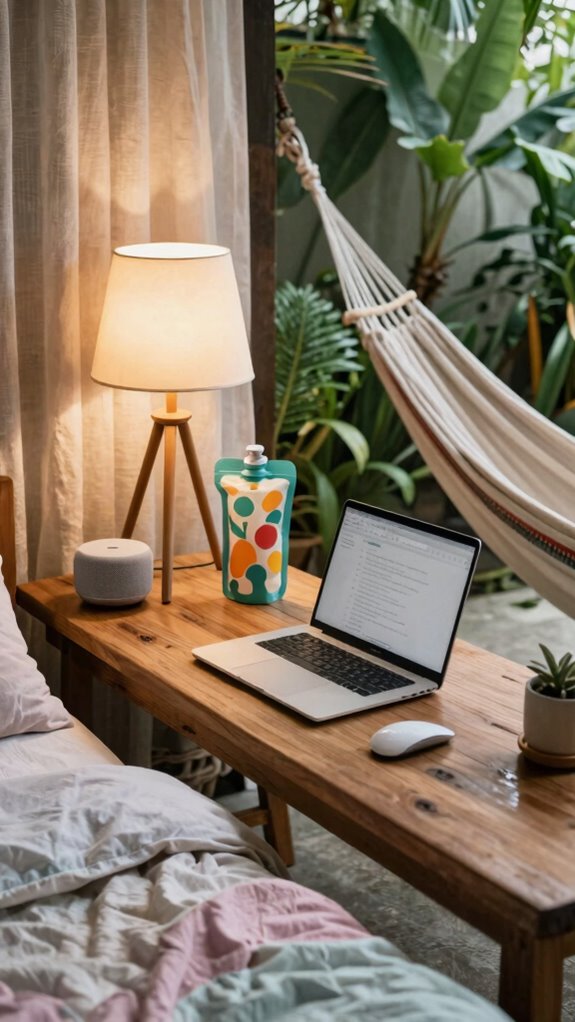
Building a sleep-friendly environment isn’t just about flicking off your laptop; it’s about transforming your space into a sleep sanctuary that screams “rest,” not “deadline.” Keep in mind those late nights in the office, staring at flickering fluorescent lights while your brain’s fired up? Yeah, not exactly dreamland. So, how do you fix that?
- Set a cozy temperature like Bali’s perfect 18–20°C — no more sweaty nights or shivering in your hammock.
- Use smart lighting — warm LED bulbs before bed signal your brain it’s time to wind down, kinda like your favorite sunset in virtual form.
- Ditch work stuff from your sleep space, because “bedroom” shouldn’t double as “conference call central.” Power move, right?
- Consider choosing durable and reliable sleep accessories, like top squeeze water bags, to ensure your nighttime routine remains uninterrupted and refreshing.
Using A Sleep Tracking Ring
If you’ve ever sat in a cramped, fluorescent-lit cubicle while your brain politely begged you for a nap, you’ll appreciate how a sleep tracking ring can flip the script. As a Bali-based IT whiz, I’ve seen it transform the game. These rings track HRV, body temp, and movement, giving you raw data on your sleep health—think of it as your personal sleep spy. Additionally, understanding your sleep patterns can help identify the Cloffice trend that’s reshaping both work and home environments. Using this data, you can gain insights into sleep quality and how well your body is restoring itself during rest.
Curious about why mornings feel like you’ve been hit by a truck? The ring’s perspective tell you if stress, late-night screen time, or poor habits tanked your reset.
Want to optimize? Sync the data with smart lighting, adjust your nightly routines, or even dial down caffeine. It’s like outsourcing your sleep analysis—minus the snooze button.
Time to flex some bio-hacking power, right?
Buy Blackout Sleep Masks
Nobody wants to lie in bed staring at the ceiling, counting sheep, while the curtains do their best to block out the crazy bright sun outside—yet, somehow, many remote workers still leave the lights on or crack the curtains wide open for ‘natural vibes.’ That’s where blackout sleep masks come in clutch.
As an IT pro thriving in Bali’s co-working scene, I can tell you: don’t underestimate the power of total darkness.
Here’s your game changer:
- Sleep quality skyrockets—no more waking up at the crack of dawn from a stray sunbeam. Using blackout sleep masks ensures that your sleep environment is optimized for rest.
- Focus reset—your brain stays in sleep mode, not distracted by rogue light signals.
- Energy levels—crushing those 3 pm slumps like a boss.
Toss on a blackout mask and reclaim your power. Bright sun? Nah. Sleep mastery? Absolutely. screen glare filters can also help reduce eye strain during long working hours.
Dedicated Home Office Setup
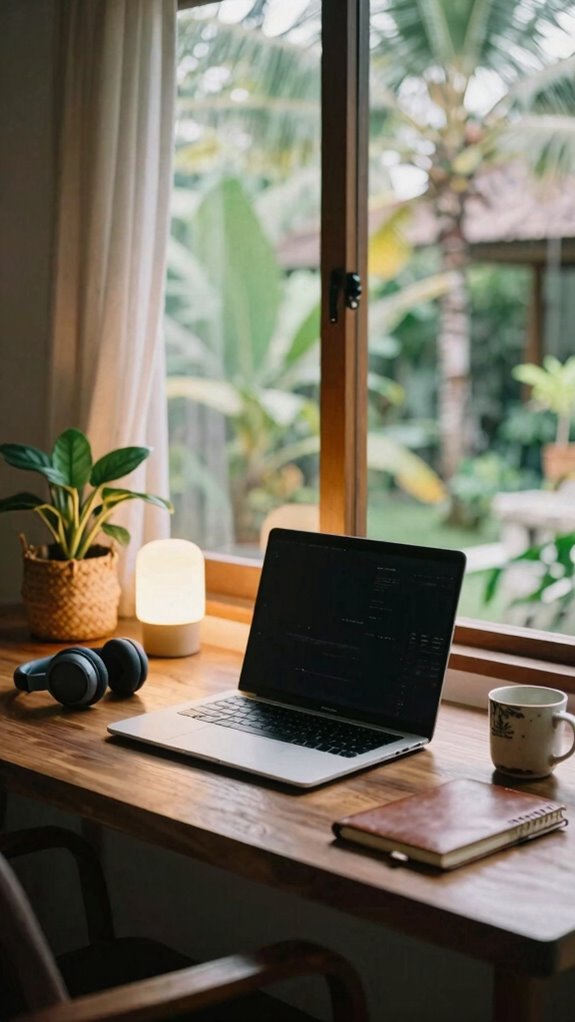
When you’re stuck in a crappy, noisy cubicle day in and day out, the idea of a dedicated home office setup sounds like a luxury—except, honestly, it’s a straight-up necessity now. Do you recall those fluorescent-lit hellscapes? Yeah, let’s forget that quick.
Own your space with a sleek, power-focused setup. Think noise-canceling tech like active headphones, smart lighting to shift from work to chill, and a sturdy, ergonomic desk. Use adjustable lighting with smart bulbs, a second monitor for serious multitasking, and a comfy chair that screams, “I own this.” Incorporating a studio kit can help you optimize your audio and visual environment, ensuring professional-quality video calls and recordings.
Upgrade your workspace with noise-canceling headphones, smart lighting, a sturdy desk, and an ergonomic chair—own your environment confidently.
Keep your gear organized with tech pouches, and don’t forget blackout curtains—seriously, a game changer. Your workspace should scream productivity, not stress. Understanding the Kinetic Kit can enhance your setup with mobility-focused accessories that keep your gear protected and easily portable.
Why settle for less when you can command your environment? The future belongs to the workspace wizard.
Adjusting Screen Brightness Nightly
Ever wondered why your eyes feel like they’ve survived a rodeo after a long night of screen bingeing? As a Bali-based IT nerd, trust me, adjusting your screen brightness nightly is a game-changer. Here’s the scoop:
- Lower Brightness Before Bed: Dial it down 30–50%, mimicking sunset vibes—your melatonin will thank you.
- Use Blue-Light Filters or Glasses: These block those sneaky rays messing with your sleep, making your eyes less tired and brain less wired.
- Automate Brightness Shifts: Set up smart lighting or a blue-light app to reduce glare automatically—because “manual” is for amateurs.
- Optimize Your Workspace for Less Reflection: Reducing screen glare and reflections, which can cause your eyes to strain more when trying to see clearly, also helps lessen overall eye fatigue.
Forget the old office glare—your eyes crave control. Power up your sleep game, and don’t be that guy groggy at 2 PM.
FAQ
How Can I Personalize My Sleep Routine Based on Ring Data Insights?
You can personalize your sleep routine by analyzing your ring’s HRV and body temp data—spot the stress spikes and adjust your wind-down.
Want deeper rest? If low HRV signals stress, cut late-night emails, swap blinds for warm lighting, and hit the yoga mat.
Sync your ring to smart lighting, follow a strict shutdown, and watch your sleep quality soar—leave Office Drone routines in the dust.
Ready to upgrade?
What Are the Best Ways to Reduce Blue-Light Exposure Before Bed?
You wanna crush blue-light before bed? Easy. Slap on blue-light blocking glasses—yeah, those trendy specs your old boss cringed at in meetings. Tackle screens 60 minutes before sleep with physical books or journals—because, shocker, paper doesn’t emit blue glow.
Switch your smart lighting to warm hues—Philips Hue’s a game-changer—and avoid those “blue bomb” screens like your tech makes you age faster.
Basically, protect your melatonin, boss up your sleep, and leave the cubicle behind.
How Does Stress From Work Impact Sleep Quality According to Tracking Data?
Work stress is like a thunderstorm wrecking your sleep. Data from your sleep ring shows that high stress drops your HRV — aka your body’s calm signal — by 30%.
That chaos makes it harder to fall asleep, stick to deep sleep, and refresh. Want to fix this?
Set clear boundaries, use your journaling app to vent, and upgrade your setup with sound machines and warm lighting.
Stop being that burnt-out “office zombie.”
Can Sleep Tracking Rings Detect Early Signs of Sleep Disorders?
Yeah, sleep rings can spot the early signs of sleep disorders. They track HRV, body temp, movement, and respiration—think of it as your personal sleep detective.
If your HRV dips or body temp spikes consistently, it’s signaling potential issues like sleep apnea or insomnia. Just like upgrading from Office 365 to Azure, you gotta monitor your health’s backend before stuff crashes.
Use the data—your secret weapon—to confront sleep chaos head-on and stay powerful.
What Environmental Adjustments Most Positively Influence Sleep Quality in Remote Work?
You want sleep that powers you up like the Bali sunrise? Adjust your environment: dim warm lights an hour before bed—light bulbs with smart zones make it effortless, like flipping a switch.
Keep your workspace separate from your bedroom—leaving the desk behind daily is essential.
Use blackout curtains and temperature-controlled bedding—think of these as your sleep fortress.
Keep in mind, a good sleep setup isn’t just comfort, it’s your secret weapon.
References
- https://www.franciscanhealth.org/community/blog/better-sleep-working-at-home
- https://www.sleepfoundation.org/sleep-hygiene/remote-work-and-sleep
- https://pmc.ncbi.nlm.nih.gov/articles/PMC10196619/
- https://www.nivati.com/blog/10-ways-to-get-better-sleep-as-a-remote-hr-leader
- https://www.sleepforhealth.org/good-sleep-tips-for-working-remotely/
- https://nyxo.app/sleep/sleep-tips-for-remote-workers
- https://www.youtube.com/watch?v=UMAOrD1iBa8
- https://www.lalotusfestival.org/four-years-of-data-show-remote-work-boosts-sleep/
- https://www.pieratts.com/blog/remote-work-and-sleep
- https://amerisleep.com/blog/how-to-get-better-sleep-while-working-remotely/