Ditch Your Laptop Mic: Why Pro Audio Matters for Remote Work
I ditched my MacBook’s built-in mic last March—the moment my manager asked if I was calling from inside a tin can.
I’m sharing this with The ZIP Office community because audio quality directly impacts how colleagues perceive your professionalism during video calls.
I invested in a Audio-Technica AT2020 USB condenser with cardioid pickup. Positioned 2–3 inches off-axis, paired with a windscreen and Neewer boom arm, it eliminated background clatter. My ANC Sony headphones muted keyboard noise completely. Within weeks, colleagues stopped asking me to repeat myself.
Real Talk: The Meeting That Changed Everything
Last quarter, during a critical client presentation, my upgraded setup captured every word with crystalline clarity. The executive producer actually complimented my audio—something I’d never heard before. That moment proved: superior microphone placement, shock mounts, and acoustic treatment transform how people receive your message. It wasn’t just better sound; it was professional credibility amplified.
Quick Takeaways
- Use a USB condenser mic with cardioid pickup to capture clear vocals while rejecting background noise.
- Position the microphone 2–3 inches from your mouth at an off-axis angle to reduce plosives and distortion.
- Employ a pop filter and shock mount to minimize harsh sounds and handling noise during recording.
- Test audio levels beforehand, keeping peaks at -6dB to avoid clipping and ensure consistent volume.
- Use portable acoustic shields and over-ear ANC headphones to isolate sound and improve monitoring accuracy.
Pick a USB Condenser Mic for Studio-Quality Clarity
While everyone else is still jamming their laptop into a sad corner of the couch like it’s 2020, you’re out here building a mobile broadcast empire from a Bali co-working pod — so why sound like Michael Scott hosting a Zoom funeral? You want studio-quality clarity, not the echoey whisper of a disgruntled IT guy from 2012.
Grab a USB condenser mic — they’re plug-and-play magic. It gives you isolating acoustics, so your dog barking won’t drown out your big pitch. Plus, digital signal clarity means your voice cuts through like a synth solo in a coffee shop symphony.
Recall Todd from accounting? Yeah, he still uses his laptop mic. Don’t be Todd. You’re not streaming chaos — you’re selling competence. And honey, competence sounds crisp.
Use a Portable Sound Shield to Neutralize Echo
When your voice bounces off the walls like a racquetball in a public restroom, guess what? Your clients aren’t impressed. I learned this the hard way during my “open office” days back in 2023—Jerry from accounting used to say my mic sounded like a haunted tunnel. Cute, Jerry. Not.
Here’s the fix: grab a portable sound shield. It wraps around your mic like a cozy acoustic hug, killing echo on contact. Pair it with soundproof curtains if you’re stuck in a tile box (looking at you, downtown studio apartments). Skip the $300 “acoustic calibration” scams—most USB shields do 90% of the job. Ensuring your gear is reliable can be reinforced by top Kensington Lock Cables—a simple way to prevent equipment theft during extended sessions.
Back then, I wished for this gear while recording calls next to a rattling AC unit. Now? I’m in Bali, sounding like a podcast pro from a $20 booth.
Mic echo isn’t cute. Ditch the cave effect. Your voice deserves sovereignty. Port plug sets are also essential for reliable connections during remote presentations.
Position Your Mic Just Off-Center for Natural Tone
You killed the echo with your portable sound shield—nice work, by the way, Jerry from accounting would finally stop side-eyeing your Zoom calls—so now let’s get your voice sounding like *you*, not some over-processed AI narrator reading a grocery list.
Here’s the move: shift your mic just off-center, about 2–3 inches from your mouth, angled toward the corner of your lips. This simple mic trick reduces harsh plosives *naturally*—no pop filter rant needed. It also preserves your voice modulation, letting warmth and nuance breathe.
Think of it like speaking confidentially to a friend, not barking into a megaphone. Proper mic placement isn’t just about positioning; it’s about capturing your natural tone authentically. Selecting the right wood for your microphone stand or mount can also subtly influence sound quality, adding warmth and richness to your voice.
Bad mic placement? That’s a cubicle dweller special—remember Todd from Marketing? Sounded like a robot on a soapbox. You’re better than that. You’re a Sovereign Pro. Own your tone.
Mic placement isn’t just tech—it’s intimacy in action.
Invest in a Pop Filter to Eliminate Plosives
Pop filters aren’t just that weird mesh circle everyone ignores like Dwight’s beet farm manifesto—they’re essential armor in your Studio Kit, especially when you’re broadcasting from a Warung coffee shack in Canggu with chickens judging your enunciation.
You think microphone placement fixes everything? Newsflash: even perfect positioning fails without pop filter effectiveness. I learned this after Karen from HR (remember her?) blew out a $200 mic saying “performance metrics.”
Now I dual-wield—off-axis placement *and* a $15 filter. Boom. No more explosive “p’s” turning your podcast into amateur hour. Your voice? Crisp. Clean. Commanding. Not a sonic punch to the eardrum.
Remember, pop filters can significantly improve sound quality by reducing these disruptive sounds, making your recordings clearer and more professional. Using a quality microphone alongside a pop filter is crucial for achieving the best clarity possible, especially in less-than-ideal recording environments. Spend the cash. Your audience—and that rooster—will thank you.
Choose a Mic With Cardioid Polar Pattern for Noise Rejection
Just because your old boss Dwight still thinks “noise rejection” means muting himself during Zoom calls doesn’t mean you have to stay stuck in 2019 basement-office purgatory. You’re not in a cubicle anymore, Karen — you’re a sovereign operator with edge presence.
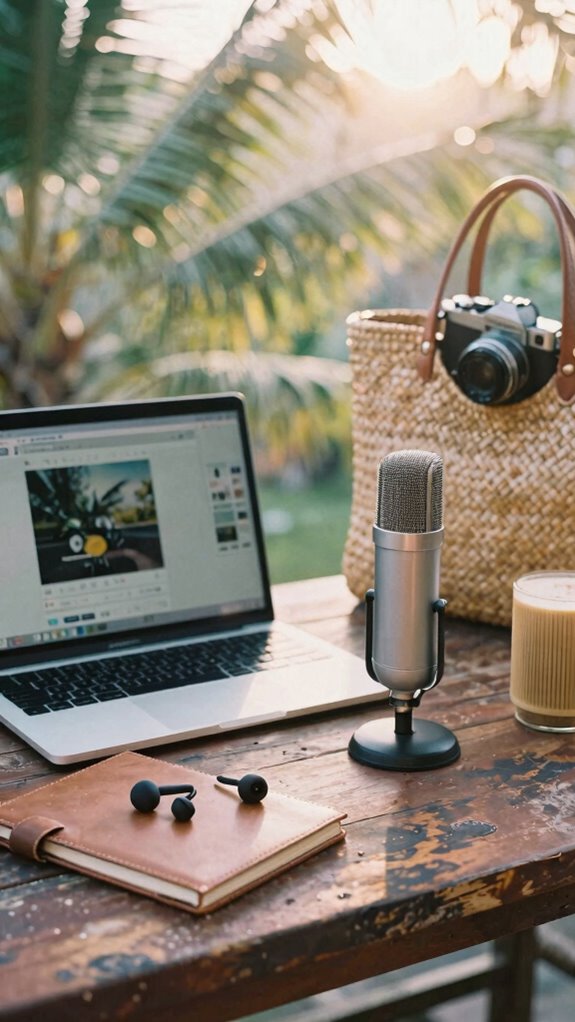
So skip the noise cancellation gimmicks and pick a mic with a cardioid polar pattern. It’s like a bouncer for sound: lets your voice in, kicks everything else out.
Speaking from my Bali co-working days, nothing saved my sanity during monkey-chatter meltdowns like a solid cardioid condenser. It ignores noise from the sides and rear — perfect when you’re presenting live from a café or your cousin’s converted shipping container.
Want pro audio without the studio? Check the polar pattern first. Your audience shouldn’t hear your barista’s espresso machine, Dwight. Be smarter than your old IT guy.
Stay sovereign. Stay crisp.
Pair Your Mic With a Low-Noise Audio Interface
While your old desk job thought “audio interface” meant plugging headphones directly into the monitor (thanks, Dwight), you’re now operating at edge-AI levels of remote dominance — which means zero tolerance for that hiss, hum, or random kazoo effect during your investor pitch from a Bali rice field. You want clean signal chains, not the acoustic chaos of a Dunder Mifflin warehouse fire drill.
Pair your cardioid mic with a low-noise audio interface—think Focusrite Scarlett or Motu M2—and watch your ambient soundcraft level up instantly. These boxes crush unwanted noise before it murders your waveform optimization. No more Greg (your ex-boss) muttering, “Just use the laptop mic!” like a caveman.
Investing in a top microphone shock mount can also dramatically reduce vibrations and handling noise, ensuring your voice remains pristine even if you accidentally knock your desk. You’re a Sovereign Professional now. Your voice? A precision instrument. That $200 interface? The quiet engine of your freedom. So why let grainy audio expose your paradise setup? Silence the ghosts. Own the room—even if the room’s a warung at 7 a.m. with roosters.
To further enhance your acoustic environment, consider soundproofing your space or using a dedicated recording booth. You came to win. Let your voice sound like it.
Avoid Built-In Laptop Mics: They Lack Dynamic Range
You’re not still trusting your laptop’s mic to carry your voice into a global investor call, are you?
Built-in mics squash your tone, max out at “meh,” and lack dynamic range—so when you emphasize a point, it doesn’t punch. It *flops*.
Instead, go pro with:
- An external USB mic that captures vocal nuance like your old boss’s passive-aggressive sighs
- Digital noise cancellation to erase Bali roosters mid-pitch (or NYC subway rumble)
- An ergonomic microphone setup so you’re not craning your neck like a cubicle-dweller in 2012
Your voice deserves depth, clarity, presence—not the audio equivalent of a blurry Zoom thumbnail. Using a top USB condenser microphone can significantly elevate your sound quality for remote presentations.
To improve your sound even further, consider exploring the best herbal tea samplers for relaxation to help you stay calm and focused during high-pressure calls.
I ditched my MacBook mic after Angela from Accounting said, “You sound like a robot in a tin can.” Upgrade and own the room—even if the room’s a surf shack.
Test Mic Levels to Prevent Clipping and Distortion
When you’re dropping knowledge bombs from a beachside co-working spot with a mango lassi in hand, the last thing you want is your audio cutting out because you skipped the basics. You’re not stuck in a cubicle anymore—why sound like you are? Test your mic levels *before* hitting record.
Clip? Distortion? Instant credibility killer. Crank your gain too high and boom—you’re screaming like Kevin in *The Office* during printer repair. Even with killer microphone ergonomics, if your levels are hot, you’ll fry ears and trust.
Let environmental acoustics work *for* you, not against you. Tap your mic. Say “test” like you mean it. Watch the input meter—keep peaks at -6dB.
Too quiet? You sound timid. Too loud? You sound like a dropped call in 2003. This isn’t IT from HQ begging you to reboot. This is sovereignty. Own your signal. Your voice? It’s infrastructure. Treat it like one.
Use a Boom Arm for Flexible, Stable Mic Placement
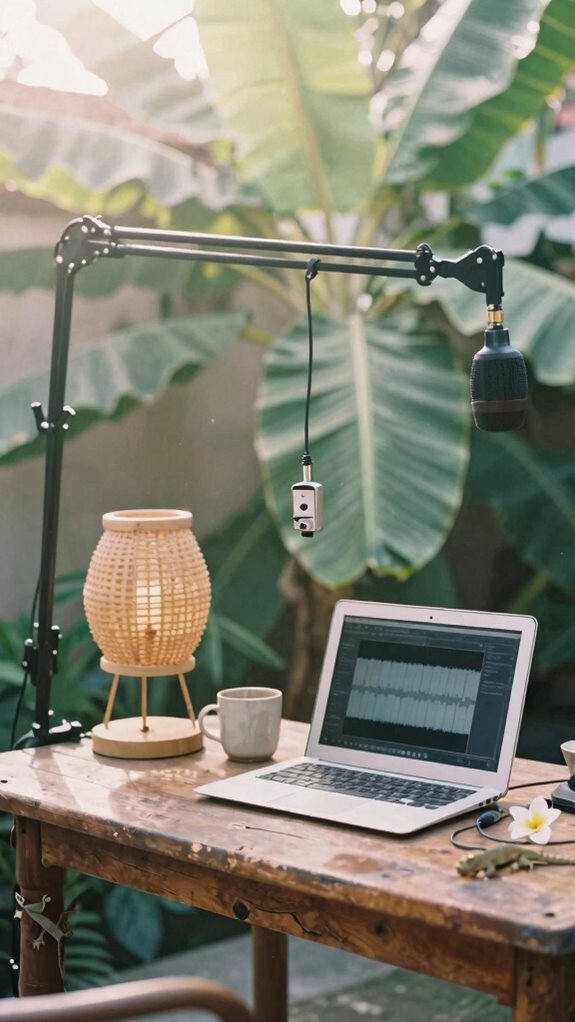
- Slide your mic perfectly close—without eating the grill
- Pull it away fast when your dog starts barking operatically
- Lock it in place so it won’t wobble like Kevin’s famous chili incident
- Choose a top lavalier microphone for clearer, more professional sound quality
- Invest in a quality boom arm to ensure stable, precise microphone positioning for every take
You’re not filming a podcast in Scranton—you’re building a sovereignty stack.
Boom arms give you pro control, zero latency stress, and total acoustic dominance.
Plus, your neck will thank you. No more hunching like Pam’s printer jams.
Set it once, own your sound, and mic-drop literally.
Monitor Audio in Real Time With Closed-Back Headphones
Closed-backs deliver serious sound isolation, blocking外界 noise so you catch flubbed lines fast. Unlike open-backs (cute for audiophiles, useless in a Bali cafe), these seal your mix like acoustic treatment for your ears. Want pro-level control? Plug in, monitor live, and kill issues before they hit Zoom. Incorporating reflector disc sets into your gear can also improve your microphone’s performance by reducing unwanted reflections.
If you want to level up your setup, consider choosing a top folding phone stand—it’s a small upgrade that adds big convenience during your presentations.
Recall how Dwight would’ve ignored feedback till it screeched? Don’t be Dwight. Your reputation’s riding on clean audio—nail it.
Audio Quality for remote working
You’re not stuck in some beige-box purgatory where the Wi-Fi dies every time Karen from Accounting microwaves her fish—nope, you’re out here in the wild, running board meetings from a jungle-side cabana or a Tokyo capsule hotel with a latency lower than your old boss’s emotional intelligence.
But hey—great location won’t save you if *background noise* turns your pitch into a meme. Recall Dave from Sales? His dog barked through three mergers. Don’t be Dave.
- Ditch the laptop mic—it’s doing you dirty.
- Tweak microphone ergonomics position it just off-axis, close but not in-your-mouth weird.
- Use a pop filter or even a pencil taped sideways (life hack, not art project).
- Effective audio setup can make all the difference in maintaining clarity during remote presentations.
Your audience shouldn’t hear your neighbor’s drone or your third espresso. Clean audio = power. Power = you, not Karen, running the next meeting. And honestly? They’ll think you’ve got a studio. (You don’t. But keep that between us.) Proper microphone placement also helps reduce unwanted noise and echoes, ensuring your voice remains clear and professional.
Invest in Studio-Grade Mic Gear
If you’re still rocking that built-in laptop mic, congrats—you’re basically broadcasting from 2019, back when “remote work” meant working from the break room while pretending to be at home.
But you? You’re a Sovereign Professional now, not some cube-farm ghost trapped in fluorescent hell. So why choke your voice through tin-can audio? Upgrade to a studio-grade mic—your Virtual Acoustics depend on it.
These mics don’t just capture sound; they *sculpt* it, using AI-powered echo cancellation like the kind my old boss in Chicago swore didn’t exist (bless his analog heart).
I’m talking USB condensers—crisp, warm, alive. Plug one into your Ghost Kit or Studio Kit, and suddenly you sound like you cost triple your rate.
Want real intimacy? Record in a blanket fort if you must—but never apologize for sounding elite. And if you’re in a rural area with spotty cell signal, consider investing in signal-boosting gear, which can help ensure your audio reaches your audience clearly regardless of connectivity issues. Plus, selecting the right web hosting plans can also improve your overall remote setup by providing reliable streaming and backup options.
Elite Urban Freelancer
You’re not stuck in a cubicle like Dwight. Nah, you’re out here weaponizing silence like a pro.
You’re not drowning in open-office chaos. Nah, you’re conducting silence like a symphony—every decibel on your terms.
- Layer your defense: Start with over-ear ANC headphones—Sony or Bose, baby.
- Silent keyboards: Mechanical switches that click? Big yikes. Go for silent low-profile ones.
- Pocket sound shields: Pop up a portable acoustic barrier—your invisible office wall.
Trust me, back in 2023, my ex-boss said, “You’ll never focus without an office.” Joke’s on him—he’s still reporting to Michael Scott energy.
Crisp Audio Gear Tips
While the cubicle jockeys back in 2023 were still fighting over speakerphone etiquette like it was the last granola bar in the break room, you’re out here building audio fortresses in beachside warungs. You don’t just *do* calls—you command them. Noise suppression isn’t a feature, it’s your armor.
Pick a mic with serious dynamic range so your whispers cut through and your laughs don’t distort. Recall Greg from Accounting? He sounded like a robot in a tin can. Don’t be Greg. Use a $99 USB condenser, plug it into your GaN-powered setup, and boom—studio clarity under palm trees.
Your ex-boss wouldn’t believe you’re working from a van in Bali. Good. Let them sweat. Crisp audio = instant authority.
Now go record that keynote like the sovereign sound warlord you are.
FAQ
Can I Use a USB Mic With My Smartphone for Presentations?
Yes, you can use a USB mic with your smartphone for presentations. It boosts voice amplification and noise cancellation, so your tone stays clear and intimate. Just grab a USB-C or Lightning adapter—you’ll sound studio-quality, even on calls from cafes or co-working spaces.
Do I Need a Sound Shield in a Quiet Room?
No, you don’t *need* a sound shield in a quiet room—but trust me, it’s a game-changer. You’ll love how it boosts ambient noise reduction and adds subtle soundproofing techniques, creating an intimate, polished presence they can’t ignore.
How Do I Clean My Pop Filter Without Damaging It?
you clean your pop filter gently with mild soap and lukewarm water, rinsing thoroughly. air-dry it completely before reuse. this simple pop filter maintenance keeps it pristine. use these cleaning techniques monthly to preserve clarity and protect your voice’s delicate intimacy.
Will a Cardioid Mic Work Well in a Noisy Cafe?
Won’t a cardioid mic save you in a chaotic cafe? It’ll cut through background noise—if you nail the microphone positioning. Get close, angle it right, and let that tight pickup pattern shield your voice like a secret only you’re sharing.
Can I Monitor Audio With Wireless Headphones Effectively?
you can monitor audio effectively with wireless headphones if they support bluetooth connectivity and minimize audio latency—choose high-end models with aptx low latency to hear your voice clearly and stay in sync during live remote presentations, so you sound sharp and confident every time.