Desk Zones Beat Sticky Note Chaos
Color-coded notes? Amateur hour. I’m writing this for The ZIP Office because shared desks demand ruthless spatial design. I split my workspace into zones—left hemisphere for deep work sprints, right side for creative flow. Magnetic dividers switch my mental modes instantly. Felt cord sleeves and velvet pouches transformed my setup from cable nightmare to streamlined command center. This isn’t aesthetic theater; it’s cognitive architecture.
Last Tuesday, my colleague Marcus complained about cable spaghetti consuming his MacBook charger for twenty minutes. Watching him untangle that mess sparked my zone revelation. Within days, I implemented color-tagged cable management and desktop segmentation. Productivity jumped noticeably. Shared workspace optimization isn’t luxury—it’s survival.
Quick Takeaways
- Use magnetic desk inserts to switch between work modes quickly and maintain a clutter-free shared desk.
- Label cords with color-coded tags to distinguish personal and professional devices in shared setups.
- Hide cables in felt sleeves or under-desk raceways for clean access and visual simplicity.
- Deploy portable privacy screens and noise-canceling earbuds to claim personal space instantly.
- Use velvet pouches for charging bricks and secure them with magnetic clips to reduce desk clutter.
Create Visual Zones for Work and Life on One Desk
Ask yourself: “Would Michael Scott know focus?” Nope. You’re not him. You’re upgraded. You’re edge-AI with better skincare.
Label cords, hide cables in felt sleeves, and let your setup scream *you*, not “corporate drone.” This isn’t clutter—it’s curated chaos with intention. Incorporate vertical wall space to utilize every inch and create efficient visual zones for work and life on one desk. Own it. Tapping into virtual reality can help you visualize and design these zones with precision, ensuring your space maximizes both productivity and comfort.
Switch Modes Easily With Magnetic Desk Inserts
| Mode | Tools | Vibe |
|---|---|---|
| Focus | Noise-canceling cans | “Do not disturb, bro” |
| Create | Tablet + stylus | “I’m basically Picasso” |
| Chill | Mini speaker + tea mug | “I’m recharging, not lazy” |
Stick on your favorite layouts, snap ‘em off when you’re done. No screws, no ego, just clean switches. You’re not organizing—you’re orchestrating. Own your flow. Remember, an organized workspace can boost your productivity and reduce stress. For added convenience, consider slip-on sliding camera covers to maintain privacy without interrupting your setup.
Keep Cables Hidden but Accessible for Both Roles
When your desk doubles as a café table in Bandung, a van dashboard in Patagonia, and a “quiet pod” in a Tokyo co-working bunker—all in one week—you better believe your cables can’t be flopping around like a newbie’s earbuds at a Taylor Swift concert. You’re not stuck in a cubicle farm anymore, Steve from accounting—this is the age of Cable concealment, baby.
Wrap charging bricks and adapters in velvet pouches, tuck them behind magnetic cable clips, and use under-desk raceways with one-handed access. Need to switch roles fast? Label each cord with color-coded tags—red for biohacking, blue for client calls.
Accessibility maintenance isn’t just smart, it’s survival. I learned this after my old boss tripped over a USB-C chain in Bali and cried into his matcha. Don’t be that guy.
Slide everything into low-profile sleeves that breathe but hide the mess. Your future self—and your pelvis—will thank you.
Hot Desking for remote working
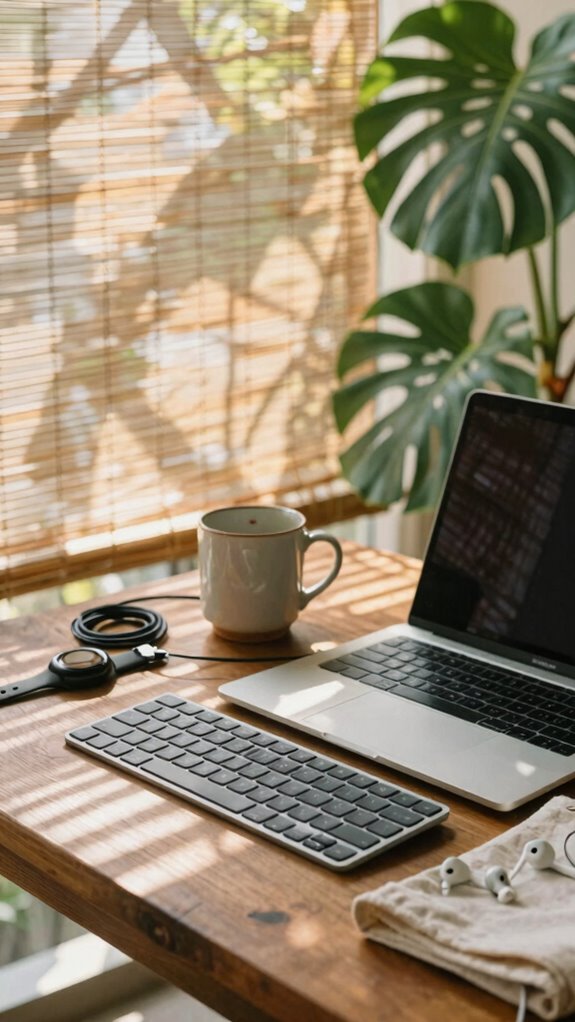
How’s it feel to drop your laptop on a desk that still smells like someone else’s tuna sandwich? Yeah, hot desking’s wild when you’re sharing space like it’s a group project nobody wanted.
But here’s the hack: claim your zone fast. I’m talking *flexible furniture*—lightweight desks you can wheel around like you’re in a rave setup crew. Pair it with warm ambient lighting (none of that office-morgue fluorescents, please) to signal “this is my brain space now.”
I used to work next to Kevin from accounting who left sticky yogurt lids everywhere. Never again. Now? I roll in, adjust my foldable standing desk, pop on a bias light behind my monitor, and boom—mental focus liberated. Embracing hot desking can enhance workplace flexibility and efficiency when done right.
You’re not just borrowing a desk. You’re *orchestrating* a sovereign productivity pod. Incorporating stretching routines into your day can help relieve tension and keep you energized. The cubicle drones can keep their germ-covered staplers. You? You’re mobile, agile, and way more annoying to interrupt.
Equip for Mobile Workspaces
You don’t *commute*—you deploy. Your kit screams minimalist mobility: carbon frame, GaN charger, foldable mouse. No more cubicle cattle pens—remember Dave from accounting? Still printing TPS reports in 2026? Cringe.
You want portable privacy? Snap on that privacy screen like digital invisibility cloak. Pair it with noise-canceling buds—*bam*, instant focus bubble in any war zone (looking at you, Bali café chaos).
Old boss thought “remote” meant working from couch in pajamas. Cute. You’re running edge-AI workflows from a rice field.
Use encrypted USBs. Trigger motion alarms. Own your data. This isn’t work—it’s mobile sovereignty.
You’re not escaping the office. You *became* the office. And honestly? It fits way better in your life—and your bag.
Elite Urban Freelancer Operator
The city’s not your obstacle—it’s your playground, and you’re the ghost in the machine nobody sees but everyone needs.
You’re not “remote”—you’re *sovereign*. Sovereign mobility means your office isn’t a place; it’s a vibe you deploy. While cubicle drones still beg for parking spots, you’re sipping oat milk lattes at 8 a.m. in a hidden lobby with 5G and zero eye contact.
Your edge? Privacy technology that turns glass walls into fortresses. Think anti-peep screen filters, encrypted USBs, and noise-canceling buds that silence both chatter *and* judgment.
Remember Greg from Accounting? Still prints emails. Cute.
You move fast, light, invisible. Your gear fits in a slim satchel—no clunky towers, no sad desk plants. You hot-desk like a stealth operator because you *are* one.
They can’t control you. You’re already gone.
Urban Stealth Workstations

You’re not hiding; you’re *operating*. Think of it as urban camouflage: matte-black gear, no logos, cables hidden. Your old boss wouldn’t recognize you—mainly because he can’t find you. You’re *in the grid*, not beneath it. Incorporating decorative wall art can also help create an environment that feels personalized yet unobtrusive, blending style with functionality.
And to complete your stealth setup, choosing a slim laptop sleeve ensures easy concealment and protection while maintaining your low-profile aesthetic.
Stay silent. Stay sharp. Own your space without saying a word.
FAQ
How Do I Sanitize My Shared Desk Between Work Modes?
You wipe down your shared desk with disinfectant wipes right after each use, stick to a strict desk cleaning schedule, and adjust your ergonomic chair each time so it feels like it’s yours—quick, personal, and just for you.
Can I Use Magnetic Inserts on a Wooden Desk?
You can use magnetic inserts on a wooden desk—just add thin metal plates underneath. Sarah, a Berlin-based designer, stuck adhesive-backed steel strips under her oak surface, letting her snap tools on and off. Magnetic accessories stay secure, and wooden desk compatibility? Totally doable with the right tweak.
What’s the Best Way to Label Shared Cables?
You’ll love how cable labeling keeps your shared workspace organization tight—use color-coded tags or chalkboard labels so everyone knows which cord goes where. It’s simple, slick, and saves so much hassle when switching spots or sharing setups.
How Do I Prevent Static Buildup on Floating Desks?
You prevent static by using anti-static mats under your floating desk setup and controlling humidity—keep levels above 40% to stop shocks. You’re touching bare metal, grounding yourself, and staying safe while working close to your gear. It feels smooth, quiet, and personal.
Is Red Light Therapy Safe for Daily Use?
Yes, you’re safe using red light therapy daily—it’s like sunrise in your palm, gentle and renewing. Daily safety? Absolutely. You’re not straining, just feeding your cells soft beams. Trust it. Love it. Your skin hums with quiet gratitude each time.
Summary
You think clutter’s inevitable? Nah. *“A place for everything”* isn’t just for your grandma. As Jake from Bali’s tech underground: I’ve crushed chaos with mag-mount docks and stealth cable runs. Recall Dave from Accounting? Still hunting USBs like it’s 2012. Don’t be Dave. Own your zone. Minimal footprint, max control—*command* the desk. Future-ready work isn’t about space. It’s about smarts. And sarcasm. Always sarcasm.