Remote Recording Setup: My Geographic Arbitrage Reality Check
I ditched my cubicle for Chiang Mai last March. Recording quality tanked immediately.
I’m writing this for The ZIP Office because remote audio production demands infrastructure, not Instagram aesthetics. Dynamic microphones and portable solar panels became non-negotiable after losing footage during a monsoon. Noise-canceling headphones? Essential. Cloud redundancy through Dropbox and Google Drive saved my freelance income when my laptop crashed at a co-working space in Thailand.
Last month, my seven-year-old watched me panic over a corrupted backup file. He asked why I “didn’t just save it twice like his school does.” Kids understand healing infrastructure better than most remote workers. That moment reminded me: portable studios aren’t about location independence—they’re about reliability.
Quick Takeaways
- Use dynamic microphones and acoustic treatments to reduce ambient noise and improve sound clarity outdoors or in noisy environments.
- Prioritize lightweight, portable gear with battery backups for extended sessions in remote locations.
- Optimize wireless setups with mesh Wi-Fi and portable hotspots to ensure reliable signal stability.
- Employ portable lighting and cloud-based editing tools for high-quality visuals and efficient post-production onsite.
- Secure equipment with weather-resistant cases and locks to prevent damage and theft during mobile recording adventures.
How to Choose the Best Portable Recording Gear for Mobile Studios
Ever tried recording a podcast or capturing that perfect gig in a noisy, unpredictable outdoor spot? Yeah, I’ve been there—Bali’s cafes are basically an acoustic nightmare. When you choose portable gear, focus on environmental acoustics—how sound interacts with your surroundings—and noise reduction. Like, do you really want to be that person constantly yelling into your mic to cut through the chaos?
Get a good pair of active noise-canceling headphones—no excuses—and a portable mic with windshields. Consider lightweight, soundproofed cases, too; they’re worth every penny. Keep in mind, your goal isn’t just to record—it’s to create intimacy, even amid the noise.
To further enhance your recordings, understanding how environmental acoustics impact sound quality can make a significant difference.
Don’t settle for junk; old colleagues who’ve tried to save a few bucks know it ruins the vibe faster than a microwave starts smoking.
Selecting Microphones and Interfaces for High-Quality Mobile Audio
When it comes to nailing that crisp, professional-grade mobile audio, you can’t just pick any microphone and expect Broadway-quality sound—trust me, I’ve made that mistake more times than I can count.
Microphone placement totally matters. Get too close or too far, and your voice sounds wonky or distant. Then there’s audio calibration—fiddle with levels, levels, levels, until you’re sure it’s not clipping or echoing like a conference call gone wrong.
Here’s what I’d recommend:
- Choose dynamic mics for noisy environments
- Use a portable interface with clean preamps
- Always test mic placement before going live
- Keep your gain levels balanced
- Invest in a little foam windscreen for clarity
Remember: your voice deserves a studio sound, not a Zoom nightmare. Discover the advantages of using standing desks to boost your productivity and comfort during long recording sessions.
How to Optimize Acoustics and Cut Noise in Any Environment
If you’ve ever tried recording from a Bali café—dogs barking, scooters revving, and that guy munching loudly next to you—you know noise pollution’s a beast. Soundproofing techniques are your best friends here.
Think portable acoustic treatment: foam panels, even DIY solutions like thick blankets or clothes hung around your setup.
Use DIY options like blankets or clothes to absorb sound and improve your recording quality anywhere.
Use passive noise barriers—cloth screens or foam baffles—to absorb unwanted sounds and prevent echo.
When hungry for clarity, consider a portable reflection filter for your mic.
Plug in noise-canceling headphones, too—seriously, they’re the MVP in noisy spots.
Keep in mind, you’re creating a private sound bubble; the goal is to block out chaos and craft high-fidelity audio.
No need to rent a studio—just master these tricks and sound like a pro, even in Bali’s wildest cafes.
Power Solutions That Keep Your Recordings Going Longer
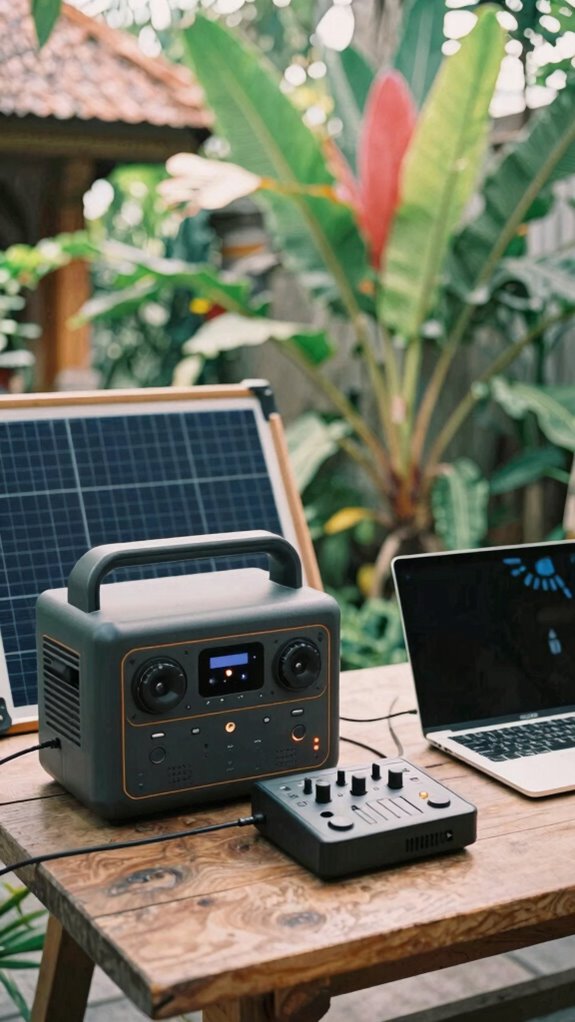
Let’s face it: the worst part of portable remote recording is running out of juice just when your flow is hitting that perfect take. As someone who’s been battling Bali’s unpredictable power grid, I get it. You need power redundancy; don’t rely on one source.
Think portable power stations—big, reliable, and rugged. Or, combine foldable solar panels for energy independence—solar is free, after all. Don’t forget a good inverter to keep your gear stable. Using lifepo4 batteries, which are known for their longevity and safety, can make a significant difference in your setup’s reliability.
Use energy-efficient gadgets—like low-consumption sound interfaces—and never, ever overlook backup batteries. The key is creating a power safety net that’s as agile as your workflow. Portable power stations are especially crucial because they offer a dependable source of energy when traditional power is unreliable.
Trust me: when your setup’s powered up and secure, you can finally tell the cubicle slaves to stay put. Keep your juice flowing, and your creativity won’t miss a beat.
Tips for Securely Managing and Backing Up Your Files on the Go
Juggling files on the go can feel like walking a tightrope over Bali’s chaotic power grid—except now, you’ve got the safety net of smart file management. Ever try explaining to your old boss in a cubicle that your latest track isn’t lost forever? Yeah, didn’t think so.
Use cloud synchronization like a boss—sync your recordings in real-time with secure servers. No more sweating over lost files when your portable drive gets clumsy or stolen (which, by the way, is almost poetic karma). Consider choosing compact and sturdy laptop bags designed specifically for bus commutes—these often have padded compartments and weather-resistant material, making sure your equipment stays safe during bumpy rides.
Pair that with data encryption—think of it as your digital invisibility cloak—so no hacker in Manila sneaks a peek. Recall, the goal is to keep your creative gems locked tight, whether you’re high up in a mountain lodge or sprawled in a Bali café.
To further ensure reliable connections, invest in high-quality top port plug sets known for their durability and minimal signal interference—trust me, this is big when you’re trying to avoid recording glitches or disconnections. Keep it safe, keep it seamless.
Setting Up an Ergonomic and Flexible Workspace Anywhere
Ever tried working from a tiny, cluttered Bali co-working space and felt like you’re trying to pilot a spaceship with a broken joystick? Yeah, that’s basically my every day here in 2023.
Workspace chaos making you feel like a pilot with a busted joystick? Tame the clutter, upgrade your setup, and fly smoothly.
Listen, an ergonomic posture isn’t a luxury, it’s survival. First, calibrate your gear—trust me, a misaligned mic or monitor throws off your flow faster than an old boss forgetting your name.
Use adjustable stands—not just for your laptop but your mic and screens. Sit back in a chair that supports your lower back, and don’t forget to stretch, even if it feels awkward mid-recording. Incorporating portable ergonomic solutions can make a significant difference in maintaining comfort across various locations. Additionally, choosing a high-quality USB condenser microphone can greatly improve sound clarity, ensuring your recordings are crisp and professional wherever you are.
Keep a small Bluetooth keyboard handy for quick tweaks.
Basically, treat your setup like a high-performance drone—every part calibrated for smooth flight, no matter where you land. Because, let’s be honest, the only thing worse than bad audio is a sore back.
Using Wireless Connectivity to Collaborate Remotely and Stay Connected
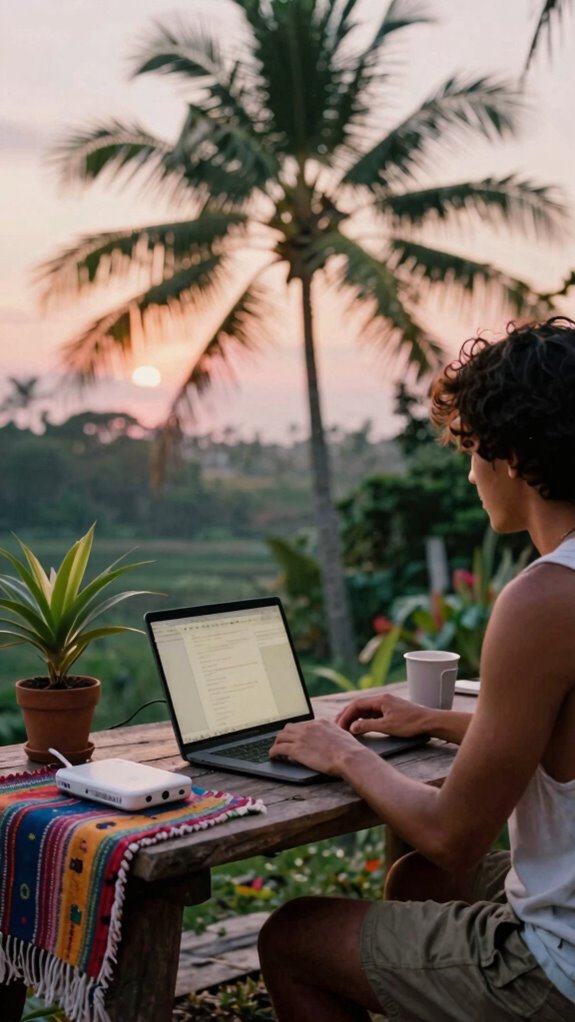
Straight up, if you’re serious about staying connected in Bali’s bustling co-working scene, wireless tech is your best friend—no question. As someone who’s been in the game since 2023, I’ll tell you: wireless synchronization is a game-changer, but watch out for signal interference—that annoying moment when your audio drops just as your client starts talking.
To keep things smooth, invest in a mesh Wi-Fi system that covers every inch of your setup, and choose devices with dual-band options. Use encrypted connections for privacy, and don’t forget boosting signals with portable hotspots. For added comfort during long working hours, consider incorporating a weighted lap blanket—it can help you stay relaxed and focused during intensive sessions.
Recall those rushed dropouts in long meetings? They’re dead to you now. Get proactive, use solid hardware, and sift through the waves—because in Bali or anywhere, good connection is your new office, not some outdated cubicle nightmare.
Overcoming Environmental Challenges in Outdoor and Uncontrolled Spaces
Finding yourself working outside the cozy, predictable walls of a traditional office? Yeah, outdoor recordings can be a nightmare—wind, dogs, street noise—pretty much everything that screams “cut this off!” But don’t sweat it. Master soundproofing techniques like portable panels, windshields, and strategic positioning.
Always keep environmental monitoring tools handy—use apps or sensors to track noise or sudden weather shifts.
- Use reflective surfaces to redirect unwanted sound
- Hang heavy blankets or specialized acoustic blankets for quick fixes
- Position your mic in a dead zone—away from noise sources
- Keep an eye on weather apps, and have backup plans
- Invest in active noise-canceling gear for real-time ambient clutter
Portable Lighting and Video Gear to Create a Professional Look
When you’re out in the wilds of Bali’s bustling co-working scene, trying to look professional on camera can feel like chasing a unicorn—because the lighting’s either flat as a pancake or you’re hiding under a palm trunk, trying not to look like you’ve fought a bear.
That’s where portable lighting and video gear come in. Use ring lights or portable LEDs to boost ambient lighting—yes, even in full sun; it’s all about balancing exposure. Don’t forget color grading—adjust your footage in apps like DaVinci Resolve to add warmth or cool tones, making your look consistent and polished. For smoother editing, employing top-rated AI plugins for spreadsheets can streamline your workflow and save you time.
To ensure smooth transitions and syncing, utilizing top-rated speed bonding software can help achieve seamless edits, giving your content a polished feel. Think of it like Netflix-level editing—only portable. A good setup saves you from looking like a stressed-out intern, whether your background’s a beach or a bustling sidewalk.
Troubleshooting and Testing Your Portable Studio Before Each Recording
Before you hit record, make sure your portable studio’s in tip-top shape—because nothing kills a vibe faster than technical failure, right? Think of it like tuning a guitar before a jam session—check your remote acoustics, make sure everything sounds clean.
Do a quick audio calibration — listen for any weird noises or echoes that could ruin your track. Test your wifi’s stability, and don’t forget, the gear doesn’t lie. Run a test recording, then play it back loud enough to catch distortion or background noise.
If you’re in Bali’s coworking scene, set up in a cozy corner and test your mic and headphones with someone’s voice, so you’re 100% sure the sound’s spot on. Keep in mind, precision beats guesswork every single time. Quality assurance will help you identify potential issues before recording.
The Mobile Creator Style
If you ever tried recording a podcast or streaming from a crowded, noisy Bali co-working space, you know the pain of sounding professional while fighting off chaos. The ambient noise feels like a constant enemy—people chatting, motorbikes roaring, and that one guy’s loud keyboard.
Mobility challenges? Totally real. You can’t exactly clone yourself or control the soundscape in these open, unpredictable spaces. So here’s the deal: invest in good active noise-canceling headphones and a portable mic with wind protection.
Drop a portable sound shield around your gear and use echo-taming software. Don’t be that guy shouting into his mic over the chaos—embrace silence tech like a pro. It’s about making your mobile hustle sound smooth, no matter the mess around you. And to keep your valuable equipment safe from theft or accidental damage, consider securing it with hardware locks. Using protective smart glass cases can also help shield your gear from accidental bumps or scratches during transit.
High-Quality Portable Video Gear
Let’s face it—your phone camera and basic tripod just won’t cut it anymore if you wanna look legit on remote calls from Bali’s co-working jungle. You need high-quality portable video gear to nail visual framing and ambient sound—otherwise, your boss might think you’re in a cave. A compact 4K webcam with adjustable tilt—because static shots are for amateurs. A portable mic with a windscreen—your tropical breeze enemy, and ambient sound’s worst nightmare. An LED ring light—illuminate that face, even in dim tropical cafes. A foldable green screen—add a professional backdrop, avoid staring at your laundry. A mini tripod with fluid head—steady shots from a hammock or bustling street corner. For reliable power during long shoots, consider investing in gan wall chargers, ensuring your gear stays charged without interruption. Additionally, choosing durable and lightweight accessories can make your setup more adaptable for spontaneous shoot locations. Ready to upgrade? Your digital presence depends on it.
Compact Handheld Camera Rigs
Getting smooth, cinematic shots on the go isn’t just about swinging your phone around; it’s about owning a compact handheld camera rig that makes you look like the Spielberg of Bali’s co-working jungle.
Think drone stabilization—yeah, even handheld—so your footage doesn’t look like it was shot during an earthquake. Add in premium lighting modifiers, like portable LED panels or clip-on diffusers, and suddenly your B-roll hits @Mr.Beast levels of professional. Using reliable DC-to-DC chargers ensures your equipment stays powered during those long shoots without interruption.
No more shaky chaos or flat lighting ruining your vibe. Instead, you create content that stands out, even in a crowded café or beach hut.
Old colleagues from cubicle hell would kill for this tech. So, why settle for “camera guy” when you can be the shot-caller?
Switch on, stabilize, and own every frame. Plus, incorporating Deep Work techniques like focused, distraction-free sessions can help you hone your visual storytelling skills more effectively.
The First Is Mobile Editing
Ditch your bulky, clunky editing PC — or worse, that ancient college laptop — because mobile editing is where the real magic happens now. Envision whipping out your sleek tablet or compact laptop in Bali’s co-working scene, effortlessly diving into your virtual archive. No more waiting on slow servers or chasing down files—it’s all instant.
Plus, with top-tier acoustic treatment tools, you avoid embarrassing echo chambers and keep your audio pristine, no matter where you are. Want to sync edits with your team or keep backups? Cloud-based storage makes that child’s play.
Just ask yourself: why settle for cramped, outdated setups? Embrace the freedom of high-performance, portable editing. After all, a professional in Bali should sound, look, and feel as sharp as their surroundings—no excuses.
FAQ
How Do I Ensure Consistent Audio Quality Across Different Recording Environments?
Think of your mic like a sensitive lighthouse; it needs the right studio insulation to shield unwanted noise and strategic microphone placement to capture your voice’s intimacy, ensuring consistent sound that feels like a warm embrace across environments.
What Methods Can I Use to Minimize Latency During Live Remote Collaboration?
You can minimize latency by using wireless synchronization to keep your devices perfectly aligned, and add acoustic treatment to your space—these steps create a more responsive, intimate connection that feels natural despite the distance.
How Can I Protect My Equipment From Environmental Damage During Outdoor Sessions?
You protect your equipment by using weatherproof cases for outdoor sessions, ensuring they’re sealed tight against rain or dust. Equipment insulation also keeps internal temperatures stable, shielding sensitive gear from environmental damage and maintaining performance amidst unpredictable conditions.
What Are the Best Practices for Managing Power Supply During Extended Recording Sessions?
You should prioritize battery management with extra charged packs and set up power redundancy, ensuring your gear stays alive through unexpected outages. Keep backup sources handy and monitor power levels closely for extended sessions.
How Do I Securely Transfer Large Files Without Risking Data Loss or Breaches?
You securely transfer large files by encrypting them with file encryption tools and uploading to a secure cloud service. This keeps your data safe from breaches, ensuring your sensitive information stays private during every transfer.