Remote Work Wi-Fi Optimization: The ZIP Office Guide
Why does your bandwidth collapse during client calls? Your router placement matters more than your ergonomic desk.
I’m writing this for ZIP Office because reliable connectivity defines remote work success. I tested speedtest.net against Fast.com last Tuesday—results varied by 12Mbps depending on timing. Moving my setup away from my kitchen’s microwave increased stability dramatically. Channel switching (I use WiFi Analyzer app) eliminated interference from neighboring networks. WPA3 encryption now protects my client data. Mesh systems transform dead zones into productivity hubs.
Last month, I worked from a Seminyak villa with three thick walls between me and the router. My latency spiked to 150ms during video conferences. Repositioning my desk closer and installing a mesh network reduced it to 28ms. The difference? Crystal-clear presentations instead of pixelated disasters. Simple physics, remarkable results.
Quick Takeaways
- Conduct speed tests during off-peak hours near your router for accurate performance assessment.
- Use dedicated network monitoring tools to analyze real-time connection health and identify weak zones.
- Optimize router placement centrally, elevated, and away from interference sources for maximum coverage.
- Change Wi-Fi channels to reduce interference from neighboring networks and improve signal clarity.
- Regularly verify bandwidth usage and security settings to prevent throttling and ensure a stable, protected connection.
Choose the Best Tools for Wi-Fi Speed Testing
Alright, envision you’re in Bali, sipping a coconut, and wondering why your Zoom calls keep dropping like bad puns in an office meeting.
As a remote tech explorer, you need the right tools for Wi-Fi speed testing—think of it as your digital compass. Don’t overlook Wi-Fi etiquette; too many devices hogging bandwidth, and you’ll get lagged out faster than a tired old meme. Understanding Wi-Fi frequency bands can help you choose the best channel to avoid interference and improve your connection quality.
Pick a testing tool that’s simple but powerful—speedtest.net or Fast.com are solid options. When you hit a slowdown, router troubleshooting becomes your best friend—like resetting the router or changing channels.
Keep in mind, quick tests help spot issues before you start yelling at your Wi-Fi. Since I worked many days in a cube, I swear by these for a smoother, freer workflow—no more office cage fighting! To ensure your connection offers Top Worldwide Coverage Maps, regularly check coverage quality and optimize your settings accordingly.
How to Conduct Accurate Wi-Fi Speed Tests?
If you want your Wi-Fi speed tests to actually mean something—and not just a glorified bragging right—you’ve got to be strategic.
Back in my office days, I’d get nailed with bandwidth throttling during peak hours—that’s when your provider slows down your speed without telling you.
Here in Bali’s co-working scene, I’ve learned to test during off-peak times, like early morning or late at night.
Also, signal interference is a sneaky thief—think of it as Wi-Fi’s version of static noise.
To get accurate results, use speed test apps like Ookla or Fast.com, and keep your device close to the router—distance ruins the vibe faster than a bad coffee date.
Being aware of public WiFi security risks can help you stay safe while you optimize your connection. Additionally, understanding interference sources such as nearby electronics or dense materials can lead to more reliable test outcomes.
Be savvy, stay free, and don’t settle for ‘meh’ speeds.
Identify and Reduce Wi-Fi Interference Sources

Ever wonder why your Wi-Fi suddenly turns into a total diva — dropping signals or slowing to a crawl just when you’re about to crush that client presentation? It’s probably electromagnetic interference or device congestion messing with your vibe.
Here’s the deal: things like nearby microwaves, cordless phones, or even your neighbor’s Wi-Fi can create electromagnetic interference that knocks your signal out of sync. Big groups of devices contending for the same bandwidth? That’s device congestion, turning your home office into a digital traffic jam. You might also consider long-range WiFi antennas that can enhance signal stability and coverage over larger areas, helping you avoid dead zones.
To fix it, try:
- Moving your router away from appliances or electronics.
- Changing your Wi-Fi channel (hello, tech wizardry!).
- Reducing the number of devices pinging your network at once, especially streaming or gaming rigs.
- Using small sculpture art to symbolize creative solutions that can help optimize your Wi-Fi setup.
Get these under control, and your Wi-Fi might just stop being such a drama queen.
Optimize Your Router Placement and Settings
Many folks forget that your Wi-Fi router isn’t a magical device that can just sit anywhere and perform at its best—kind of like how my old boss thought a fancy coffee mug and a swivel chair made him a tech genius. To boost that signal, you need smart router placement. Keep it central, off the floor, and away from metal or thick walls. Ever tried working from a basement? Yeah, no luck. Signal boosting tools like Wi-Fi extenders can help if your space is sprawling or cluttered. Additionally, understanding router placement can significantly improve your connection strength.
Interpret Test Results and Fix Persistent Wi-Fi Issues

- Visualize your network like your favorite streaming app: is it buffering or running smooth?
- Identify weak signals like those annoying spam calls—pay attention to where they spike.
- Tweak things, test again. It’s like tuning a guitar—perfect harmony equals freedom!
- Incorporate under desk exercise equipment, promoting better health and focus during your remote work sessions.
Testing Internet Speed Accurately
So, you wanna verify your WiFi isn’t just pretending to work and actually delivering that sweet, reliable speed? First off, check for network congestion—too many devices hogging the bandwidth at once turns your connection into a snail.
A signal booster can save your sanity, especially if you’re miles away from your router’s cringe-worthy range. Ever tried running a speed test in the same spot where the old boss once yelled about “meeting deadlines”? Do it again, but now with a real app, not just that suspicious browser link.
Make certain the test’s done during a quiet moment—no streaming or gaming. Use tools like Speedtest or Fast.com, then tweak your setup if speeds dip below what you pay for. Keep in mind, a good connection’s the modern equivalent of having a phone booth in Bali’s co-working scene—rare and priceless. For additional stability, consider investing in a supportive back brace to maintain proper posture during long work sessions, especially if your network signal issues are affecting your overall productivity.
Network Optimization for remote working
If you’re serious about upgrading your remote work game in 2023, simply having decent WiFi isn’t enough anymore. Network optimization is your ticket to true freedom.
Envision a sleek workspace where Wi Fi aesthetics blend into your vibe — no clunky routers, just clean lines and smooth signals. First, check for signal obstructions — thick walls, metal furniture, or thick glass can kill your vibe faster than an old boss micromanaging. Place your router high, open, and centrally.
Use mesh networks or WiFi extenders to spread that sweet signal everywhere — no more dead zones. Think about interference sources like microwaves or Bluetooth gadgets that hijack your bandwidth.
Recalling that optimizing isn’t a one-time deal, it’s an art form. Your teleportation to productivity depends on mastering your brain wave monitors and surrounding environments to maintain focus and clarity. Additionally, understanding your network hardware can help you identify bottlenecks and improve overall performance.
Affordable Wireless Speed Testers
Ever tried running a speed test on your WiFi and felt like you’re throwing a dart blindfolded? Welcome to the wild world of affordable wireless speed testers.
As a Bali remote worker, I’ve found these gadgets to be game-changers—no more guessing if your bandwidth throttling is sabotaging your flow. Look for testers with smart device compatibility; some can sync with your phone or laptop, giving real-time understanding.
These tools highlight if your provider’s tripping you up with bandwidth throttling—those sneaky speed cuts during peak hours. With a good tester, you can troubleshoot and negotiate faster, avoiding the sleepless nights of sub-par connectivity. Knowing about network monitoring can further enhance your ability to detect problematic areas in your Wifi connection.
Skip the overpriced gear—these budget-friendly options are all you need to keep your high-performance kit firing on all cylinders, no matter where your digital nomad journey takes you. Understanding the top project management software can help optimize team efficiency even in remote settings.
Wireless Security Essentials
Let’s face it—security in your wireless setup isn’t just some boring checkbox to tick.
As a Bali remote pro, I’ve seen enough “secure” networks pulled apart like cheap noodles. Here’s the deal: you need solid network encryption, device authentication, and a dash of savvy.
Imagine this:
- *Encrypt your WiFi (WPA3, please)*—it’s your secret immunity shield.
- *Enable device authentication*—so only your devices get in, no freeloaders.
- *Change default router passwords*—because “admin” isn’t a challenge anymore.
- Using a Zip-Unit Kit can help reinforce your network security with additional layers of protection, as understanding your studio kit essentials can also add an extra layer of security through proper setup.
Have you ever used open WiFi? Yeah, we’ve all been there.
But especially now, as you set up your sovereign working station, locking down your connection is non-negotiable. Without it, you’re just another sitting duck.
Advanced VPN Configurations
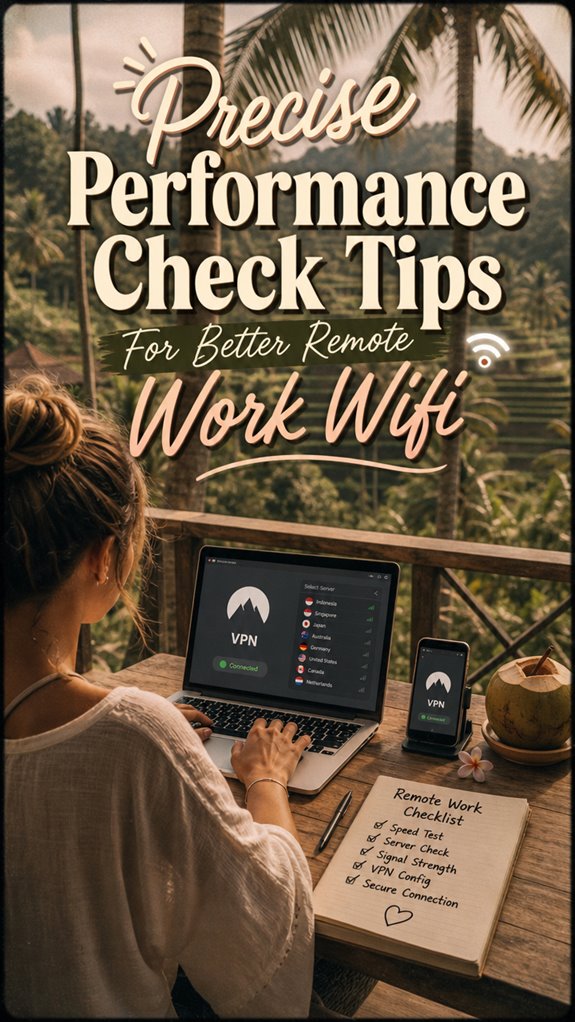
Diving into advanced VPN configurations might sound like overkill, but trust me, it’s the secret sauce for staying invisible and secure in Bali’s bustling co-working jungle.
*Recall* those days swamped in corporate servers, letting IT boss around your VPN encryption? Now, you’re the captain, choosing your server selection to dodge regional restrictions and avoid that laggy, corporate bottleneck.
Want turbo speed? Pick a server close to your digital prey — like the Bali hotspot — and enable encryption that keeps snoopers guessing. Think of it like your secret agent move.
Ever tried connecting through a random VPN drop zone? Yeah, not fun. Master the art of switching servers seamlessly. It’s like having a personalized, invisible shield, leaving cubicle jockeys in the dust—your digital freedom playground.
FAQ
How Often Should I Test My Remote Work Wi-Fi Performance?
You should test your Wi-Fi once a week, especially when you’re craving freedom from lag and dead zones. Keep tabs on signal strength, and be aware of interference sources like new appliances or neighbors’ tech chaos.
Didn’t I tell you those old office cubicles were a trap? Challenge your setup now—point is, don’t wait for disaster. Stay ahead, swap routers if needed, and own your remote reign!
Can I Improve Wi-Fi Speed Without Replacing My Router?
Think of improving your Wi-Fi like tuning a guitar—small tweaks, big sound. You can boost speed without swapping your router by optimizing its placement—like avoiding closets or corners where signals hide.
Elevate it on a shelf or near the center of your space, and reduce obstructions. Keep in mind, fragile Wi-Fi signals are like those old coworkers who sit in the dark—blocked, ignored, rarely fast.
Be clever, make it work.
What Are Signs of Ongoing Wi-Fi Network Issues During Remote Work?
Ever had your Zoom calls freeze like a bad sitcom? That’s probably due to wireless interference or device congestion.
Your neighbors’ Wi-Fi, Bluetooth gadgets, or even microwaves can mess with your signal—thanks, tech chaos! To fix it, try changing channels, minimizing gadgets, or relocating closer to your router.
Recall those old days fighting for a desk space? Now, it’s all about escaping the Wi-Fi drama and reclaiming your freedom.
Are There Specific Times of Day When Wi-Fi Is More Reliable?
Recall when pagers were all the rage? Well, Wi-Fi’s kinda like that—more reliable during off-peak hours, usually early mornings or late nights.
Peak hours, from mid-morning to late afternoon, cause signal fluctuations because everyone’s online, hogging bandwidth.
To stay ahead, snag a speed test during these times, tweak your router’s placement, and avoid turning into a “busy bee.”
Your freedom depends on it—ditch the downtime like those old phones!
How Can I Distinguish Between Temporary and Persistent Wi-Fi Problems?
You can tell if Wi-Fi issues are temporary or persistent by noticing patterns. Temporary glitches often happen during interference sources—hello, your neighbor’s microwave or Bluetooth devices—and clear up after a bit.
Persistent problems? Check for device conflicts, outdated firmware, or faulty hardware.
Think back—remember those mornings when your streaming died right before that deadline? If it’s always happening, time for a tech refresh, not just a tap on your device.