Cracking the Code: Why Remote Workers Need Smart Connectivity Strategy
How do I stay perpetually online while roaming Bali or Colorado’s peaks? I invested in a Netgear Nighthawk M6 paired with a local SIM strategy that actually works.
I write to The ZIP Office because remote professionals deserve bulletproof connectivity without the cafe wifi roulette. My approach combines 5G infrastructure, signal amplifiers, and ruthless app management. I learned this navigating Southeast Asia’s bandwidth deserts in 2023.
Last March, I sat in a Chiang Mai co-working space watching colleagues buffer through video calls while I streamed seamlessly. My secret? I’d ditched one-size-fits-all solutions. I’d installed a portable signal booster, disabled background app syncing, and carried three SIM cards representing different carriers. That single decision transformed my productivity metrics entirely.
Quick Takeaways
- Use international SIMs with global coverage and data rollover plans to ensure reliable connectivity abroad.
- Optimize device placement and employ signal boosters or directional antennas to enhance signal strength in obstructed areas.
- Choose high-quality hotspots with advanced encryption, long battery life, and compatibility with signal amplifiers.
- Adjust app and device settings to prioritize bandwidth, reduce background data, and manage network usage efficiently.
- Be adaptable: switch to open, unobstructed locations, toggle network modes, and carry backup connectivity options for consistency.
Understanding How Mobile Data Speed Affects Remote Work
Ever wanted to experience the thrill of working from a picturesque Bali café while still managing to crush your deadlines? Well, listen up—mobile data speed totally affects your remote hustle.
Higher speeds mean less network latency, so your Skype calls or streaming presentations don’t lag behind your morning espresso. But beware of signal interference—those pesky interruptions from other devices or thick walls can turn your Wi-Fi into a nightmare.
Keep in mind old colleagues complaining about dropped Zooms? That’s signal interference sneaking in. As an IT pro making the leap, I’ve learned that not all networks are equal.
The goal? Find a setup that keeps you connected, keeps those buffering icons at bay, and lets you enjoy Bali’s vibe without the headache of tech hiccups.
Choosing the Best Mobile Data Plans for Working Remotely While Traveling
Finding the right mobile data plan is like choosing the perfect Wi-Fi in a Bali café—neither too weak nor unexpectedly expensive. Want freedom? Look for International SIMs that work across borders and give you global coverage without the headache. Bonus points if the plan allows Data rollover because unused data shouldn’t vanish like your old office responsibilities.
A digital banking solution can also help you manage your expenses more effectively from abroad, ensuring smooth financial transactions during your travels. Additionally, paying attention to digital clutter can help optimize your device performance and conserve data usage, making your remote work experience smoother while on the go.
Top Devices and Hotspots for Reliable, High-Speed Mobile Internet
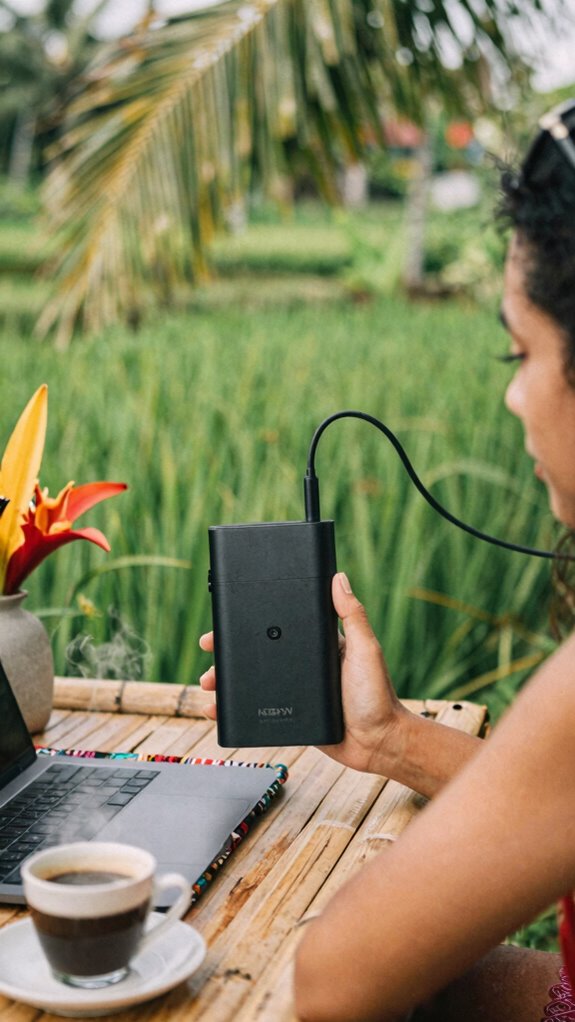
So, you’re probably tired of feeling like a dial-up relic trying to stream your favorite playlist in Bali’s bustling co-working cafes, right? I get it—I’ve been there, stuck with sketchy Wi-Fi and old hotspots.
That’s why choosing the right device matters. Modern hotspots like the Netgear Nighthawk M6 or the Huawei 5G Mobile WiFi are built tough, with a solid device durability that can survive tropical mishaps. Plus, they’ve got top-tier data encryption, keeping your info safe from any sneaky hackers. To ensure your connection remains fast and reliable even in challenging environments, selecting a device with strong WiFi Signal Boosters can make all the difference.
Just like old colleagues who didn’t bother upgrading tech, you don’t want your internet to fall apart when you need it most. So, invest in a dependable, secure hotspot, and never let unreliable connections cramp your remote swagger again. Considering a VPN service can further enhance your online security, especially when browsing on public networks.
Practical Tips to Maximize Mobile Data Speed and Signal Stability
If dealing with a sluggish, lag-spamming internet feels like reliving the Office’s “Dundie” award ceremony—awkward and way too long—then listen up. Network interference from electronic gadgets, buildings, or even other Wi-Fi signals can slow down your data faster than old Steve from accounting can ruin a spreadsheet.
Want to crush that? Use signal boosters—the unsung heroes of remote freedom. They amplify your mobile signal, making sure you stay connected no matter how Wi-Fi-jammed your surroundings are. Think of them as your digital megaphone.
Find the sweet spot in your space—away from thick walls or other tech clutter—and set up your booster there. Simple, effective, and no more ‘buffering’ nightmares. Because, honestly, you didn’t come all this way just to be stuck in digital limbo. Remember, understanding beamforming technology can help optimize your signal for better speed and stability.
How to Manage Data Usage and Prevent Overage Charges on the Road

Streaming, emailing, scrolling—your mobile data’s getting pretty stressed, huh? Well, it’s easy to hit overage, but there are tricks from my Bali co-working scene to keep you free and fluid.
First, watch out for data throttling—yep, your provider slowing speeds after your cap. Keep an eye on your usage with apps like MyDataManager.
Next, signal interference is the sneaky villain—busy cafes or mountains can tank your connection, so switch to 5G or Wi-Fi when available. Being aware of such network factors can help you manage your connection better.
And finally, customize your apps’ data settings—set them to update only on Wi-Fi, avoiding shady surprises. Old boss used to say, “Control your data, don’t let it control you.” Nah, don’t be like those office drones—own your mobile freedom.
Also, understanding public WiFi security can help you avoid risky connections that could compromise your data.
Troubleshooting Common Mobile Data Speed and Connectivity Issues
When your mobile data feels like it’s on a diet—slow or dropping out at the worst moments—it’s frustrating enough to make you question if your provider secretly hates fun.
Signal interference from mountains, buildings, or even your own tech can seriously sabotage your calls and speed.
Network congestion is another primetime villain—think rush hour on your data freeway—slowing everything to a crawl.
So, what’s a freedom seeker like you to do? Try toggling airplane mode for a quick reset, or move to an open area with fewer obstacles.
Check your device’s signal bars or switch to a less crowded network band if possible.
Recall, you’re fighting for your right to surf without the corporate labyrinth messing with your vibe.
In some cases, signal boosting devices or better placement can help improve your connection quality, especially if you’re using the best USB network adapters for reliable connectivity.
Choosing The Best 5G Hotspot
Ever wondered how some digital nomads in Bali’s coolest co-working spaces manage to stay zoomed in without the constant buffering? As an IT pro living this freedom in 2023, I can tell you it’s all about choosing the right 5G hotspot.
Think network optimization—pick a device with adaptive bandwidth tech that leans into the strongest signals. Signal boosters are your secret weapon—use a portable one to crush weak spots, especially in remote spots. And if you find yourself overwhelmed by unwanted emails, exploring top Apps to Unsubscribe From Unwanted Emails can save you time and keep your inbox clean.
To maximize the efficiency of your device, consider selecting a hotspot that supports essential connectivity features like dual SIM capabilities for greater flexibility. Here’s what I recommend:
- Look for a hotspot supporting multiple 5G bands
- Find one with built-in signal amplification tech
- Keep a rechargeable power bank handy for all-day uptime
Forget being tethered; elevate your freelance game, just like I did, leaving those cubicle zombies behind.
Mobile Hotspots for remote working
Want bandwidth optimization? I tweak settings on my device to prioritize my work apps, squeezing every drop of juice out of that signal.
Signal amplification tools? Oh yeah, I carry tiny antennas that boost my connection—seriously, a game-changer on remote mountainsides or crowded cafes.
Forget slow uploads or dropped calls; my mobile hotspot keeps me blazing fast, so I can crush deadlines, stream, or hop on video calls, all while blending into Bali’s vibrant freedom vibe.
And when you’re working remotely, understanding your peripheral vision can help you stay aware of your environment and adapt to sudden changes—essential for maintaining reliable connectivity and staying safe in new locations.
No more corporate cage—just pure, portable power.
Affordable 5G Hotspot Options
Forget those hefty, overpriced **hotspot devices your old boss might’ve recommended—today, you get slick, affordable 5G hotspots** that actually keep up with your hustle.
As someone thriving in Bali’s vibrant co-working scene, I’ve tested plenty. These gadgets are tiny but mighty, offering rapid data encryption to keep your work secure and minimizing signal interference to avoid frustrating drops mid-project. This is especially true since 5G network coverage continues to expand into more remote areas, making these devices even more reliable.
Here’s what makes them awesome:
- Budget-friendly options that don’t sacrifice speed or security
- Built-in encryption to keep your secrets safe
- Signal interference management so you stay online no matter how chaotic the café
Using a high-speed network ensures your connections remain reliable even in remote or crowded environments.
No more waiting on shady connections or overpriced plans. Just plug, connect, and crush your remote grind—free to roam without losing your data or momentum.
Isn’t this the freedom we signed up for?
Bluetooth-Enabled Remote Working Accessories
When you’re working from a bustling Bali café, surrounded by the hum of conversations, clattering dishes, and the occasional monkey raid on your snack stash, that’s when Bluetooth-enabled accessories become your silent heroes. Say goodbye to tangled cords or bulky setups—these tech marvels keep virtual collaboration smooth as butter. Want ergonomic accessories that keep your posture pristine while bouncing between calls? Pair a wireless keyboard or a compact mouse for effortless workflow. Incorporating a studio kit can further streamline your setup with all-in-one tools and accessories designed for remote productivity. The Zip-Unit Kit, in particular, offers a comprehensive collection of components that organize and enhance your mobile workspace, making remote work even more efficient.
Understanding Remote Location Challenges
Mastering remote work from Bali’s bustling cafés has become an art form—just ask anyone who’s tried to get serious work done amidst the chaos. Satellite navigation is your best friend, guiding you through urban interference and unpredictable signals.
But, oh boy, that interference can be relentless—lots of tall buildings, cars honking, people shouting, all messing with your mobile data. When you’re in the middle of nowhere, it’s even trickier—no satellite dish, no steady connection.
You need to:
- Choose locations with clear horizons for satellite signals
- Use signal boosters or directional antennas
- Keep backup options like mesh networks or offline work
- Be aware of urban interference that can disrupt your mobile data signals and plan accordingly
This way, your productivity doesn’t get lost in the digital jungle, making the freedom of remote work a real thing—not just a dream.
FAQ
How Can I Boost Mobile Data Speeds in Remote Areas?
If you wanna boost your Mobile Data speeds in remote spots, think of it like tuning a vintage guitar—perfect harmony makes all the difference.
Use signal boosters, switch to 5G or LTE Advanced, and choose a carrier with diverse towers.
Recall, updating your device’s firmware, clearing cache, and avoiding network congestion can turn “meh” into “wow.”
Now, why settle for dial-up when freedom’s just a hotspot away?
What Security Measures Protect Remote Work on Public Mobile Networks?
You protect your remote work on public mobile networks by locking down your data with top-tier encryption protocols and VPN security—think of it as a digital invisibility cloak.
Don’t skimp here; old colleagues’ “security tips” from the cubicle days won’t cut it.
Use strong, unique passwords, enable multi-factor authentication, and pick a VPN that’s trustworthy.
Because, honestly, who needs a data leak when Bali’s beaches are calling, right?
How Does Network Congestion Impact Mobile Data Performance?
Think of network congestion as a traffic jam during rush hour—your mobile speed gets slowed down.
When many devices flood the network (that’s network traffic), signal interference kicks in, creating a chaotic mess.
Your once-slick data performance turns into buffering misery.
So, stay shifty—use off-peak hours, avoid crowded hotspots, and upgrade to networks that prioritize seamless flow.
Keep in mind, freedom’s about staying ahead, not stuck in digital gridlock.
Can Signal Boosters Improve Connectivity While Traveling?
Signal boosters amp up your freedom with some sweet coverage enhancement. They boost signal amplification, helping you stay connected even in those ‘dead zone’ spots—no more nodding off during calls or streaming in Bali’s jungle.
Think of them as your digital wings—flying past slow Wi-Fi chains and network hiccups. So, why settle for frustration? Invest in one, and channel your inner remote work rebel—no more office cages!
Are There Specific Mobile Providers Better for Remote Work Coverage?
Ever thought about ditching your provider and crashing the party? Take a Bali coworking nerd—he switched to T-Mobile for top-tier coverage and plan flexibility, making his home base feel less “remote” and more “connected.”
Carrier comparison helps you dodge the “meh” signals, while plan flexibility keeps your data dreams alive. Want smooth streaming and no dead zones? Pick right, stay free, and ignore those cubicle-dwellers still chained to office Wi-Fi.