Why Airport Lounges Became My Remote Office Secret
I discovered I was hemorrhaging productivity in those ergonomic airport chairs, slouched like I’d abandoned all professional standards.
I’m writing this to The ZIP Office because my geographic arbitrage strategy hinged on mastering lounge infrastructure during last year’s constant travel between Mumbai, Barcelona, and Austin.
I grabbed a portable 5G hotspot first—non-negotiable. Then stacked three Anker power banks like my digital survival depended on it. Added lumbar support, noise-canceling headphones, light therapy glasses. Tackled deep work during 6-8 AM quiet windows. Reset my circadian rhythm across time zones. This temporal flexibility? Unfair advantage over stationary teams.
Last month, my seven-year-old watched me set up my “airport office” before a flight. He asked why I needed healing infrastructure just to work. That question hit different—he’d never known dad chained to one desk. That’s the real win.
Quick Takeaways
- Establish reliable internet and power infrastructure with a 5G router and portable chargers before setting up other devices.
- Build ergonomic comfort using inflatable lumbar supports, footrests, and proper screen elevation to maintain focus during extended work sessions.
- Deploy active noise-canceling headphones and silent phone settings to eliminate distractions in bustling lounge environments.
- Schedule deep work during quiet early morning hours (6-8 AM) before lounges become crowded with other travelers.
- Create secure, professional workspaces in under 90 seconds using privacy screens, encryption tools, and strategic positioning in public areas.
Establish Connectivity and Power First
Ever notice how your whole remote setup crumbles the second the WiFi drops or your battery hits 12%?
I’m telling you—this is where the Great Untethering actually *happens*. Back at my old corporate gig, we’d lose internet and suddenly fifteen people were staring at their screens like lost puppets. Now? I deploy my Horizon Kit immediately.
Here’s the sovereign move: prioritize a 5G travel router before anything else. Seriously. Your laptop means nothing without connectivity.
Grab wireless charging pads for your devices—they’re game-changers in airport lounges where outlets are mythology.
Then layer in ambient lighting. Good illumination isn’t luxury; it’s neurobiological infrastructure. Your brain performs better under proper light, which cubicle-dwellers never figured out.
Stack these elements first. Everything else—your notebook, your coffee ritual—flows from this foundation.
Power and connection aren’t accessories.
They’re sovereignty. Content in remote work
Build Makeshift Ergonomics Into Your Lounge Setup
You’ve locked in your power and connectivity—nice work—but here’s where most remote loungers completely botch it: they’ll sit there hunched like gargoyles for six hours straight, wondering why their lower back feels like it’s staging a rebellion.
Look, I watched cubicle-dwellers in my old Jakarta office destroy their spines for decades. Don’t be that person. Your lounge setup needs actual ergonomic intervention.
Deploy these sovereignty moves:
- Portable lighting strategically positioned to eliminate screen glare and reduce eye strain during marathon sessions
- Inflatable lumbar supports that slip behind your back, preventing that devastating slouch
- Folding footrests elevating your legs and distributing pressure away from your lower back
- Water filtration systems keeping you hydrated without bathroom breaks destroying your flow state
Stack throw pillows strategically. Angle your laptop screen higher. Additionally, consider clean air solutions to improve overall comfort. Your future self—and your chiropractor’s mortgage—will thank you.
Manage Noise and Notifications Without Offending Others
When you’re grinding through deep work in a lounge environment—whether that’s a Bali co-working space or a café in Chiang Mai—your notification symphony becomes everyone else’s personal hell.
I’ve learned this the hard way watching cubicle-dwellers stumble into the Great Untethering totally unprepared.
Here’s the sovereign move: deploy active noise-canceling headphones paired with your phone on silent. No buzzes, no pings, no interruptions bleeding into ambient noise around you.
Back in my old corporate gig, my boss Karen would’ve spiraled seeing this level of social etiquette. To find a stable WiFi connection, it’s helpful to identify spots with a reputation for reliable connectivity, often indicated by reviews or network signal strength indicators.
Invest in a quality USB condenser mic—part of The Studio Kit—so you’re not broadcasting Slack notifications during calls. Your co-working neighbors aren’t your therapists.
Using reliable VA management software can help you streamline your tasks without creating extra noise and distraction.
Strategic silence beats performative productivity every single time. Period.
Tackle High-Focus Tasks During Quiet Lounge Periods
So there’s this golden window—usually between 6 and 8 AM—before the Bali co-working scene fills with laptop-slingers and their inevitable Zoom calls—and that’s precisely when you should be hammering your deep work.
The 6-8 AM window in Bali co-working spaces is prime real estate for deep work before the Zoom call chaos descends.
I learned this the hard way after watching my old boss back in the cubicle farm waste entire mornings on meetings.
Here’s your sovereign playbook:
- Deploy The Ghost Kit early—privacy screens, noise-canceling headphones, encrypted workspace
- Respect cultural sensitivities—silence notifications, respects lounge etiquette and local vibes
- Batch your algorithmic tasks—coding, writing, analysis before 8 AM hits
- Leverage edge-AI orchestration—automate responses while you’re in deep focus mode
Additionally, utilizing encrypted router boxes can ensure your online activities stay private, which is crucial when working in shared lounge environments.
Remember? Those cubicle-dwellers never had this. You’re reclaiming temporal real estate the Great Untethering promised. Use it.
Stay Mentally Sharp Across Time Zones
Nailing that early-morning deep work window? You’re fighting your circadian rhythm like my old boss fought remote work in 2019.
Here’s the real deal: deploy mindfulness practices when you land—literally sit for five minutes before checking Slack. Your brain’s still operating on yesterday’s timezone, so sensory deprivation isn’t luxury, it’s survival strategy.
I’m talking noise-canceling headphones in airport lounges, blocking out the chaos. Your colleagues back at the corporate fortress? They’re struggling with fluorescent lighting at 9 AM.
You’re reclaiming your temporal sovereignty through The Horizon Kit’s light therapy glasses, resetting your melatonin like a biohacker, not a cubicle prisoner. Incorporating professional networking platforms can further enhance your productivity by maintaining vital connections across time zones.
Quick hack: hydrate aggressively, move between lounges strategically, anchor your body to local time immediately. That’s Sovereign Professionalism across time zones. Embracing online networking events can further supplement your remote work efficiency, helping maintain connections across distances.
The Global Jetsetter Style
Visualize this: you’re managing a supply chain spanning Singapore, São Paulo, and Stockholm—all before your first espresso hits at a Bali co-working space where my old boss would’ve lost his mind trying to enforce “core hours.” That’s the Global Jetsetter reality, and it’s nothing like the fluorescent-lit conference calls I used to suffer through back in 2019.
You’re deploying The Horizon Kit—your sovereign infrastructure for seamless border-crossing connectivity. Here’s what actually matters:
- 5G travel routers eliminate lag across regulatory zones
- Universal plugs + international SIM cards mean zero landing-downtime friction
- Light therapy glasses keep your circadian rhythm locked while jet lag tries sabotaging you
- Passport security wallets protect your logistics backbone
Master cultural etiquette by respecting local networking rhythms. Don’t be that cubicle-dweller expecting 9-to-5 everywhere. Your cognitive performance stays stable when you honor timezone realities, not fight them.
Transit Hub Power Strategy
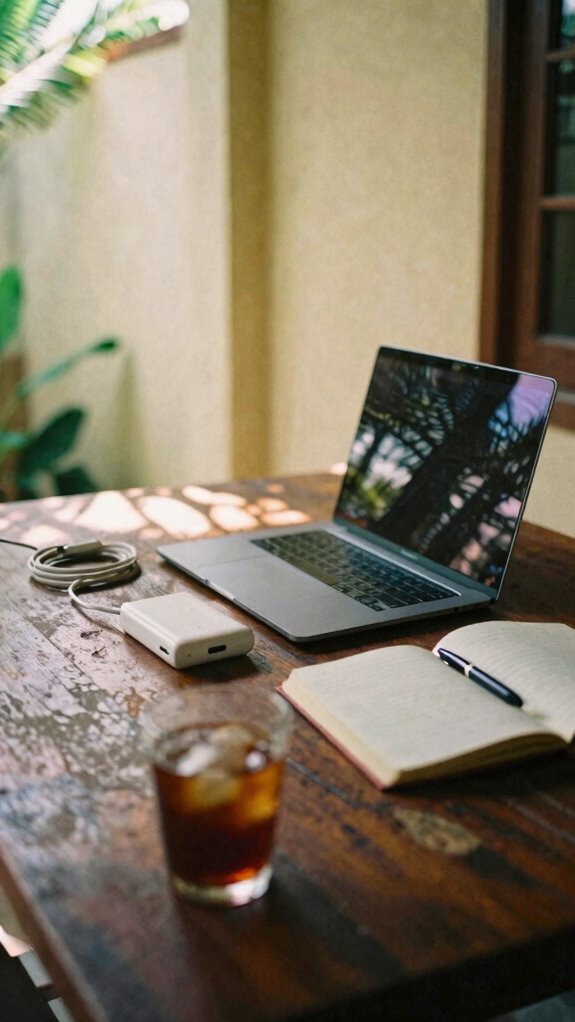
Power’s the real currency in transit hubs—not your airline status or that sad airport lounge coffee—and here’s where your Horizon Kit meets its acid test.
You’re deploying dual USB-C fast chargers and a portable power station while those cubicle-dwellers back home sweat over a single outlet. Your old boss would’ve died seeing this setup.
Remote collaboration thrives when you’re actually powered up. Grab a corner seat, position your 5G travel router, and suddenly you’re hosting client calls from Gate B47 like it’s your Bali co-working sanctuary.
The social dynamics flip instantly—you’re not the frazzled traveler; you’re the sovereign professional.
Battery anxiety? Dead. Your devices outlast the flight itself, enabling seamless remote collaboration across time zones. Harnessing a smart battery charger ensures your devices stay charged optimally, making this power move even smarter. Additionally, organizing your portable power gear efficiently for mobile repair tools can prevent clutter and ensure quick access during critical moments.
Laptop Stand For Gate Delays
When that gate delay notification hits your phone at 11 AM—you know, the one that turns a two-hour layover into a five-hour holding pattern—that’s exactly when your Velocity Kit’s carbon fiber laptop stand becomes your secret weapon against the airport lounge collapse.
I learned this trick back in 2023 grinding from Bali’s co-working scene, watching cubicle-dwellers panic while I stayed sovereign. Here’s the play:
- Angle your screen above eye level to maintain posture during endless holding patterns
- Respect lounge etiquette by positioning yourself away from gate-gazers clutching boarding passes
- Deploy silently—no clattering keyboards disturbing other stranded professionals
- Create invisible productivity zones that don’t broadcast your deep work to nearby travelers
- Using a tablet headrest mount can also help keep your device in an optimal viewing position without cluttering your space. Enhancing your setup with portable collapsible green screens can further improve your remote work environment and reduce distractions.
Your old boss would’ve needed three meetings to approve this setup. You? You’re operational in ninety seconds.
The Cafe Architect
You’ve probably seen them—those ghost-like professionals scattered throughout your favorite third-wave coffee spot, typing silently behind privacy screens while the rest of us mortals are broadcasting our entire Slack conversations to strangers.
That’s the Cafe Architect energy, and honestly? It’s genius.
Back when I was trapped in Bali’s co-working scene in 2023, I watched elite freelancers master this sovereign angle. They’d deploy The Ghost Kit—privacy filters, mechanical keyboards, active noise-canceling headphones—transforming cafes into impenetrable focus zones.
Smart lighting adjustments mimicked their home office setup. Ambient scent diffusers created psychological anchors.
Unlike cubicle-dwellers chained to fluorescent wastelands, Cafe Architects reclaimed public spaces without compromise. Motion sensor alarms? Encrypted USB drives? Total professional invisibility.
Why choose between community and security when you can architect both?
FAQ
How Do I Protect Sensitive Client Data While Working in Public Lounge Environments?
You’d think cafes were secure, wouldn’t you? Deploy privacy screens religiously, use only secure Wi-Fi with a VPN, and encrypt all sensitive client data before opening your laptop. You’re creating an impenetrable bubble—your Ghost Kit’s your guardian.
What’s the Best Way to Maintain Professional Appearance During Long Layovers?
You’ll refresh your casual attire in airport lounges using quick-change layers and travel-friendly fabrics that won’t wrinkle. Pack grooming essentials—a compact mirror, dry shampoo, and facial wipes—so you’re always ready to impress.
How Can I Prevent Burnout When Working Across Multiple Time Zones Constantly?
You’ll prevent burnout by syncing your Bio-Zip Kit’s light therapy and recovery trackers to your circadian rhythm, not the clock. Cultural adaptation and language barriers fade when you’ve mastered your body’s healing infrastructure first.
Which Portable Tools Best Organize My Workspace in Limited Lounge Seating?
You’ll maximize your lounge setup with collapsible desk organizers and magnetic cable holders that grip any surface. Pair these with wall-mounted pegboards you can deploy instantly, then fold away. Space-saving furniture like lap desks transforms cramped seating into your personal command center.
How Do I Manage Video Calls Without Disrupting Other Travelers Nearby?
You’ll want noise canceling headphones to contain your audio while privacy screens shield your screen from wandering eyes. This combo lets you connect authentically without broadcasting your presence to everyone around you.