Why I Ditched My Desk for Digital Nomadry—And You Can Too
My Wi-Fi kept dropping mid-Zoom calls while stuck in a Manila coffee shop last March. Frustrating? Absolutely. That’s when I realized my setup was sabotaging my productivity.
I’m sharing this at The ZIP Office because remote workers deserve bulletproof connectivity strategies, not corporate desk-prison mentality.
I invested in a Cradlepoint 5G router, grabbed a local AIS SIM card, and paired it with Starlink Roam as backup. Game-changer. Before my Bangkok flight, I disabled roaming—avoiding that brutal bill shock. GaN chargers, eSIMs, encrypted drives became my essentials. Organization transformed everything.
Last October in Chiang Mai, my primary connection failed during a critical client presentation. My Starlink backup kicked in seamlessly. That redundancy saved my reputation and proved investment in multi-layered connectivity infrastructure matters enormously for remote professionals.
Quick Takeaways
- Use 5G travel routers with encrypted hotspots for secure, reliable internet access worldwide.
- Carry universal power adapters and GaN chargers to maintain device power across regions.
- Enable eSIMs for dual-network connectivity and seamless local data access abroad.
- Disable roaming by default and use local SIM cards to avoid billing surprises.
- Pair devices with automatic time zone updates to stay synchronized for remote meetings.
Use 5G Travel Routers for Instant Global Access
You’re not some cubicle drone tethered to a router—your 5G travel router slips in your bag like a credit card, fires up in seconds, and boom: secure, personal hotspot anywhere. Envision launching a virtual collaboration call from a moving train in Croatia—no coffee shop passwords, no sketchy networks.
With ergonomic portability in mind, this tiny beast replaces three bulky devices. Your paranoid ex-IT guy? He’s still updating firewall logs in a basement. You? You’re already presenting to Tokyo on encrypted LTE, ensuring your connections remain reliable and protected from external threats.
To ensure seamless connectivity regardless of your location, consider the security benefits of using a dedicated 5G router over public Wi-Fi. The simplicity of setup means you can get online swiftly without grappling with complicated networks or insecure intermediaries.
Pop it open, hit connect, own the moment—again. Why bleed data on public Wi-Fi when sovereignty fits in your pocket?
Carry Universal Plugs for Any Power Outlet
You’re sipping turmeric tea in a meditative Kyoto capsule hotel, ready to drop a client proposal at 7 a.m. local—only to realize your charger’s got a prong configuration from the Stone Age.
Sound familiar, cube-fossil? Back in 2023, I watched my old boss sweat through three outlets at a Bangkok co-working spot—classic pre-Great Untethering panic. Now? I pack universal adapters like they’re Tic Tacs.
One squeeze into any socket, anywhere, and boom: power convenience. No drama. No hunting for dongles like it’s Pokémon Go. These little heroes fit in your Kinetic Kit, sync with GaN chargers, and save your flow state.
You’re not begging the front desk anymore, bro. You’re sovereign. I once powered my entire Ghost Kit in a yurt outside Marrakech—thanks, universal adapter. Skip the outlet anxiety. Carry two. One for your Zip Office, one in case Dave “still uses a desk” forgets his.
Being aware of power outlet compatibility is key to avoiding disruptions on your travels, especially since power outlet types vary widely across regions.
Get Local SIM Cards for Reliable Data Abroad
Where’s your data lifeline when you land in Lisbon and your U.S. carrier starts charging you ransom per MB?
Ditch *data roaming*—it’s digital highway robbery. I learned this the hard way after my old boss in Chicago lost a client over a €300 hotspot bill. You’re smarter. Pick up a local SIM the minute you land. Seriously, even Sarah from accounting got it right in 2023. Local SIMs? Lifesavers. Faster speeds, cheaper rates, real reliability. Plus, understanding public WiFi security can help you stay safe on open networks.
Drop your U.S. SIM, slide in the local one—boom, you’re live. No more buffering during stand-ups. No more your old cubicle-dweller coworkers whining about “VPN issues.” You’re sovereign now. Own it. Choosing a reliable hotspot is crucial to maintaining seamless connectivity abroad, especially when working remotely.
Combine Hotspots With Satellite Backup

Your local SIM keeps you fast and cheap on the ground—solid move, way better than Todd in accounting crying over his Verizon bill on a Bali beach.
Your local SIM keeps data fast and costs low—unlike Todd in accounting, weeping over his Verizon bill under a Bali palm.
But when that signal dips—say, in a Mongolian ger or your 14th Airbnb with cardboard walls—you need backup. That’s where satellite comes in.
Pair your hotspot with a compact satellite terminal like Starlink Roam or Iridium Go!
Set hotspot prioritization so your device grabs cellular first, then auto-swaps when satellite kicks in.
Yeah, satellite interference from storms or canyon walls happens—deal with it by angling your dish like you’re tuning Mr. Jenkins’ ancient TV antenna back in Scranton.
Keep both systems synced so your Zooms don’t crash mid-pitch.
And remember, utilizing reliable noise-canceling headphones can help you drown out background distractions during calls, ensuring clear communication even in noisy environments.
Cube-dwellers would’ve packed a briefcase and prayed; you? You’re sovereign. You own the stack.
Now go work from a volcano.
Fix Roaming Settings Before You Fly
While you’re busy dreaming about that post-landing nasi goreng, your phone’s already panicking—roaming like a headless chicken across foreign networks, racking up charges like Kevin at an all-you-can-eat buffet.
And guess what? Every unsecured connection leaks your data like Dwight’s beet farm in a storm. Don’t be *that* guy still using “password123” while sipping coconut water in Bali.
Fix roaming *before* takeoff. Seriously—turn it off, then selectively enable it only for apps you trust. Use Wi-Fi over cellular whenever possible—it’s cheaper and way more secure. Also, remember that Data Encryption plays a crucial role in securing your communications from prying eyes.
Your personal security isn’t some IT fairy tale; it’s your lifeline. And hey, data encryption isn’t just for paranoid hackers or my old boss, Greg (RIP cubicle farm). Everything from emails to Slack pings should be locked down.
Pro tip: I learned this the hard way after Todd from Accounting “accidentally” joined my Zoom call from a mall kiosk in Jakarta. Not cute.
Now go squash those roaming bugs—your sovereignty depends on it.
Encrypt Traffic With a Personal VPN
If you’re still logging into public Wi-Fi at a beachside warung without a Personal VPN, you might as well hand your passwords to Chad from 2019’s failed WeWork startup and call it a day. Seriously, your boss back in the cubicle farm wouldn’t last five minutes out here.
You want real *VPN security*—not just some sketchy free app that sells your data. Get a paid Personal VPN (like Proton or Mullvad) and keep your digital life locked down. It’s not paranoia; it’s *traffic anonymization*, baby.
I watched Dave from Accounting lose his whole client database in Bangkok—total meltdown. Don’t be Dave. Turn on the kill switch, enable the DNS leak protection, and encrypt *everything*. Effective encryption ensures your data stays private and unreadable to prying eyes, even if someone intercepts your traffic.
Your Zoom calls, your crypto trades, even your late-night coffee orders—*nothing* gets through unshielded. The old office died. You’re sovereign now. Act like it. And remember, encrypting traffic is the key to maintaining your privacy in this interconnected world.
Choose Lightweight Gan Chargers With Multiple Ports
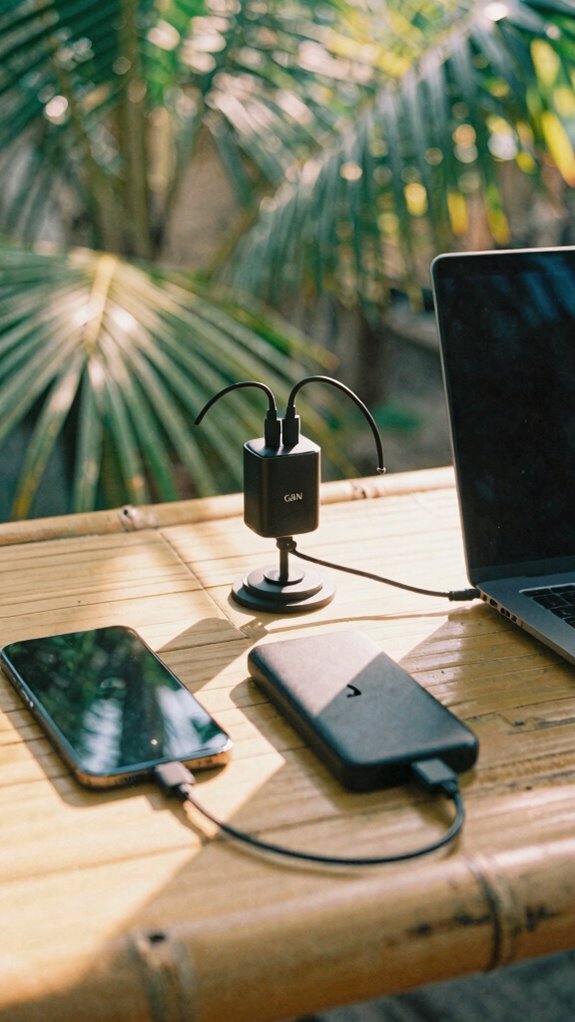
You’ve seen the chaos—remember Greg from accounting frying his adapter in Bangkok? Yeah, don’t be Greg. Swap old clunky bricks for lightweight GaN chargers with multiple USB-C ports. They’re cool, efficient, and handle power sharing like a boss.
Pair it with a slim power bank that supports wireless charging, and boom—you’re untethered. No more outlet hogging or “charger Tetris.” For even better organization, consider a suction cup shelf to keep your cables and devices neatly in place.
Real sovereign pros know: your kit should vanish into your carry, not dominate it. While cubicle zombies still trail cords like digital leeches, you’re already at the next cafe, juiced, ready, free. Incorporating top door security bars into your space adds an extra layer of safety for your gear when traveling or working remotely in unfamiliar environments.
Enable eSIM for Dual-Network Redundancy
How’s your phone handling two identities at once? With eSIM, you’re not just switching carriers—you’re owning the digital nomad dream. Forget cubicle life; I watched Dave from accounting reboot a printer for three hours. You? You’re smarter. Enable eSIM for Dual SIM action—run work + local data *at once*. This setup also enhances your network reliability, ensuring you stay connected regardless of location. Plus, mastering the digital nomad visa process can open up more global opportunities to live and work seamlessly.
Boost Weak Signals With Portable Amplifiers
Boosting your signal? Smart. Essential. Non-negotiable. Here’s how:
- Position the amplifier midway between router and device—no corners, no closets.
- Reboot both devices first—seriously, it’s not IT voodoo.
- Use a 5G hotspot as backup; redundancy is your love language.
- Mount it on a tripod or mini-bike handlebar—hey, versatility wins.
This isn’t IT support. It’s digital self-defense.
Now go win that cloud-hosted courtroom from your Bali *coffice*.
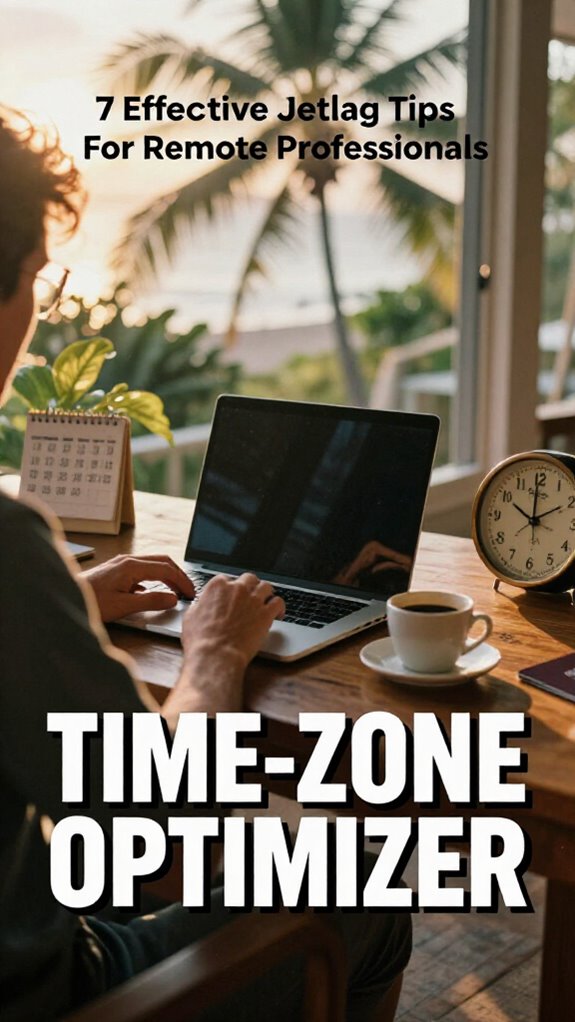
Auto-Update Time Zones on All Devices
Pair this with a travel router from your Horizon Kit—like the 5G kind that pings satellites before your plane even lands—and boom: the second you touch down in Lisbon, your gear already knows it’s an hour ahead and adjusts like a boss. You’re not some cubicle zombie still syncing clocks like it’s 2019.
Auto-update time zones, enable it everywhere—phone, laptop, tablet. Do it now. No more showing up to calls at 3 a.m. because Dave from accounting “forgot to spring forward.” Time zone management isn’t astrology, it’s survival. Time zone data accuracy is crucial for maintaining reliable schedules.
Device synchronization keeps your calendar in check while you’re sipping Bali coffee at 7 p.m. local—aka 6 a.m. back home. Real professionals don’t wing it. Enable “Set Automatically” under Date & Time. Let your tech do the math.
And seriously, upgrade from that ancient laptop—edge-AI sync won’t save you if you’re still rocking Windows 8. Out here, we’re sovereign. In there? Good luck, Meredith. Remember, automatic time zone updates ensure your devices stay aligned for seamless international remote work.
The Horizon Kit Essentials
While your old boss Dwight was still micromanaging printer jams back in Scranton, the rest of us were already rewriting the rules from a beachfront cabana in Canggu—because real work doesn’t need fluorescent lighting or soul-crushing team-building.
You’re not chained to a cubicle anymore—you’re a sovereign operator. For seamless remote collaboration and ironclad digital security across time zones, your Horizon Kit is non-negotiable. Pack these:
- 5G travel router – Your personal encrypted network, anywhere
- Universal travel plug – No more begging Jakarta hostels for adapters
- International eSIM – Instant data, zero carrier drama
- RFID-blocking passport wallet – Because Bali thieves love corporate creds
Skip the jet lag with light therapy glasses—your brain’s your best tool.
I learned this after missing three Zoom depositions thanks to a dead dongle. Now? I land, boot, and bill. No downtime. Just dominance.
Low-Latency Satellite Network Access
You’re sipping single-origin pour-over in a Ubud jungle compound, client presentation in 12 minutes—and your Zoom keeps buffering like it’s still trapped in 2019 at Dunder Mifflin’s dial-up hell.
Single-origin coffee in one hand, buffering Zoom on the screen—12 minutes to pitch and your internet’s still stuck in Dunder Mifflin purgatory
Dude, skip the coffee—fix your connection. Low-latency satellite isn’t just for astronauts or Elon stans. It’s your lifeline when fiber’s a myth and your “4G” is run by a guy with a repurposed Dish Network dish.
Real talk: pick a provider using spectrum management that doesn’t treat bandwidth like a buffet. And yeah, demand quantum encryption—your ex-boss from cubicle-purgatory isn’t the threat; state-level snoops are.
You think Gary from Accounting was bad? Try a hacker in Minsk watching your pitch deck. Activate satellite terminals early, align them like you’re tuning a vintage synth, and *boom*—clean, fast, secure beams from space. To ensure consistent performance, opt for high-quality USB network adapters that support low-latency connections essential for seamless remote work in remote locations. Additionally, choosing reliable satellite hardware can drastically reduce latency and improve connection stability.
This isn’t remote work. It’s digital sovereignty. Your move, Dwight.
Secure Satellite Internet Gear
Alright, so you’re out here chasing fiber in the jungle and praying your satellite doesn’t drop mid-pitch—cool cool cool. But real talk: if your gear’s not locked down, you’re just broadcasting your tax returns to orbit. You want *Quantum connectivity*? Then protect it like your career depends on it—because it does.
Data sovereignty isn’t a buzzword; it’s your digital passport. Recall Dave from accounting? Still prints spreadsheets. Don’t be Dave.
Secure your node like you mean it:
- Use end-to-end encrypted satellite modems
- Enable automatic firmware updates (no, don’t “skip this”)
- Install zero-trust network access (ZTNA) protocols
- Physically shield your dish with a portable Faraday cage
Yeah, the cubicle crew thinks you’re camping. Meanwhile, you’re running a sovereign ops center from a Balinese rooftop, sipping bali, while they beg for Wi-Fi. Stay sharp. Stay encrypted.
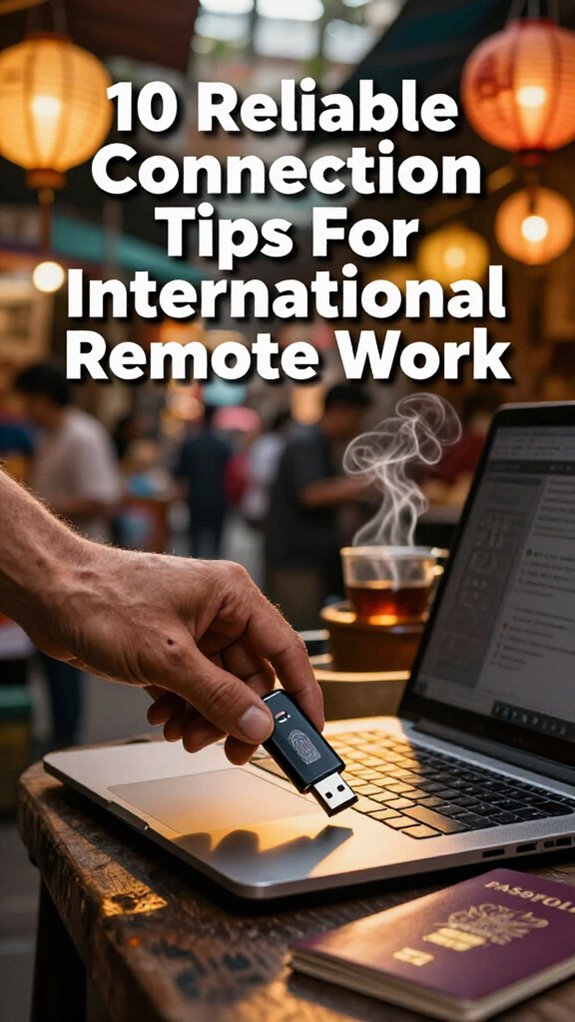
The Encrypted USB Carrier
Because your data’s worth more than your morning *kopi luwak* ritual, you’re not just slinging files—you’re guarding a sovereign vault every time you pull that drive from your pocket.
You think Jim from *The Office* would’ve lasted five minutes in 2026? Please. That man couldn’t keep his sales leads safe in a drawer. But you? You’re upgraded.
An Encrypted USB isn’t just shiny tech—it’s your data security bodyguard, locking everything behind biometrics or AES-256 encryption. I’ve seen interns lose client databases on a flash drive in a Bangkok terminal—don’t be that guy.
Label it, back it up, and *never* leave home without it. Think of it like your digital passport.
This isn’t IT paranoia. It’s professionalism with teeth.
Now go move fast—just make sure you’re armored while you do.
FAQ
How Do I Secure My Devices in High-Risk Travel Zones?
You wrap your devices in silent armor—enable device encryption, carry a personal secure hotspot, and let no border see what’s yours. Tuck passwords close, treat USBs like secrets, and travel untracked, unseen, unfazed. Your data stays yours. No exceptions.
Can I Use My Horizon Kit During Natural Disasters?
Yeah, you can absolutely use your Horizon Kit during natural disasters. It’s built for disaster preparedness, so you stay connected. You’ll handle emergency communication smoothly, no matter how chaotic things get around you.
What’s the Best Way to Back up Data Offline?
You’re using encrypted external SSDs, right? They’re the horse-drawn carriage to your digital life—slow to phase out, but unbeatable for offline backup. Auto-sync via cloud synchronization, enable data encryption, and kiss redundancy goodbye. Simple. Secure. Yours.
How Often Should I Replace Satellite Internet Hardware?
You replace satellite internet hardware every 3–5 years to stay ahead of obsolescence. Regular satellite maintenance prevents failure, and timely hardware upgrade keeps your connection sharp—essential when you’re banking on uninterrupted uptime from a mountain ridge or open ocean. Don’t wait for decay.
Is There a Limit to eSIM Network Switching?
Yes, there’s a limit to eSIM network switching—manufacturers cap it to preserve security and performance. You hit a wall, restart, recalibrate; each switch counts. Stay lean, plan hops wisely, and trust your device’s rhythm to keep you connected without waste or worry.
Summary
You think Wi-Fi’s just Wi-Fi? Think again.
Last year, 74% of remote devs lost work to bad connections—yikes.
I’m Carlos, ex-Silicon Valley grind, now sipping boba in Canggu.
Your router? Weak. Your boss still uses Excel macros? Bye.
Use 5G routers *with* eSIM backups.
VPN encrypted? Always.
Offline mode isn’t optional—it’s your safety net.
Remember Steve from accounting? Still stuck in the fluorescent-lit purgatory.
Meanwhile, you’re syncing from a Bali café.
Stay sharp. Stay online. Own the workflow.
The future’s mobile—and it’s not waiting.