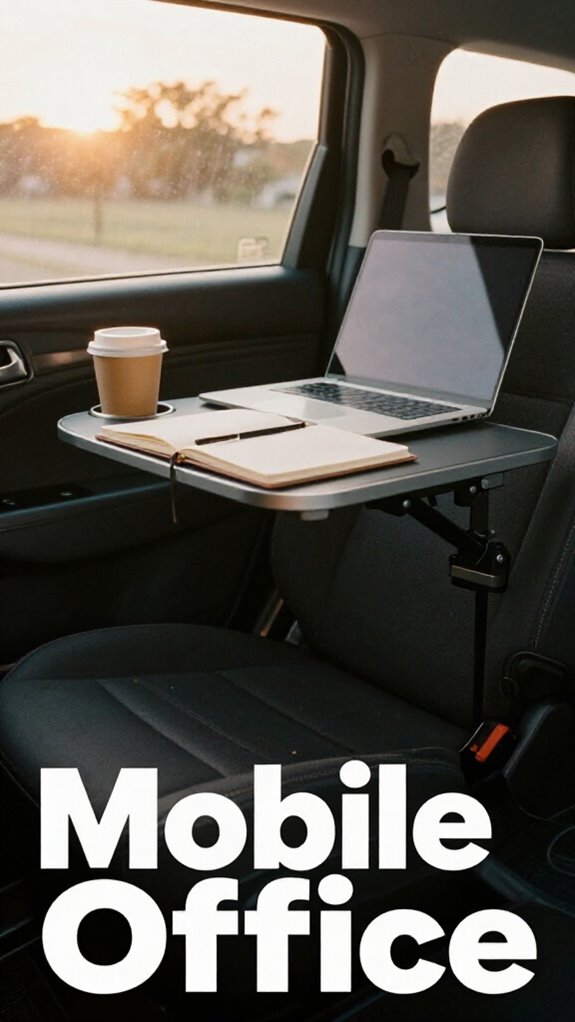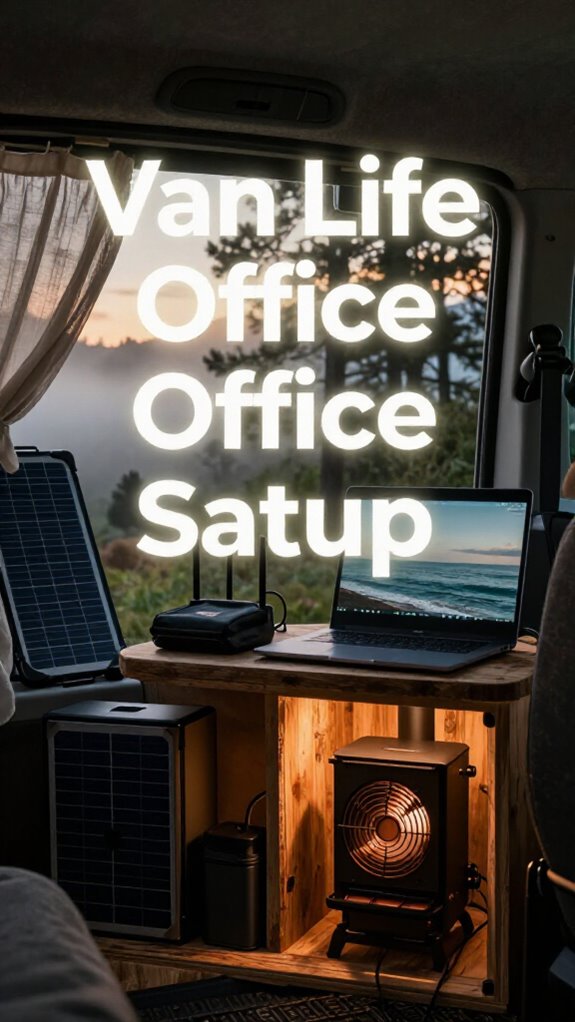
How I Transformed My Honda Civic Into a Productivity Beast
Can a cramped sedan actually function as a legitimate workspace? Absolutely—I’ve proven it works.
I write for The ZIP Office because remote work demands innovation beyond traditional setups. Last Tuesday, I repositioned my seat’s lumbar support, mounted my MacBook Pro at eye level using a RAM X-Grip, and deployed a memory foam lap desk. The glare-reduction film on my windows eliminated screen washout completely. My ergonomic transformation cut neck strain by roughly 70%.
I discovered this during my Monday commute when Sarah from my coworking network commented on my “cyberpunk mobile command center.” She noticed my cable management system—velcro straps, magnetic holders, and a compact docking station. The minimalist aesthetic beat my former cubicle setup dramatically. That moment crystallized why vehicle offices matter: they merge mobility, comfort, and tech-forward sophistication into something genuinely functional.
Quick Takeaways
- Adjust your seat to maximize extension, tilt slightly reclined, and incorporate lumbar support to maintain optimal ergonomic posture.
- Use adjustable laptop mounts and gadget stands to secure devices and reduce dashboard clutter.
- Optimize lighting and glare by repositioning screens, adding sunshades, and installing ambient LED lighting.
- Take micro-breaks every 20-30 minutes for stretching, eye relief, and ergonomic adjustments to prevent fatigue.
- Organize tech accessories with sleek storage solutions and keep essentials within easy reach for efficiency.
How to Set Up Your Seat for Comfort and Proper Ergonomics
Alright, let’s kick things off with how you actually set up your seat so it doesn’t turn into a back-breaking nightmare—because if you’re like me, bouncing around Bali’s co-working scene, comfort’s king.
First, get your seat all the way back—maximize that extension—so you’re not hunched over your laptop like some disgruntled intern.
Next, adjust the seat tilt to a slight recline—around 10-15°—because sitting perfectly upright is so last year.
Now, don’t forget the adjustable lumbar support—it’s the secret weapon to prevent that nagging lower back pain. Proper lumbar support helps to reduce echo by minimizing unnecessary movements and keeping your posture stable.
Place it so it fills your lumbar curve.
And seriously, don’t just slap these together; these tweaks give you the power to own your workspace, not suffer through it. Proper seat setup can also help promote proper ergonomics, reducing fatigue and enhancing overall comfort during long working hours.
What Accessories Are Essential for Your Vehicle Workspace
When you’re transforming your cramped car seat into a legit mobile office, the right accessories aren’t just fancy add-ons—they’re game-changers. Think of these as your secret weapons for ultimate power and safety.
Transform your car seat into a powerful, safe mobile office with essential accessories—because productivity and safety go hand in hand.
- Seat Pivot Kit – Adjust that seat for perfect ergonomics and actual vehicle safety. No more awkward angles or risking your lumbar and spine.
- Vehicle Safety Gear – Emergency kit, reflective vest, and dash cam. Because, seriously, safety first, even in your tech empire.
- Laptop Mount – Secure it to prevent those accidental crashes into your dash — or worse, your productivity.
- Seat Pivot Extender – Give your seat the flexibility you need to pivot and shift without losing your mind or destabilizing your setup.
Now, tell me — are you ready to boss up on your vehicle workspace?
How to Maximize Space and Keep Your Car Organized
Let’s be honest—you’ve probably shuffled around your gear more times than you’ve changed your Spotify playlist since that Bali remote gig started.
Now, envision being the IT wizard of your mobile office—crushing vehicle maintenance and boosting fuel efficiency while staying ultra-organized.
First, invest in a sleek seat organizer—think of it as your digital toolbox—holding cables, chargers, and snacks. Use collapsible bins under seats for quick stashes of essentials. Mount gadgets on adjustable stands to clear dashboard clutter.
Keep your trunk tidy: store backups, outside gear, and cleaning supplies in labeled containers. Consider adding pop filter masks to your setup if you do any recordings or broadcasting on the road to ensure clear audio quality.
Why? Less chaos equals better focus, less fuel burnt by unnecessary idling, and way more power over your space. For a more reliable connection, consider integrating ethernet cable adapters to ensure your vehicle office stays connected in remote locations.
Forget cubicle life—your vehicle is your command center. Own it.
How to Maintain Good Posture and Prevent Strain on the Go

Maintaining good posture on the go isn’t rocket science, but it does take a bit of awareness—think of it as the secret sauce to dodge that neck-craning, back-bending nightmare most mobile warriors complain about.
Good posture on the go is simple awareness—your secret to avoiding neck and back pain while mobile.
Keep in mind the days at the old office, slumped against a desk? Yeah, that’s the antithesis of powerful.
Here’s how to fix it:
- Posture correction: Keep your spine in a natural S-curve. Use lumbar support cushions to fill that low-back gap, like a boss.
- Seat adjustments: Push your seat back to max, with the front edge at hip level. Find that sweet spot—no slouching. Incorporate emergency crank radios into your vehicle setup to stay prepared during unexpected situations, which can be a game-changer for safety on the go.
- Eye-level screens: Elevate your laptop to eye level to avoid neck strain—think like a CEO staring down skyscrapers.
- Micro-breaks: Every 20 mins, stretch, shift, or just breathe. Your body’s not a machine; treat it like one.
To enhance comfort, consider incorporating effective stretching routines, especially core stretches that keep your spine aligned and muscles relaxed during long hours of work.
How to Reduce Glare and Stabilize Your Equipment in the Car
Glare attacks like a surprise drone strike when you’re trying to get work done in the car, right? Sunlight blasting through windows, bouncing off screens—total ergonomic sabotage. First, tweak your antenna positioning—aim it away from direct sunlight to stop solar rays from making your screen reflect like a mirror. Next, sunshade options are lifesavers—think foldable shades, magnetic curtains, or automotive visors that block aggressive rays and reduce screen glare. Using a practical emergency kit in your vehicle can also include items like small window covers or portable screens to help manage light and glare more effectively. To better understand how daylight therapy lamps can improve your overall well-being during breaks, consider integrating them into your relaxing routines for a balanced workspace.
| Hack | How It Helps | Example | Best For |
|---|---|---|---|
| Adjust Antenna | Minimizes sunlight reflection | Aim away from windshield | Strong sunlight hours |
| Use Sunshade Options | Blocks glare, keeps interior cool | Foldable magnetic shades | Bright mornings, summer |
| Reposition Devices | Reduce glare bouncing back | Place screens near windows | When sunlight’s relentless |
| Stabilize Equipment | Prevents shifty screens and spillages | Use mounts, anti-slip mats | Rapid movements, rough roads |
How to Manage Power, Connectivity, and Noise in Your Mobile Office
When you’re working from your car or van — and, honestly, who isn’t these days — managing power, connectivity, and noise can feel like juggling flaming torches blindfolded. But hey, you’re not cubicle-bound anymore. Let’s talk about staying powered up and signal-stable like a pro:
- Battery management: Invest in a high-capacity power inverter and portable battery packs. Keep them topped off; your laptop’s survival depends on it.
- Connectivity hacks: Use a reliable 4G/5G mobile hotspot or your phone’s hotspot feature. Signal stability is king — aim for a clear shot through a window, not the side mirror.
- Noise control: Noise-canceling headphones aren’t just for drone calls. Block out the highway chaos and focus on your hustle.
- Secure power source: Hook up with quality charging cables and surge protectors. No one wants a burnt-out laptop mid-deal.
Tips for Efficient Breaks and Transitioning Between Tasks on the Road

Sitting in a moving vehicle trying to bang out tasks nonstop? Yeah, I’ve been there—burnout city. Here’s the deal: prioritize traffic safety first—park in shaded, safe zones for actual breaks.
Smart power move? Use microbreaks every 20-30 mins—look away from your screen, stretch, grab a snack. Meal breaks aren’t just refueling; they’re reset buttons. Step out, breathe some Bali air, and skip mindless scrolling for real downtime. Incorporating ergonomic awareness can further improve comfort and reduce fatigue during these quick pauses.
Shift between tasks like a ninja—close apps, tidy your digital workspace, then switch gears with purpose. Think of it like shifting gears in a high-end EV—smooth, efficient, no wasted energy.
Keep in mind, even while hustling, you need actual reset moments—so don’t skip them; your brain’s a fragile phantom, not a labor robot. Incorporating eye strain reduction techniques during breaks can help prevent fatigue and maintain focus.
working from passenger seat comfortably
Ever wondered how to work from the passenger seat without feeling like you signed up for a brutal road trip? Power moves start with smart seating adjustments. Here are four must-do hacks:
- Adjust the seat back — push it to a lean-back position, but keep your back supported with a lumbar cushion. Power isn’t just about position; it’s about comfort and control. For optimal illumination, consider using wireless puck lights to brighten your workspace without cluttering your vehicle.
- Elevate the passenger seat’s front edge to hip level — perfect for maintaining a natural, neutral spine. No one wants to feel like a pretzel.
- Use back support to create an “ergonomic fortress” — it’s like a personal throne, aligning your spine perfectly.
- Keep your laptop at eye level — no neck cranking, no back pain, just pure productivity with a commanding view. Additionally, organizing your tech accessories with SD card organizers can keep your devices tidy and easily accessible, making your mobile office more efficient. Ready to conquer from the passenger seat?
Car Desk Accessories Shopping Guide
Looking to turn your car into a legit mobile office without sacrificing style or sanity? Welcome to the Car Desk Accessories Shopping Guide—your arsenal for power moves on wheels. Envision crisp sound from Bluetooth speakers blasting killer playlists, while customized vehicle lighting sets the vibe—seriously, it’s about commanding your space. Invest in a sleek, adjustable laptop stand, plus a portable Bluetooth speaker that projects crystal-clear sound. Don’t forget versatile vehicle lighting; LED strips or clip-on lamps turn your space into a productivity temple or post-work chill zone. Including portable lumbar support can also help maintain proper posture during long work sessions. Incorporating backdrop support stands ensures your workspace remains organized and professional, especially if you decide to set up external screens or other accessories. Here’s a quick cheat sheet:
| Accessory | Why You Need It |
|---|---|
| Bluetooth Speakers | Elevate your audio game |
| Vehicle Lighting | Set mood & boost focus |
| Car Mount/Stand | Keep screens eye-level, avoid neck strain |
| Portable LED Lamps | Work well even in low-light moments |
Luxurious Leather Interior Design
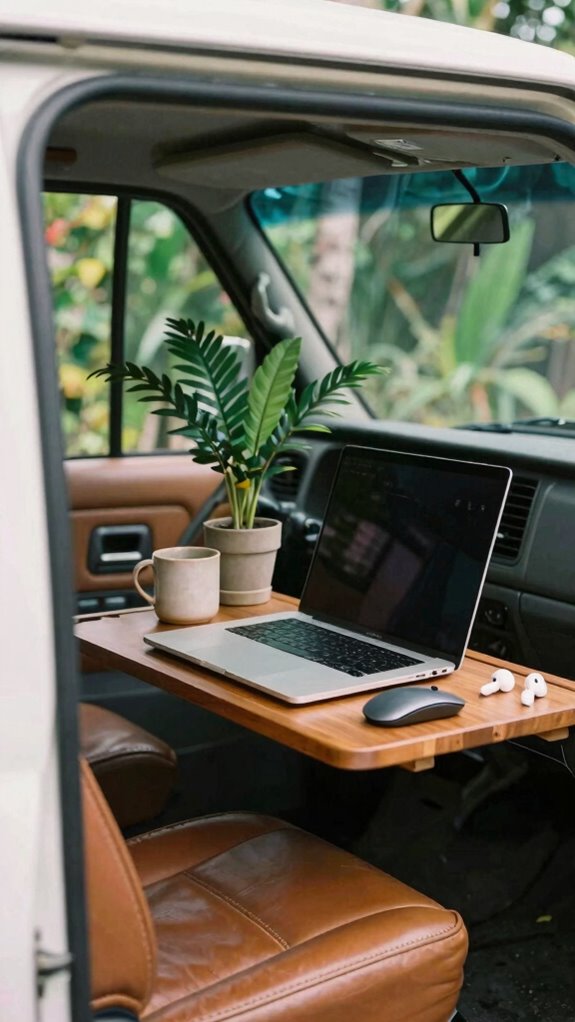
Visualize transforming your ride into a sleek, VIP lounge that makes even the most hardened remote work skeptics jealous. That’s where a luxurious leather interior really shines.
Turn your car into a stylish VIP lounge that commands attention and inspires confidence wherever you go.
First, choose premium luxury upholstery—think buttery-soft, antimicrobial, and stain-resistant leather that screams ‘power.’
Second, add ambient lighting—soft, customizable LEDs—to set the mood or boost focus with subtle brightness.
Third, install heated seats—seriously, because who doesn’t want to feel like a boss even in a traffic jam?
Fourth, incorporate sleek accents—metal trims, subtle stitching—that elevate the vibe and make your vehicle look like a mobile flagship office.
Keep in mind, this isn’t just about comfort; it’s about commanding presence, even when it’s just you and your laptop.
Why settle for less?
Adjustable Laptop Lap Tray
Let’s face it—trying to balance a laptop on your lap while gazing out at Bali’s breathtaking beaches isn’t exactly a masterclass in ergonomic bliss. That’s why an adjustable laptop lap tray is a game-changer.
You want cushion positioning that’s just right—firm enough to support, soft enough to avoid bruising your thighs. Seriously, don’t let the laptop slide or wobble; a stable surface is everything.
Plus, screen height matters—elevate your device so the top is at or below eye level, reducing neck strain and dinging your “professional” status with a crick.
In addition, a stable surface can help prevent overheating by ensuring proper airflow underneath, similar to how long-range WiFi antennas extend coverage without interference. Coordinate your device positioning to optimize airflow and stability—ergonomic design plays a key role here. Bear in mind, last time I tried the “lap-on-fire” technique? Yeah, that’s a no-go. Get a lap tray with adjustable height; it’s like customizing your cockpit for maximum productivity, even on a tropical getaway.
FAQ
How Do I Secure My Equipment During Sudden Vehicle Movements?
Secure your gear by using velcro straps, magnetic mounts, or bungee cords—just like locking down your favorite tech during a rogue wave. Always recall seatbelt safety first—no tech is worth a trip to the ER.
Keep an emergency kit handy for those “unexpected” vehicle jams, because hardware’s only as good as its backup. If you’ve ever watched Jim from The Office scramble, you know, stuff happens fast—stay prepared, stay sharp.
What Safety Precautions Should I Follow When Working Alone in a Vehicle?
When working solo in a vehicle, always prioritize safety—think of yourself as the hero in a roadside saga.
Keep your smartphone charged for remote communication and have an emergency kit ready—flashlights, first aid, power bank—just in case.
Park in well-lit, safe spots; never leave your gear unattended.
Keep in mind, a quick “What could go wrong?” mind shift keeps you sharp.
No boss, no backup? Be your own superhero.
How Can I Optimize Ventilation for Working in the Car During Hot Days?
Crank open your windows—air circulation is king for hot days. Aim for a steady cross-breeze: open windows opposite each other to create that sweet, invigorating airflow.
Fancy a pro move? Use a portable fan or vent sunshades to boost breeze and keep the temp in check.
Keep in mind those sweaty, sluggish days working in a car? Yeah, ventilation’s that game-changer. Don’t just sweat it out—be the tech boss who controls their climate!
What Are the Best Ways to Prevent Theft of Valuable Work Gear?
Secure your gear with sharp security tips that scream “power move.” Always park in busy, well-lit spots—thieves love shadows, not crowds. Use lockable storage, hide gear out of sight, and opt for a discreet password manager.
Don’t leave valuables in plain sight—think like a spy, not a clueless tourist. Recall old boss’s advice: a locked door beats a broken lock. Own your space, jet-setters!
How Do I Effectively Set up Multi-Device Workstations in Limited Space?
Set up multi-device workstations by prioritizing ergonomic seating—think adjustable chairs with lumbar support to keep your back on point.
Use cable management sleeves or clips—ditch those spaghetti messes—to keep wires tidy and avoid tripping over your own tech fortress.
Seriously, does anyone enjoy untangling a jungle of cords?
Keep everything accessible yet uncluttered, like a sleek command center.
Trust me, your old IT boss from Bali’s co-working scene would approve—short of doing your tech for you.
Summary
So, gear up, your mobile office isn’t just a fantasy — it’s totally doable. With a little planning, you’ll unlikely miss that draughty cubicle or the endless chain of meetings. Keep in mind, your vehicle — like a trusty DeLorean — can transform into a productivity powerhouse. Just make sure your setup’s right, avoid RSI, glare, and those parking-lot distractions. Now, go crush your workday on wheels — freedom’s just a seat away!
References
- https://www.autonomous.ai/ourblog/a-guide-to-efficient-truck-office-setup
- https://www.salescareerhub.com/p/car-to-mobile-office-sales-pro-guide
- https://ideal.house/community/news/from-your-car-to-home-office-instantly-make-any-seat-more-ergonomic-with-this-34-hack
- https://extra.dpss.lacounty.gov/covid/docs/TeleworkTips CarSetup.pdf
- https://rusauto.net/building-a-mobile-office-setup-for-digital-nomads-using-car-interiors/
- https://www.gottabemobile.com/5-tips-for-turning-your-car-into-your-office-escape/
- https://www.stupidtech.com/blogs/helpful-resources-1/laptop-on-the-lap-no-way-optimize-your-passenger-seat-workspace
- https://improveworkspace.com/setting-up-a-home-office-in-your-car/
- https://lifehacker.com/could-you-use-a-car-desk-1846676074
- https://www2.gov.bc.ca/assets/gov/careers/all-employees/health-well-being-and-safety/safety/vehicle_ergonomics_resource.pdf