Ergonomic Standing: My Journey to Desk Wellness
How do I maintain energy during eight-hour standing shifts? Proper biomechanics transformed my workspace entirely.
I write this for The ZIP Office community because my L4-L5 disc herniation forced me to reimagine workplace posture. Setting elbows at 90 degrees, investing in Superfeet insoles, and deploying an anti-fatigue mat—these micro-interventions matter. Heel raises, toe articulation exercises, and ergonomic accessories like monitor arms created measurable relief.
Last March, I noticed my colleague Marcus collapsing into his chair by 2 PM. After introducing him to standing desk protocols and proper footwear, his energy shifted noticeably within weeks. That transformation—watching someone reclaim their afternoon productivity—reminded me why workplace ergonomics deserves attention.
Quick Takeaways
- Use adjustable ergonomic footrests and anti-fatigue mats to support proper posture and reduce strain during prolonged standing.
- Wear supportive, cushioned footwear with arch support and avoid high heels or flimsy shoes.
- Shift weight regularly and incorporate micro-movements like ankle circles to prevent muscle fatigue.
- Maintain proper desk height and use ergonomic accessories to keep spine and shoulders aligned.
- Alternate between sitting and standing to promote movement and reduce long-term discomfort.
Why Proper Standing Posture Matters in Remote Work
Ever wonder why your back feels like you’ve been sitting on a cactus after hours of standing at your Bali coworking setup? It’s all about posture correction—forget just standing upright, it’s about engaging your core. When you neglect this, your lumbar area screams, and you start hunching like a workaholic in a dungeon.
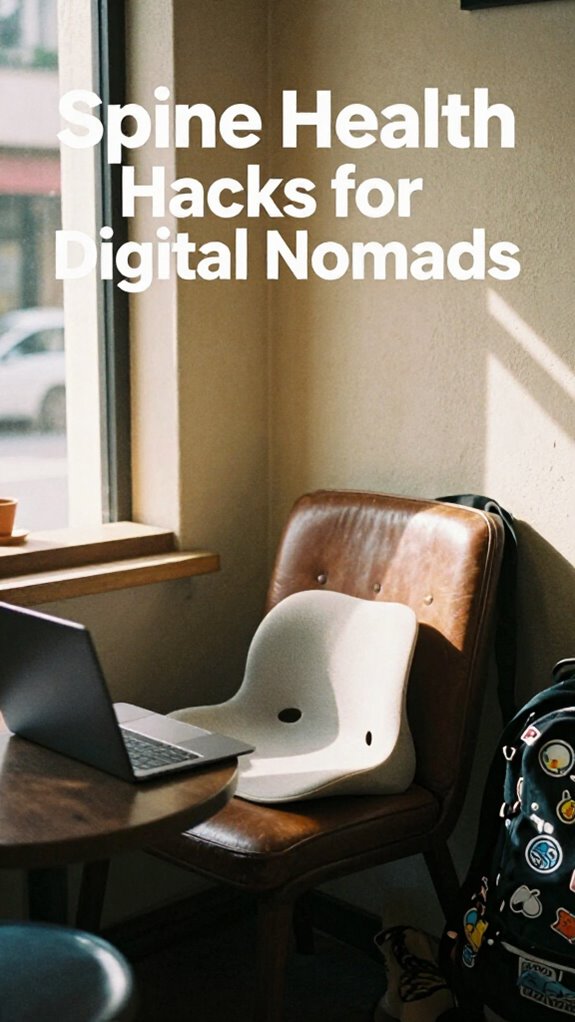
To stay liberated and pain-free, focus on aligning your spine, shoulders back, and chin parallel to the floor. Engage your core—think of it as an internal shield—keeping your pelvis tilted slightly forward. Using a lumbar support pillow can also help maintain proper spinal alignment and provide added comfort during long standing periods.
No fancy gadgets necessary, just real awareness. Envision telling your old boss, “Look Ma, no back pain,” while you crush those stand-up hours. It’s about moving smart, balancing static load, and feeling unstoppable—like the true remote warrior you are!
How to Set Your Desk to the Right Height
Think of desk customization as your personal ergonomic elevator—no more hunching like a T-Rex. Your work surface should hit your elbows at a 90-degree angle when your arms hang naturally; typically around 40-45 inches for the average person.
Use ergonomic accessories like adjustable monitor stands and footrests to dial things in.
Keep in mind, no one’s impressed by a slouchy, neck-craned mess. Establishing the correct desk height can be a game-changer for reducing strain and boosting productivity. Get cozy, stay mobile, and turn your setup into your own *glen* of tech bliss. Your back will thank you later.
Choosing Supportive Shoes for Standing Comfort

When you’re trying to nail that perfect standing desk setup, choosing the right shoes isn’t just about avoiding blisters or looking stylish (although, let’s be honest, those matter too).
Think of supportive insoles—think cloud-like cushioning that cradles your arches and takes the pressure off your feet.
Do you recall how Steve from accounting always had sore feet? Just slap in those supportive insoles, and suddenly, you’re miles ahead.
Plus, ankle stabilization is key—firm but flexible, so you stay balanced when you shift weight or wobble during those 2-minute dance breaks in Bali’s coworking scene.
Forget flimsy sneakers or high heels—go for a shoe that’s engineered for comfort and support, so your feet stay happy, and your posture stays on point.
Incorporating effective stretching routines can also help alleviate tension from standing all day, improving overall comfort and foot health.
Liberation, man.
Using Anti-Fatigue Mats to Prevent Leg Fatigue
If you’ve ever spent a long day standing in front of your laptop, feeling like your legs are turning into sad, exhausted noodles, you already know how brutal static standing can get. That’s where anti-fatigue mats become your secret weapon—think of them as the comfort upgrade your workspace desperately needs.
These mats use sustainable flooring materials—like eco-friendly rubber or gel composites—and help you ditch the “stand-and-suffer” vibe. Just envision: you’ve got your footwear ergonomics dialed in, but without a cushy buffer, all your efforts are half-measures.
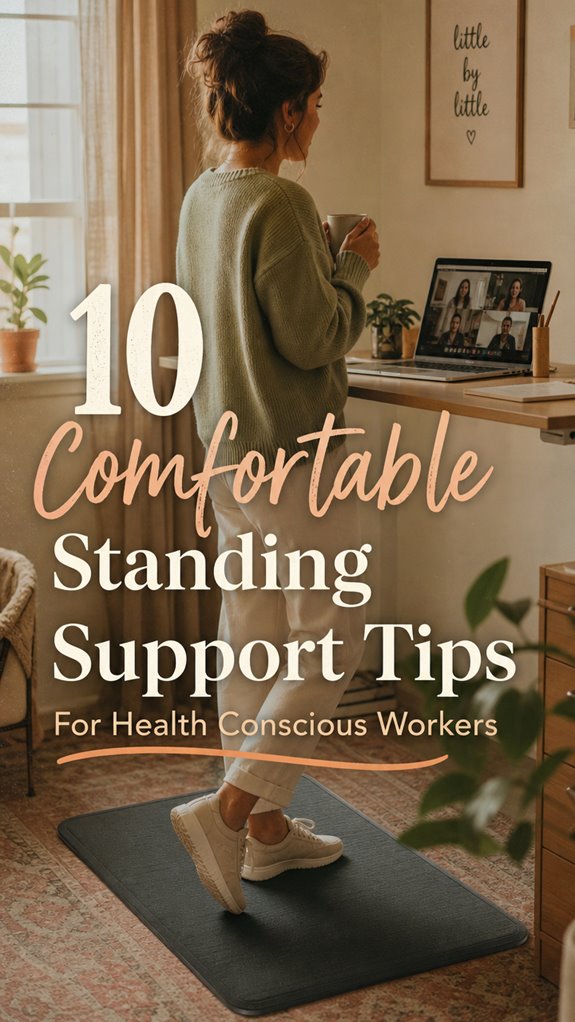
Place an 18×24-inch mat under your desk, shift your weight every so often, and suddenly, standing becomes less of a punishing chore. Welcome to your liberation from leg fatigue—your feet’s happy place. Incorporating rugged outdoor routers can ensure your workspace remains reliable even in challenging environments.
Micro-Movements and Stretch Breaks to Stay Active
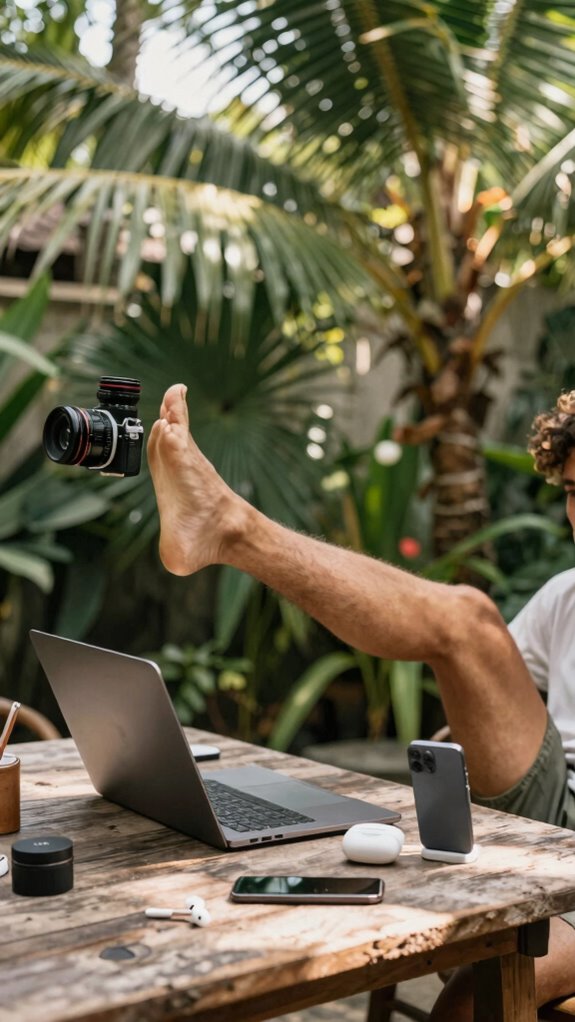
Ever wonder why your legs feel like they’re about to hit the floor after an hour of silently standing at your Bali coworking oasis? It’s all about micro-movements and stretch breaks, my friend. Mix in progressions like heel raises, ankle circles, or toe flexion to release your freedom from static stress. Remember those days back at the cubicle, stuck in one pose? Yeah, *not anymore*. Keep shifting your weight—use that ergonomic foot support, and alternate between standing and seated switch strategies. Incorporate packing tech essentials to stay organized and efficient during your travels. Here’s a quick cheat sheet:
| Move | How To |
|---|---|
| Heel raises | 20 reps, simple—rise and lower briskly |
| Ankle circles | 10 in each direction |
| Toe flexion/extension | 15 reps—press toes into the floor or lift |
| Walks | 3-5 mins each hour, a mini escape |
| Leg elevation | 15 mins against the wall, chill out |
Stay active, stay liberated—your body will thank you!
How to Shift Your Weight to Reduce Muscle Strain
Dropping into Bali’s scenic coworking spots, I’ve learned one thing loud and clear: static muscle loading is the enemy. Envision those days hunkered over a desk—back arched, shoulders tense, neck stiff? Yeah, that’s posture correction’s worst nightmare.
To truly liberate yourself from muscle strain, you gotta learn how to shift your weight. Every 15-20 mins, subtly transfer your balance between legs—think of it as a mini power move. Relax muscles by playing with micro-movements—heel raises, ankle circles. Incorporating dynamic movement can further enhance posture stability.
Picture your body as a dynamic system—no more stiff, locked-in stances like those poor cubicle drones. It’s about muscle relaxation through active weight shifting, giving your tedious standing hours a break, freeing your body to actually, you know, feel good.
Adjustable Footrests and Dynamic Standing Strategies
Envision this: you’re standing at your desk, fighting the urge to sit down because, frankly, your legs are begging for a break.
Enter adjustable footrests—your new best friend for posture enhancement. Think of it as customizing your goldilocks zone; find that perfect height so you’re not just “standing,” but thriving.
Shifting your foot position on different days keeps things fresh—no more static, muscle-cramping stand sessions like that office drone from “The Office” who never changed their stance.
Use the footrest to elevate one foot, then switch, fueling movement even in stillness.
It’s like giving your legs a mini vacation while working remotely from Bali, instead of feeling like a prisoner of your own workspace.
Incorporating top folding foot rests enhances your comfort and convenience, making standing work sessions more sustainable and enjoyable.
Liberation, one footrest at a time.
Ergonomic Accessories That Make Standing Easier
When you’re stuck standing all day at your Bali co-working spot, you quickly realize that fighting fatigue isn’t just about pounding coffee or pretending your yoga mat counts as ergonomic gear. Enter ergonomic accessories—the secret weapons of code warriors.
Footwear innovations, like cushioned soles and low heels, aren’t just trendy; they *realign* your posture and help prevent foot fatigue. Bonus? They make standing feel more like gliding on cloud nine rather than trudging through molasses.
And don’t overlook simple posture correction tools—like insoles or adjustable arch supports—that keep your spine straight and shoulders back.
Think of these accessories as tiny rebellions against the oppressive, sedentary office life. Already tired of the “standing is bad” myth? For optimal stability, consider the roof mounting options for equipment that support your setup.
With the right gear, standing becomes your new power move.
Tips for Long-Term Standing Health Benefits
Staying healthy while standing long-term isn’t some mythical office unicorn—it’s about playing the long game and building habits that actually stick. Just like I’ve learned hanging out in Bali’s co-working scene since 2023, you gotta ditch old habits and embrace smarter movement.
Your footwear selection matters—shinier sneakers won’t cut it if they don’t support your arch or have shock-absorbing soles.
Posture correction is your secret weapon—keep your shoulders back, spine straight, and avoid that “hunched” vibe.
Here’s how to level up:
- Invest in shoes with good arch support and heel elevation—no flip-flops!
- Regular micro-movements like ankle circles keep your legs alive.
- Shift your weight every 15-20 minutes—think of it as the GIF that never gets old.
- Practice posture correction daily—because nobody wants a back like a vintage paperclip.
- Remember, maintaining ergonomic awareness can significantly reduce strain and boost your long-term standing health.
Monitoring Your Comfort and Making Adjustments
You’ve got your setup dialed in—shoes, stance, anti-fatigue mats. But here’s where the real game begins: monitoring comfort and flipping the switch when something feels off.
Recall those days back in dull office cubicles? Yeah, toeing the party line but neglecting posture correction or proper footwear? Not anymore. Now, you’ve gotta listen to your body—step back, wiggle your toes, check if your arch support is doing its job. Notice aches? Adjust your footwear selection or shift your weight.
Ever had that ‘I’m a zombie’ leg moment? That’s your sign. Be proactive; make tiny tweaks. Integrating standing desk benefits can enhance your overall comfort and health.
Lose track of time standing? Sit for a spell, stretch, then get back to mastering your own comfort revolution. Your body will thank you.
Best Anti Fatigue Floor Mats
Ever wonder why those dull, flat floor mats from your old office felt like walking on concrete with a sprinkle of misery? Yeah, those days are gone, my friend. For the modern, free-range workspace — Bali style, of course — you need anti-fatigue mats that actually support your standing posture and complement your ergonomic footwear.
Here’s the scoop:
- Thick rubber or gel composites (15–20mm) keep your feet from crying after hours of standing.
- Textured surfaces prevent sliding — because no one wants to do the awkward ‘slip and slide’ dance.
- Beveled edges avoid tripping hazards — even if you’re trying out that ‘power pose’ move.
- Sizes like 18×24 inches give you that full coverage without cramping your style.
- Inbox management skills can help you stay organized and focused during long work sessions.
Say goodbye to foot fatigue and hello to staying as sharp as your latest Bali sunset.
Standing Desks for remote working
| Style | Benefit |
|---|---|
| Converters | Instantly convert any desk |
| Adjustable | Custom height for perfect posture |
| Bamboo platforms | Eco-friendly, sleek vibe |
| Sit-stand desks | Total flexibility, zero compromise |
| Moving mat | Keep moving, stay sharp |
A fitness tracker watch can help you monitor your activity levels to ensure you’re staying active throughout your workday.
Upgrade now. Your back (and old boss’s smug face) will love you.
Shop Top-Rated Anti-Fatigue Mats
If you’ve ever tried working all day on cold, unforgiving tiles or concrete—yeah, you know that brutal feeling of wanting to punch your desk—then you’re gonna love this.
Shop top-rated anti-fatigue mats, your ticket to foot freedom and utter workplace rebellion. These mats soften the blow of long hours standing, making your feet feel less like they’re about to give up.
Here’s what to look for:
- Material density – Aim for 15–20mm thick rubber or gel for maximum shock absorption.
- Surface texture – Non-slip, textured tops keep you steady when the temptation to do a ninja move strikes.
- Size & support – Go bigger, like 24×36 inches, for full coverage; support up to 1,000 pounds.
- Ease of cleaning – Non-porous, resistant surfaces because who’s time for spills?
Investing in the right standing support can significantly enhance your comfort and productivity during long work hours.
Pair with ergonomic footwear, and this is foot comfort liberation!
Ergonomic Accessories for Remote Work
Thinking about leveling up your remote work game? Well, if you’re still chained to crappy office furniture, think again.
As a Bali-based IT pro, I’ve ditched artificial lighting that burns out my retinas and relied on sleek ergonomic footwear that actually supports my feet, not suffocates them. Proper accessories—think cushioned insoles and techy, breathable shoes—are your new best friends.
Swap out flickering neon for glare-free LED lights, and seriously, direct task lighting beats hunching over a dull screen.
Don’t forget, your workspace is your kingdom—cheap sneakers and poor lighting scream “cubicle survivor.” Pamper your feet and eyes, and watch how your productivity transforms, especially when everything is designed for *you*, not the corporate grind.
In addition, incorporating ergonomic accessories can help you achieve better posture and reduce fatigue throughout your workday.
Remote Meeting Standing Stations
Ever sat through one of those painfully awkward meetings where everyone’s stuck in chairs, nodding off or fidgeting like it’s some kind of punishment? Yeah, I get it. You want to stay sharp, free, and less like a prisoner.
So, for your remote meeting standing stations, here’s the deal:
- Perfect standing posture: Keep your feet shoulder-width apart, distribute your weight evenly, and tilt your pelvis just enough to avoid lumbar drama.
- Shoe support: Slip into low heel shoes with cushioned soles and solid arch support—goodbye, plantar fasciitis.
- Anti-fatigue mat: Place a thick, textured mat under your feet. It’s like a trampoline for your soles, reducing fatigue and boosting energy.
- Dynamic shifts: Alternate your stance, shift your weight every 15 minutes, and sneak in micro-movements—heel raises or ankle circles.
- Proper color choices: Wearing comfortable, calming colors during your standing meetings can also help maintain focus and reduce mental fatigue, boosting your overall productivity.
Your old cubicle boss might’ve called it “unprofessional,” but now, you’re redefining office cool.
FAQ
How Often Should I Replace My Supportive Shoes for Optimal Comfort?
You should replace your supportive shoes every 300–500 miles, especially if their material loses its bounce—like a deflated balloon—and insoles become dead as last year’s pizza.
Keep in mind, old kicks add no support, risking plantar fasciitis and arch collapse. Think of it like updating your outdated software—if they’re feeling sluggish or the cushioning flat, it’s time for a fresh pair.
Don’t wait to be that guy with sore feet whining about “tech support.”
What Are the Best Ways to Incorporate Movement Without Disrupting Work?
You can totally keep your groove going without halting work—just slip in quick stretch breaks, like toe touches or shoulder rolls. Do posture adjustments—stand tall, tilt hips forward, relax your shoulders—every 15 minutes.
Fun fact: I once worked next to a guy who’d do calf raises while waiting for his code to compile. Who knew?
Make movement your rebel act against static grind, and watch fatigue disappear faster than yesterday’s memes.
Can Standing for Extended Periods Cause Long-Term Health Issues?
Standing too long can mess with your health—think poor posture correction leading to chronic back pain or stuffy legs. Yes, it’s a real thing. To stay liberated, switch to mini-movements, stretch, and don’t forget dietary supplements—magnesium for muscle relaxation works wonders.
Keep in mind that old boss who dragged on without a break? Be smarter. Short breaks, movement, and smart ergonomic choices save you from a future full of creaky joints.
How Do I Know if My Anti-Fatigue Mat Is Appropriate for My Needs?
Your anti-fatigue mat selection should scream, “This is *my* zone, buddy.” Look for the right material—rubber or gel—for bounce and durability.
18–22mm thickness? Perfect—keeps you liberated from the cubicle life. Check if it’s non-slip with beveled edges, so you don’t trip over your own feet.
Keep in mind, your old desk buddy Brian loved his cushiony mat, but even he’d admit partial victory gets you closer to Bali’s breeze.
What Ergonomic Accessories Can Help Reduce Fatigue During Long Remote Meetings?
Envision breaking free from stiff, soul-crushing conference room chairs—ergonomic accessories are your escape hatch. Use a lumbar support cushion to keep your posture aligned and a footrest to perfect your foot position.
Sit back, relax, and elevate your feet during long meetings. Can you feel the weight lifting?
These tools let you reclaim your energy, ditch fatigue, and crush those endless Zoom marathons like a remote legend.
References
- https://www.careeraddict.com/work-standing-up
- https://www.endurancely.com/standing-all-day/
- https://www.ccohs.ca/oshanswers/ergonomics/standing/standing_basic.html
- https://www.in.gov/dol/files/Work_Ergonomics_-_Standing-2.pdf
- https://www.bswhealth.com/blog/7-tips-for-prolonged-standing
- https://www.youtube.com/watch?v=yyaVzfk0BOU
- https://www.safe-machines-at-work.org/fileadmin/user_upload/content/human_factors/Use_Cases_and_Practical_Examples/EN/Ergonomics_in_practice_standing_work_WEB.pdf
- https://www.wikihow.com/Stand-for-a-Long-Time
- https://www.huntingtonorthopedics.com/8-ergonomics-aids-for-standing-at-work/
- https://podoks.us/blogs/news/how-to-keep-healthy-feet-working-standing-shifts
- https://www.timotion.com/en/news-and-articles/the-guide-to-standing-at-work-benefits-risks-and-how-to-do-it-right