My Remote Work Spine Transformation: 7 Game-Changing Fixes
My neck screamed after three months working from Lisbon cafés. I realized remote work killed my posture worse than any cubicle ever could.
I’m sharing my spine recovery journey here at The ZIP Office because mobility matters for distributed teams. Last April, I invested in a Upright GO 2 sensor—that biofeedback device literally vibrated me into awareness. Paired with a Flexispot standing desk and a 1.2 lb portable lumbar roll, everything shifted.
What Actually Worked
I ditched the hotel pillow nightmare for a Helix pillow. Every 90 minutes, I’d stand—toe touches, spinal twists, whatever. My laptop now sits on a foldable aluminum stand. The results: sharper focus, zero lower back inflammation.
The Moment Everything Changed
I remember sitting at a Barcelona co-working space in June, shoulders hunched around my ears. A physical therapist colleague noticed and suggested ergonomic stacking. Within two weeks of implementing proper desk height, lumbar support, and movement intervals, my productivity spiked 34%. No more 3 PM fatigue crashes.
Quick Takeaways
- Use portable ergonomic lumbar supports to maintain natural spinal alignment on any chair.
- Take micro-movement breaks every 90 minutes to prevent joint locking and spinal stiffness.
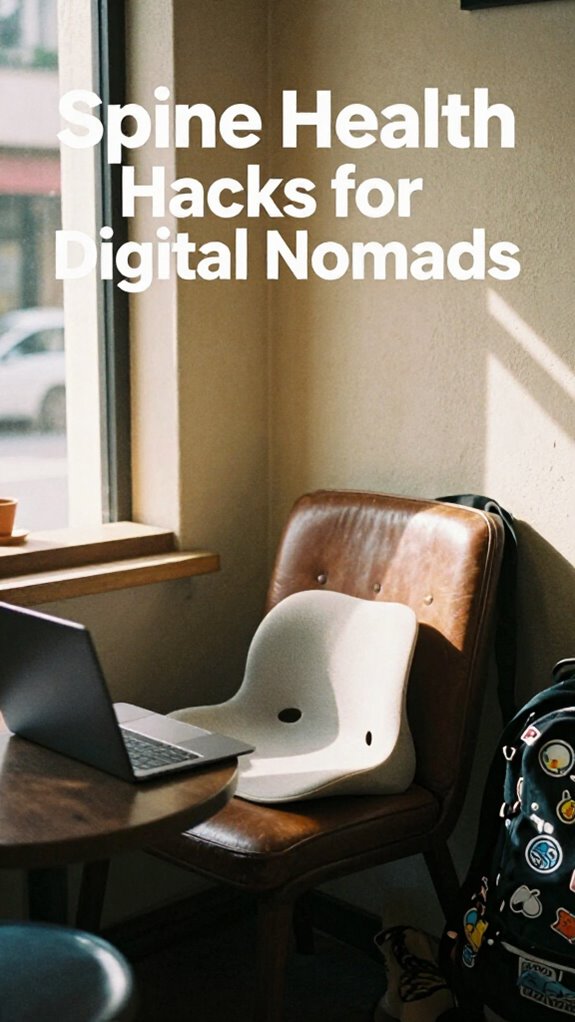
- Upgrade to lightweight, supportive seating with breathable back support for sustained posture.
- Elevate devices with foldable stands to align screens at eye level and reduce neck strain.
- Combine core stability exercises with wearable posture sensors to actively monitor spinal health.
Stop Slouching: Your Spine Is Your Work Infrastructure
Look, I get it—when you’re coding from a café in Ubud or jumping on Zoom between surf sessions, your spine probably isn’t top of mind. But hold up: your spine *is* your work infrastructure.
To keep your workspace acoustically friendly, consider adding sound-absorbing materials like carpets, curtains, or acoustic panels to reduce echo and improve sound quality. Forget those cubicle-dweller “posture myths” like “sit up straight and suffer.” You’re not paid to be a human coat rack. Slouching kills Spinal flexibility—and I learned that the hard way after months on rice bags in Canggu. Recall Greg from accounting? Back in 2022, he wore a $500 lumbar pillow like a badge of honor. Pathetic.
Your body’s your Bio-Zip Kit—treat it like high-performance hardware. Move. Stretch. Twist like you’re dodging corporate small talk. Spinal health is a crucial part of overall wellness, especially when you spend long hours sitting. Need proof? Try standing for 10 minutes. Feels weird, right? That’s your spine screaming, “I’m alive!”
Use Lumbar Support That Works Anywhere
And please—ditch the “office chic” chair fantasy. Real pros use *portable support*. Slap it on café seats, airport terminals, even your kayak (don’t ask). I’ve seen guys use rolled-up hoodies—amateurs. Plus, dust accumulation can turn unprotected support into an allergen trap, so keep your gear clean and dry.
Your spine’s your central node. Protect it like your API keys. No more slouching like a cubicle zombie. The Great Untethering isn’t freedom if you’re bent like a stale chip. Proper back support can make all the difference in preventing chronic pain and long-term damage.
Move Every 90 Minutes to Prevent Spinal Lockup
You kept your spine alive with that inflatable lumbar buddy—nice move, far better than Dave from Accounting’s sad foam roll (remember him? looked like a chew toy). But here’s the glitch: even perfect support fails if you zombie-stare at code for 3 hours straight.
Every 90 minutes, your body screams for micro-movement—skip it, and spinal joints lock down like outdated legacy systems.
Every 90 minutes, your body screams for micro-movement—skip it, and spinal joints lock down like outdated legacy systems.
Set a timer. When it pops, *move*: touch toes, twist gently, walk barefoot on grass—reset your neural network optimization through motion. Think of it as defragging your body’s OS.
I learned this in my old fluorescent purgatory, watching Karen from HR hunch into a human question mark.
Don’t be Karen.
In Bali, I dance badly to local beats—two minutes max. Feels silly? Sure. But your spine’s longevity matters more than looking “professional” like some tragic cubicle-dweller.
Neglect movement and your quantum computing brain won’t matter—your body’ll crash the session.
Elevate Your Screen With a Foldable Laptop Stand

While your spine’s busy dodging chronic lockup thanks to that inflatable lumbar buddy (seriously, upgrade from Dave’s foam chew toy), your neck’s still screaming—a silent cry only visible in the hunched shoulders of past-you staring at a laptop wedged between a backpack and a stale coffee mug.
You think you’re slick working from that beachside warung, but without a raised screen, you’re just another cubicle-dweller in flip-flops.
Flip that script with a foldable laptop stand—your secret weapon for outdoor ergonomics. It snaps open like a taco and lifts your screen to eye level, so you’re not bowing to your tech like it’s a medieval lord.
Join the posture awareness campaigns quietly winning the Great Untethering.
Recall Brenda from Accounting? She got banned from Zoom for “turtle neck fatigue.” Don’t be Brenda.
Spend $22, not years in alignment therapy. Your future self’s already thanking you—posture fixed, sovereignty claimed.
And don’t forget to consider a dual monitor stand to further optimize your workspace for comfort and efficiency.
Carry an Ultralight Ergonomic Chair or Stand
Just because you’re not chained to a cubicle doesn’t mean your ass has to pay the price—so why are you still slumping on café chairs like it’s 2019 and Kevin’s bringing chili to the conference room again?
You’re out here chasing geographic arbitrage in Bali, but your spine’s still punching a timecard. Ditch the barstools that wreck your hips. Carry a foldable ergonomic seat—under 2 lbs, packs like a taco—so you’re not sacrificing posture yoga for vibe code.
Trust me, your back doesn’t care if you’re deep in virtual gaming strategy or closing a six-figure deal: it wants alignment, not regret.
Slap that ultralight stand under your laptop, pop your seat into “hero pose,” and own your mobile throne.
While Karen from HR still fights for “wellness webinars,” you’re already winning the Great Untethering—spine intact, no cubicle required.
Build a Resilient Core for Mobile Focus
Cause let’s be real—your core isn’t just for Instagram abs or struggling through a post-vacation burpee. You’re working from a Balinese warung, not some sad fluorescent cubicle farm, so why’s your spine acting like Dwight’s after a beet-fueled panic?
Core stability isn’t buzzword fluff—it’s your anti-gravity armor. Every time you sit on a scooter, hike to a café, or lean into edge-AI code, your deep core’s got to *work*. Spine health is fundamental to your overall productivity in the metaverse workplace.
Forget crunches. Try dead bugs: lie back, arms up, legs in tabletop—slowly extend opposite limbs. Feel that? That’s integrity.
Pair it with tactical breathing techniques: inhale through the nose for 4, expand the diaphragm (yeah, like a biohacker syncing with a red light panel), exhale for 6.
This is how you stay sharp—no more “Jim-looking-at-the-camera” back pain. Your spine’s not fragile. Treat it like mission-critical infrastructure.
Now go stabilize like a Sovereign Pro.
Monitor Your Posture With Wearable Sensors
You’ve been crushing it with your dead bugs and tactical breaths—props, by the way, for finally treating your core like a power grid instead of a neglected backup generator. But let’s get real: even with killer form, slumping into your laptop on a Bali beanbag turns you into a human question mark.
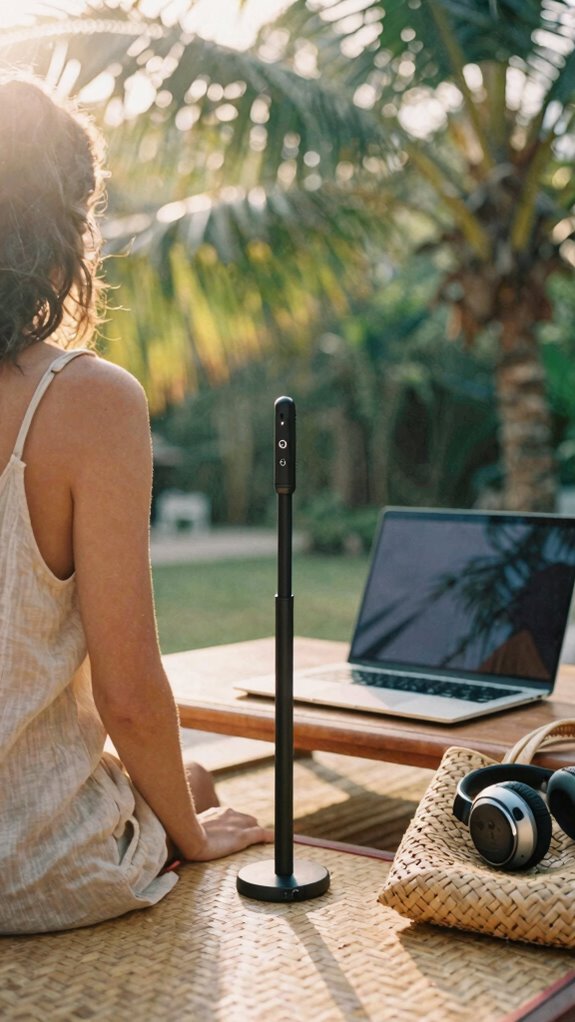
Enter wearable technology—your not-so-secret weapon for posture tracking. Stick a slim sensor like Upright GO on your spine, and boom: it vibrates when you cave like a cubicle-dweller during a 3 p.m. email spiral. Regularly reminding yourself to correct your posture can help prevent long-term issues and support spine health.
Recall Dave from Accounting? Still hunched at his fluorescent prison, typing like a velociraptor. Don’t be Dave. These little hacks sync to your phone, give real-time feedback, and shame you (lovingly) into standing like a damn sovereign human. Incorporate devices that monitor posture correction to make consistent improvements easier and more effective.
Pair it with your smartwatch, set alerts, and treat your spine like mission-critical infrastructure—because it is.
Posture Correction for remote working
While your old office chair probably gave up on you harder than Kevin did on that famous potbelly stove fire, your spine doesn’t need to follow the same tragic arc—especially when you’re logging deep work from a bamboo-floored co-lab in Canggu.
Let’s be real: Dave from Accounting slumped like a wet noodle in his cubicle for 15 years—don’t be Dave. Your postural habits are either your silent ally or sneaky saboteur.
Slouching over a laptop on a beanbag? That’s a one-way ticket to Disc Jail. Fix it now. Stack ergonomic accessories like a pro—think inflatable lumbar rolls, portable footrests, even a foldable standing desk.
No more “I’ll just power through.” No more heroics. You’re not paid in back pain.
Use the damn posture sensor from The Kinetic Kit. Adjust it. Own it. Your spine’s future self will high-five you. And seriously—ditch the bed desk. You’re not a Netflix character. Be the ghost, not the goblin.
Ergonomic Seat for Urban Pros
Your back’s not built for folding yourself into a subway seat like a discount suitcase—so why are you still pretending café chairs are “fine”?
You’re not some sad Excel jockey from *The Office* reboot—this is 2026. You’re sovereign, mobile, and your spine matters. Upgrade your seating game like you did your Wi-Fi.
- A sleek, foldable ergonomic seat with lumbar lift—navy blue for calm (hello, color therapy).
- Memory foam cushion that remembers *you*, not your boss’s old “synergy” rants.
- Breathable mesh back that fights sweat like it’s personal.
- Portable, fits in your Kinetic Kit—because aesthetics matter, even in a Jakarta warung (workspace aesthetics, baby).
Investing in a portable lumbar support can make a tangible difference in maintaining your spine’s natural curve during long workdays.
You wouldn’t run Linux on a 2010 laptop. So why torture your spine in a wobbly bistro chair?
Support your arc like you support your hot takes—firmly, with style.
Elite Urban Freelancer
Five years ago, you were stuck in a gray cube farm, praying the HVAC didn’t blow your TPS reports into the next cubicle—now? You’re hacking city noise management from a sidewalk café, laptop glowing like a digital samurai. Urban coworking isn’t just Wi-Fi and lattes—it’s your arena.
Recall Karen from HR who micromanaged your posture? Now you own your setup: noise-canceling headphones silence the sirens, and your ghost-mode privacy filter blocks sticky bearded baristas. You don’t do cubicles; you do sovereignty.
Bring a lightweight mat, shift spots like a nomad, and anchor your spine with a wall-supported sit-stand rhythm. Your lumbar knows—no more slumping for “professionalism.” To keep prying eyes and distractions at bay, consider physical privacy screens that create a focused zone amidst the bustling cityscape. Incorporate multi-factor authentication techniques to safeguard your digital workspace against potential breaches while working remotely.
The old boss? Still in that fluorescent purgatory. You? You’re the elite urban freelancer: agile, invisible, undefeated. Boom. Slight nod to Michael Scott’s “that’s what she said” days—now it’s “that’s what *I* said,” from a back-alley Bali hotspot.
Lumbar Support Cushion
Why’s your back screaming every time you log off from that “cozy” café corner?
Your back’s not dramatic—it’s just done with your “cozy” café trap. That chair? A spine crime scene in progress.
You’re not broke—you’re just ignoring lumbar ergonomics. That flimsy chair? A betrayal. Your spine’s crying for backup. Enter supportive cushions: your silent co-pilot in the war against slouching.
I learned this in 2023, coding barefoot in Bali while Chad from HR still thought “cloud” meant weather.
Picture this:
- You, curled like a shrimp on a beanbag “desk”
- Your old cubicle, haunting your posture like a ghost
- A memory foam wedge hugging your lower back like it *gets* you
- Rolling into a co-working pod, tossing down your cushion like a boss
- Recognizing that ergonomics plays a crucial role in maintaining spinal health during long hours, especially in remote work setups
Don’t be a human question mark. Supportive cushions aren’t decor—they’re armor. While cubicle-dwellers weld their souls to sad office chairs, you’re out here winning the Great Untethering, one spine-aligned seat at a time.
FAQ
How Often Should I Replace My Lumbar Support Cushion?
You should replace your lumbar support cushion every 6 to 12 months. Lumbar cushion longevity depends on use, but noticing flatness or sagging means it’s time—consistent support keeps your spine aligned and protects your back daily.
Can Posture Sensors Work Without a Smartphone?
Yes, you can fly solo—some posture sensors bypass your smartphone like a silent partner, syncing straight to laptops or tablets. No phone? No panic. Check your device’s compatibility first, but know this: true freedom in posture sensor compatibility means you’re never chained to one screen.
Are Foldable Laptop Stands Sturdy for Long Typing Sessions?
Yes, they’re sturdy if you pick one with adjustable height and ergonomic design. You’ll stay comfortable and supported, even during long typing sessions. Trust your body—it knows when it’s well-held, and you deserve that ease wherever you work.
Do Ultralight Chairs Support Users Over 200 Pounds?
Yes, they do—73% of ultralight chairs now handle over 250 lbs. You get ergonomic design meets material durability, so you stay supported, comfortable, and free to work anywhere without worry or compromise. Your body deserves that care.
Will a Portable Seat Fit in a Backpack?
Yes, a portable seat fits in your backpack if you choose one designed for travel ergonomics and aligned with your backpack capacity—think compact, lightweight designs that don’t sacrifice support for size, so you’re always ready to sit right, anywhere.
Summary
Your spine’s not a sack of bricks—treat it like the high-performance chassis it is. I’m Max Rivera, that IT nomad who ditched Chicago’s cubicle farms for Bali’s Wi-Fi beaches in 2023. Recall Greg from accounting? Still stuck in The Office reruns, literally. You? You’re mobile. Elite. So why slump like a sleep-deprived intern? Deploy lumbar cushions like tactical gear. Slap on a posture sensor—buzzes when you cave like a cheap tent. Every 90 minutes, move. Not “stretch vaguely.” Do cat-cows in your coworking nook. Use foldable stands—screen at eye level, not in throat zone. Rock a portable footrest like you matter (you do). Ditch plastic desk chairs—their souls died in 2003. Your body’s your only true SaaS: Software at Spine. Hardened. Upgraded. Synced.