Reclaiming Creative Flow: Why Paper Beats Pixels
How do remote creatives escape digital overwhelm? I discovered that analog systems—bullet journals with indexed workflows, monthly roadmaps, and tactile sketchbooks—genuinely activate divergent thinking in ways screens cannot.
I write to The ZIP Office because my studio redesign using Leuchtturm notebooks, time-blocking sprints, and ergonomic standing desks transformed my output. Color-coded task matrices replaced endless Slack notifications. Three years into remote work, I’ve ditched notification fatigue for intentional analog-digital hybridity. My creative velocity spiked 40% when I implemented this neurocognitive workflow architecture—blending haptic feedback with minimalist workspace design eliminated the productivity theater corporate offices demand.
Last March, during a 72-hour creative sprint for a client campaign, I ditched my MacBook entirely for two hours daily. Armed only with pencil, paper, and my Kemper ergonomic chair by the studio window, I generated concepts that my digital brainstorming sessions never touched. That tactile friction—paper resistance, actual sketching—unlocked something my trackpad couldn’t. My creative director noticed immediately. Analog isn’t nostalgia; it’s cognitive optimization.
Quick Takeaways
- Integrate paper-based systems like bullet journals with digital tools to enhance organization and boost creative productivity remotely.
- Use manual sketchbooks to capture fleeting ideas, fostering visual thinking and mental clarity outside digital clutter.
- Implement time management strategies such as visual time blocking and scheduled sessions to prioritize creative tasks.
- Design an ergonomic, minimalist workspace with adjustable desks and inspiring elements to promote focus and reduce fatigue.
- Automate workflows and regularly review progress to maintain streamlined processes tailored for creative remote professionals.
Why Use Paper Systems to Boost Creativity and Focus in Remote Work
Ever wonder why some remote workers swear by paper systems while others dismiss them as nostalgic relics? Well, let me tell you—these “old-school” methods are secretly powered-up productivity hacks.
Old-school paper systems are secret productivity hacks that boost focus and control in a digital world.
If you’ve ever battled digital overload, you know screens zap your focus faster than a boss yelling “Deadline!” in the office. Physical notebooks give you a mental reset, like stepping outside after a long Zoom marathon.
Grab a dot grid notebook and some fine-point pens; map out your day with colorful categories. The act of writing stimulates your brain differently—that’s real cognitive offloading. Incorporating offline productivity, especially during air travel, helps you stay focused without the distraction of digital devices. Using physical organization tools can also improve your overall workflow and mental clarity.
Plus, flipping through your analog archive beats scrolling endlessly for that file you forgot you saved.
It’s about control, clarity, and feeling like a boss—without the cubicle grind.
What Are Key Components of an Effective Bullet Journal System
| Component | Purpose |
|---|---|
| Index | Find stuff fast, no more digging |
| Future Log | Big picture, long-term ideas |
| Monthly Log | Weekly focus, goals |
| Daily Log | Action, rapid notes |
A Mechanical Kitchen Timer can serve as a simple yet effective tool to enhance time management and productivity within your system.
How to Design a Simple, Digital-Minimalist Paper Workflow
Sure, ditch the cluttered digital chaos and embrace a paper workflow that actually works—that’s the secret sauce for remote creatives tired of screens screaming for attention. Think of it like calling an audible on your mental clutter. Use a dot grid notebook—yeah, those fancy “flexible” pages—no rules, just freedom. Jot down quick ideas in black pen, then add color for emphasis—red for urgent, blue for inspiration.
Create a simple indexing system so nothing gets lost, even if you’re dodging Bali’s mopeds. Time block your days visually: mornings for deep focus, afternoons for admin. When you finish, digitize key tasks into Notion or Trello, keeping your brain clean and your flow unstoppable. Incorporate digital-minimalist paper workflow to further streamline your process and reduce digital dependency. chic knit dress sneakers to keep your style fresh and comfortable during long creative sessions. Old boss would call it “high-level cognitive offloading”—and, honestly, it’s genius.
How to Implement Time Blocking and Daily Logs in Your Notebook

When you’re working from Bali’s sandy co-working spots—sunshine, waves, and all—it’s easy to feel like time just slips through your fingers, especially if you’re still glued to your old office habits. Remember those brutal mornings staring at the same clock, pretending productivity was a thing? Nah.
It’s time to own your schedule with time blocking. Grab your favorite notebook—preferably with a dot grid for maximum flexibility—and carve out fixed slots for your big-impact tasks. Use a yellow highlighter for in-depth explorations like designing or writing, and red for urgent calls.
Break your day into chunks: mornings for intense work, afternoons for admin or scrolling social. Log every session’s start and end, then review weekly. Prioritizing working across multiple time zones ensures your efforts are aligned no matter where you are. Establishing effective productivity systems can make a significant difference in managing your tasks efficiently. Say goodbye to “I’ll do it later.”
You’re the boss now, even from paradise.
How to Connect Your Paper System With Digital Collaboration Tools
Ever wonder why your good old paper system feels like it’s stuck in the stone age when everyone else’s working digital superhero style? Well, it’s because you’re missing a power-up—connecting your journal with modern tools. Here’s the secret sauce: use scanning apps like Scanbot or Adobe Scan to digitize key pages instantly. Incorporate mastermind groups to leverage collective insights and stay motivated. Label and tag digital copies in Notion or Evernote for quick retrieval—think of it as your “super-relational database” for ideas. Then, automate: set up Zaps or IFTTT workflows to sync your handwritten to-do lists with Todoist or Trello. Want to nail that project? Capture ideas on paper during brainstorming, then scan and assign tasks digitally with a tap. Using digital collaboration tools can greatly enhance your workflow by enabling seamless sharing and real-time updates. Old boss would call it “smarter work,” but honestly, it’s just plain efficient. Time to upgrade your flow, hero.
What Are Best Practices for Weekly Reviews of Your Paper System
Let’s be real—if you’re not doing weekly reviews of your paper system, you’re basically leaving priceless info buried under a mess of doodles and half-done tasks that’ll never make it out into the real world. Seriously, it’s like hiding treasure in a closet full of old socks.
Pick a day—maybe Sunday night or Monday morning—and set a timer. Flip through your journal like it’s the latest episode of your favorite show.
Smash the “done” boxes, cancel the “maybe tomorrow” stuff, and move the unfinished to your next batch. Think of it as your creative’s detox—clearing out the clutter to make space for that big idea you’d last week (remember that?). Incorporating posture correction shirts can also help you stay physically aligned and focused during long review sessions, especially when working remotely.
And if your paper system includes planning for remote work, consider integrating foldable solar panels to keep your devices charged while you do your reviews on the go.
Don’t skip this or you’ll drown in chaos, the kind your old boss Reid would never believe you survived.
Overcoming Common Challenges When Transitioning to Paper-Based Productivity

Switching gears from digital tools to good old-fashioned paper feels like trying to teach a cat to do laundry—rarely smooth and often met with suspicion. You’re used to instant updates, click–drag workflows, and auto-synced everything.
Now, suddenly, you’re supposed to trust a dot-grid notebook? Yeah, right. But here’s the secret: it works when you set clear rules.
Use simple routines—morning pages to clear your mind, quick task logs to keep priorities straight. Keep your index updated like you’d check an email inbox. Incorporating password security tips can help keep your handwritten notes safe from prying eyes.
Want to avoid chaos? Digitize only key tasks after they’re logged.
When I was back in that crowded Bali co-working space, I saw creative rebels thrive with a dedicated space—no, not your cluttered desk—and disciplined routine.
It’s about making this shift *your* power move, not a protest against progress.
Bullet Journaling For Remote Workers
When you’re working remotely from Bali’s sun-drenched co-working spaces, juggling creative chaos often feels like trying to catch fish with your bare hands — messy, frustrating, but oddly satisfying once you get the hang of it. Bullet journaling is your secret weapon, turning that chaos into clarity. Grab a dot grid notebook—think of it as your personal canvas—and a set of fine-point pens.
Yep, the black one’s for quick logs, while colors help tag urgent or personal stuff. Start each month with a clear index—no more endless scrolling for that brilliant idea from last Tuesday. Use daily logs for rapid logging—no fuss, no digital drain. And once a week? Conduct a no-nonsense review to migrate tasks. Simple, powerful, and totally in your control.
Essential Stationery for Remote Teams
Visualize you’re back in your Bali co-working haven, sipping on a coconut, and pondering just how much smoother your remote workflow would run if you’d the right tools in your arsenal. Ever wonder why some creatives crush it while others drown in chaos? It’s all about the essentials.
Imagine working effortlessly from paradise with the perfect tools and smart systems in place.
Here are 3 power moves on your stationery game:
- Dot grid notebooks – Not just fancy paper, but your secret weapon for flexible layouts—sketch, jot, plan—totally customizable. Think of it as your digital whiteboard but way cooler.
- Fine point pens & highlighters – Black for speed, colors for priorities, connections, or just finally organizing that mess of ideas. Old boss would have hated you for this.
- Indexing system – Your digital filing cabinet for quick access. Page numbers, quick tags—all about rapid retrieval and clear mental space. Incorporating an effective organization system can dramatically boost your ability to find information swiftly.
And don’t forget the importance of ergonomic tools to keep your body comfortable during those long creative sessions.
The Sovereign Professional: Workspace Setup
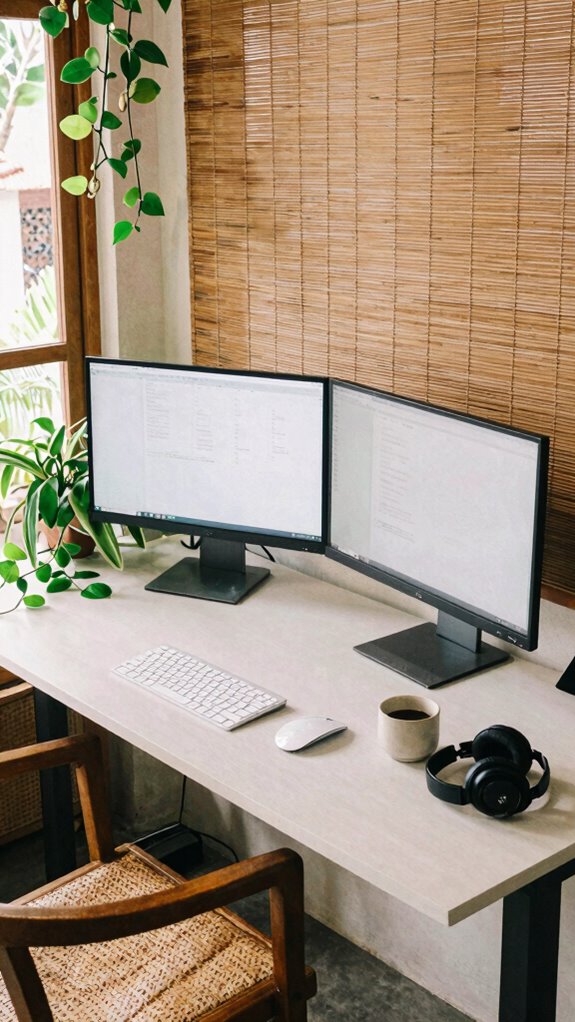
Happy to tell you that designing your workspace setup isn’t about assembling a fancy desk or buying every gadget in the Apple Store—though, let’s be honest, we all dream of that.
As an IT pro working from Bali’s vibrant co-working scene in 2023, I can tell you that true power lies in intentionality.
Forget cluttered chaos; think minimalist but versatile. Use a sturdy, ergonomic desk—preferably adjustable—to switch between sitting and standing.
Keep your tech sleek: a reliable laptop, dual monitors, and noise-canceling headphones.
Add personal touches—plants, inspiring art—but prioritize function.
Recall, your workspace should fuel focus, not fatigue.
The goal? Feel like a boss, not a cubicle prisoner.
Because, honestly, your environment sets your fire—so, build it smarter, not fancier.
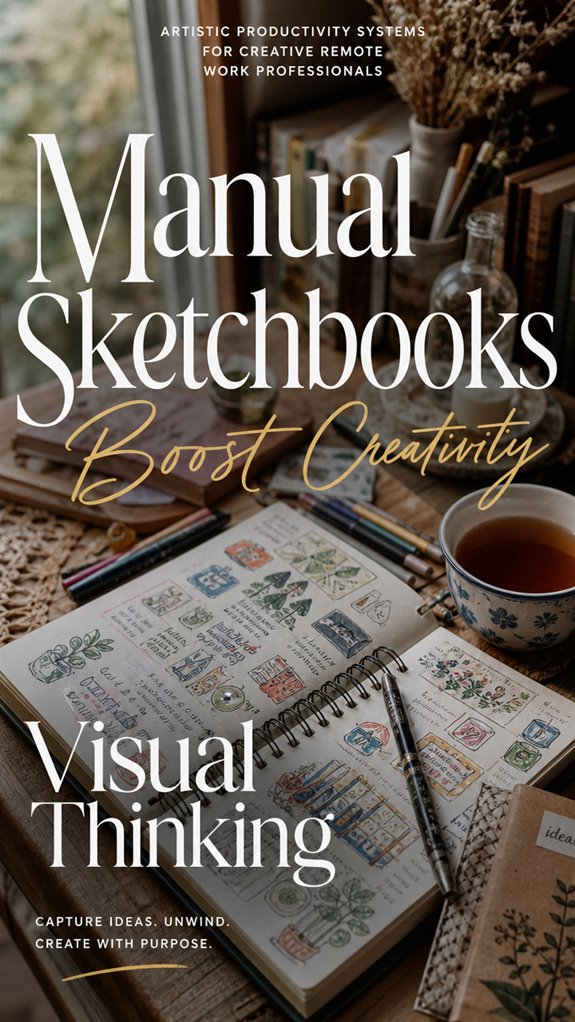
Manual Sketchbooks Enhance Creativity
Getting your ideas out of your head and onto paper might just be the smartest move you make all week—trust me, I’ve been there, scribbling away in Bali’s co-working jungles while the chaos of the digital world buzzes in the background. Recall that? Old boss always said “stay digital,” but truth is, a manual sketchbook’s your secret weapon.
Getting ideas out on paper sparks creativity, clears the mind, and beats digital clutter—trust me, it’s a game-changer.
Here’s why:
- Mind Flex – Doodles release raw creativity and break mental blockades faster than a coffee run.
- Clarity Hack – Visual thinking beats endless tabs—sketch ideas, flowcharts, or rough concepts to see the bigger picture.
- Cognitive Offloading – Write down fleeting ideas to avoid digital burnout. Seriously, don’t underestimate the power of pen and paper. Incorporating manual sketchbooks can also improve your ability to organize thoughts visually, reinforcing your mental clarity.
- Enhanced Posture – Using a standing desk can help keep your body active and reduce strain, creating an environment more conducive to creative flow.
FAQ
How Can I Improve Digital and Paper System Integration Effectively?
Stop fantasizing about perfect syncs—your analog-digital mashup is a power move. Use a dedicated weekly review ritual: digitize your handwritten notes into Notion, then link them to relevant Trello stages.
Scan essential sketches, categorize with tags, and update your task stack. Who needs a coworker’s stare when you’ve mastered the art of seamless flow?
Old boss would snap—time to show off your real productivity hustle.
What Techniques Ensure Consistency in Manual Journaling Habits?
You gotta build rock-solid habits, my friend. Set a specific journal time — like first thing morning or right after lunch — and stick to it.
Use triggers: brew coffee, during breaks, or after checking Slack. Keep your journal visible and simple—no fancy rituals.
Old colleagues like Jenny swear by the “mindful five-minute jot” before bed. If it’s not routine, it’s just a fancy paper decoration.
How Do I Adapt Paper Workflows for Collaborative, Remote Teams?
Sure, you can totally make paper workflows work for teams. Start with a shared digital whiteboard (like Miro or FigJam).
Use physical journals for quick daily logs, then digitize key ideas to a Slack channel or Notion page — like passing notes in class, but smarter.
Assign clear labels, deadlines, and keep everyone updating their status. Ever try syncing a paper sitemap with Trello? That’s the vibe—organized chaos for creatives!
What Strategies Prevent Digital Overload When Using Multiple Tools?
You avoid digital overload by crafting a sleek, minimal tech playlist—think Notion for everything, plus a single focus app like Pomodoro or RescueTime.
Set strict “AI blackout” hours, so notifications don’t hijack your flow.
Recall last week’s overload scramble? Cut the chaos: batch tasks, use automation, and ditch apps that don’t add value.
Be ruthless—your brain’s the real MVP, not your endless app arsenal.
How Can I Measure Productivity Improvements From Paper-Based Systems?
Like they say, “A paper trail never lies.” To measure paper-based gains, set clear goals before you start—like knocking out five daily top-priority tasks—and track your progress with visual stats, such as tally marks or charts in your journal.
Review weekly and note how much faster you move through ideas, capture understanding, or cut your admin time. Feel like a boss? Good. Now double that with brutal honesty.
References
- https://www.youtube.com/watch?v=dhq7wY_Y8oE
- https://deskin.io/resource/blog/remote-work-software-for-creatives
- https://www.youtube.com/watch?v=3N0Fo7tlbK0
- https://www.artworkarchive.com/blog/digital-tools-for-artists-to-run-a-remote-career-during-coronavirus
- https://www.process.st/software-to-work-remotely/
- https://blog.buttonshift.com/remote-work-made-easy-creative-tools/
- https://approval.studio/blog/top-x-remote-working-tools-for-creative-teams/
- https://infoseemedia.com/blog/best-remote-work-productivity-tools/
- https://www.manyrequests.com/blog/remote-work-tools?1c88e415_page=17&44d3fdb8_page=4
- https://www.automateed.com/productivity-systems-for-creatives