Laptop Security in Cafes: Why Your Device Is More Vulnerable Than You Think
Are cafes genuine security threats to your laptop? Absolutely—I learned this the hard way at a Bali coworking space in 2022 when my MacBook Pro nearly got snatched. I write for The ZIP Office to share practical cybersecurity wisdom because remote workers deserve infiltration-resistant workflows. I implement encryption protocols, deploy physical locks, position myself strategically against walls, and use privacy screens. Avoiding public Wi-Fi networks like the plague, I leverage VPNs instead. My experience taught me: vigilance beats complacency.
Last month at Satellite Coffee in Jakarta, I watched someone compromise an unattended Dell within ninety seconds. The barista saw nothing. That’s when I realized passive monitoring beats regret. Now I anchor devices physically, rotate passwords biweekly, and treat cafes like active threat zones. Small friction creates massive security dividends.
Quick Takeaways
- Use privacy screens and position your laptop with the back against the wall to prevent shoulder surfing.
- Secure your device with a sturdy cable lock to deter theft in public spaces.
- Avoid connecting to unsecured Wi-Fi; use a VPN to encrypt your internet traffic.
- Keep your devices in sight at all times; do not leave them unattended on tables.
- Enable full disk encryption and activate “Find My Device” for added data protection.
Recognize Safe Cafes and Environments for Remote Work
Ever wondered if that cozy corner café with slick Wi-Fi and killer avocado toast is actually a safe spot to log in? Well, think about art gallery security—they’re serious about perimeter awareness and monitoring. Your favorite Bali hotspot? It should feel just as vigilant. Avoid places that scream “security lax”—no surveillance, sketchy wifi, or unprofessional staff.
You know, the kind where airport screening feels more rigorous. Look for well-lit spots with natural surveillance—mirrors, reflective surfaces, and staff who actually notice your presence.
To further secure your connection, seek out environments that maintain network security and monitoring, ensuring your data is better protected. Don’t fall for sweet-talked “chill” cafes that turn into digital wastelands, ripe for shoulder surfers and sneaky eyes. Choose environments where your digital life gets the same respect as an art piece or a traveler’s gate pass—locked, monitored, and ready for remote brilliance.
Secure Your Workspace: Use Physical Locks and Anchor Devices
Enter cable locks and anchor points. Think of your laptop like a prized vintage guitar—secure it to the table leg or the anchor point on the wall. String the lock through the Kensington slot or a sturdy hole and anchor it to something immovable.
This isn’t just security fluff—it’s the same trick used by pros to thwart sneaky grab-and-go thieves. I mean, if David Wallace knew about this, he’d be packing a lock for his flawless MacBook.
Simple, effective, and a real liberator from the paranoia. Physical security measures are essential for safeguarding your devices when working remotely in public spaces.
Protect Your Data With Strong Passwords and Full Disk Encryption
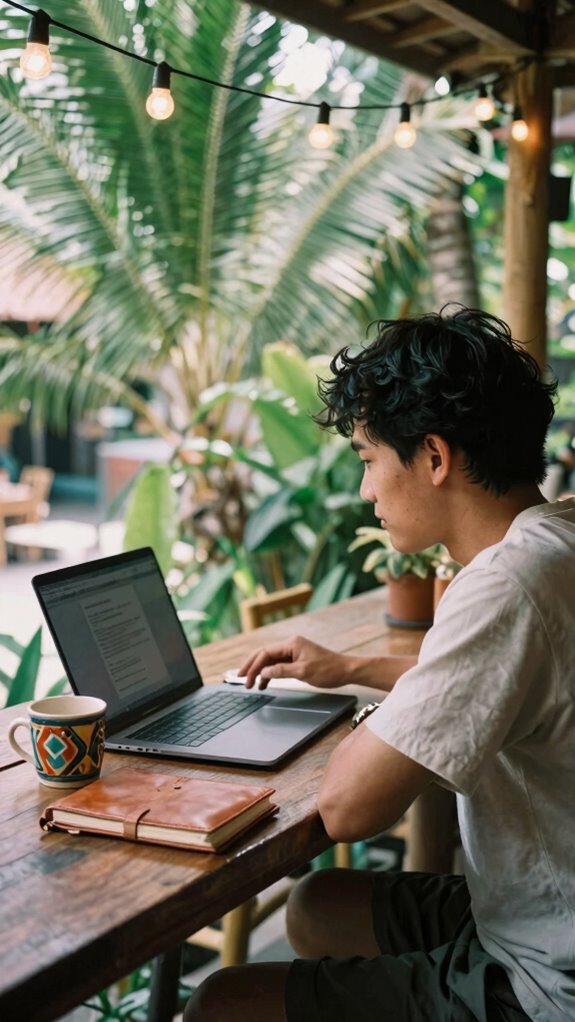
Securing your data isn’t just some boring checkbox — it’s the backbone of digital liberation out here in Bali’s co-working jungle.
Think of your password management like the secret sauce—don’t use “password123” or rehash old stuff. Create unique, strong passwords for every login, and use a reliable password manager to keep track.
Keep in mind, folks like my old boss, who thought “admin” was a solid pass, got hacked faster than a bad TikTok trend.
Then, layer on disk encryption—a digital vault that keeps your secrets safe even if someone snags your device.
It’s like installing a fancy lockbox; it won’t stop a determined thief but *will* deter the casual looky-loos.
For added security, consider encrypted note apps to store sensitive information securely.
Stay smart, stay unbreakable.
Use Private, Secure Connections: How to Stay Safe on Wi-Fi
When it comes to surfing Wi-Fi in cafes, you wouldn’t trust just any sketchy network off the street, right? That’s like handing your secrets to a stranger — totally reckless.
Public Wi Fi might seem tempting, but it’s a wild jungle for hackers and snoopers looking for easy prey.
To keep your network security tight, follow these pro tips:
- Use a VPN to encrypt your connection; a good one turns your traffic into indecipherable codes.
- Don’t auto-connect to open networks — always double-check SSID and ask staff if unsure.
- Use HTTPS websites and verify that padlock icon — yeah, the little security badge — is active before logging into anything sensitive.
Prevent Shoulder Surfing With Privacy Screens and Smart Positioning

Here’s the deal: in a world where your screen’s basically an open book, shoulder surfing is the sneaky culprit trying to steal your secrets. As someone who’s chilled in Bali’s co-working scene (and learned the hard way), I’ll tell you—privacy screens are your new best friends. They block prying eyes, and smart positioning keeps your screen visible only to you. Want to feel confident? Sit with your back against the wall, so you see everything behind you. Avoid seats near the door or across from the rest of the room — it’s like giving a free show to nosy locals. Also, use a privacy screen to make sure no one’s sneaking glances. It’s all about environment awareness—stay alert, stay liberated. To further protect your device, consider using a notebook with a dotted grid as it can help organize your work efficiently in shared spaces.
Stay Vigilant: Monitor Your Environment and Track Your Devices
Let’s face it: in a busy Bali café, your environment isn’t just background noise—it’s your frontline defense against digital peeping Toms and crafty opportunists. You gotta stay sharp, constantly monitoring your surroundings like an undercover agent.
Camera surveillance isn’t just for security cams—use your own eyes, check if anyone’s giving you the side-eye or hovering too close. Have emergency protocols ready—know how to quickly disable Wi-Fi, wipe your device remotely, or lock your data if things get sketchy.
Consider:
- Regularly scan for suspicious individuals or sneaky onlookers.
- Keep your device in sight—think Jedi mind tricks, but for tech.
- Enable “Find My Device” and track your gear in real time.
- Portable power solutions like solar panel briefcases can ensure you stay powered without relying on outlets, especially when away from traditional charging stations.
Because in Bali, being vigilant isn’t paranoia—it’s survival, babe.
Develop Good Habits to Minimize Risks and Stay Alert
Developing good habits to minimize risks and stay alert isn’t about turning into a paranoid drone constantly checking surroundings—though honestly, that’s not a bad idea either.
As a remote worker cruising Bali’s vibe, I’ve learned that balancing chill cafe ambiance with sharp situational awareness is key.
Ever been tempted to relax your guard because the place looks “trustworthy”? Don’t. Practice café etiquette that screams “I care about my device,” like keeping your bag upright between your feet or closing the laptop when you’re not actively working.
Stay mindful of your screen’s visibility; nobody needs to know you’re binge-watching cat videos.
Even a quick glance at your environment helps you dodge shoulder surfers, wandering eyes, and suspicious activity — because, let’s face it, the real world is less “The Office” and more “Survivor.”
Being aware of your surroundings also includes understanding that using your DSLR as a webcam can significantly boost your video call quality while keeping your workspace professional and secure.
Keeping Laptop Safe In Coffee Shops
Envision this: you’re in Bali’s hottest café, coffee steaming, and your laptop sitting pretty on a tiny table. As a remote pro, you know good ergonomics means keeping your spine happy while still feeling free.
Here’s the deal:
- Keep your laptop at eye level—don’t hunch. Think portable stands or stacking books. It’s not just comfy; it shields you from neck pain like a boss.
- Mind your dietary considerations—skip the sugar bombs and greasy snacks; your laptop and focus deserve clarity.
- Use a privacy filter and be hyper-aware of shoulder surfers. Lounge near reflective surfaces or mirrors to keep tabs on lurking onlookers.
- To enhance overall security, consider installing motion sensor alarms that alert you to any suspicious movements near your device.
Remember your old cubicle-bound days? Don’t go back. Stay agile, stay safe—and keep that laptop out of the hands of the caffeine-driven thieves.
Cafe Working for remote working
When you’ve shrugged off the shame of working in sweatpants and chosen Bali’s beachfront cafes as your new office, it’s tempting to think you’ve escaped the corporate grind—and its security risks. But, hey, urban connectivity and ambient noise don’t mean you’re invisible.
As a remote pro in 2023, I’ve learned that staying secure in these luxe open-air offices takes more than a good Wi-Fi signal. Do you actually ask for a private corner or mirror wall to monitor who’s watching? Use a privacy screen and disable Bluetooth and location services — those sneaky access points are more active than ever.
And don’t forget, an old colleague’s mistake—leaving the laptop on the table—still haunts them. If you’re serious about freedom, leverage encrypted gadgets and clever backup routines. It’s all about your sovereignty. Remember, understanding security measures for home networks can help you better protect your devices even while working remotely.
Protective Laptop Accessories Purchase
Talking about laptop protection without the right gear is like going to Bali’s beachside with just flip-flops—you need more than just good vibes to stay safe.
As a Bali-based IT whiz, I swear by a few accessories that liberate you from the shackles of vulnerability. First, grab ergonomic accessories: a supportive stand and keyboard prevent cramping while working on creative distractions (think: catching waves or chasing sunsets).
Then, invest in a privacy screen—shoulder surfing is real, and hackers love a good peek. And don’t forget a sturdy cable lock—think of it as your laptop’s security blanket.
Want real freedom? Toss in a portable external hard drive and some encryption software. Trust me, old colleagues back at the cubicle farm? They wish they knew this stuff.
Portable External Hard Drive
A portable external hard drive is your secret weapon for keeping digital chaos in check, especially when you’re floating through Bali cafes with a bag full of tech. Think of it as your escape hatch—encrypted to lock out snoopers, thanks to fancy external encryption tech.
Just don’t forget hardware locks; they’re like your laptop’s bouncers, keeping thieves from walking off with your precious data. A few years back, I learned the hard way—lost files aren’t just Data Gone Wild; they’re a nightmare you can’t ignore.
Toss your data onto an external drive, lock it up, and back up relentlessly. And hey, if you’re really feeling adventurous, couple that with biometric locks or digital vaults. Because in the age of endless distraction, securing your data isn’t an option; it’s your ultimate freedom.
Additionally, utilizing Cloffice concepts can help optimize your workspace setup for increased security and efficiency.
Cybersecurity Courses Online
Diving into cybersecurity courses online might seem like just another digital laundry list, but trust me, it’s your ultimate upgrade in the wild hustle of remote work—especially if you’re juggling Wi-Fi coffee shop hopping and dodging the pesky threat of data leaks. Think of these courses as your secret weapon against phishing prevention and securing remote access.
You learn to spot fake links faster than a generic coworker forgetting your name, plus set up strong defenses for every Wi-Fi challenge. Complementing this knowledge with a secure password manager can further fortify your digital defenses by helping you generate and store complex passwords effortlessly.
- Master multi-factor authentication, so even their sneakiest phishing attempts bounce off your fortress.
- Learn to configure VPNs for legit remote access—because public Wi-Fi isn’t your buddy.
- Decode how to identify suspicious emails, saving you from accidental malware invites.
Old boss would’ve loved to see you boss up.
FAQ
How Can I Identify Cafes With Optimal Security for Remote Work?
Look for cafes with excellent security policies and staff training—think of a place where staff actually knows the difference between a USB and a hacking tool.
Picture a scene straight out of The Office: employees trained to spot suspicious behavior, cameras framing every corner, and clear Wi-Fi protocols.
If they’re locking down their network with WPA-2 and practicing situational awareness, you’re in a safe zone—far from the chaos of the security disaster zone.
What Should I Do if My Laptop Is Stolen in a Cafe?
If your laptop gets snatched in a Bali co-working cafe, don’t panic—cooler heads prevail (like a certain managing boss, but way less annoying). First, use remote wiping software (bit of a lifesaver, trust me).
Contact cafe security immediately—many spots now have CCTV.
Report the theft to local authorities, and for future café adventures, invest in strong Laptop theft prevention tools like cable locks and trackers.
Better safe, right?
How Often Should I Back up My Data When Working Remotely?
You should back up your data every day—think of it as daily ritual, like my morning Bali coffee.
Use cloud storage—your digital safety net—so you’re always prepared for life’s curveballs.
Also, encrypt those files, so even if someone hacks in, they’re met with digital Iron Curtain.
Old office buddies? They’d laugh if they knew you weren’t doing this, but hey, liberation is about staying one step ahead!
Are Public Wi-Fi Networks Safe for Any Type of Online Activity?
Public Wi-Fi? Totally a cybersecurity threat waiting to infect your vibe. Sure, it *looks* free and easy, but hackers thrive on that chaos.
Data encryption is your buddy—use VPNs or encrypted apps, or stay off the network altogether.
Keep in mind that time old boss Jim thought he’d “free up server space” by using a public Wi-Fi? Yeah, don’t be Jim.
Protect your digital freedom—your data’s worth it.
How Do Privacy Screens Prevent Shoulder Surfing Effectively?
They say “what’s hidden in plain sight is still hidden,” and that’s true for privacy screens. They keep your digital secrets safe from prying eyes by creating a subtle, angled barrier—think of it like a digital bouncer.
Your visual confidentiality skyrockets; nosy onlookers get blocked. Slide one onscreen, and suddenly, you’re the rebel who values true privacy. No more “accidental” peeks from strangers—game changer, right?
References
- https://steve-lovelace.com/laptop-security/
- https://laptopjudge.com/secure-laptop-in-public
- https://www.cuindependent.com/how-to-keep-your-laptop-safe-during-travel-classes-cafes/
- https://www.jdyoung.com/resource-center/posts/view/220/how-to-secure-your-laptop-in-public-spaces
- https://www.cbsnews.com/news/8-ways-to-stay-secure-when-working-at-starbucks/
- https://www.alibaba.com/product-insights/how-to-secure-your-travel-laptop-in-a-caf-without-drawing-attention-or-using-bulky-locks.html
- https://redriver.com/security/work-securely-from-coffee-shop
- https://www.techloy.com/how-to-keep-your-windows-laptop-safe-while-working-from-cafes-or-airports-in-2026/
- https://koffeeklatch.co.uk/secure-laptop-coffeeshop-working/
- https://support.microsoft.com/en-us/security/keep-your-computer-secure-at-home
- https://privacymatters.ubc.ca/news/coffee-shop-caper-staying-secure-when-working-go