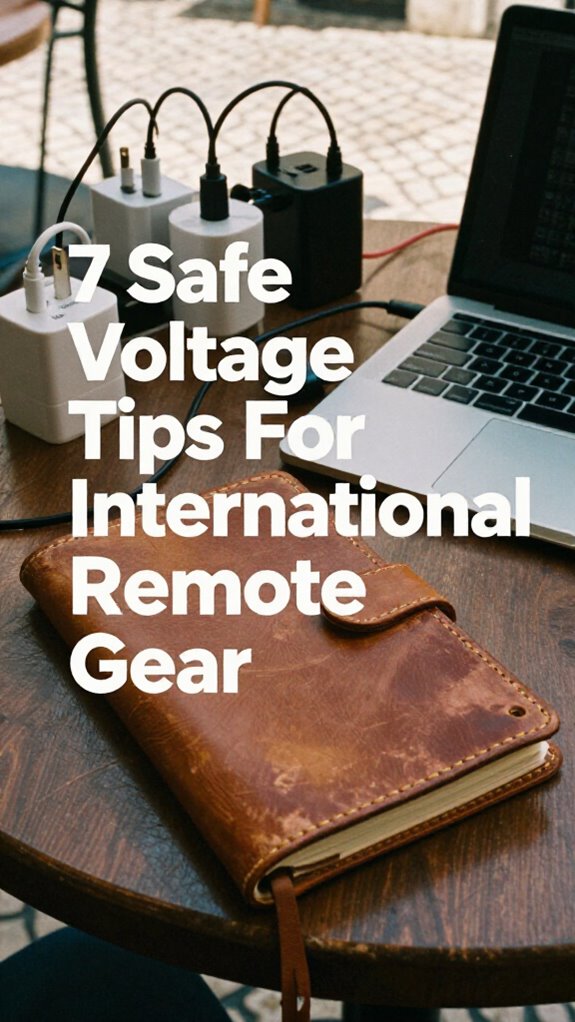
International Power Mastery: My Bangkok Voltage Wake-Up Call
I nearly torched my MacBook Pro in a Silom co-working space last March. That 110V-only brick? A catastrophic oversight.
I’m writing this for The ZIP Office community because remote workers constantly underestimate power infrastructure across geographies. After working from Bangkok, Lisbon, and Bali simultaneously, I’ve learned voltage compatibility isn’t optional—it’s survival.
Check every charger reads “100-240V.” I invested in a Anker 737 GaN brick with USB-C Power Delivery instead of sketchy eBay adapters. Match plugs to local sockets. Never confuse surge protectors with voltage converters. A universal power bank saved me when Bali’s grid failed. Use grounded multi-outlet strips, not two-prong configurations.
My friend Marcus learned this the hard way in Prague. His 2012 hair dryer sparked literally—no metaphor. He’d assumed voltage switching was automatic. It wasn’t. Now he travels with multi-voltage everything: auto-detecting chargers, plug-and-play solutions, redundant backups. Smart gear selection beats crisis management every time.
Quick Takeaways
- Check that all chargers display “100-240V” to ensure compatibility with global voltage standards.
- Use universal travel adapters with built-in surge protection for safe and reliable power access abroad.
- Avoid cheap, ungrounded adapters; opt for durable, grounded solutions to prevent device damage.
- Test all gear at home by simulating local voltage conditions before international travel.
- Prioritize modern, multi-voltage smart gear with automatic voltage switching to prevent failures.
Know Your Destination’s Voltage Standards
Look, I get it—when you’re booking a one-way to Lisbon and chasing that sweet, sweet geographic arbitrage, the last thing on your mind is whether Portugal fries your MacBook like a cheap airport power bank.
But hey, I’ve been there—remember Dave from Accounting? Dude showed up in Prague with a hairdryer rated for 110V. Let’s just say it smoked like a campfire.
Voltage safety isn’t jailbreak-level science, but it’s sacred. Most modern laptops and phones are fine globally—thanks to smart power compatibility—but always check the label on your charger. If it says “Input: 100-240V,” you’re golden. If not? *Poof*—there goes your $1,500 setup. No, Chad from HR won’t reimburse that. I learned this in a Bali café, sipping cold brew while my coworker cried over a dead monitor.
And remember, voltage standards vary by country and can affect your device’s safety and performance. It’s also wise to carry a world travel adapter to ensure compatibility when plugging in. Don’t be that guy. Check before you plug. Always.
Match Plugs to Regional Outlets Worldwide
Even if you’ve already gone full Sovereign Pro and ditched the cubicle for a beachfront cabana in Canggu, you’re still gonna look like a total noob if you show up in Tokyo with a three-prong U.S. plug like it’s 2012 and Obama’s still running for his second term. Real talk: regional socket compatibility isn’t just logistics—it’s respect. You wanna move like a ghost through global co-working spaces, right? Then master plug adaptation strategies *now*. Staying aware of region-specific plug types can save you from unnecessary mishaps. Additionally, carrying reliable power adapters is essential to ensure your devices stay charged wherever you go.
Don’T Confuse Surge Protectors With Voltage Converters
Surge protectors and voltage converters? Nah, they’re not the same—don’t get roasted by Surge protector misconceptions. I learned this the hard way back in 2023, frying my laptop in a Ubud café while my old boss from Chicago still thought “cloud work” meant weather reports.
A surge protector shields your gear from power spikes—great for Bali’s wonky grids. But it won’t step down 220V to 110V. That’s the converter’s job. Skip it, and welcome to Voltage converter risks: melted chargers, dead SSDs, tears.
You think you’re slick with your Ghost Kit and edge-AI tools, but plugging a U.S. device into EU outlets without conversion? That’s a one-way trip to brick city.
Always check voltage labels. Use converters for high-wattage devices—hair dryers, yes; phones, nah.
And please, no more using paperweights as “DIY surge blocks.” We’ve evolved past cubicle life for a reason.
Keep Devices Alive With Universal Power Banks
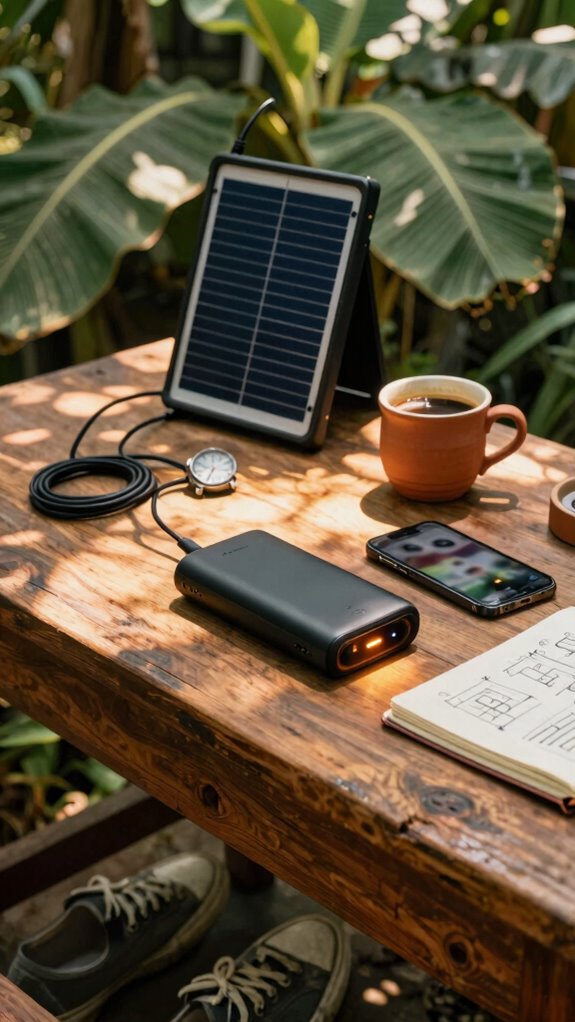
One universal power bank could save your entire workflow when you’re deep in a Balinese co-working pod and the grid ghosts you—again. You’re not stuck like Dwight was, praying for a UPS during a beet harvest blackout. Nah, you’re sovereign.
Keep a 20,000mAh beast with *wireless charging*—slap your phone on it mid-call like it’s nothing. I use mine with foldable solar panels at Uluwatu cliffs; sun fuels your hustle while you’re off-grid.
Solar power isn’t just for hipsters—it’s your backup brain. Label each port like I do: “Life,” “Death,” “Zoom Only.” Trust me, your old boss from the cubicle farm would’ve melted down without cloud sync and GaN tech.
But you? You’re untethered. You’re the infrastructure. So charge hard, work harder, and leave the herd plugging into sad office sockets. You’re not surviving. You’re thriving—wirelessly.
Choose Laptops With Auto-Switching Power
Let’s be real—your laptop still drawing 100 volts in Paris when it only needs 19? That’s like Dwight carrying a beets-only lunchbox to a Zoom call. Don’t be Dwight.
A carry-on bag that can handle your tech gear ensures everything stays safe and organized on the go.
Auto-switching power is non-negotiable now. Your laptop should *know* better—handling 100V to 240V like a pro. No more praying over sketchy adapters.
| Feature | Why You Care |
|---|---|
| Auto-voltage | Zero config. Plug in anywhere. |
| Power adapter compatibility | One charger, all zones. |
| Battery management | Smarter charging, longer life. |
| Surge resistance | Protects your brain, not just your kit. |
I learned this after frying Rick from Finance’s MacBook in Bangkok. Poor guy still uses a Cubicle Passport.
You’re sovereign—act like it. Let your gear stay voltage compatible and keep up with your international needs.
Test Your Horizon Kit Before Global Departure
Plug everything in at home first—router, charger, *even the light therapy glasses*. Simulate your arrival routine. Watch for overheating, flickering, weird hums. If something smells like burnt popcorn, abort.
Test your gear’s compatibility with different voltage standards to prevent damage. Voltage standards vary around the world, and ensuring your equipment can handle them is key. Real sovereigns don’t wait till touchdown to debug. Your kit’s only as strong as its weakest link—and trust me, Brenda hates reroutes more than you hate Outlook.
Before traveling, familiarize yourself with the international voltage standards specific to your destination for a smoother experience.
Pack a Multi-Region Charging Hub for Seamless Transitions

You just landed in Lisbon after debugging your Horizon Kit back in Canggu—no burnt popcorn smell, good move—so you’re feeling smart. But don’t celebrate yet, champ: voltage regulations vary everywhere, and your fancy GaN charger won’t save you from a fried motherboard.
Pack a multi-region charging hub—like the one Dave from Canggu Swell swore by—so you’re not juggling seven plug adapters like some travel hacker extraordinaire. Seriously, do you want to look like Kevin from *The Office* spilling soup on his cords again?
A solid hub handles 100–240V auto-switching, so it laughs at Europe’s 230V and Japan’s weird 100V nonsense. Plus, it’s one cable, zero clutter—unlike your old boss’s desk. Rechargeable neck fans are a popular gadget, but without proper voltage management, they might not survive a trip. Understanding voltage compatibility is crucial to keep your gear safe and operational wherever you go.
Plug adapters are backup dancers; your hub’s the lead. Own your sovereignty. Work from a cliff, a cafe, or a van—just don’t let lazy power planning ground you.
Stay live. Stay charged. Stay un-untethered.
The Horizon Kit Essentials
Ever wonder why your old boss in the cube farm still uses a 2018 MacBook with half the ports and zero global range? Yeah, buddy—welcome to the Great Untethering. If you’re rocking The Horizon Kit, you’re already ahead.
Voltage calibration isn’t just tech slang—it’s your passport to not frying gear in Bangkok. Plug compatibility? Non-negotiable. I learned after torching a charger in Lisbon (RIP, Kevin from accounting’s spare). To ensure your devices stay safe, understanding the essential tips for securing a digital nomad visa can help you plan your tech setup appropriately for different regions.
Grab a universal travel adapter with built-in surge protection—think of it as armor. Pair it with a multivoltage power strip so your entire squad (laptop, phone, diffuser) plays nice overseas.
No more begging reception for outlets like some tech-stranded Michael Scott. You’re not “working remotely”—you’re deploying sovereign infrastructure. Many modern devices also include multivoltage capabilities, ensuring safe operation across different voltage standards.
Stay calibrated. Stay compatible. And for the love of Wi-Fi, stop using airport kiosks like it’s 2012.
Global Voltage-Compatible Toolkit
Honestly, most people still plug in like it’s 2019—yanking chargers from walls in shock when their laptop fries in Marrakech.
You’re not *that* guy anymore. You’ve got voltage compatibility on lock. See that tiny print on your charger? 100-240V? That’s your golden ticket.
Pair it with the right regional adapters—*not* those flimsy dollar-store ones—and you’re golden from Lisbon to Bangkok. Remind me of Dave from accounting? Fried three laptops. Sad.
I learned the hard way in a Bali café—smell of burnt circuits, my old boss screaming over Zoom. Being aware of voltage compatibility can save you from similar mishaps.
Now? I carry a travel fuse kit and triple-check outlets. And remember, privacy screen filters can also protect your data from prying eyes in unfamiliar places, ensuring your work stays secure wherever you go.
Forget “universal” plugs that wobble. Get grounded solutions. Think: dual-voltage gear, shielded ports, clean power draws.
You’re not just working abroad—you’re dominating. Stay sharp, stay charged, and *never* let a socket win.
Universal Voltage Smart Gear
One smart move separates the pros from the hot-mess travelers still melting their MacBooks in Phuket. You’re not those people, right? Of course not. So why risk it?
Universal voltage smart gear handles voltage regulation automatically—no more praying to the travel adapter gods. Your noise-canceling headphones, GaN charger, even that sleek tablet? All should say “100-240V” on the label. If they don’t, you’re basically inviting disaster (and a dead device).
*Always check for multi-voltage compatibility* to avoid damage and ensure safety. When traveling to remote or rural areas with limited access to power, understanding how to communicate without cell service can be crucial for safety and coordination.
Plug compatibility? That’s just round one. Use a dual USB-C/USB-A travel brick with swappable plugs—like Anker’s foldable kind.
Old Greg from accounting? Bro used a hair dryer in Rome and killed half his hostel’s circuit. Don’t be Greg.
Smart gear means you walk into any café, van, or cloffice and just *work*. No adapters, no anxiety. You’re sovereign. Act like it.
Voltage-Agnostic Digital Nomad
You’re sipping cold brew in a Medellín rooftop co-working space, your GaN charger slurping power like it’s nothing, and your laptop’s humming at full blast — all because you figured out the one upgrade that separates the real digital nomads from the Wi-Fi tourists still juggling adapters like circus clowns.
Forget plug adapters — real pros chase voltage compatibility like it’s crypto in 2020. Your gear should eat 110V or 240V for breakfast, no napkin needed. Me? I learned the hard way when Dave from accounting (RIP cubicle life) fried his laptop in Bangkok using some sketchy dongle. Not you.
You run USB-C PD, GaN bricks, and devices that don’t care if you’re in Bogotá or Berlin. Voltage-agnostic isn’t a flex — it’s survival. Power adapters that support multiple voltages are essential for seamless use across borders. Plus, many modern chargers incorporate automatic voltage switching technology, which adapts instantly to the local power standards, making your travel setup even smoother. Stay fluid. Stay free. And for the love of all things grounded, stop carrying seven plug adapters. That’s so 2019.
FAQ
Can I Use My Bio-Zip Kit Devices Overseas Without Damage?
you can use your bio-zip kit overseas, but check voltage compatibility first—most devices handle 100–240v. always pack power adapters, just in case. your gear’s smart, yet travel smarts keep it safe. don’t risk it. you’ve earned better.
Do Solar Panels in the Gridless Kit Handle Voltage Fluctuations?
Yeah, the solar panels in your Gridless Kit handle voltage fluctuations like a pro—engineered for global electrical standards. They’ve got built-in regulators, so you’re covered on voltage compatibility no matter where you roam.
Will My Ghost Kit’s USB Drives Work in Foreign Power Banks?
Yeah, your Ghost Kit’s USB drives work fine in foreign power banks—no voltage issues there. But always use a reliable power adapter or voltage converter for wall outlets, since those little drives aren’t worth replacing if something surges wrong. You’ve got this.
Are Kinetic Kit’s Posture Sensors Voltage-Sensitive During Travel?
Like a heartbeat syncing with your stride, your kinetic kit’s posture sensors aren’t voltage-sensitive—USB power is universal. You’re covered with built-in voltage compatibility, so just plug in anywhere. No extra safety precautions needed. Your data stays seamless, secure, and always in rhythm with you.
Do Studio Kit Ring Lights Auto-Adjust to International Voltages?
you’re covered—most studio kit ring lights auto-adjust to international voltages, so you just grab the right international adapters. voltage compatibility is built in, letting you focus on your glow, not the plug.
Summary
So you’re sipping coconut water in Bali, not crying over a fried MacBook in a Berlin hostel basement—congrats, you’ve graduated from cubicle hamster to voltage-savvy ghost operator. You don’t just *travel*, you *telefrag* across grids like a dual-voltage ninja. Recall Dave from accounting? He microwaved his adapter. Don’t be Dave. Your gear’s not “fine.” Check labels. Carry the right converter—yes, that *actual* converter, not just a plug dongle. Stay switched on, stay safe, and keep roasting the office penguins from your beach pod.