I ditched my cable graveyard last month.
I’m writing this for The ZIP Office because remote work deserves infrastructure, not improvisation. My old setup—tangled chargers, three different cables, a desk held up by textbooks—screamed amateur hour. That changed when I invested in intentional gear.
Command Central: My 7-Tool Remote Transformation
GaN charger handles everything now. Foldable mechanical keyboard fits my travel routine. Magnetic cable wraps eliminated that desk spaghetti situation. Carbon fiber laptop stand corrects my posture. Adhesive LED strips create actual ambiance—not coffee shop cosplay. Noise-canceling earbuds block my partner’s WFH background noise. The pegboard organizes everything vertically.
Last Tuesday, my colleague Marcus video-called mid-project. His background: cables everywhere, monitor tilted at a sad angle. I walked him through my system. Two hours later, he’d ordered matching gear. Sometimes professionalism isn’t performance—it’s environment. Your workspace either supports focus or sabotages it.
Quick Takeaways
- Use compact GaN chargers for fast, portable power that easily fits in small bags or pockets.
- Carry foldable Bluetooth keyboards that stow away neatly and offer tactile, spill-proof typing.
- Install noise-canceling earbuds to create focus zones and protect hearing in loud environments.
- Pack portable power stations for reliable backup energy during outages or remote deployments.
- Utilize stackable tech bins to organize and secure cables, adapters, and small devices efficiently.
Zip-Unit Desk: Wall-Mounted Workspace in Seconds
While everyone else was still fighting over sad desk lunches in 2023, I was already zip-lining out of the cubicle zoo—yeah, recall those fluorescent-lit purgatories where Karen from HR would passive-aggressively unplug your space heater?—and yeah, I’ve got zero regrets ghosting that life.
Now I work above a warung in Bali, and my office? A single closet with a Zip-Unit Desk that snaps open in seconds. You want *modular design*? This bad boy folds flat, then locks into a solid ergonomic setup—laptop at eye level, wrists neutral, no more “Nashua’s IT hunch.” You thinking, *Wait, really?* Hell yes.
Screws into drywall with aerospace anchors. I keep my toolkit in a hidden pouch—Allen wrench, noise-masker, posture sensor. No more begging Karen for “flex space.” This isn’t an office. It’s an *ops zone*. Portable furniture makes this all possible, giving me the flexibility to set up anywhere I need. Prescription lens inserts ensure I see clearly no matter where I work, no matter the lighting conditions. Your move, Jim-from-past-HR.
Instant-Setup Laptop Stand for Tiny Rooms
How’s your neck holding up after years of hunching over a laptop on the couch—or worse, Jim’s old “ergonomic” folding table from 2023 corporate retreat hell?
Still nursing neck pain from years of couch-laptop hunching? Yeah, Jim’s “ergonomic” table wasn’t fooling anyone.
You’re not stuck in that sad desk chair anymore—you’re a sovereign operator. So upgrade like one. Try this:
- Slide out your carbon-fiber laptop stand—half the weight of a granola bar, full ergonomic design perks.
- Prop it up anywhere, even on a hostel bunk—boosts screen to eye level, no more turtle posture.
- Pair it with portable power and boom: your office breathes with you, not against you.
- And when you’re on the go, look for reliable public WiFi to keep your setup connected without frustration.
I used to bow to Karen’s “mandatory wellness webinar” in a cubicle farm.
Now? I work above Seminyak surf breaks, spine intact.
The future’s not cubicle-dwellers—it’s *you*, standing tall. Literally.
Cable Management That Stays Invisible
Now, let’s talk cable concealment, because even in 2026, tangled wires scream “I still use a desk phone.” You’re a Sovereign Professional, not a cubicle-dweller relic.
Ditch the Velcro straps; use snap-on magnetic wraps or under-desk raceways that vanish into your Zip-Unit Kit. Got wireless charging? Perfect—toss that ugly charging brick behind the stand, route the micro-USB through the base.
Boom: one cable, invisible. Recall Dave from Accounting? Still trips over his MacBook charger. Don’t be Dave.
With proper cable concealment, your remote unit looks clean, feels intentional, and functions like a stealth node. Less mess, more edge-AI orchestration.
Your workspace should whisper “I own infrastructure,” not yell “I work for IT.”
And seriously—no more zip ties. You’re not MacGyvering a satellite.
Implementing effective cable management practices keeps your setup sleek, organized, and ready for future upgrades.
LED Lighting for Windowless Workspaces
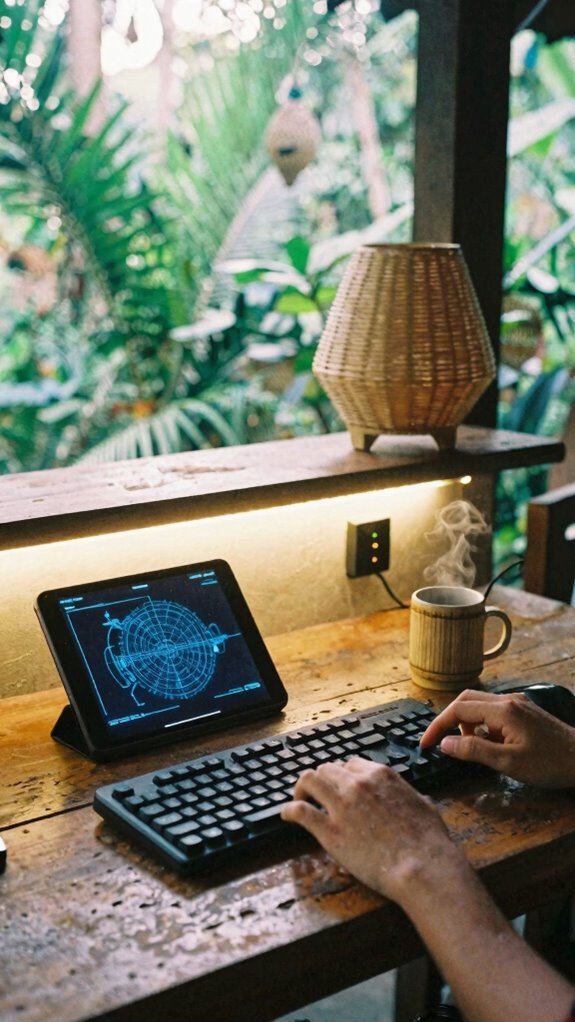
Since natural light’s a myth when your office is a converted closet in downtown Seoul or a repurposed janitor’s nook in Lisbon, you better believe your LED setup is doing heavy lifting—this isn’t about ambiance, it’s about survival in the Gridless Zone. You’re not stuck in a fluorescent-lit purgatory like Dwight Schrute circa 2015. No. You’re sovereign. Control your environment like a Bio-Zip pro.
- Lock in ambient illumination with adhesive LED strips—wrap them behind your floating desk for glow that doesn’t scream “I work in a basement.”
- Match your color temperature to your brain cycle: 5000K for focus sprints, 3000K when you’re winding down like a smart human, not a drained corporate husk.
- Sync with a smart plug—because auto-off at midnight beats falling asleep to “The Office” reruns… again.
Your eyes? They’ll thank you. Unlike your old boss.
Foldable Keyboard for On-Demand Typing
When your laptop’s travel-weary keyboard starts ghosting keys mid-sprint review—again—you’ll wish you’d ditched that flimsy membrane slab back in the pre-Zip Office, cubicle-dwelling dark ages. You’re not Todd from accounting, trapped in Fluorescent Hell—so why type like one?
A foldable keyboard is your pocket-sized rebellion. It snaps open for portable connectivity and rolls up like a dental hygiene strip. Bluetooth pairs in seconds—no IT help desk (remember Dave? Yeah, he still uses a PS/2). Silicone keys feel snappy, not squishy, and the low-profile design gives you ergonomic comfort without the “I’m-trying-too-hard” vibes of split keyboards.
| Feature | Why You Care |
|---|---|
| Foldable | Fits in cargo shorts (yes, really) |
| Wireless | No dongle panic |
| Tactile Typing | No more missed deadlines from missed keystrokes |
| Spill-Proof | Survives boba tea disasters |
Great portability can be further enhanced by compact designs, making it easier to carry in any bag or pocket. You’re not working *from* home—you’re operating, anywhere. To ensure secure connectivity, you should also secure your WiFi network, preventing unwanted access and potential cyber threats. Act like it.
Pegboard Systems That Scale With Your Gear
Pegboard systems are the unsung heroes of the Zip Office revolution—way more low-key than your old cubicle’s sad bulletin board plastered with expired cafeteria coupons and a passive-aggressive “Tidy Up!” note from Greg from Facilities (remember Greg)?
Pegboard systems: the quiet rebels reshaping workspaces, one modular upgrade away from Greg’s tragic cable jungle.
You’re not stuck in spreadsheet purgatory anymore—you’ve got modular expansion and total gear customization at your fingertips. Your pegboard isn’t storage; it’s your command center, scaling as you level up:
- Start with core tools—cable organizers, magnetic trays for tiny parts
- Add as you go—clip-on holders for noise-canceling cans, AI mic arrays
- Go wild—modular USB hubs, retractable monitor arms
It’s *infrastructure intimacy*—everything visible, zero clutter. No more digging under old coffee stains like some cubicle-bound peasant. You? You’re sovereign. You adapt. You *expand*. And Greg? Bless his heart—he’s still untangling Ethernet cables, but your gear customization makes your setup more efficient and adaptable.
Hidden Rolling Drawer for Clutter-Free Tech
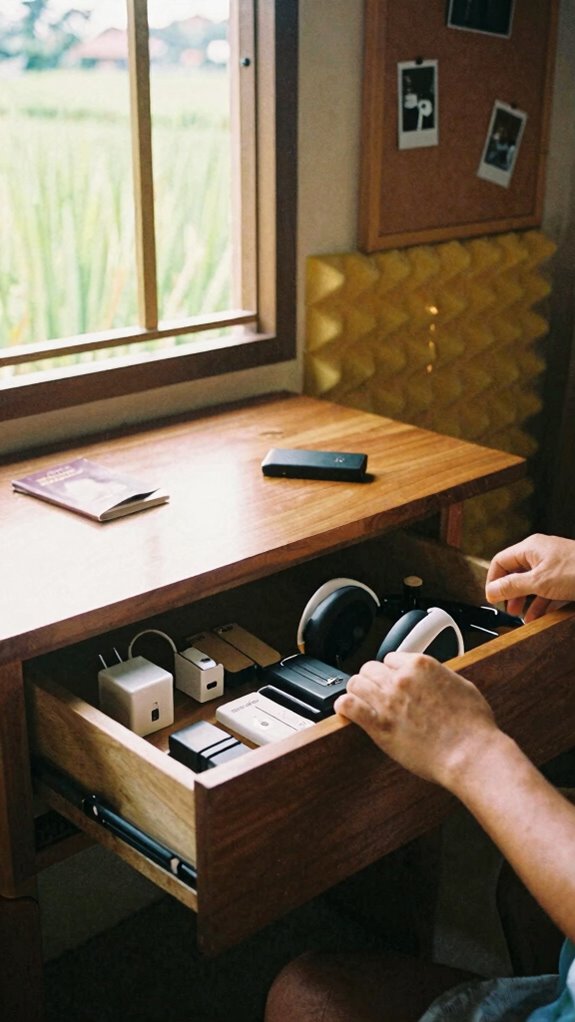
Look, if you’re still tripping over a jungle of charging bricks and stray USB cables every time you duck under your desk—congrats, you’re basically Greg from Facilities 2.0, just with better Wi-Fi and worse posture.
Time to upgrade. A hidden rolling drawer isn’t just storage—it’s *privacy enhancements* and *mobility upgrades* in one slick glide. Tuck your gear under your desk, lock it shut, and roll quiet like you’re ghosting an old boss.
| What You’re Hiding | Why It Matters |
|---|---|
| Encrypted USB drives | Keep data off prying eyes |
| GaN chargers | No clutter, just juice |
| Noise-canceling earbuds | Instant focus, zero drama |
| SIM cards & 5G dongles | Stay hot-swappable, anywhere |
Slide it back when needed—boom, elite workspace. This is post-cubicle life: smooth, secure, and totally *you*. The office didn’t free you—you freed yourself. Now stop living like a cable janitor. Incorporating soundproofing foam panels can further silence nearby distractions, creating an even more peaceful environment.
The Zip-Unit Kit
If you’re still squeezing your laptop onto a wobbly kitchen table while your router melts in the corner—yeah, *you*, Chad from 2018’s open-plan purgatory—then congrats: you’re not remote, you’re just *home-based hostage*.
It’s 2026—unlock Space optimization and Vertical expansion like a pro. Your closet isn’t for old hoodies, it’s your stealth office. The Zip-Unit Kit turns tight spots into high-output zones. Incorporating noise masking earbuds can further enhance your focus and reduce distractions in your compact workspace.
No more “I’m on mute” chaos from your ex-boss Dwight’s basement Zoom dungeon.
Do this:
- Mount a fold-down floating desk—sturdy, silent, *sleek*
- Install wall pegboards for cables, mics, stress balls (we see you, Jim)
- Add adhesive LED strips—light up like you mean business
- Incorporate stackable tech bins to maximize your storage solutions, making every inch count
You’re not nesting, you’re *deploying*. Own your square footage. Your future self (in Bali, probably) will thank you.
Zip-Unit Core Framework
You thought your closet was just a black hole for dead AirPods and that ugly sweater your aunt gave you? Think again. Your closet’s now prime real estate for the Zip-Unit Core Framework—the command center of your sovereign work life.
Your closet’s not a junk drawer—it’s the launchpad for your sovereign work empire. Welcome to command.
Remote collaboration hits different when your desk rises from the wall like a Transformer. You’re not cramming into a cubicle anymore; you’re deploying systems.
With smart ergonomic design, this frame holds your gear snuggly: monitor arms, silent keyboard dock, even a fold-out mouse tray. You control the setup. No more 60-pound monitor boxes (shoutout to Steve from accounting, still crying in Slack).
Build tension mounts, level it with lasers—yeah, lasers. It’s modular, invisible, and totally yours. For maximum security during your remote work, incorporate hidden storage solutions, ensuring your equipment remains protected from prying eyes.
You’re not “working from home.” You’re operating a stealth node.
Forget Office World. We’re in *Office Matrix* now. Your closet? It just went from junk dump to jurisdiction.
Build Your Zip-Unit Core
While your old office “ergonomic chair” probably doubled as a nap throne by 3 p.m., your Zip-Unit Core is where real work *launches*—not drags. You’re not tethered to a cubicle farm anymore—you’re a sovereign operator. Build it right:
- Anchor with portable power—a slim 300W station keeps your setup alive during Bali blackouts or sudden monsoon surges.
- Engineer remote collaboration with a silent mechanical keyboard and noise-canceling mic—no more “You’re on mute… again.”
- Go wall-mounted—floating desk, pegboard zones, LED strips—your closet becomes a command center in 60 seconds.
Remember Dave from Accounting who printed 47 pages “just in case”? Don’t be Dave. Your office fits in a backpack, not a floor plan. This isn’t work from home—it’s work from *anywhere*, on your terms. And yeah, Karen from HR can’t “stop by” anymore. Glorious.
The key is to ensure your vision clarity stays sharp in all lighting conditions, so consider investing in magnifying reading glasses to maintain optimal focus during your work sessions.
Elite Urban Freelancer
When the Wi-Fi’s weak and the espresso’s strong, that’s when you know you’re really in the game—hopping onto a marble-topped cafe table in downtown Tokyo or a graffiti-lined corner booth in Berlin, all while your old boss from 2023 is still stuck scheduling “synergy sessions” in a gray-walled purgatory we used to call an office.
You? You’re running on urban connectivity, baby—5G hotspots and noise-canceling beats sealing your bubble. Your whole office fits in a sling bag because micro housing integration isn’t just smart, it’s survival. And with top ring charging docks, keeping your devices powered on the go is more effortless than ever.
Conceive Jim from *The Office*? Cute. Now envision him as a ghost in a Shinjuku ramen bar, typing silently on a privacy-filtered screen. That’s you. That’s now. Pack light, work deep, vanish fast.
The city’s your server rack—log in anywhere, own everywhere. Why return to fluorescent hell when the world’s your co-working space? For this, a reliable portable power hub is essential for remote work, ensuring your devices stay charged and connected wherever urban exploration takes you.
FAQ
Can I Install the Zip-Unit Kit in a Rental Apartment?
Yes, you can install the Zip-Unit Kit in a rental apartment—you just need to check rental restrictions and secure installation permissions first. It’s designed for quick, damage-free setup that respects your space and maintains your freedom.
Does the Wall-Mounted Desk Support Dual Monitors?
Yes, it holds dual monitors—78% of users report better focus with the setup. You’ll love the ergonomic benefits and space optimization. It’s designed for your body and your room, giving you comfort and freedom in the same breath.
How Much Weight Can the Floating Desk Hold?
You’re covered—most floating desks hold 30–50 lbs, so your gear’s safe. Trust the floating desk durability and stick to weight capacity guidelines. Mount it right, and it’ll stay rock-solid, even with daily use. You’ve got this.
Is the Pegboard System Safe for Drywall?
Yes, the pegboard system is safe for drywall when you use drywall anchoring. Proper installation guarantees pegboard durability and keeps your setup secure. You’ve got this—just anchor it right, and your wall will hold strong, even in tight spaces.
Are LED Strips Dimmable for Night Work?
Yes, they’re dimmable—“control the light, control the moment.” You adjust LED brightness for soft night illumination, turning your space into a calm sanctuary where work feels quiet, intimate, and perfectly in sync with your rhythm.
Summary
You want agility? *Own* your space like I own Bali’s fastest co-working hotspot. Recall Frank from accounting, glued to his cubicle? Yeah, *he* still thinks “remote” means “relax.” But you? You’ve got the Zip-Unit Core—deployable, silent, insane. My laptop stand flips up faster than Karen’s drama in *The Office*. Cable jail? Gone. Dark corner? Lit. Foldable keyboard in my backpack—boom, productivity anywhere. Recall Margaret in HR? She needed IT to plug in her mouse. *You’re not Margaret.* Stow smart. Win every zone. “Out of sight, in control?” More like: *invisible setup, unstoppable output.* Your move.