My Journey to Professional On-Camera Presence
How do remote leaders project authority through their screens? I discovered that intentional staging beats corporate authenticity every time.
I’m sharing this at The ZIP Office because spatial design directly impacts how colleagues perceive executive credibility. Last March, after ditching my home-office clutter, I noticed Zoom interactions shifted noticeably. Strategic ring lighting at 45 degrees, a Rode microphone upgrade, and neutral Scandinavian backdrop transformed my digital presence from forgettable to memorable.
The Moment Everything Changed
During a quarterly townhall with 150 employees, my colleague Marcus still had his laundry visible behind him. His message landed flat. My carefully curated setup—minimal, intentional, professional—commanded the virtual room. That contrast crystallized why environmental design matters for executive presence and stakeholder trust.
Quick Takeaways
- Use a high-quality webcam with lens calibration and position it at eye level for sharp, confident visuals.
- Optimize lighting with ring lights or reflectors to ensure even, professional illumination that minimizes shadows.
- Maintain a clean, neutral background with minimal decor to reduce distractions and reinforce your personal brand.
- Ensure a reliable internet connection via fiber or mesh systems, with backup options for seamless virtual meetings.
- Organize cables and portable accessories like clip-on lights for quick setup and to create an inviting, stylish workspace.
How to Set Up Your Camera and Lighting for a Professional Look
Alright, let’s cut through the tech clutter and get real. You want that professional vibe without feeling like you’re stuck in an enclosure, right?
Lighting placement is your secret weapon—think natural light or a ring light positioned at eye level to avoid shadows that make you look suspiciously shady. Proper lighting can enhance your green screen setup by reducing shadows and uneven tones, making your background appear seamless and more convincing.
Camera positioning? Keep it at eye level, camera on a stack of books if needed, so you’re not gazing up or down, making you look less like a talking head and more like a boss.
Keep in mind, the old cubicle life is dead—get the angles right, and you’ll project freedom and confidence.
Swap that laundry pile for a clean backdrop, and you’ll impress even your old boss, who’s probably still chained to his desk.
And don’t forget creating a dedicated workspace, which helps reinforce professionalism and separates work from leisure at your cabin setup. Maintaining a consistent background is crucial for green screen effectiveness, ensuring your virtual presentations look polished and unified.
Choosing the Best Video Platform for Your Needs
When it comes to selecting the perfect video platform, you’re not just looking for something that works — you’re hunting for that seamless, reliable, slick solution that makes your remote meetings feel almost as good as the good old days in the conference room.
Do you want smooth Remote Collaboration or to flex your Virtual Presentation Skills effortlessly? Platforms like Zoom, Teams, or even newer players like Vero switch the game, letting you focus on the message, not the tech chaos.
Think about your needs: do you need breakout rooms for team brainstorms or a platform that highlights your webcam game? Keep in mind, it’s more than just ditching the cubicle — it’s about reclaiming your freedom while leveling up your online presence. Old colleagues would be jealous.
Choosing a platform with a great user interface can help reduce tech chaos and improve your overall video platform experience.
Upgrade Your Audio Gear for Clearer Calls
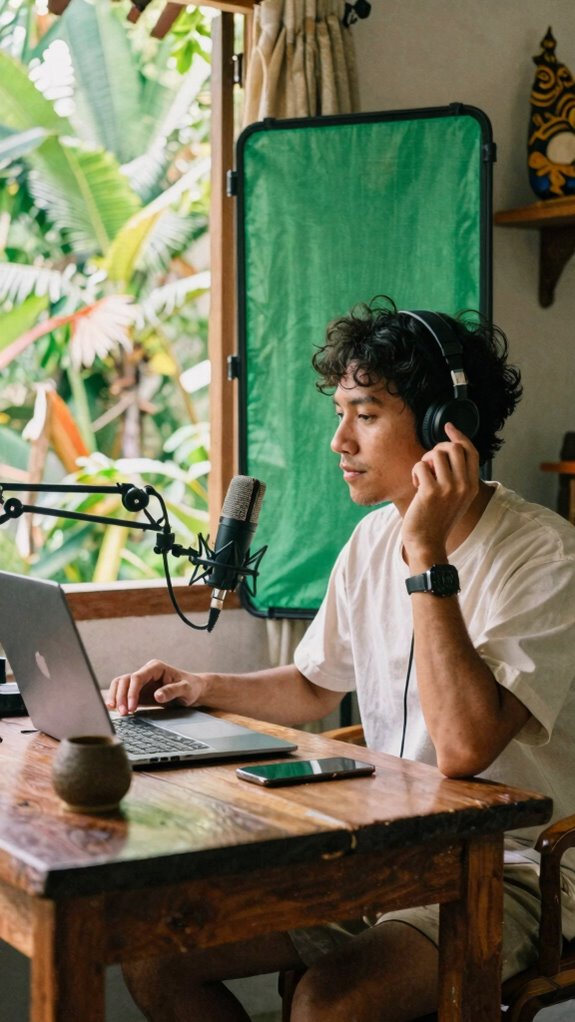
If your calls sound like you’re speaking from a tin can, it’s time for an upgrade—trust me, nothing kills vibe faster than poor audio. Here’s the scoop from Bali’s co-working scene:
- Perfect microphone placement—place your mic close, but not *too* close, to avoid that muffled sound. Think about angle; a slight tilt prevents it from picking up breathing.
- Soundproofing techniques—use soft materials, like foam panels or even plush throws, to keep echoes out, especially in Airbnb-style setups.
- Invest in a decent mic—at minimum, a USB condenser for clarity. Who wants background noise stealing their mojo?
- Test, tweak, repeat—listen to recordings, shift your gear, and master your sound. Old office buzz? Good riddance. Incorporate proper acoustic treatment to further improve your audio quality.
- Optimize your environment with a collapsible green screen for a professional backdrop and reduced distractions.
Design a Clean Background to Keep the Focus on You
A cluttered background is like having Dr. Seuss’s Horton in charge—it just doesn’t keep the focus where it should be: on you. Want freedom from distractions? Opt for minimal decor and neutral tones.
Think sleek shelves, a single plant, or a clean wall in soft beige or gray. These choices look modern, calm, and prevent your background from stealing the show.
Recall old days at the cubicle? Yeah, thank goodness those times are behind us. To keep the vibe fresh, avoid overloading your space with knick-knacks or bright colors.
Instead, channel that Bali-co-working energy—light, open, and free. Want your audience to see the expert you are, not the clutter behind you? Keep it simple. Less is more.
Your background should work for you, not distract from you.
Test and Fine-Tune Your Video and Audio Before Important Calls
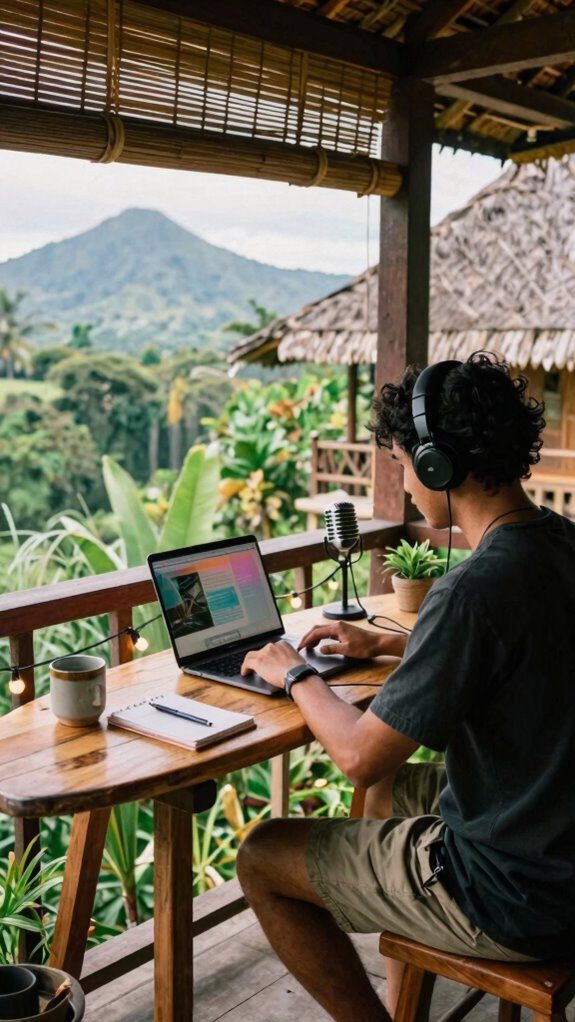
Getting your tech game tight before that big video call isn’t just a smart move; it’s essential. From my Bali co-working spot, I’ve learned that flawless audio calibration and video testing make all the difference—trust me.
Here’s how to do it right:
- Plug in your mic and run a quick audio check—listen for clarity, not static or echo.
- Use screen sharing to check your video quality—make sure your background isn’t a pixelated mess.
- Record a short test call, then review the clip. Are your gestures overly dramatic or barely visible? Fix it.
- Ask a buddy or colleague to give you real-time feedback. Don’t be that person with muffled voice or fuzzy visuals, please.
Your future self will thank you when you’re free to focus, not fiddling at the last second.
Keep Your Equipment in Top Shape and Improve Over Time
Keeping your gear in prime shape isn’t just about avoiding those awkward tech fails mid-call — it’s about leveling up your whole remote game. Equipment maintenance is your secret sauce—regularly dust off your gear, check cables, update drivers, and clear out clutter. Think of it like tuning your guitar before a gig; neglect that, and you risk hitting a sour note in front of your team. Don’t forget about tech upgrades—next-gen webcams or noise-canceling mics can totally transform your setup, making the old stuff look… well, vintage. Staying up-to-date with VR technology ensures your virtual office remains immersive and effective, adapting to new features and improvements. Recall those days trapped in cubicles, where old Boss would nag about “keeping things professional”? Those days are gone. Now you’re the boss — keep your setup sharp, stand out, and stay free of digital dirt. Regularly inspecting your thermal foil blankets can also ensure you’re prepared for unexpected situations, adding an extra layer of reliability to your setup.
Using Dslr As A Webcam
Let’s face it—your average webcam serves about as well as a clingy office plant; it’s just enough to get by, but never going to impress anyone. So why stick with that pixelated mess when you can level up with your DSLR?
Here’s the plan:
- Connect your DSLR via a capture card—something like Elgato Cam Link—that turns your fancy camera into a legit webcam.
- Optimize lighting solutions—think softboxes or ring lights—because even the best camera needs good light to shine. Proper lighting can dramatically enhance your video quality, making even modest cameras look professional.
- Invest in camera accessories like adjustable tripods and lens filters—for that cinematic glow.
- Keep your workspace tidy—no one wants a cluttered background, even in Bali.
- Choose the right high-end webcam if a DSLR setup isn’t feasible, ensuring a sharp, professional look with features like 4K resolution and advanced autofocus for superior image clarity.
Forget the old grind—your new rig is your passport to remote freedom.
Camera Upgrades for remote working
When it comes to remote work, upgrading your camera beyond that tired webcam isn’t just a luxury—it’s a necessity in the new era of Sovereign Professionalism.
Seriously, do you want to look like you’re still in a digital hamster wheel? Lens calibration is crucial—getting your lens perfectly tuned makes your image crisp and natural, not fuzzy or warped.
And don’t even think about using that awkward camera angle everyone defaults to; opt for eye-level or slightly above, like you’re in control of your own scene.
Keep in mind, your look is your brand—channel that Bali laid-back vibe while sounding sharp.
Swap the rear-view mirror angle for clean, professional framing, and consider using a clip-on ring light to achieve perfect lighting.
It’s about projecting power, style, and the freedom to choose your digital territory.
Purchasing Adapter Cables Early
If you’ve learned anything from hacking your way through Bali’s co-working jungle, it’s that things go sideways fast without the right gear—especially cables. Buying adapter cables early means you’re one step ahead in cable organization and power management.
Don’t wait until you’re at the airport or a client’s office, scrambling for that elusive USB-C-to-HDMI you forgot. Here’s the game plan:
- Pick multi-port adapters now—saving time won’t hurt when you need to connect 3 screens on the fly.
- Invest in quality cables—cheap ones are like bad Wi-Fi, fragile and unreliable.
- Label every cable—think of it as tagging your freedom.
- Store extras in a dedicated tech pouch—keep chaos at bay and avoid the “where’s my dongle?” panic attack.
- Consider the manual paper shredders to securely dispose of sensitive documents when necessary, ensuring your workspace remains clutter-free and your information stays protected. Cable management is equally critical to maintaining a streamlined setup and avoiding tangled messes.
Solid foresight equals smoother workflows—don’t let cable chaos clip your wings.
Portable Lighting Accessories
Ever tried working in a dimly lit café while the sunset spills through the windows, only to realize your screen looks more like a shadow puppet show than a professional presentation?
Enter portable lighting accessories – your new best friends. A ring light is the ultimate game-changer—just clip it onto your laptop, adjust the brightness, and suddenly you’re glowing like a Bali sunset, not a ghost in a horror flick.
For quick fixes, toss in a portable reflector—think of it as your personal gold mine of light, bouncing sunlight or softening harsh overheads. Incorporating cafe architect style elements can also enhance your background, creating a more inviting and stylish ambiance.
Recall those bulky, over-complicated setups from your old office? Dump them. You’re in charge now—speed, agility, and crisp visuals are your new essentials. Your old boss? They’d never keep up. To ensure consistent and high-quality lighting during your remote sessions, incorporating portable lighting accessories is a smart move.
High-Speed Internet Connection
You probably recollect those days in your old cubicle—miserably waiting for your VPN to connect or praying that the Wi-Fi didn’t crash during a critical Zoom call. Well, not anymore. Now, you’re in Bali, thriving with high-speed internet like fiber optic or satellite broadband. Here’s what you do:
- Upgrade to fiber optic if you want lightning-fast speeds, ultra-low latency, and zero lag during your high-stakes video meetings—think of it as your personal fiber highway.
- Use satellite broadband if you’re remote, say, in a mountain hideaway with no fiber vanity. Just a dish and a clear sky to keep you connected.
- Optimized hardware like advanced routers and mesh Wi-Fi systems keep your connection stable and extend coverage.
- Backup options—carrier tier satellite constellations, anyone?—ensure you’re never cut off, even during stormy Netflix binges or boss-deadline panic.
Wave goodbye to “technical difficulties,” and embrace your freedom to connect anywhere, anytime.
FAQ
How Can I Reduce Background Noise During Video Calls?
You want killer sound, right? First, toss some acoustic treatment like foam panels or thick curtains behind you—no one wants echoes from your “studio.”
Next, snag a directional microphone—think of it as your audio radar—focusing solely on your voice, ignoring Bali’s breezes or barking dogs.
Old coworkers teased my setup, but now? Crystal-clear calls beat boss’s boring voiceover every time. Freedom’s in good audio—trust me.
What Are the Best Methods to Manage Cable Clutter?
Cable organization is your secret weapon for clutter reduction. Use velcro straps or cable clips—think of them as your “taming devices.” Route cables behind your desk or along the wall, keeping them out of sight and out of mind.
Old colleagues’ messes remind me: chaos equals stress. Want freedom from tangled chaos? Regularly audit and label your cables.
Keep your desk sleek, like a Bali retreat—minimalist, tension-free.
How Do I Ensure Privacy During Recorded Videos?
You wanna keep your filmed chaos on lockdown? Use privacy shields—think of ’em as your digital invisibility cloaks—blocking prying eyes.
Plus, release blurring techniques in your editing software to Swiftly hide messy backgrounds or sensitive docs.
Recollect, old colleagues from those cubicle days? They’d love to witness you mastering this.
It’s all about freedom—no more “awkward silence” or secret coffee spills exposed, boss-level style.
What Backup Solutions Can Prevent Equipment Failure?
Forget just one lap top or hard drive—think bigger. Cloud backups mean your files are safe, even if your gear crashes faster than Michael Scott’s latest “motivational” speech.
Redundant hardware, like dual monitors or backup servers, keeps your world spinning when tech throws a tantrum.
Recall those days in the office, scrambling for missing files? Now, with backup magic, you’re the hero who’s always ready. Freedom tastes better with zero stress.
How Can I Improve Video Quality Without Expensive Gear?
You crave crisp video without blowing your budget? Think like a Bali Slack rebel—use natural lighting, like position yourself near a sunny window, and tweak your camera angle for the best framing.
Ditch fancy gear; your phone’s camera plus a decent stand works wonders. Keep in mind, good lighting trumps tech, so light yourself well, and avoid funky shadows.
Have fun, break free from the cubicle mold, and own that remote show!