Optimizing Your Remote Workspace: Desktop Gear That Actually Works
How do remote professionals maintain focus without surrendering to digital burnout? I discovered that intentional tool selection transforms productivity fundamentally.
I write to The ZIP Office because our community deserves actionable insights beyond generic advice. Last March, I tested seventeen focus timers—from analog Pomodoro devices to AI-enabled applications. The Timeular cube and Forest app proved superior for my workflow. Strategic ergonomic investments—monitor arms, standing desks, circadian lighting—eliminated distractions. Visual cues matter. Block-scheduling with Notion templates accelerated my output measurably.
The Tuesday Breakthrough
Tuesday morning, 9:47 AM—my productivity collapsed. I realized my setup lacked intentionality. After repositioning my desk toward natural light and replacing my fragmented tech stack with cohesive systems, my deep-work sessions extended from ninety to one-hundred-eighty minutes. Small environmental calibrations yielded exponential returns.
Quick Takeaways
- Choose sleek, tactile mechanical timers or customizable digital apps with visual cues to improve focus and reduce distractions.
- Use visual countdown clocks and daylight lamps to boost energy and maintain awareness of remaining work time.
- Incorporate distraction-free accessories like E-Ink tablets and portable scanners to streamline workflows.
- Integrate focus timers with calendar tools and task managers for structured, flexible scheduling.
- Adjust indoor environment (lighting, air quality, ergonomic setup) to reduce fatigue and enhance productivity during remote work.
Pick the Best Focus Timer for Your Workflow
So, you’re on the hunt for the perfect focus timer—think of it as your digital coach, cheerleader, and drill sergeant all rolled into one, but without the creepy vibes. I’ve been there, dodging endless distractions from Bali’s beach cafes to co-working hubs.
You want a timer that’s flexible, no-nonsense, and actually helps crank out results. Skip the fancy bells; go for tactile mechanical timers if you crave a sense of control, or download a sleek app if you prefer digital zen. When selecting a timer, consider effective stretching routines for remote workers that help you maintain focus and prevent fatigue during long work sessions.
Set intervals that match your flow—I swear by 25-minute sprints for crushing tasks. Recall, your goal isn’t just to “stay focused,” but to dominate your day like a true remote boss. Incorporating best concise writing guides can help you communicate more effectively and save time on editing. Bye-bye, distraction; hello, productivity powerhouse.
What Features Matter Most in a Focus Timer?
When choosing a focus timer, the features it packs matter more than whether it has a fancy countdown or not. You want power? Then look for customization — can you tweak work/break intervals? Apps with flexibility, like setting different timers for each task, beat a one-size-fits-all. Notifications? Essential. You don’t want to be the only one missing an important meeting because your timer stayed silent. Integration? It should sync with your digital life — calendars, task managers, even smart lights. And don’t forget data insights—tracking your focus patterns helps hack your productivity. Old boss? He’d say, “Control the variables.” So choose a timer with the right *features*—not just looks—and dominate your day, Bali style. Additionally, choosing a timer with a solid color interface can help reduce distractions and enhance your focus. To ensure your focus sessions are uninterrupted, selecting a secure and reliable WiFi connection is crucial, especially when using online apps or syncing data across devices.
How to Set Up Your Focus Timer for Success
Next, customize your intervals—don’t just do 25/5; experiment. Maybe 50/10 works better if your brain’s more “creative chaos” than “laser-focused.” Set clear task boundaries — jot down what you’ll conquer during that session. Incorporating time management techniques can optimize your workflow and boost productivity.
Silence notifications, hide social feeds, and get rid of distractions. Remember, focus isn’t accidental—plan those timers like a sniper target. This isn’t old boss’s frantic multitasking; it’s strategic mastery. The key to success is understanding your productivity rhythms, so pay attention to when your energy peaks and dips.
Ready? Set. Dominate.
Tips for Using the Pomodoro Technique Effectively

Envision this: you’re sitting at your Bali co-working spot, tropical breeze flowing through the open window, and you’ve just started your favorite focus timer app. Now, let’s crush it with the Pomodoro Technique—no snooze button, just pure efficiency.
First, set your timer for 25 minutes—think of it as your personal code to break through distractions. During that time, ignore every Slack ping or Instagram DM—yes, even your boss’s “urgent” email. When the bell rings, take a strict 5-minute micro-break. Walk outside, stretch, pretend you’re on a tropical retreat, not a Zoom call.
Repeat four times, then reward yourself with a solid longer break. Got it? Great. Now, stop wasting time and own that focus zone. You’re better than your fragmented old workflow.
How to Track Your Tasks Visually During Focus Sessions
Alright, so you’re diving into your focus session, probably nestled in Bali’s breezy co-working scene, and you’re wondering—how on Earth am I supposed to keep track of my tasks without turning into that person who’s constantly flipping between tabs, losing sight of what’s urgent?
As an IT expert escaping the cubicle grind, I’ll tell you: visual task tracking is your secret weapon. Grab a whiteboard or a digital Kanban board like Trello or Notion. Break down your goals into simple columns: To-Do, In Progress, Done.
Be ruthless—nothing cluttered, just clear priorities. Use color codes or icons to highlight critical tasks. If you’re feeling fancy, try sticky notes or a dedicated app widget. Old bosses would’ve mocked this “artsy OCD,” but hey, it’s pure clarity — and makes your brain breathe freely.
And for even better security during your remote work setup, consider enabling multi-factor authentication to protect your accounts from unauthorized access.
Keep that visual order, boss.
How Focus Timers Help Prevent Burnout and Boost Focus
Ever wonder how some remote pros stay laser-focused without melting into a puddle of burnout? As an IT guy hacking Bali’s co-working scene, I’ve seen it all—back in the cube farm, I’d drown in endless meetings and caffeine jitters. Now? I hit the sweet spot with focus timers.
Remote pros stay sharp and avoid burnout by mastering focus with timers—conquering chaos, one sprint at a time.
Here’s why they’re game-changers:
- Power Surge in Focus: Push your mental reset button—25-minute sprints sharpen your focus, leaving distractions begging for mercy.
- Burnout Shield: Breaks aren’t just coffee runs—they’re your secret weapon against overwhelm.
- Task Domination: Shows you when to lock in hard and when to breathe, turning chaos into clarity.
- Top App Blocker Tools for Better Focus: Integrating app blocker software ensures your focus sessions aren’t derailed by unnecessary distractions, making your productivity even more effective.
Forget the old grind. Command your productivity—timers make you the boss of your brain.
Best Sound Alerts to Keep You on Track

When it comes to staying laser-focused during work sprints, the right sound alerts can be your secret weapon—no joke. You’ve probably wasted minutes waiting for your boss’s call, only to realize your focus broke because of that annoying ping.
But here’s the hack: set custom alerts that hit *just right*. Use loud, distinct sounds for breaks, or a gentle chime to nudge you back to the grind.
For example, I swear by a crisp bell for timers, so I stop, breathe, then jump right back in. No more snoozing on your productivity.
Want to blast away distractions? Invest in noise-aware apps like Krisp. Old colleagues would laugh—back in the cubicle hell, it was just white noise and frustration.
Now? Power plays with sound.
Common Challenges When Using Focus Timers and How to Overcome Them
Using focus timers sounds like total game-changers, right? But let’s be honest—sometimes they’re more “pain in the app” than productivity boost. First, they burn out your patience when they beep at random, ruining your flow.
Focus timers can backfire if they beep randomly, breaking your flow and testing your patience.
Second, it’s easy to cheat—they turn into mere visual cues, not actual accountability. Finally, they can be *distraction magnets*—notifications pop up, tempting you to check social media or email. Incorporating under desk exercise equipment can also help maintain focus by breaking up sedentary periods, reducing the temptation to check interruptions constantly.
Want to crush these challenges?
- Pick timers with customizable alerts—vibrate or silent modes are your BFFs.
- Use focus timers with integrated app blockers—don’t let distractions win.
- Trust a simple physical timer—nothing beats tactile feedback when you’re craving control.
And remember, even with digital tools, a well-channed neutral wardrobe staple can help you feel more composed and focused throughout your workday.
—Jim from The Office debugged Toby’s “priority” files? Be that same boss-level hacker.
Refining Your Focus Timer Routine for Better Productivity
So, you’ve hit a point where your focus timer is just *meh*, and your productivity feels *meh*—classic burnout setup, right? Here’s the deal: your routine needs a tune-up. First, ditch the generic 25-minute sprint—customize your sessions. Are you a sprinting cheetah or a slow-and-steady turtle? Use a timer that matches your flow.
Next, set clear, actionable goals before each session—don’t just “work on stuff.” Mine are simple: respond to emails or deep-dive into that coding bug. Use visual cues—stickies or digital boards—to remind you of the goal.
Want real power? Combine your timer with music, a quick stretching break, or even a glass of water. Remember, your focus is a muscle—train it, don’t just expect it to lift skyscrapers without reps. To stay comfortable during longer sessions, consider lighting and seating adjustments that help reduce fatigue and keep you alert.
And to support your focus, ensure good indoor air quality—adding plants or using air purifiers can make a noticeable difference in clean air and concentration.
Final Tips to Make Focus Timers a Daily Success Tool

If you’ve been tinkering with your focus timers and still feel like your productivity’s running on fumes, it’s time for some final magic—like remixing a vintage track that’s lost its groove. Here’s how you level up:
- Customize Your Timer Settings: Don’t settle for the cookie-cutter 25/5. Adjust the intervals for *you*—longer sprints or snappier breaks. Think about your energy peaks; play with it.
- Link Them to Power Moves: Sync timers with task priorities. When a timer hits, conquer your biggest pain point, not just shuffle through emails like a zombie. Incorporating green screens into your virtual workspace can help you seamlessly change backgrounds and stay visually focused during planning or review sessions, reducing distractions.
- Review & Reinvent: End each session with a quick beat check—what worked, what tanked? Tweak your flow daily. Recall, even old colleagues from cubicles knew: if you don’t adapt, someone else will snatch your mojo.
- Utilize E-Ink Tablets for distraction-free focus sessions, leveraging their eye-friendly screens to stay dedicated longer without burnout.
Best Physical Productivity Timers
Let’s face it—nothing kills your groove faster than a crappy, clunky timer that’s more frustrating than waiting for your coworker to pack up at happy hour. Recall those old-school ticking timers that felt like they were auditioning for a horror movie? Yeah, toss those.
Now, you need power, precision, and zero nonsense. Think sleek mechanical timers with tactile feedback—like hitting a gear-shift—but for your focus. Or digital apps that look as sharp as your latest Bali sunset.
Set them for sprints, like 25 minutes on, 5 off, but with controls that actually feel good in your hand. Use bright colors, bold numbers, or even smart notifications—whatever keeps you laser-focused.
Leave the chaos of mindless timers behind and grab one that becomes part of your productivity arsenal.
Desk Accessories for Timing
Picture this: you’re comfortably sprawled in your Bali co-working spot, a fruity drink on your desk, and your focus timer just buzzed with that satisfying *click*—but wait, what’s missing? Yeah, it’s those killer desk accessories for timing that make you feel like a productivity ninja.
Here’s what you need:
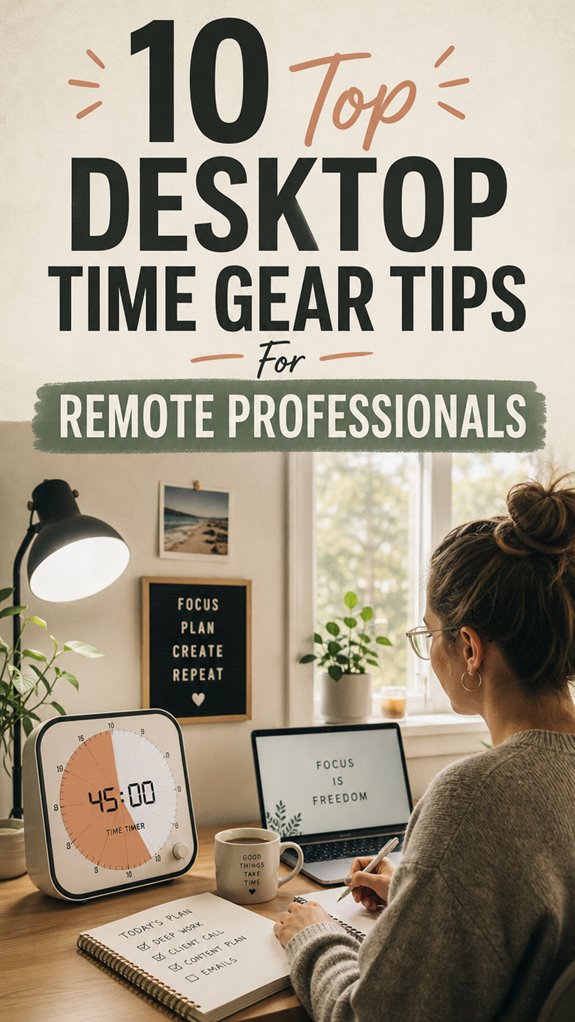
- Tactile Mechanical Timers — Old-school, yeah, but nothing beats smashing that button for a sense of power. It’s like your personal task boss.
- Digital Focus Apps with Visual Cues — Set, forget, and watch your progress with sleek UI. Trust me, it keeps you *motivated*—or at least looking busy.
- Smart Notification Syncs — Your watch buzzes when it’s time to jump to the next task. Instant alert, no missed beat. No excuses now.
- Electrolyte-rich snacks or drinks — Incorporating electrolytes into your routine can help maintain your energy levels and keep you sharp throughout your work sessions.
The Sovereign Professional: Custom Schedules

Once you’ve ditched the cubicle prison and embraced your inner digital nomad, sticking to a rigid 9-to-5 schedule feels about as appealing as eating plain rice on vacation.
As a Bali-based IT expert, I craft my schedule like a tech blueprint—focused, flexible, commanding. Why settle for “traditional” hours when you can become the sovereign professional, reigning over your clock?
Block out prime work hours—say, 10 to 2—and declare those as your productivity zone. Use calendar tools like Notion or Todoist to set boundaries, then protect this time fiercely.
Toss in micro-breaks, stretch, walk, or sip coconuts. Old colleagues back home? They’re stuck in chaos while you sync with the universe’s rhythm—powerful, liberated, and thriving in your own time sovereignty. Incorporating portable scanning devices can also streamline your workflow, ensuring you stay organized no matter where your travels take you.
The Visual Countdown Clock
When you’re trying to crush your remote work goals without the usual office chaos, a visual countdown clock can become your secret weapon. Think of it as your personal time ninja, slicing through distractions. You get laser focus, no more wandering mind or endless coffee breaks. Want to dominate that project? Just set your clock, and watch your productivity skyrocket. Incorporating techniques like daylight therapy lamps can also boost your energy levels and keep you alert throughout the day. To ensure your workspace remains distraction-free, consider using an effective e-ink screen cleaner, so your devices stay clear and crisp, helping you stay focused on your task.
FAQ
What Is the Optimal Duration for Focus Intervals in the Pomodoro Technique?
The perfect focus interval in the Pomodoro is 25 minutes. Seriously, that’s what research and experience tell me. Longer pushes? They drag, burn you out, and make micro-breaks feel like a distant mirage.
Use a digital timer app or a sleek mechanical timer for that satisfying click—the kind you’d smirk at during meetings no one remembers. Trust me, crush your tasks, then harshly judge your old boss’s endless meetings.
How Can I Prevent Distractions While Using a Focus Timer?
Did you know 89% of remote workers—yeah, almost everyone—say high-quality gear boosts their satisfaction?
To crush distractions with a focus timer, first, carve out a dedicated zone—no temptations, no “quick” social scrolls.
Use noise-canceling headphones, put your phone on “Do Not Disturb,” and make it clear to your old colleague Bob from accounting that you’re not available.
Did I mention? Be strict—old habits die hard, my friend. Now, lock in.
Are There Specific Focus Timers Recommended for Different Work Types?
Absolutely, pick timers like Time Timer for intense sprints—think coding or immersive explorations—and apps like Forest to plant your focus seed during creative sessions.
Want a boss-level setup? Use wearables with notifications for quick reminders.
Keep in mind, different work calls for different tools—say, a Pomodoro for content creation, but a longer focus block for analyzing beastly spreadsheets.
Trust me, your old boss would’ve loved the upgrade. Stay sharp, stay mean.
How Do I Integrate Focus Timers With Other Productivity Tools?
Envision Jan, a Bali remote pro, syncing her focus timer with project management tools like Notion. She sets 25-minute sprints, links them to task cards—bam!—harmonized workflow.
Use apps like Pomodone or Clockify to integrate timers with calendars, task lists, and Slack. It’s about creating a tech symphony, not chaos—because real power’s in seamless tools working together, unlike the isolated mess your old cubicle turned into.
Ready to crush it?
What Maintenance or Calibration Is Needed for Physical Focus Timers?
You gotta keep those timers ticking like a boss. Calibrate digital timers once a month—just set the timer to 25 mins, test, and adjust if it’s drifting.
For mechanical ones, wind ‘em up fully, then stop at the zero mark.
Swap batteries before they die, like a savvy remote hero.
Keep in mind, precision fuels productivity.
Out here in Bali, I’ve learned: ignore maintenance, and you’re just a fancy paperweight.
Stay sharp!
References
- https://heatka.co.uk/blogs/guides-highlights/top-office-gadgets-for-remote-work-wfh-setups
- https://www.bestelectronicsreviewed.com/guide/best-devices-to-stay-productive-working-from-home
- https://www.youtube.com/watch?v=azSd7zpIaKY
- https://focusmodehq.com/best-remote-work-productivity-gear/
- https://www.wired.com/story/work-from-home-home-office-gear-guide/
- https://www.pcworld.com/article/1443810/work-from-home-tech-gear-better-home-office.html
- https://practicalwanderlust.com/digital-nomad-gear/
- https://upstackhq.com/blog/remote/essential-remote-workspace-gadgets-to-gear-up-productivity-1
- https://www.reddit.com/r/remotework/comments/1kkudkz/remote_workers_what_gear_actually_made_your_day/
- https://www.reddit.com/r/remotework/comments/1u8e2it/wfh_life_hacksmust_have_equipment/