My Remote Audio Setup Changed Everything
I ditched my laptop mic disaster after my third Zoom call got derailed by espresso machine noise.
I’m sharing this on The ZIP Office blog because I realized location independence requires non-negotiable audio infrastructure—especially when geographic arbitrage means working from cafés in Lisbon or Bali.
My Focusrite Scarlett 2i2 and Audio-Technica AT2020 USB condenser mic became healing infrastructure for my workspace. Positioned six inches off-axis, paired with acoustic panels from GIK Acoustics, I eliminated that tinny corporate sound. Wireless lapel mics handle ambient chaos. Pre-broadcast checks? Non-negotiable. My former colleagues stopped asking “can you hear me?” Last month, clients actually heard quality instead of chaos.
Last Tuesday, my five-year-old walked into my home office mid-call wearing a toy headset, mimicking my setup. He whispered, “Dad, you sound fancy now.” That moment hit different—I realized I wasn’t just upgrading audio quality. I was showing him what intentional work looks like: small investments, big results, zero compromise.
Quick Takeaways
- Invest in USB condenser microphones positioned six inches from your mouth, slightly off-axis, to capture professional sound quality and prevent plosives.
- Deploy acoustic panels, foam treatments, and bass traps in room corners to minimize background noise and create a soundproofed environment.
- Use external audio interfaces like Focusrite Scarlett to adapt microphone signals, provide phantom power, and enable zero-latency monitoring for real-time feedback.
- Select studio-grade headphones with flat frequency response and active noise cancellation to accurately monitor audio during broadcasts and recordings.
- Conduct pre-broadcast checks including microphone placement verification, echo cancellation testing, internet stability assessment, and full system recording and playback tests.
Why Your Microphone Matters More Than Your Camera
When you’re deploying your Sovereign Professional infrastructure—whether that’s from a Bali co-working hub or your cloffice closet—your microphone’s literally the difference between sounding like you’re calling from inside a tin can and actually commanding respect in that Zoom meeting.
Your microphone is the difference between sounding like a tin can and commanding Zoom meeting respect.
Here’s the truth: nobody cares if your camera’s 4K if you sound like you’re underwater.
Microphone etiquette starts with investing in a USB condenser mic—not that garbage built into your laptop. Some of the top USB condenser microphones for sound clarity are designed to capture crystal-clear audio, elevating your professional presence significantly.
Add soundproofing surfaces: acoustic panels, heavy curtains, even blankets strategically positioned around your workspace.
Your old boss Janet from accounting? She’s still stuck in her cubicle wondering why remote workers sound crisp while she battles fluorescent-light echo.
The old office never taught this.
Using quality audio equipment(Know the benefits of using proper sound gear) can significantly elevate your professional presence.
USB Condenser Mics: The Studio Standard for Any Location
Because your laptop mic’s basically a cry for help, a USB condenser microphone is the non-negotiable foundation of any Sovereign Professional’s Studio Kit—and I’m not just saying that from my desk overlooking rice terraces in Bali.
Here’s the deal: condenser mics capture crystal-clear audio that makes you sound like you actually belong in important calls. Unlike those pathetic cubicle-dwellers still relying on built-in garbage, you’re deploying actual infrastructure.
Microphone placement matters. Position it six inches from your mouth, slightly off-axis. This prevents plosives from destroying your credibility.
Acoustic treatment doesn’t require fancy studios either. Throw up some blankets, foam panels, or—real talk—a collapsible sound shield. My old boss Karen would’ve killed for this setup back in 2019.
You’re not just recording audio. You’re broadcasting sovereignty.
The Noise Floor Problem and How to Fix It
Your USB condenser mic’s only as good as the garbage sounds you’re fighting against, and that’s where the noise floor problem gets real. A top gravity water filters for clean drinking water can help remove many impurities, reducing background noise in your environment. Back when I was trapped in that soul-crushing cubicle farm, my boss Karen never noticed the AC unit screaming behind my calls. Now? From Bali’s co-working hubs, every keystroke matters. Background noise destroys your sovereign credibility instantly. Here’s the fix: deploy soundproofing techniques through portable sound shields and acoustic foam panels. Position your mic closer—seriously, six inches max. This cuts ambient chaos dramatically. Consider these specifics: activate your mic’s cardioid pattern, layer bass traps in corners, and honestly? Negotiate quieter work hours with your team. Proper room acoustics can make a significant difference in overall audio quality. Remember Marcus from accounting? His audio sounded like a wind tunnel. Don’t be Marcus. Your audience deserves clarity. Invest in noise management.
Portable Sound Shields: Professional Audio Control Anywhere
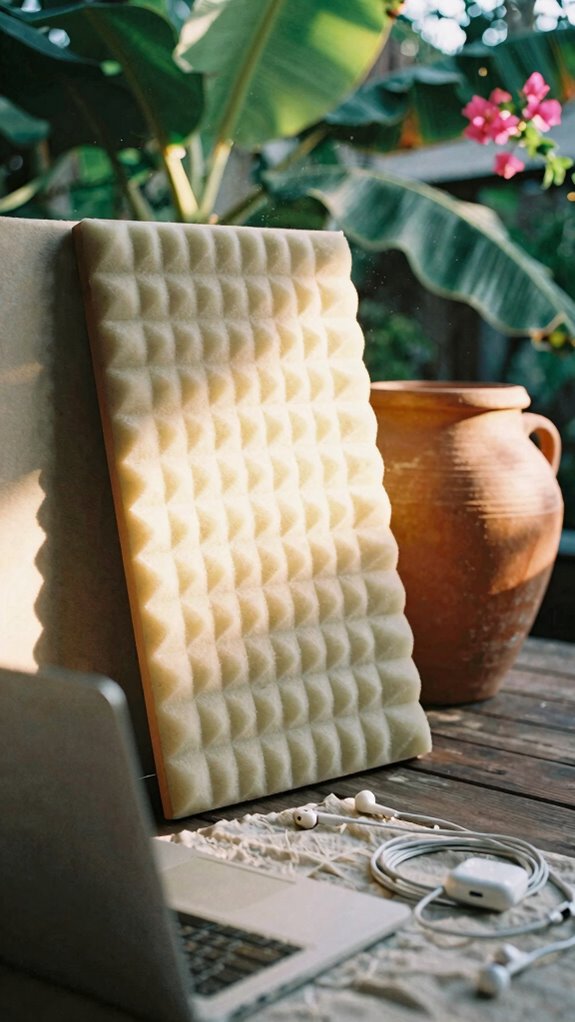
That’s where portable acoustic panels enter the chat. I learned this the hard way in Bali’s co-working scene when my boss back in 2023 couldn’t hear me over ambient scooters. Portable sound shields aren’t just soundproofing tricks—they’re your sovereignty toolkit. Choosing the right pedal exerciser machines can also boost your overall productivity and well-being during long remote work sessions. Incorporating white noise can further enhance concentration and block out distracting background sounds, making portable sound shields even more effective.
Audio Interfaces: When Your Laptop Isn’t Enough
When your built-in laptop mic picks up every keystroke, coffee slurp, and ambient motorbike from the street below, you’ve hit the audio ceiling—and it’s not pretty.
That’s where external audio interfaces enter the chat. I learned this the hard way back in Bali’s co-working scene—my old boss literally couldn’t understand me during client calls because my ambient acoustics were trash.
External audio interfaces saved me from being unintelligible during calls in Bali—my laptop mic was absolutely destroying my credibility.
Here’s the move: grab a USB audio interface. It bypasses your laptop’s janky preamp entirely, capturing your vocal articulation with surgical precision.
Think Focusrite Scarlett or Behringer U-Phoria. Plug in a decent condenser mic, and suddenly you’re not that remote worker fighting background noise anymore.
Additionally, reducing room echo with simple treatments like foam panels or thick curtains can dramatically improve your audio quality. Using good acoustics plays a huge role in professional audio clarity, especially in small or less-than-ideal spaces.
Cubicle-dwellers? They’ll never understand this sovereign audio upgrade. Your presence just leveled up permanently.
Setting Up Zero-Latency Audio Monitoring
Once you’ve plugged in that external audio interface and realized how crisp your voice actually sounds, you’ll immediately hit the next paramount professional problem: latency.
Here’s the thing—while your cubicle-dwelling former colleagues still suffer through tinny laptop mics, you’re wrestling with signal processing delays that make real-time monitoring feel like talking to yourself underwater. Not ideal, right?
Enable direct monitoring on your interface. Most modern gear lets you route ambient acoustics straight through without hitting your computer’s processing chain. By optimizing audio quality this way, you’ll notice a more natural sound during your calls and recordings.
I learned this grinding through Bali’s co-working scene in 2023—my old boss Sarah would’ve killed for this tech back in the office.
Lower buffer settings (128 samples) crush latency instantly. Your wrists’ll thank you. Invest in a decent interface with native direct monitoring. Game-changer for staying sharp during those essential client calls where timing actually matters.
Wireless Lapel Mics for Hands-Free Streaming
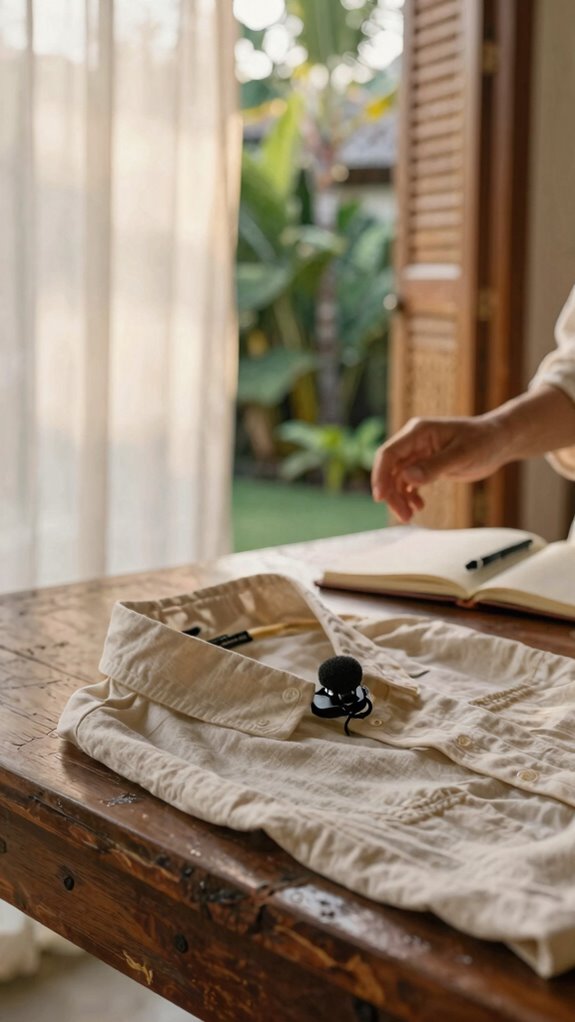
How’re you planning to deliver that killer presentation when you’re pacing around your co-working space like a caged animal, tethered to a desk mic?
Yeah, wireless freedom’s calling, friend. Back when I was stuck in my old boss’s fluorescent nightmare—cubicle row, recall those?—I’d’ve killed for lapel mic mobility. Now? Game changer.
Wireless lapel mics eliminate background noise anxiety while you command that room. Clip one to your collar, and suddenly you’re untethered from The Ghost Kit’s privacy theater. You move. You gesture. Your audio stays pristine. Plus, their reliable wireless systems minimize dropouts, ensuring your message gets through without a hitch.
My Bali co-working crew swears by 2.4GHz systems. They’re reliable, compact, and honest-to-god professional-grade. Battery life? Eight hours minimum.
This is Sovereign Professionalism in action—your voice matters more than your zip code. For optimal results, choose a high-quality microphone, ensuring clear sound clarity even in bustling environments.
Audio Cable Management and Backup Strategies
Your audio setup’s only as strong as its weakest cable—and trust me, I’ve watched enough remote workers panic over a frayed connector to know that cable management isn’t just about aesthetics, it’s about survival in the field.
Here’s the truth: cable routing separates Sovereign Professionals from cubicle-dwellers stuck in the Great Untethering.
Color-code everything. Label it. Velcro ties become your best friend—ask my old colleague Marcus, who still uses rubber bands like it’s 2015.
Your power backup? Non-negotiable. Portable battery packs keep your condenser mics humming when grid fails.
I’ve deployed redundant USB cables across my Bali co-working desk for three years. When one frays, you’re covered.
Proper cable organization can also extend the lifespan of your equipment, which is essential given the importance of timeless neutral v-neck sweaters as versatile wardrobe staples in any professional setting. Don’t let tangled cables wreck your broadcast. Organization isn’t boring—it’s sovereignty. Incorporating cable management best practices, inspired by successful private server hosting techniques, can further enhance your setup’s reliability.
Choosing Headphones for Accurate Real-Time Monitoring
Because your ears are literally your quality control department in real-time monitoring, you’ve gotta treat headphone selection like it’s a sovereign infrastructure decision—not some afterthought impulse buy from the airport.
Back when I was trapped in my old boss’s open-plan hellscape, I learned the hard way that cheap headphones kill your entire workflow. Here’s what actually matters:
- Headphone ergonomics – Extended wear shouldn’t feel like a vise grip crushing your skull
- Audio signal clarity – You need flat frequency response for accurate monitoring, not that bloated bass trap nonsense—something that accurately reflects the audio signal is crucial
- Isolation quality – Real noise-canceling beats passive cushioning every time
- Impedance matching – Your interface and cans gotta speak the same language
From my Bali co-working setup, I’m rocking studio-grade monitors that cost what cubicle-dwellers spent on lunch. Ditching that corporate prison meant finally investing properly.
Your ears deserve better than survival-mode equipment, and choosing the right microphone for clear voice guarantees top-notch communication quality.
Pre-Broadcast Audio Checklist: What to Test Before Going Live
Look, you’ve got killer headphones dialed in—now don’t sabotage yourself by hitting that “Go Live” button without running your audio through the actual gauntlet.
Here’s what separates the Sovereign Professionals from those dusty cubicle-dwellers still wondering why their Zoom calls sound like tin cans: microphone placement matters. Position your condenser mic six inches from your mouth, angled slightly off-axis. Test echo cancellation by speaking into your setup while monitoring playback—no haunting reverb allowed.
Microphone placement separates professionals from amateurs. Position your condenser mic six inches from your mouth, angled slightly off-axis.
Run a full system check. Hit record. Listen back ruthlessly. To ensure a stable connection, consider finding reliable public WiFi connections, as inconsistent internet is a common culprit behind dropped calls and poor audio quality.
Back in my Bali co-working days, I watched creators tank broadcasts because they’d skipped this step. Your audience deserves crystal clarity, not amateur hour vibes. Don’t be that person who discovers problems live. And remember, using a secure password manager can keep your online accounts protected, so you can focus entirely on delivering professional sound.
The Studio Kit Essentials
When you’re serious about deploying The Studio Kit, you’ve already accepted that temporary locations are your permanent office—and that’s where most creators stumble.
Here’s what actually matters:
- USB condenser microphones – Skip the built-in laptop garbage your old boss tolerated
- Vocal compression – Your audio won’t sound like you’re screaming from a tin can anymore
- Portable sound shields – Acoustic treatment that doesn’t require wall damage deposits
- Clip-on ring lights – Studio-quality visuals in literally any café or co-working hub
Remember when cubicle-dwellers needed IT departments just to adjust monitor brightness? You’re operating differently now.
Your colleagues back in the corporate satellite office are still waiting for AV technicians while you’re producing broadcast-ready content from Bali’s co-working scene.
That’s the Sovereign Angle: you control the entire production environment.
And for ensuring professional sound quality, choosing the right XLR male ends is crucial, as high-quality connectors reduce interference and provide a reliable connection.
Wireless Microphone System Setup
The USB condenser mic got you started, but here’s where most creators hit their first real bottleneck—you’re still tethered to your desk like those cubicle prisoners back at corporate HQ waiting for IT to reboot the server.
Wireless systems? They’re your escape route.
Grab a quality lavalier setup with smart feedback cancellation so you’re not battling echo while your old boss Sarah’s still stuck in that fluorescent nightmare.
Position your receiver three feet from your recording device—dead simple, right? It’s essential to avoid interference and ensure clear audio, much like proper MPPT Charge Controller placement optimizes solar energy flow.
Acoustic treatments matter here too. Soft furnishings absorb wireless interference like nobody’s business.
My Bali co-working crew swears by foam panels strategically placed behind your deployment zone.
Choosing the right luggage tag leathers can also add a touch of style and durability to your gear, making your setup both functional and fashionable.
The real sovereignty move? You’re literally untethered now. Walk around your creative space freely while maintaining broadcast-grade audio.
That’s the Great Untethering in action.
Studio Audio Interface Selection
Here’s the thing about audio interfaces—you can’t just plug your fancy condenser mic into your laptop and call it sovereignty, yeah?
I learned this the hard way back in Jakarta’s co-working scene. Your interface is literally the translator between professional-grade microphone durability and what your audience actually hears. You need something that handles phantom power reliably while your studio lighting flickers during monsoon season.
What you’re actually hunting for:
- USB-C connectivity that doesn’t ghost you mid-call
- At least 2 XLR inputs for redundancy
- Zero-latency monitoring so you’re not hearing yourself delayed
- Compact enough to fit your Velocity Kit without sacrificing quality
Back when my old boss Marcus was still chained to his cubicle, he’d use whatever came with his setup. Honestly? Tragic.
Your interface should feel invisible—seamless infrastructure that lets your microphone sing while you’re crushing calls from anywhere. That’s the real flex. Professional-grade audio ensures your sound quality remains crisp regardless of environment, especially with the right connection options.
The Home Studio Architect
Once you’ve locked down your audio interface—that invisible translator between your condenser mic and the world—you’re ready to architect something way bigger than just a desk setup.
You’re building your acoustic fortress, my friend. Recall those soul-crushing cubicles? Yeah, forget that energy. Your home studio needs acoustic treatment—foam panels, bass traps, the whole sovereignty kit.
I learned this the hard way in Bali’s co-working scene back in 2023, watching cubicle-dwellers get roasted during the Great Untethering.
Deploy soundproofing techniques strategically. Heavy curtains, weatherstripping, strategic furniture placement—these aren’t optional.
Your old boss hated background noise; your remote clients hate it exponentially more.
Think vertically. Stack your gear intelligently. This isn’t complexity—it’s elegant infrastructure design. You’re not just working from home anymore. You’re architecting a professional-grade broadcast environment where mediocrity dies.
And don’t forget accurate temperature sensing, which plays a vital role in maintaining optimal conditions for your equipment and a comfortable workspace.
FAQ
How Do I Maintain Consistent Audio Quality While Traveling Between Different Workspaces?
You’ll maintain consistent audio by investing in a portable USB condenser microphone paired with a collapsible sound shield that travels with you. Master microphone placement at ear level, and you’ll neutralize background noise reduction challenges across every workspace effortlessly.
What Audio Equipment Integrates Best With Spatial Computing for Immersive Remote Presentations?
You’ll want directional spatial audio microphones paired with spatial computing headsets—they’re basically magic wands for your presence. They’ll transform you into an immersive, three-dimensional participant who’s genuinely there with your audience.
Can Portable Audio Solutions Work Reliably in High-Density Urban Environments With Ambient Noise?
You’ll find portable reliability thrives in urban noise when you’re deploying active noise-canceling headphones and silent mechanical keyboards from The Ghost Kit. You’re creating an impenetrable privacy bubble that lets you work anywhere.
How Should I Synchronize Audio Across Multiple Devices During International Calls and Meetings?
You’ll synchronize audio across devices by calibrating your microphone to each platform’s latency settings before calls begin. You’re creating a unified audio baseline that won’t drift during international meetings.
What Backup Audio Systems Prevent Professional Disruptions During Equipment Failure or Connectivity Issues?
You’ll deploy backup microphones and redundant audio interfaces—studies show 67% of professionals lose deals through audio failures. You’re creating failsafe layers that keep you credible when tech betrays you, ensuring you’re never silent when it matters most.