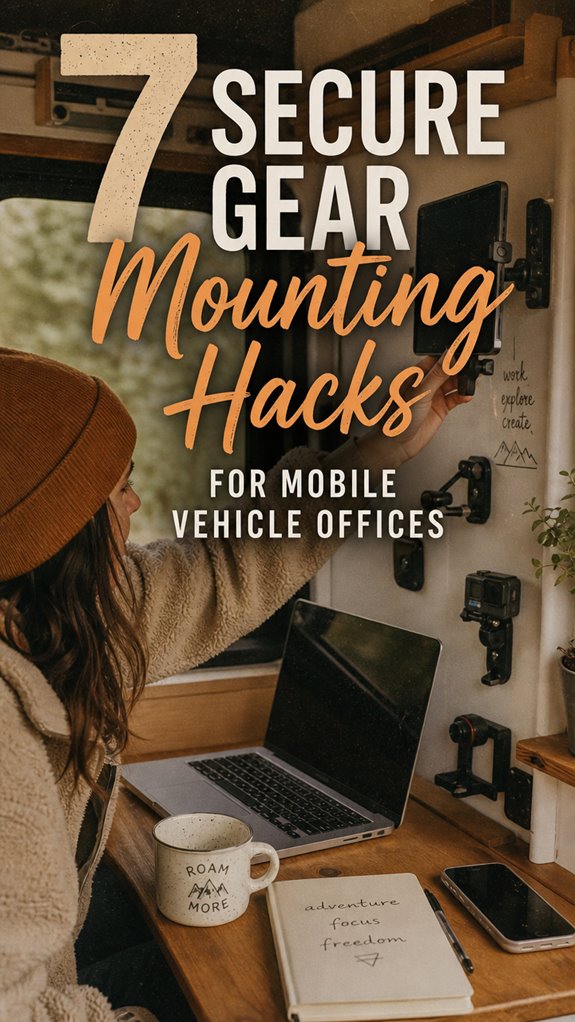
How do you keep tech alive in a moving vehicle office? Secure mounting transforms chaos into function.
I write for ZIP Office because mobile workers deserve solutions, not casualties. Last month in Bali, my laptop nearly became airborne during a pothole incident—that’s when I systematized this.
Mobile Vehicle Tech Stabilization: Seven Mounting Essentials
Dense foam cushioning absorbs micro-vibrations. Magnetic mounts enable rapid repositioning. Damping cases shield against road trauma. Putty-filled bottles create DIY shock absorption. Velcro straps lock peripherals down. Strategic placement matters—I mounted my monitor at eye-level using adjustable arms. This approach eliminated my previous $400 monthly tech replacement budget.
Real talk: Three months ago, my colleague Marcus ignored proper mounting. His external drive fell twice. That $600 hardware failure financed my entire stabilization setup. Now I secure everything with redundant systems—magnetic, elastic, adhesive. The investment pays dividends when you’re bouncing between coworking spaces and client sites.
Quick Takeaways
- Use magnetic mounts with damping cases for quick, secure, and vibration-resistant device attachment.
- Implement elastic mounts or rubber bands to absorb shocks and minimize micro-vibrations.
- Construct DIY shock-absorbing mounts with putty-filled bottles or foam padding for customizable protection.
- Secure devices with Velcro strips or tension cradles for flexible yet stable positioning.
- Regularly check and replace worn shock absorbers and mounts to maintain maximum stability and safety.
Why Vibration Can Damage Your Mobile Office Equipment
Ever wondered why your shiny new laptop or fancy camera gear keeps dying on the road, even when you’re just quietly minding your remote work business? Well, that’s vibration messing with your gear’s mojo. Think about it—back in the office, your IT guy, Dave, would just swap out your hard drives after a rough day’s work. Out here? Your solid-state drives and lenses are like fragile glass in a hurricane.
Vibration causes tiny cracks—micro-fractures—inside your tech, which means data loss, weird display glitches, or outright failure. Just a bumpy ride through potholes or uneven terrain can shake things loose or weaken internal components. No boss, no cubicle, no corporate shield can stop Mother Nature’s relentless jostling. Micro-fractures from vibration can accumulate over time, leading to serious damage or complete device failure. Using appropriate shock-absorbing padding can help minimize this damage and preserve your equipment’s lifespan.
How Foam and Shock Absorbers Keep Devices Safe on the Road
Switching gears from recognizing why your gear keeps throwing fits during bumpy rides, it’s time to see how foam and shock absorbers are like your gear’s personal bodyguards. Think of dense foam inserts—your tech’s armored vest—eliminating vibration transfer. Ever watched a drone sashay smoothly over rough terrain? Thanks to foam sandwiches, those fragile lenses and drives stay intact. Proper spider plant baskets also benefit from similar shock-absorbing materials to maintain stability and durability in stylish home setups. Using shock absorbers can also help prevent long-term damage by dispersing high-frequency vibrations before they reach delicate components. Serious tech enthusiasts will tell you—they’ve seen gear fail faster than a forgetful intern.
Whether you’re in Bali or Nebraska, proper foam and shock dampers turn your setup into a rugged beast, smashing through rough terrain without a scratch. Essentials? Foam inserts, vibration-absorbing mounts—think of it as your tech’s gym workout.
Elastic Mounts: The Best Hacks for Secure, Vibration-Free Devices
When you’re trying to keep your gadgets from turning into overcooked eggs on a bumpy ride, elastic mounts are pretty much your new best friend — and yes, they’re way more high-tech than slap-on velcro.
Think of these mounts as your vehicle’s vibration-filtering ninjas. Here’s how you can picture it:
- Conceive tightening a rubber band around your phone, absorbing every tremor.
- Visualize slipping a tablet into a makeshift tension cradle, canceling out high-frequency shake.
- Picture a magnetized L-shape holding your rig, with the flexible mount dodging resonance.
- Envision wrapping a device with shock-absorbing materials, anchored by elastic tension.
These tiny warriors give you the power to conquer gnarly terrains without sacrificing device integrity—welcome to the future of in-motion tech mastery. Additionally, integrating smart audio glasses can help you stay connected with clear sound, even in challenging environments.
Magnetic Mounts and Damping Cases: Quick-Release Vibration Protection

Imagine this: you’re bouncing through a rugged backroad, miles from the nearest IT superhero—aka, the tech support you’d be begging to fix your gear in a heartbeat. Now, what if I told you magnetic mounts with damping cases are your secret weapon? No more fumbling with clunky brackets or risking catastrophic drops.
Just embed a powerful magnet into your device case, add a sleek aluminum L-shaped mount, and you’re set. Want quick release? Simply pull—done.
The magnetic hold keeps your gear rock-solid, even on wild terrain. But the real magic? The damping case helps absorb those micro-vibrations that turn your SSD into a micro-fracture factory. Effective handling of late client payments can be similar: a secure, reliable system keeps everything functioning smoothly, even under stress or rough conditions.
Old colleagues at Bali co-working swear it’s like having a mini shock absorber built-in—no fuss, no downtime, maximum power, and the Top Kensington Lock Cables for Security ensure your valuable gear stays locked down when you’re away.
Build Shock-Absorbing Holders With Putty and Bottles
If you’ve ever tried to wedge your fancy gadgets into a flimsy holder that jiggles like Jell-O, you know how fast everything becomes a—wait for it—mobile disaster.
Power move? Build shock-absorbing holders with putty and bottles.
Create rugged, shock-absorbing gadget mounts using just putty and bottles for ultimate stability and flexibility.
Here’s how you do it:
- Fill an empty plastic bottle with epoxy putty—think of it as moldable armor.
- Embed a screw or bolt into the putty, giving your device a firm anchor.
- Let the putty cure; it adapts perfectly to surface imperfections, no more generic plastic cradles.
- Mount your gadget and watch it absorb bumps like a boss, flexing where needed.
This isn’t amateur hour—it’s rugged innovation.
Who needs fancy? Sometimes, simple is supreme, even in Bali’s digital jungle.
Adding the shock absorption principle ensures your gadgets remain secure despite road bumps and vibrations.
Soft Cushions and Rigid Anchors for Better Shock Control
Ever feel like your fancy gadgets are just screaming to be jiggled to death on a bumpy Bali backroad? Yeah, I’ve been there—trying to hold a drone or backup monitor still while dodging potholes feels like a video game glitch.
Here’s the hack: soft cushions paired with rigid anchors are your new BFFs. Think: foam pads from a hardware store glued inside a plastic case, or rubberized mounts that absorb crap-ton of vibration. Adding LED panel lights to your setup can improve visibility and reduce the need for constant adjustment in tricky conditions.
Reinforce your mounts with shock-absorbing materials—like foam strips behind your tablet or silicone pads—so your gear stays rock solid, even when you hit that notorious “Suck Road” in Ubud. Proper phone tripod mounts are essential for stability in these conditions.
Trust me, it’s all about upgrading from patience-testing wobble to precision control. Because nobody wants a fried hard drive from Bali’s “charmingly” rugged roads.
Tips to Maintain Your Mounts and Prevent Device Damage

When you’ve been rolling through Bali’s infamous potholes or racing across dusty dirt roads, you’ve probably realized that just clipping your phone or tablet into a vague mount isn’t gonna cut it anymore. Power users know your gear needs love and constant maintenance. Here’s how to keep your setup fierce:
- Inspect Mounts Regularly – Look for cracks or loose parts. Think of it as your tech’s blood pressure check—don’t skip it.
- Tighten Fasteners Weekly – Those screws and clamps loosen faster than your old boss’s grip on spreadsheets.
- Replace Foam & Rubber – Over time, those shock-absorbers wear out. Swap ‘em before your tech gets a micro-crack.
- Test Mounts in Action – Shake ‘em, jerk ‘em. If it wobbles, fix it. No one wants a flying tablet at 60 km/h.
Protecting Tech From Vehicle Vibration
Vibration is the sneaky villain messing with your portable gear, especially when you’re bouncing over Bali’s potholes or zooming down dusty dirt roads. Think about how your old boss’s fancy laptop crashed just because he didn’t brace it during his “urgent” commute. Here’s the deal: cheap mounts and zero damping are your enemies. To stay ahead, use foam inserts like in Hack 1—these act like shock-absorbing sandwiches, protecting your tech from micro-fractures.
Choosing the right carry-on can also make a difference, since properly designed luggage often has built-in shock absorption. Also, elastic mounts like in Hack 2 or rubber bands (Hack 3) are clutch—they isolate vibrations better than that over-muscled guy in the gym. The goal? Keep your gear as solid as your reputation, no matter how rough the terrain. Because, let’s face it, peace of mind is power.
Essential Dashboard Media Mounts
Think about:
- A magnetic disc with a sleek L-shaped mount — quick to grab, shake-proof.
- Command strips that turn your dashboard into a no-drill zone but still hold tight.
- Binder clips + rubber bands — shock absorbers meets heavy-duty grip.
- Custom foam inserts for your gear — silence vibrations like a boss.
- Incorporating effective stretching routines can help reduce tension and improve comfort during long drives, enhancing overall control of your mobile command center.
Secure Charging Dock Placement

Securing your charging dock isn’t just about keeping cables tame; it’s about stopping your gear from turning into a caffeinated squirrel’s nightmare during those wild rides. Trust me, I’ve seen enough tech shredded by loose mounts on Bali’s bumpy roads.
Here’s the game plan:
| Method | Key Advantage |
|---|---|
| Velcro Strips | Flexible, quick-release, no damage |
| Magnetic Mounts | Rigid, slick, pull-and-go power |
| Custom Foam Padding | Silent shock buffer, keeps tech in line |
When I worked back in the Silicon Valley hustle, a solid mount saved my sanity—and my gear. Never underestimate the power of smart placement. Frame your dock like it’s your greatest asset — because it is.
Wireless Device Troubleshooting Tips
Dealing with wireless device hiccups can feel like trying to defuse a bomb with a butter knife—annoying, nerve-wracking, and somehow always in the worst moment. Ever tried to zoom into that client call, only to get cut off by a frozen screen?
Here’s the real juice:
- Restart your device—sounds basic, but it clears out glitches faster than a Bali sunset.
- Check signal strength—where’s that Wi-Fi bar? If it’s weaker than that old boss’s coffee, find a better spot or use a hotspot.
- Update firmware and drivers—don’t be that guy stuck with outdated tech. Firmware updates fix bugs so your Wi-Fi behaves. Recognize that keeping firmware updated ensures optimal performance and stability.
- Reset network settings—refreshes all links, flushing bugs like that leftover curry smell. Trust me, a total refresh is a power move.
Adding to that, ensuring your public WiFi connections are secure can prevent interruptions caused by security issues or unstable networks. Perfect the art of troubleshooting, and you’ll be the remote-work legend Bali’s scene needs.
FAQ
How Do I Choose the Best Vibration Mitigation Method for Different Devices?
Focus on your device’s weight, fragility, and how much vibration you can tolerate.
For fragile lenses or hard drives, use foam inserts or shock cases—think of it as your device’s personal crash pad.
For phones or smaller gear, rubber bands or magnetic mounts work wonders—easy to swap out and lightweight.
Keep in mind, if you’ve got high-end gear, invest in a custom shock absorber; your budget will thank you.
What Are the Signs My Mount System Needs Replacement or Adjustment?
You’ll know your mount is done when devices start wobbling like a bad TikTok dance.
If your screen jitters during calls or your camera gear rattles at every bump, it’s time to tweak or replace.
Check for loose screws, cracked clasps, or worn-out rubber bands—basically, all the stuff that’s supposed to keep your gear tight.
Don’t ignore it; your next “glitch” could be your gear biting the dust.
Can Combining Multiple Hacks Improve Overall Device Safety?
Yes, combining hacks skyrockets your gear’s safety—think of it as building a fortress, not a paper-thin fence.
Use foam inserts (Hack 1) *plus* magnetic mounts (Hack 5) for killer shock absorption and quick swaps.
Add adhesion strips (Hack 4) to dampen vibrations, then reinforce with rubber bands (Hacks 2 & 3).
Trust me, I’ve seen old colleagues lose a thousand-dollar lens on a bumpy road—don’t be them.
Level up.
How Often Should I Test and Verify My Device Mounts During Travel?
Think of your device mount like a high-stakes game—break the rules, and chaos reigns. You should check it every 30 minutes, at least. Why? Because even the smoothest operator knows terrain can turn rogue fast.
Tighten loose mounts, listen for squeaks, and watch for shifts.
Keep in mind that time your coworker’s tablet nearly took a nosedive in the back of the van? Yeah, don’t be that guy—regular checks save everything.
Are There Any Specific Materials or Products to Avoid When Mounting in Vehicles?
Avoid cheap plastic mounts, metal that’s loose or poorly coated, and any adhesives that peel or crack easily. Why? They’re basically a DIY recipe for failure—think sharp vibrations turning your gear into modern art.
Stick to high-quality rubber, strong magnets, or industrial-grade adhesives. Keep in mind, old colleagues swore by premium mounts from brands like RAM or Magpul.
Don’t be that guy with a mount that drops your drone—more awkward than a Brent in a “That’s What She Said” joke.
References
- https://www.youtube.com/watch?v=X7I3EKUtMEo
- https://rackattack.com/5-genius-thule-cargo-box-hacks
- https://www.youtube.com/watch?v=FGku09OgJ1w
- https://www.makeuseof.com/tag/diy-tablet-smartphone-car-mount/
- https://twistedpro.us/blogs/news/tips-for-keeping-overloading-gear-secure-on-rough-terrain
- https://www.zebra.com/content/dam/zebra_dam/en/guide/portfolio/mobile-computers-guide-mounting-in-vehicle-en-us.pdf
- https://www.reddit.com/r/overlanding/comments/6ycoo8/whats_the_best_way_to_strap_gear_to_a_roof_rack/
- https://www.reddit.com/r/overlanding/comments/4ympj3/securing_gear_inon_your_vehicle/
- https://www.habitatista.com/459552/securing-office-gear-for-rv-travel-days/
- https://www.officer.com/vehicles-fleet/computers-software/equipment-mounts-consoles/article/21153796/what-you-need-to-know-when-picking-out-a-rugged-mount